1. Úvod a konecview
This manual provides essential information for the installation, operation, and maintenance of your Intel Core i3-12100 Alder Lake Desktop Processor. Please read this guide thoroughly before proceeding with installation to ensure proper functionality and longevity of your product.
Popis produktu
The Intel Core i3-12100 is a high-quality desktop processor designed for various computing needs. It is part of the 12th Generation Alder Lake series, offering reliable performance for everyday tasks, gaming, and multimedia. For detailed care instructions, always refer to the manufacturer's product information sheet or packaging.
Klíčové vlastnosti
- Konfigurace jádra: 4 jader, 8 vláken
- Základní frekvence: 3.3 GHz
- Maximální turbofrekvence: Až 4.3 GHz
- Mezipaměť: Inteligentní mezipaměť 12 MB
- Typ zásuvky: LGA 1700
- Tepelný návrhový výkon (TDP): 60W
- Integrovaná grafika: Intel UHD Graphics 730 (where applicable, check specific model)

Obrázek 1.1: Přední strana view of the Intel Core i3-12100 processor packaging.
2. Průvodce nastavením
Proper installation is crucial for the performance and stability of your system. Please follow these steps carefully.
Než začnete
- Ensure your motherboard supports the LGA 1700 socket and is compatible with 12th Generation Intel processors.
- Připravte si potřebné nástroje: křížový šroubovák, teplovodivou pastu (pokud není předem nanesena na chladič) a antistatický náramek.
- Pracujte v čistém, dobře osvětleném a statickém prostředí.
- Unplug your computer from the power outlet and discharge any residual power.
Kroky instalace
- Příprava základní desky: Otevřete páčku pro uchycení patice procesoru na základní desce. Zvedněte nosnou desku.
- Instalace procesoru: Carefully align the triangular arrow on the corner of the processor with the corresponding arrow on the CPU socket. Gently place the processor into the socket. Do not force it.
- Zabezpečení procesoru: Lower the load plate and then push down the retention lever until it clicks into place.
- Naneste teplovzdornou pastu (pokud je to nutné): Pokud váš chladič CPU nemá předem nanesenou teplovodivou pastu, naneste malé množství o velikosti hrášku do středu integrovaného rozdělovače tepla (IHS) CPU.
- Instalace chladiče CPU: Align the cooler with the mounting holes around the CPU socket. Gently press down and secure the cooler according to its specific mounting mechanism (e.g., push pins, screws, or backplate).
- Připojení ventilátoru chladiče: Připojte kabel ventilátoru chladiče procesoru ke konektoru „CPU_FAN“ na základní desce.
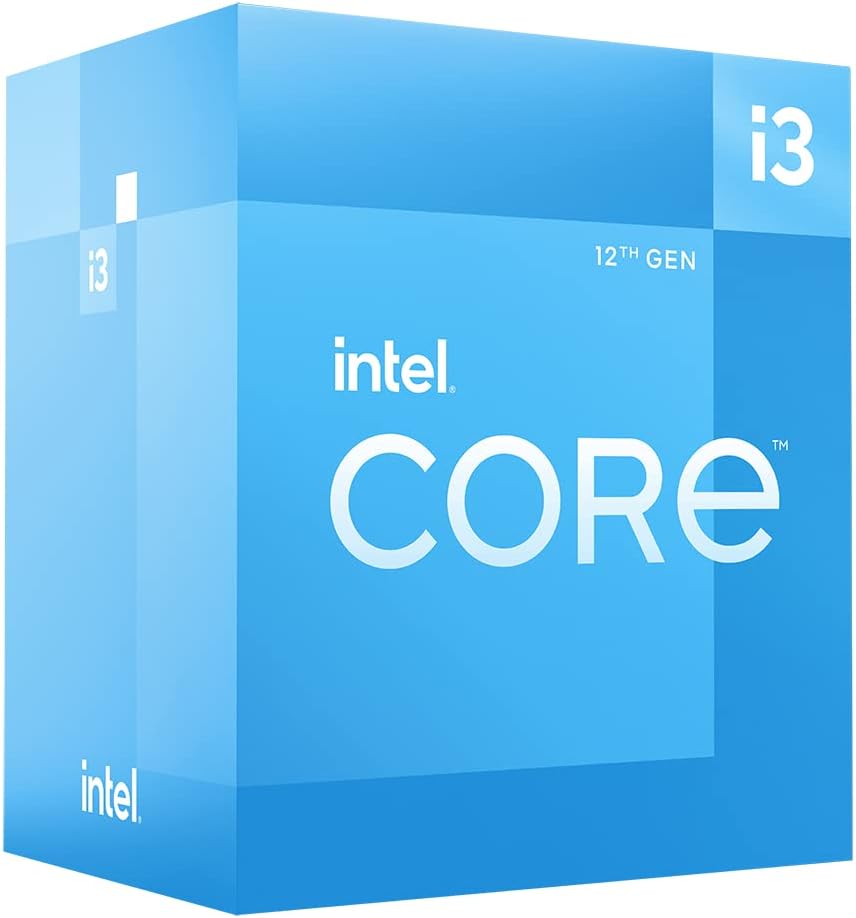
Obrázek 2.1: Úhlové view of the Intel Core i3-12100 processor packaging.

Obrázek 2.2: Strana view of the Intel Core i3-12100 processor packaging.
3. Obsluha procesoru
Once installed, your Intel Core i3-12100 processor will operate automatically within your system. Here are some general considerations for optimal performance.
Tepelný management
Maintaining proper cooling is essential for processor longevity and stable performance. Ensure your CPU cooler is functioning correctly and that your PC case has adequate airflow. High temperatures can lead to performance throttling or system instability.
Úvahy o výkonu
The Intel Core i3-12100 is designed to dynamically adjust its clock speed based on workload and thermal conditions. This technology, known as Intel Turbo Boost Technology, allows the processor to reach higher frequencies (up to 4.3 GHz) when needed, providing a responsive computing experience.

Figure 3.1: The processor box in a typical desktop computing environment.

Figure 3.2: Visual representation of the processor's performance capabilities in a gaming scenario.

Figure 3.3: Illustrative image demonstrating the processor's architecture and platform compatibility.

Figure 3.4: Marketing image highlighting the processor's role in enhancing gaming performance.
4. Údržba
Minimal maintenance is required for your processor itself, but ensuring its operating environment is clean and cool will prolong its lifespan.
Odstranění prachu
- Regularly clean dust from your CPU cooler's heatsink and fan using compressed air.
- Ensure your PC case filters are clean to prevent dust buildup inside the system.
Thermal Paste Reapplication
Over time, thermal paste can dry out and become less effective. If you notice consistently high temperatures, consider reapplying fresh thermal paste to the CPU's IHS. This typically involves removing the CPU cooler, cleaning off old paste, and applying new paste before reattaching the cooler.
5. Řešení problémů
If you encounter issues with your system after installing the processor, refer to the common problems and solutions below.
| Problém | Možná příčina | Řešení |
|---|---|---|
| Systém se nespustí / Žádné zobrazení | CPU not seated correctly, CPU power cable disconnected, incompatible motherboard BIOS. | Re-seat the CPU, ensure all power cables are connected, update motherboard BIOS (if possible, using a compatible CPU). |
| System boots but shuts down quickly | Overheating due to improper cooler installation or insufficient thermal paste. | Check CPU cooler mounting pressure, reapply thermal paste, ensure CPU fan is connected and spinning. |
| Poor performance / Throttling | High temperatures, power limits, background processes. | Monitor CPU temperatures, ensure adequate cooling, check power settings in BIOS/OS, close unnecessary applications. |
| Nestabilita systému / Pády | Overheating, faulty RAM, unstable power supply, driver issues. | Verify CPU temperatures, test RAM, check power supply, update chipset and graphics drivers. |
6. Technické specifikace
Detailed specifications for the Intel Core i3-12100 processor.
| Funkce | Detail |
|---|---|
| Značka | Intel |
| Série | I3 1200 |
| Číslo modelu položky | BX8071512100 |
| Značka procesoru | Intel |
| Model CPU | Core i3 |
| Rychlost CPU | 3.3 GHz |
| Počet procesorů | 4 |
| Zásuvka CPU | LGA 1700 |
| Hmotnost položky | 10.6 unce |
| Rozměry produktu | 1.18 x 0.79 x 0.04 palce |
| Barva | černá / černá |
| Typ paměti počítače | GDDR4 |
| svtage | 1 voltů |
| Jazyk | angličtina |
| Datum první dostupnosti | 11. května 2022 |
7. Záruka a podpora
Intel provides a standard warranty for its processors. Please retain your proof of purchase for warranty claims.
Informace o záruce
The Intel Core i3-12100 processor is manufactured by Intel. For specific warranty terms and conditions, please refer to the official Intel warranty documentation included with your product or visit the official Intel support webZáruka se obvykle vztahuje na vady materiálu a zpracování při běžném používání.
Additional Protection Plans
Optional protection plans may be available for purchase from retailers. For example, a 4-Year Protection Plan or a Complete Protect plan may be offered. These plans are separate from the manufacturer's warranty and provide extended coverage or additional benefits.
Technická podpora
For technical assistance, troubleshooting beyond this manual, or warranty inquiries, please contact Intel's official customer support. You can typically find contact information on the Intel webna webu nebo v obalu vašeho produktu.
Online zdroje: Visit the official Intel website for drivers, software, and additional support documentation.


