Zavedení
This user manual provides comprehensive instructions for the TERIOS Wireless Controller, designed for an enhanced gaming experience. This controller is compatible with PlayStation 4, PS4 Pro, and PS4 Slim consoles.

Obrázek: Přední strana view of the green TERIOS Wireless Controller, showcasinjeho ergonomický design a rozložení tlačítek.
Co je v krabici
Po otevření balení se prosím ujistěte, že jsou přítomny všechny následující položky:
- 1 x TERIOS Wireless Controller
- 1 x USB nabíjecí kabel
- 1 x Controller User Manual (this document)

Image: The TERIOS Wireless Controller, USB charging cable, and user manual laid out, representing the package contents.
Vlastnosti produktu
The TERIOS Wireless Controller is equipped with several features designed to enhance your gaming experience:
- Bezdrátové připojení: Connects wirelessly to your PS4 console via Bluetooth 4.2 for a stable connection up to 8 meters.
- Built-in Speaker & Headset Jack: Features an integrated speaker and a 3.5mm stereo headset jack for immersive audio.
- Multitouch Pad: A central multitouch pad expands gaming possibilities and interaction.
- Tlačítko Sdílet: Allows for live-streaming and sharing gameplay moments without interrupting your session.
- Dvě analogové páčky: Provides pinpoint accuracy and enhanced sensitivity for precise control.
- Double Shock Vibration: Integrated motors provide haptic feedback for an immersive gaming experience.
- Turbo Feature: Enables rapid-fire functionality for certain in-game actions.
- Dobíjecí baterie: Equipped with a 1000mAh lithium battery, offering 10-12 hours of continuous use on a single charge.
- Ergonomický design: Conforms to the palm structure for comfortable extended gaming sessions.

Obrázek: Detail views highlighting the built-in speaker, share button, and multitouch pad functionalities of the controller.

Image: Visuals illustrating the Bluetooth 4.2 connection, ergonomic design for comfortable grip, and the placement of advanced gaming buttons.

Image: The controller with a visual emphasis on its dual analog sticks, indicating their role in providing a better gaming experience.
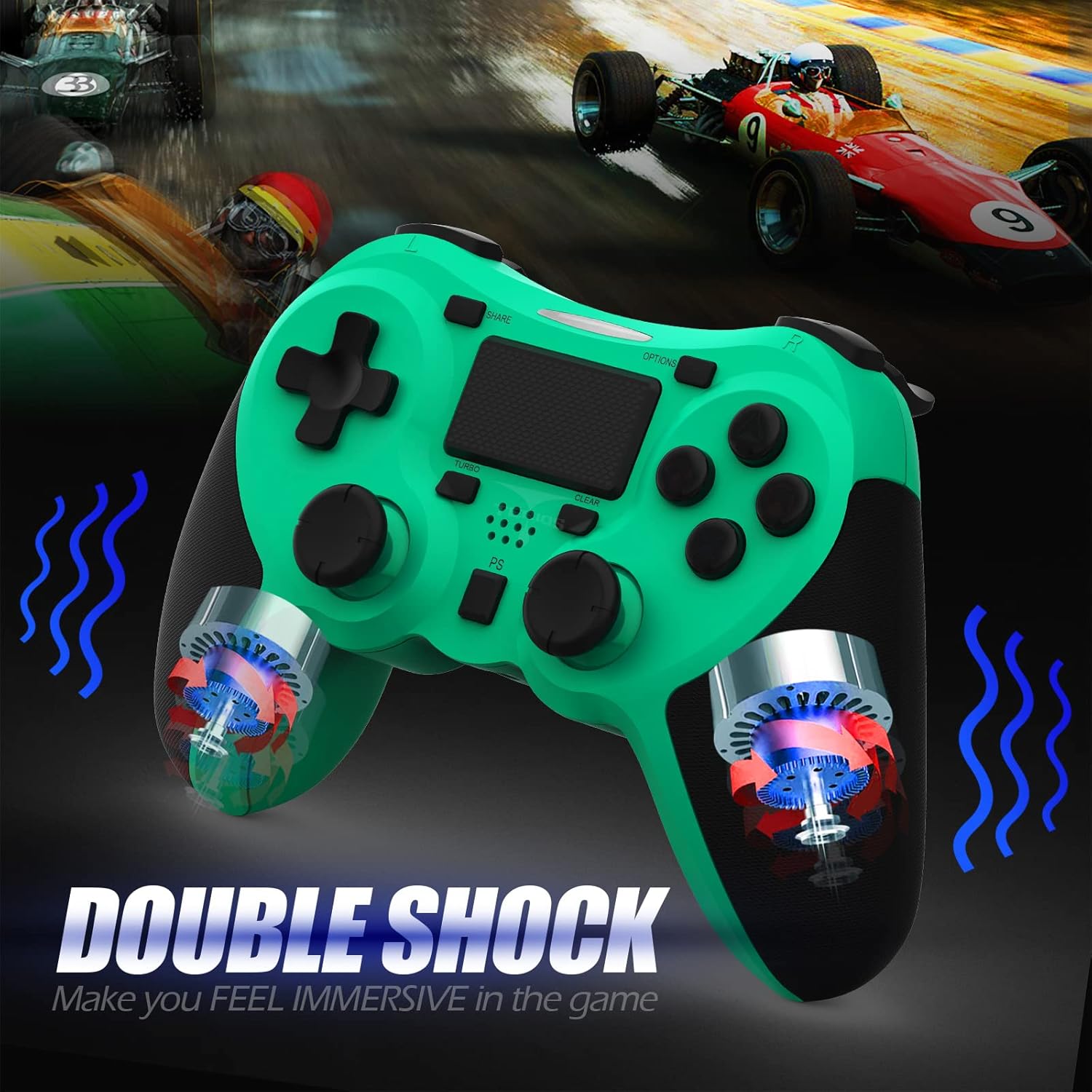
Obrázek: Interní view of the controller highlighting the double shock vibration motors, designed to provide immersive haptic feedback.
Průvodce nastavením
1. Počáteční nabíjení
Before first use, fully charge the controller. Connect the supplied USB charging cable to the controller's micro USB port and the other end to a USB port on your PlayStation 4 console or a compatible USB wall adapter.
- Doba nabíjení: Přibližně 2-3 hodiny pro plné nabití.
- Battery Life: Up to 10-12 hours of continuous gameplay.
- Pohotovostní doba: až 30 dní.
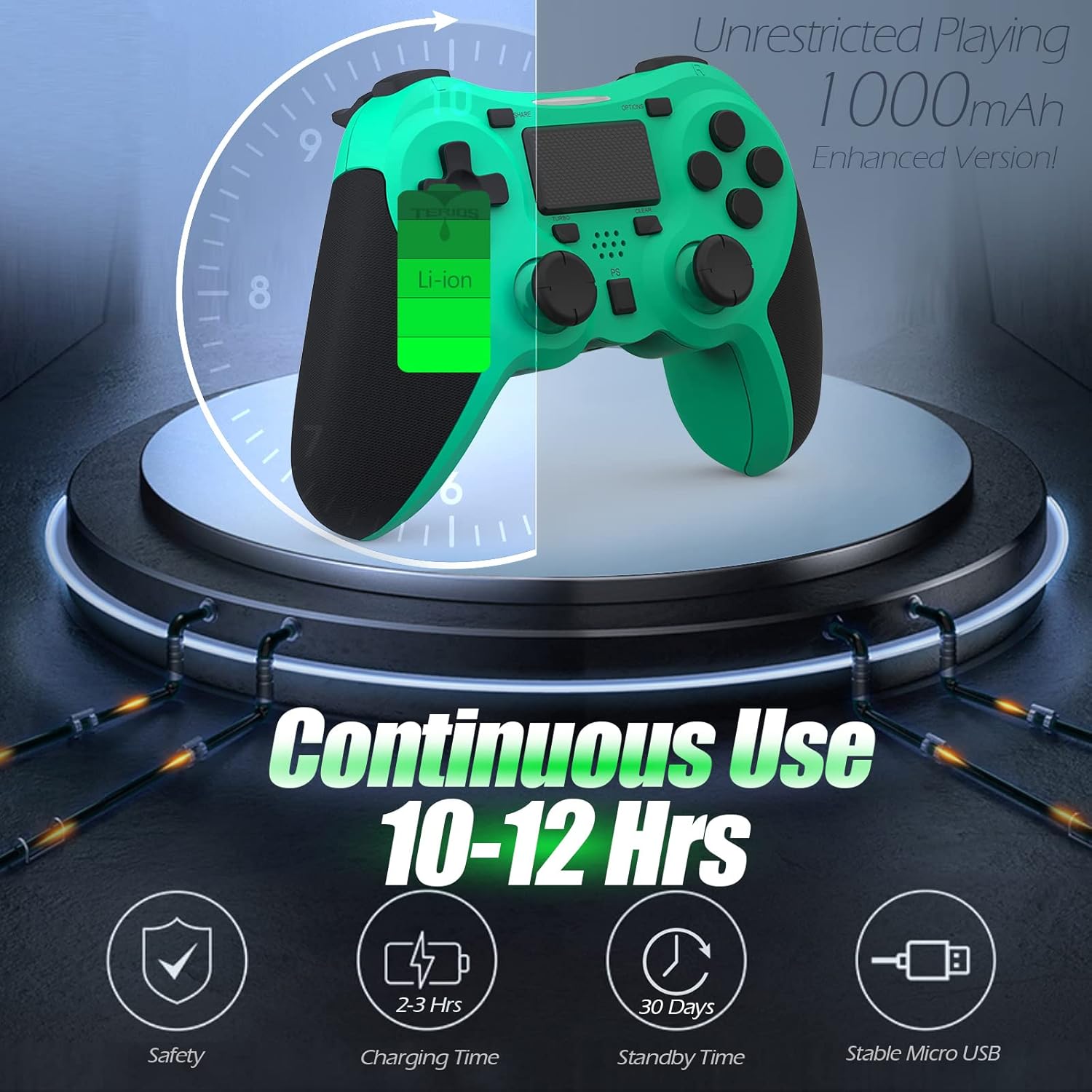
Image: A visual representation of the controller's 1000mAh battery, indicating 10-12 hours of continuous use, 2-3 hours charging time, and 30 days standby time.
2. Pairing with PlayStation 4
Spárování ovladače s konzolí PS4:
- Ujistěte se, že je vaše konzole PS4 zapnutá.
- Connect the controller to the PS4 console using the USB charging cable.
- Stiskněte tlačítko Tlačítko PS (located in the center of the controller). The light bar on the controller will flash, then glow a solid color, indicating successful pairing.
- Po spárování můžete odpojit kabel USB pro bezdrátové přehrávání.
Poznámka: If the controller does not pair, ensure it is charged and try connecting it to a different USB port on the console. For persistent issues, refer to the Troubleshooting section.
Návod k obsluze
Základní ovládací prvky
| Komponent | Funkce |
|---|---|
| Tlačítko PS | Powers on the controller, accesses the PS4 home screen, switches users, or turns off the console (long press). |
| Tlačítko SDÍLET | Accesses the Share menu to capture screenshots, record video clips, or broadcast gameplay. |
| Tlačítko OPTIONS | Pauses games, accesses in-game menus, or confirms selections. |
| Directional Buttons (D-Pad) | Navigates menus and provides directional input in games. |
| Action Buttons (Triangle, Circle, Cross, Square) | Performs in-game actions, confirms, or cancels selections. |
| Left/Right Sticks (L3/R3) | Controls character movement, camera, or other analog inputs. Pressing down on the sticks activates L3/R3 buttons. |
| L1/R1 Buttons | Trigger various in-game actions, often for aiming or secondary functions. |
| Spouštěče L2/R2 | Analog triggers for actions like accelerating, braking, or firing weapons. |
| Multitouch Pad | Provides touch input for specific game interactions or navigation. |
| 3.5mm Jack pro sluchátka | Connects compatible headsets for game audio and voice chat. |
Speciální funkce
Funkce Turbo
The Turbo feature allows for rapid, continuous input of a button press, useful for actions like rapid firing in games.
- Stiskněte a podržte Tlačítko TURBO (located below the touchpad).
- While holding TURBO, press the action button you wish to apply the rapid-fire function to (e.g., Square, Cross, Circle, Triangle, L1, R1, L2, R2).
- Release both buttons. The selected action button will now continuously register presses as long as it is held down.
- To disable Turbo for a specific button, repeat the process: hold TURBO and press the button again.
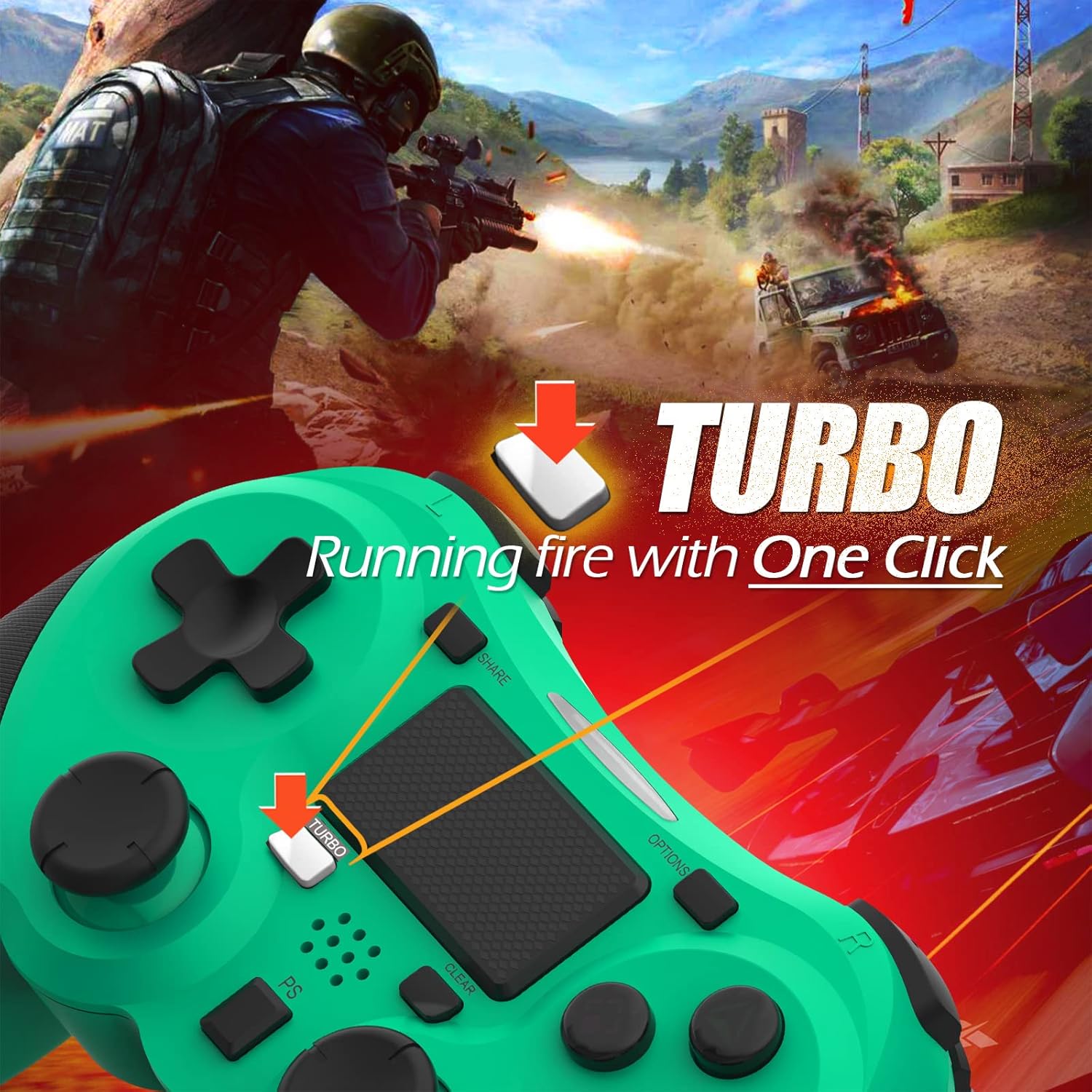
Image: A visual guide demonstrating how to activate the Turbo feature on the controller for rapid-fire actions.
Share Button Functionality
The SHARE button provides quick access to PS4's sharing features:
- Jedno stisknutí: Opens the Share menu, allowing you to save a screenshot, save a video clip, or start a broadcast.
- Dlouhé stisknutí: Takes a screenshot directly.
- Dvojitým stisknutím tlačítka: Spustí/zastaví nahrávání videa.
Údržba
Proper maintenance ensures the longevity and optimal performance of your TERIOS Wireless Controller.
Čištění
- K otření povrchu ovladače použijte měkký, suchý hadřík.
- Pro odolnou špínu lehceampOmyjte hadřík vodou nebo jemným, neabrazivním čisticím prostředkem. Zabraňte nadměrné vlhkosti.
- Do not use harsh chemicals, solvents, or abrasive materials, as these can damage the controller's finish and internal components.
Skladování
- Regulátor skladujte na chladném a suchém místě mimo dosah přímého slunečního záření, extrémních teplot a vysoké vlhkosti.
- Avoid placing heavy objects on the controller to prevent damage to buttons or analog sticks.
Péče o baterie
- To preserve battery life, avoid fully discharging the controller frequently.
- Pokud skladujete po delší dobu, nabijte baterii před uskladněním přibližně na 50 %.
- Recharge the controller at least once every three months if not in use to prevent deep discharge.
Odstraňování problémů
If you encounter issues with your TERIOS Wireless Controller, please refer to the following common solutions:
Ovladač se nepřipojuje/nepáruje
- Zkontrolujte baterii: Ensure the controller is sufficiently charged. Connect it to the PS4 via USB cable to charge.
- Opravit: Connect the controller to the PS4 with the USB cable and press the PS button to re-establish the connection.
- Reset ovladače: Locate the small reset button hole on the underside of the controller (near the L2 button). Use a straightened paperclip or a similar thin object to press and hold the button for 3-5 seconds. This will reset the controller. After resetting, attempt to re-pair it with the PS4.
- Rušení: Move closer to the PS4 console to rule out wireless interference.
Buttons or Sticks Unresponsive/Lagging
- Reset ovladače: Perform a hard reset as described above.
- Čistý: Ensure no debris is lodged around the buttons or sticks. Clean the controller as per the Maintenance section.
- Firmware: Ensure your PS4 system software is up to date.
Nadměrné vibrace
- Reset ovladače: A reset can often resolve unexpected vibration issues.
- Nastavení hry: Check in-game settings for vibration intensity.
Specifikace
| Atribut | Detail |
|---|---|
| Model | TERIOS 5S |
| ASIN | B09KLR5DCZ |
| Kompatibilita | PlayStation 4, PS4 Pro, PS4 Slim |
| Konektivita | Wireless (Bluetooth 4.2), USB |
| Typ baterie | Lithium Polymer (1 součástí balení) |
| Kapacita baterie | 1000 XNUMX mAh |
| Doba nepřetržitého používání | 10-12 hodin |
| Doba nabíjení | 2-3 hodin |
| Pohotovostní doba | Až 30 dní |
| Hmotnost položky | 10.8 unce (cca 306 gramů) |
| Rozměry balení | 6.69 x 5.24 x 2.72 palce |
| Výrobce | TERIOS |
| Datum první dostupnosti | 28. října 2021 |
Záruka a podpora
TERIOS stands behind the quality of its products. This controller comes with a 1-letá záruka od data nákupu, která kryje výrobní vady.
For customer support, technical assistance, or warranty claims, please contact TERIOS customer service through the platform where you purchased the product or visit the official TERIOS store page for contact information.
We are committed to providing premium customer support and ensuring your satisfaction with our products.


