1. Úvod
Děkuji za nákupasing the SHIDU H8 25W Voice Amplifier with UHF Wireless Microphone. This portable PA system is designed to provide clear and powerful sound amplification for various applications, including teaching, presentations, public speaking, and outdoor activities. Please read this manual carefully before use to ensure proper operation and to maximize the product's lifespan.
2. Bezpečnostní informace
- Nevystavujte zařízení vodě, vlhkosti ani extrémním teplotám.
- Zabraňte pádu zařízení nebo jeho vystavení silným nárazům.
- Nepokoušejte se zařízení rozebírat ani opravovat sami. Kontaktujte kvalifikovaný servisní personál.
- Uchovávejte mimo dosah dětí.
- Používejte pouze dodaný nabíjecí kabel a adaptér, abyste předešli poškození.
3. Obsah balení
Zkontrolujte prosím balení, zda neobsahuje následující položky:
- Hlas SHIDU H8 Ampdoživotní
- UHF Wireless Headset Microphone
- Charging Cable (for ampživější)
- Data Line (USB)
- Audio Line (AUX)
- Opasek
- Dálkové ovládání
- Uživatelská příručka

Image: Contents of the SHIDU H8 Voice Ampzáchranný balíček.
4. Konec produktuview
Familiarize yourself with the components and controls of your SHIDU H8 Voice Amplifier and UHF Wireless Microphone.
Video: Overview of the SHIDU H8 Voice Amplifier and its UHF Wireless Microphone, showcasinjeho design a vlastnosti.
4.1 Amplifier Layout and Dimensions

Obrázek: Přední a zadní strana view z amplifier with dimensions: 6.45 inches (width), 9.44 inches (height), 3.6 inches (depth).
4.2 Ovládací panel
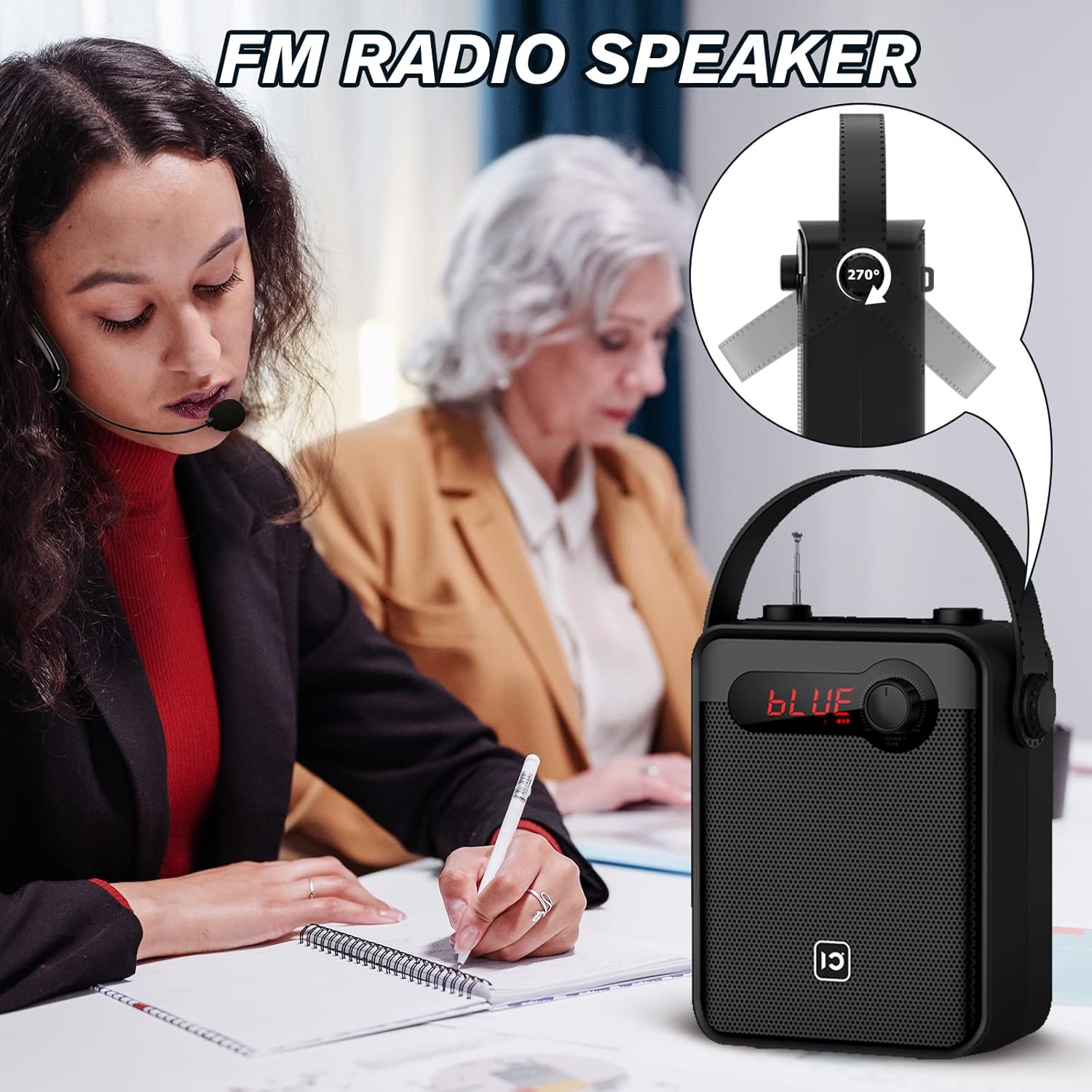
Image: Top panel controls including Microphone Volume, Bluetooth/UHF switch, Echo control, and One-Key Recording button.
4.3 Vstupní/Výstupní porty
Image: Side panel ports for TF Card, U Disk, AUX, OUT, and MIC.
4.4 bezdrátový mikrofon

Image: UHF Wireless Headset Microphone showing volume buttons and one-key pairing button.
5. Nastavení
5.1 Nabíjení Ampdoživotní
- Připojte nabíjecí kabel k amplifier's charging port.
- Plug the other end into a standard USB power adapter (not included) or a computer's USB port.
- LED indikátor bude zobrazovat stav nabíjení. Úplné nabití obvykle trvá 4–6 hodiny.
5.2 Charging the Wireless Microphone
- Connect the data line (USB) to the microphone's charging port.
- Zapojte druhý konec do USB zdroje napájení.
- The indicator light will show charging status. A full charge typically takes 2-3 hours and provides 3-5 hours of use.
5.3 Wearing the Wireless Microphone

Image: Visual guide on how to properly wear the UHF wireless headset microphone.
- Place the headset over your ear, ensuring a comfortable fit.
- Adjust the microphone boom so the microphone is positioned close to your mouth, about 1-2 cm away.
- Ensure the microphone is facing towards your mouth for optimal sound pickup.
6. Návod k obsluze
6.1 Zapnutí/vypnutí
- Chcete-li zapnout amplifier, rotate the Volume knob clockwise until the display lights up.
- To power off, rotate the Volume knob counter-clockwise until it clicks off.
- For the wireless microphone, press and hold the power button until the indicator light turns on/off.
6.2 Ovládání hlasitosti
- AmpObjem náplně: Use the main Volume knob on the amplifier to adjust the overall output volume.
- Microphone Volume (MIC.VOL): Use the dedicated MIC.VOL knob on the amplifier to adjust the microphone input volume independently.
- Microphone Volume (Headset): Use the volume buttons on the wireless headset microphone for fine-tuning.
6.3 Pairing the UHF Wireless Microphone
- Turn on both the ampzosilovač a bezdrátový mikrofon.
- Press the 'One Key Pairing' button on the wireless microphone (refer to Product Overview pro umístění).
- The amplifier should automatically connect to the microphone. A successful connection is usually indicated by a stable light on the microphone or a specific display on the ampživější.
- If you encounter difficulties pairing, please refer to the troubleshooting section or contact SHIDU customer support for a pairing method video.
6.4 Režim Bluetooth

Obrázek: The amplifier connected via Bluetooth to various devices.
- Zapněte ampživější.
- Press the 'Mode' button (or cycle through modes using the Selection/LED button) until 'BLUE' appears on the display, indicating Bluetooth mode.
- On your external device (smartphone, tablet, PC), enable Bluetooth and search for 'SHIDU H8' (or similar).
- Select the device to pair. Once paired, you can play audio from your device through the ampživější.
6.5 USB/TF Card/U Disk Playback
- Insert a USB flash drive or TF card into the corresponding port on the ampživější.
- The amplifier will automatically switch to USB/TF card mode and begin playing audio files.
- Use the control buttons (e.g., Play/Pause, Next/Previous) on the amplifier or remote control to manage playback.
6.6 FM rádio

Obrázek: The amplifier with its extendable antenna for FM radio reception.
- Press the 'Mode' button (or cycle through modes) until FM radio mode is activated.
- Pro lepší příjem vytáhněte anténu.
- Use the tuning buttons to scan for available radio stations.
6.7 One-Key Recording
- Ensure a USB flash drive or TF card is inserted into the ampživější.
- Press the 'One-Key Recording' button to start recording.
- Press it again to stop recording. The recording will be saved to the inserted storage device.
6.8 TWS Pairing (True Wireless Stereo)
This feature allows you to pair two SHIDU H8 amplifiers for a true wireless stereo sound experience.
Obrázek: Dva amplifiers connected for True Wireless Stereo (TWS) pairing.
- Turn on both SHIDU H8 ampzáchranáři.
- Ensure both are in Bluetooth mode and not connected to any other device.
- Na jednom amplifier, press and hold the TWS button (refer to product overview or manual for exact button). The amplifier will search for another TWS-compatible device.
- Once paired, one amplifier will act as the left channel and the other as the right, providing stereo sound.
6.9 Používání dálkového ovladače
The included remote control allows for convenient operation from a distance. Functions include power, mode selection, volume adjustment, track control, and digital selection for FM radio or track numbers.
7. Údržba
- Čištění: K čištění povrchu použijte měkký, suchý hadřík amplifier and microphone. Do not use abrasive cleaners or solvents.
- Skladování: Pokud zařízení delší dobu nepoužíváte, skladujte jej na chladném a suchém místě mimo dosah přímého slunečního záření.
- Péče o baterie: To prolong battery life, fully charge the device before first use and recharge it at least once every three months if not used regularly.
8. Řešení problémů
| Problém | Možná příčina | Řešení |
|---|---|---|
| Žádný zvuk od ampdoživotní | Low battery; Volume too low; Incorrect mode; Microphone not paired. | Nabijte amplifier; Increase volume; Select correct mode (e.g., MIC, Bluetooth); Pair microphone. |
| Wireless microphone not connecting/pairing | Microphone not powered on; Out of range; Pairing error; Interference. | Ensure microphone is charged and powered on; Move closer to amplifier; Re-attempt one-key pairing; Try pairing in a different location. If issues persist, contact SHIDU support for a pairing method video. |
| Zařízení Bluetooth se nespáruje | Amplifier not in Bluetooth mode; Device Bluetooth off; Amplifier already paired to another device. | Přepínač amplifier to Bluetooth mode; Enable Bluetooth on your device; Disconnect from other devices and try again. |
| Špatný příjem FM rádia | Anténa není vysunutá; Slabý signál; Rušení. | Fully extend the antenna; Try moving to a different location; Rescan for stations. |
9. Specifikace
| Funkce | Detail |
|---|---|
| Výstupní výkon | 25W |
| Velikost reproduktoru | 4-palcový |
| AmpŽivotní baterie | Lithiová baterie 2000mAh |
| Amplifier Charge Time | 4-6 hodin |
| Microphone Battery Use Time | 3-5 hodin |
| Konektivita | Bluetooth, UHF Wireless, USB, TF Card, AUX |
| Funkce | Hlas Amplification, Bluetooth Speaker, FM Radio, One-Key Recording, TWS Pairing |
| Rozměry (Ampživější) | Cca. 6.45 x 9.44 x 3.6 palce |
| Hmotnost | 3.89 libry |
10. Záruka a podpora
SHIDU provides a Záruka 12 měsíců for this product from the date of purchase. We also offer lifetime technical support to ensure your satisfaction.
If you have any questions, require assistance with setup, operation, or encounter any issues with your SHIDU H8 Voice Amplifier, please do not hesitate to contact our customer service team. Refer to the contact information provided with your product or visit the official SHIDU webstránky pro podrobnosti o podpoře.


