Zavedení
Děkuji za nákupasing the Core Innovations 150" LCD Home Theater Projector. This manual provides essential information for setting up, operating, and maintaining your projector to ensure optimal performance and longevity. Please read this manual thoroughly before use and retain it for future reference.
Konec produktuview
The Core Innovations 150" LCD Home Theater Projector is designed to deliver an immersive viewing experience with its adjustable screen size and versatile connectivity options.

Komponenty a ovládací prvky
Familiarize yourself with the projector's various ports and controls for seamless operation.

1. Headphone Jack (3.5mm)
2. AV vstup
3. Slot pro kartu Micro SD
4. HDMI Inputs 1 & 2
5. Port USB
6. DC IN (Power Input)

Průvodce nastavením
- Rozbalení: Carefully remove the projector and all accessories from the packaging. Ensure all included components are present: Power Cord, User Manual, HDMI Cable, Remote Control, Projector Lens Cover.
- Umístění: Umístěte projektor na stabilní, rovný povrch. Pro optimální viewing, position the projector directly in front of your projection surface (screen or wall). Ensure adequate ventilation around the projector.
- Připojení napájení: Connect the included power cord to the DC IN port (6) on the projector and then plug it into a standard electrical outlet.
- Zapnutí: Stisknutím tlačítka napájení na projektoru nebo na dálkovém ovladači zapněte zařízení.
- Nastavení zaostření: Rotate the focus adjustment knob located near the lens until the projected image appears clear and sharp.
- Korekce lichoběžníkového zkreslení: If the projected image appears trapezoidal (wider at the top or bottom), use the keystone correction feature to adjust it into a rectangular shape. This is typically done via a dial or digital setting on the projector or remote.

Návod k obsluze
Připojovací zařízení
Projektor podporuje různé vstupní zdroje:
- HDMI: Connect your laptop, gaming console (PS5), Roku, or other HDMI-enabled devices to either HDMI Input 1 or 2 (4).
- USB: Insert a USB flash drive (up to 1000GB) into the USB Port (5) to play media files přímo.
- Micro SD karta: Insert a Micro SD card into the Micro SD Card Slot (3) to access stored media.
- AV: Use the AV Input (2) for older devices with composite video and stereo audio outputs.
- VGA: Connect a computer via the VGA port for video output.


Adjusting Projection Size
The projector supports an adjustable screen size between 32 inches and 150 inches. Adjust the distance of the projector from the screen to achieve your desired projection size. Use the focus knob to maintain image clarity after adjusting the distance.

Zvukový výstup
The projector features built-in speakers for convenient audio playback. For enhanced sound quality, you can connect external speakers or headphones using the 3.5mm Headphone Jack (1).
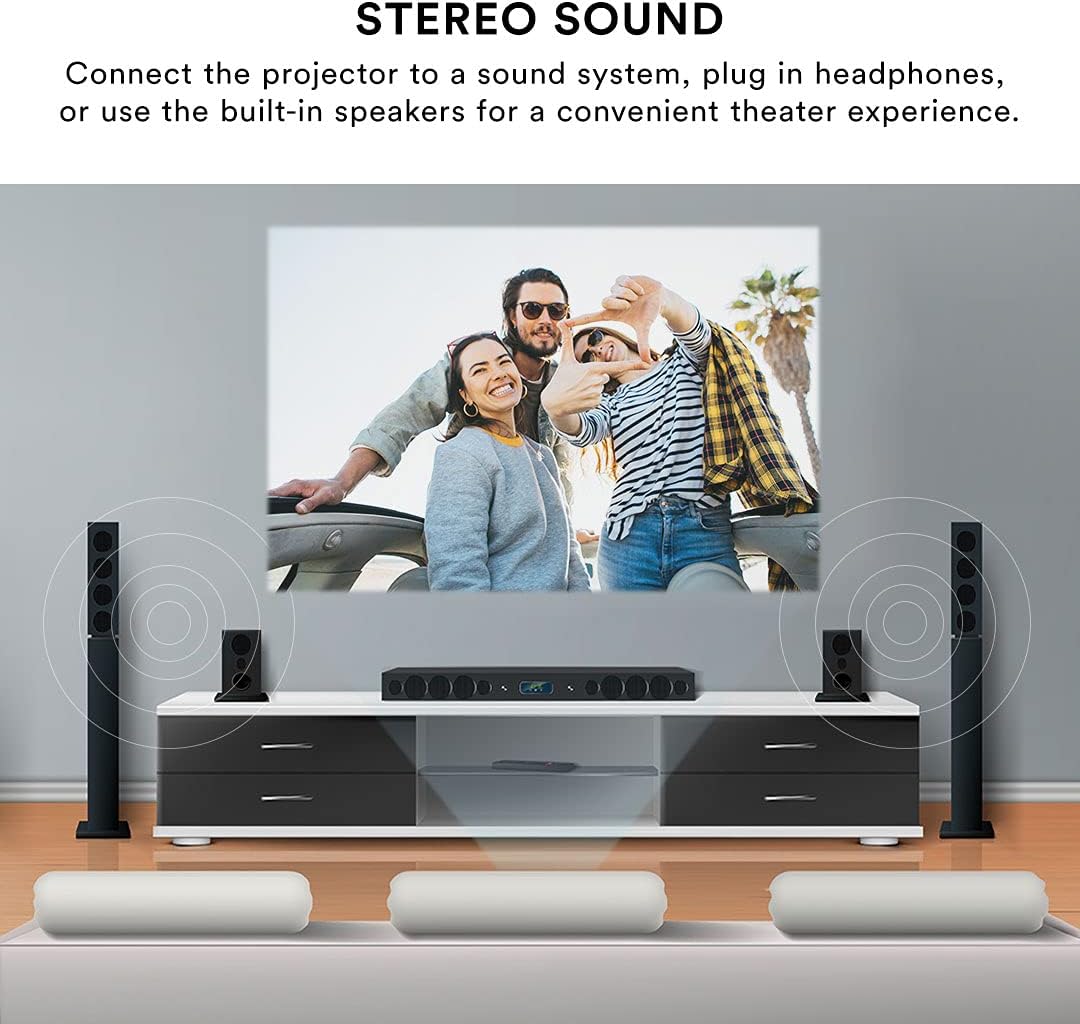
Dálkové ovládání
The included remote control allows for effortless operation from a distance. Use it to power on/off, select input sources, navigate menus, adjust volume, and control playback.
Údržba
Správná údržba zajistí dlouhou životnost a výkon vašeho projektoru.
- Čištění objektivu: K jemnému otření čočky projektoru použijte měkký hadřík bez žmolků, speciálně určený pro optické čočky. Nepoužívejte abrazivní čisticí prostředky ani nadměrnou sílu, které by mohly čočku poškrábat.
- Čištění exteriéru: Otřete vnější část projektoru měkkým, suchým hadříkem. V případě odolných skvrn použijte lehceamp Lze použít hadřík, ale dbejte na to, aby se do zařízení nedostala žádná tekutina.
- Větrání: Ensure the projector's ventilation openings are clear and unobstructed. Do not place the projector on soft surfaces that may block airflow. Proper ventilation prevents overheating.
- Skladování: When not in use for extended periods, store the projector in a cool, dry place, away from direct sunlight and extreme temperatures. Use the lens cover to protect the lens from dust.
Odstraňování problémů
Pokud se s projektorem setkáte s problémy, podívejte se na následující běžné problémy a jejich řešení:
| Problém | Možná příčina | Řešení |
|---|---|---|
| Žádný promítaný obraz | Power cable disconnected; Incorrect input source selected; Device not connected properly. | Check power connection; Select the correct input source (HDMI, USB, AV); Ensure source device is powered on and connected securely. |
| Obraz je rozmazaný | Focus not adjusted; Projector too far/close to screen; Lens dirty. | Adjust the focus knob; Adjust projector distance; Clean the lens. |
| Obraz je zkreslený (lichoběžník) | Projektor není kolmý k promítací ploše. | Use keystone correction to adjust the image. |
| Žádný zvuk | Příliš nízká hlasitost; Externí reproduktory nejsou připojeny; Nastavení zvuku zdrojového zařízení. | Increase projector volume; Ensure external speakers are connected and powered; Check audio output settings on your source device. |
| Dálkové ovládání nefunguje | Slabé/vybité baterie; Překážka mezi dálkovým ovladačem a projektorem; Zablokovaný senzor dálkového ovladače. | Replace batteries; Remove any obstructions; Ensure remote is pointed at the projector's IR sensor. |
| Projector is overheating or fan is loud | Zablokované větrání; Dlouhodobé používání. | Ensure ventilation openings are clear; Allow the projector to cool down if used for extended periods. |
Specifikace
| Funkce | Detail |
|---|---|
| Značka | Základní inovace |
| Číslo modelu | CJR600BL |
| Rozměry produktu | 8.1 x 3.4 x 6.1 palce |
| Hmotnost položky | 2 libry |
| Velikost projekce | 32" - 150" |
| Kontrastní poměr | 300:1 |
| Rozlišení displeje | 1280 x 720 |
| Technologie připojení | HDMI (x2), USB, Micro SD, AV, VGA |
| Zvuk | Built-in speakers, 3.5mm headphone jack |
| Form Factor | Přenosný |
| Zahrnuté komponenty | Power Cord, User Manual, HDMI Cable, Remote Control, Projector Lens Cover |
Záruka a podpora
Informace o záruce
This Core Innovations projector comes with a 1letá omezená záruka from the date of purchase, covering 90 days for parts and labor. Please retain your proof of purchase for warranty claims.
Zákaznická podpora
For technical assistance, troubleshooting beyond this manual, or warranty inquiries, please contact Core Innovations customer support. Refer to the contact information provided on the product packaging or the official Core Innovations webmísto.