Konec produktuview
The Eonon VWA12S is an advanced car stereo system featuring Android 13, Wireless CarPlay, and Android Auto. It is designed for seamless integration with compatible Volkswagen, SEAT, and Skoda models, offering enhanced connectivity, navigation, and entertainment features.

Image: Eonon VWA12S Car Stereo showcasing its Android 13 interface, Qualcomm Snapdragon 665 processor, 8-core CPU, 6GB RAM, and 64GB ROM.
Klíčové vlastnosti
- Systém Android 13: Powered by an Octa-core Qualcomm Snapdragon 665 processor with 6GB RAM and 64GB ROM for high performance.
- Bezdrátové CarPlay a Android Auto: Seamless integration with smartphones for navigation, calls, and music.
- 9-Inch QLED Touchscreen: 1280x720 HD resolution for vibrant colors and wide viewing úhly.
- Built-in DSP & Ampživější: AKM AK7604 DSP and ST TDA7851 4*48W amplifier for superior audio quality.
- Integrace CANBUS: Supports most original car functions like steering wheel control and reverse signals.
- Vícenásobné připojení: Bluetooth 5.0, Dual Band Wi-Fi (2.4G/5G), USB, HDMI output.

Image: Detailed technical specifications of the Eonon VWA12S, highlighting its powerful hardware and audio components.
Použitelné modely
The VWA12S head unit is compatible with various Volkswagen, SEAT, and Skoda models. Please verify your car's model, year, and original radio appearance against the provided compatibility charts to ensure proper fitment.

Image: Compatibility chart showing applicable car models for the Eonon VWA12S car stereo.

Image: Information on when an installation kit is required and examples of car radio appearances that are not compatible.
If you are unsure about compatibility, please contact Eonon customer support for confirmation.
Nastavení a instalace
Rozbalení a počáteční nastavení
Before installation, carefully unbox the unit and identify all components. The package includes the head unit, power cables, USB adapter cables, audio adapter cables, GPS antenna, CAN Bus, external microphone, radio antenna adapter cable, 4G antennas, 15A fuse, SIM card holder, adhesive pad, and user manual.
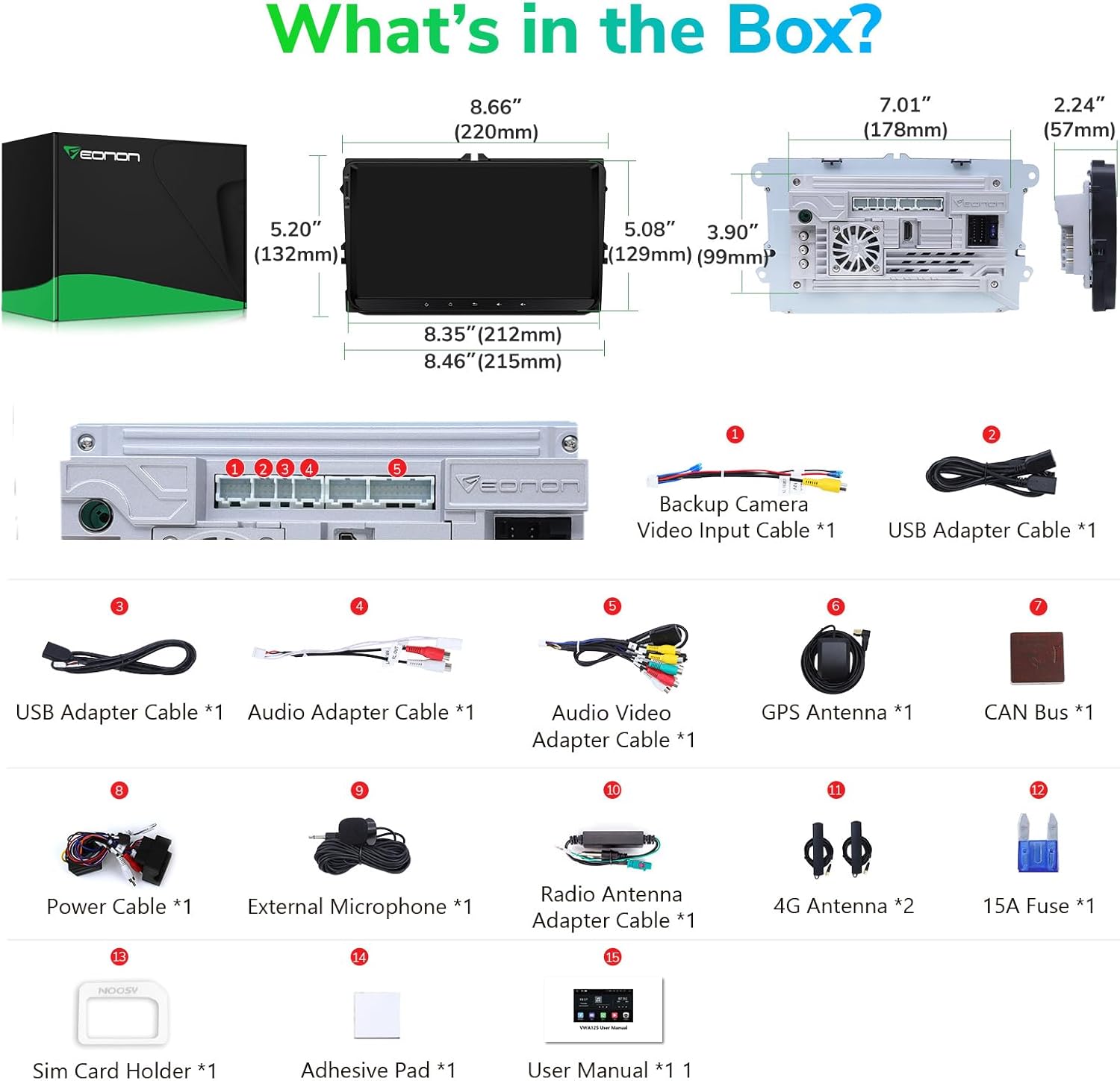
Image: A visual guide to the contents included in the Eonon VWA12S product box.
Video: Eonon Unboxing & Installation Guide for VWA12S. This video demonstrates the unboxing process and initial steps for installing the car stereo.
Montáž vozidla
The VWA12S is designed for plug-and-play installation in compatible vehicles. This involves removing the old radio, connecting the new unit's wiring harness, and securing it in the dashboard. Ensure all connections are firm before reassembling the trim.
Video: A12S - How to connect Eonon A12S series car stereo? This video provides a step-by-step guide on connecting the car stereo to your vehicle's wiring system.
Video: 2024 - How to install Eonon Car Stereo for your car? This video offers a general installation guide for Eonon car stereos, applicable to the VWA12S model.
Připojení příslušenství
Connect additional accessories such as external microphones, USB devices, and antennas to the appropriate ports on the head unit. Ensure secure connections for optimal performance.
Video: A12S - How to Set Up Accessories? This video guides you through connecting various accessories to your Eonon A12S car stereo.
Nastavení SIM karty
To enable mobile data connectivity, insert your SIM card into the provided holder and connect it to the head unit. Some SIM cards may require specific APN settings, which can be configured in the mobile network settings.
Video: Sim Card, SWC & Split Screen Set Up. This video demonstrates how to set up the SIM card for network connectivity.
Wireless CarPlay & Android Auto Setup
Connect your iPhone or Android device wirelessly via Bluetooth to enable CarPlay or Android Auto. This allows access to navigation, music, calls, and voice assistants directly from the car stereo display.
Wired Android Auto Setup
For wired Android Auto, connect your Android phone to the stereo using a USB cable. Follow the on-screen prompts to grant necessary permissions and initiate the connection.
Screen Mirroring Setup (Wireless & Wired)
The stereo supports both wireless and wired screen mirroring for iPhone and Android devices. This feature allows you to display your phone's screen directly on the car stereo, expanding your entertainment options.
Camera Connections (Backup & Front)
The VWA12S supports both backup and front cameras. Connect the camera's video output to the corresponding input on the stereo. For OEM cameras, an A0580 decoder box (not included) may be required.
Připojení subwooferu
For enhanced bass, connect an external subwoofer to the stereo's subwoofer output. Ensure the AMP control wire is correctly connected to enable the subwoofer.
OBD-II Scanner Setup
Connect a compatible Bluetooth OBD-II scanner (not included) to the stereo to monitor real-time vehicle data using the pre-installed Torque app. Pair the scanner via Bluetooth settings.
Návod k obsluze
Základní funkce
Navigate through the main interface using the touchscreen. Access applications like Navigation, Radio, Music, and Video directly from the home screen. The QLED display offers excellent visibility from various angles.
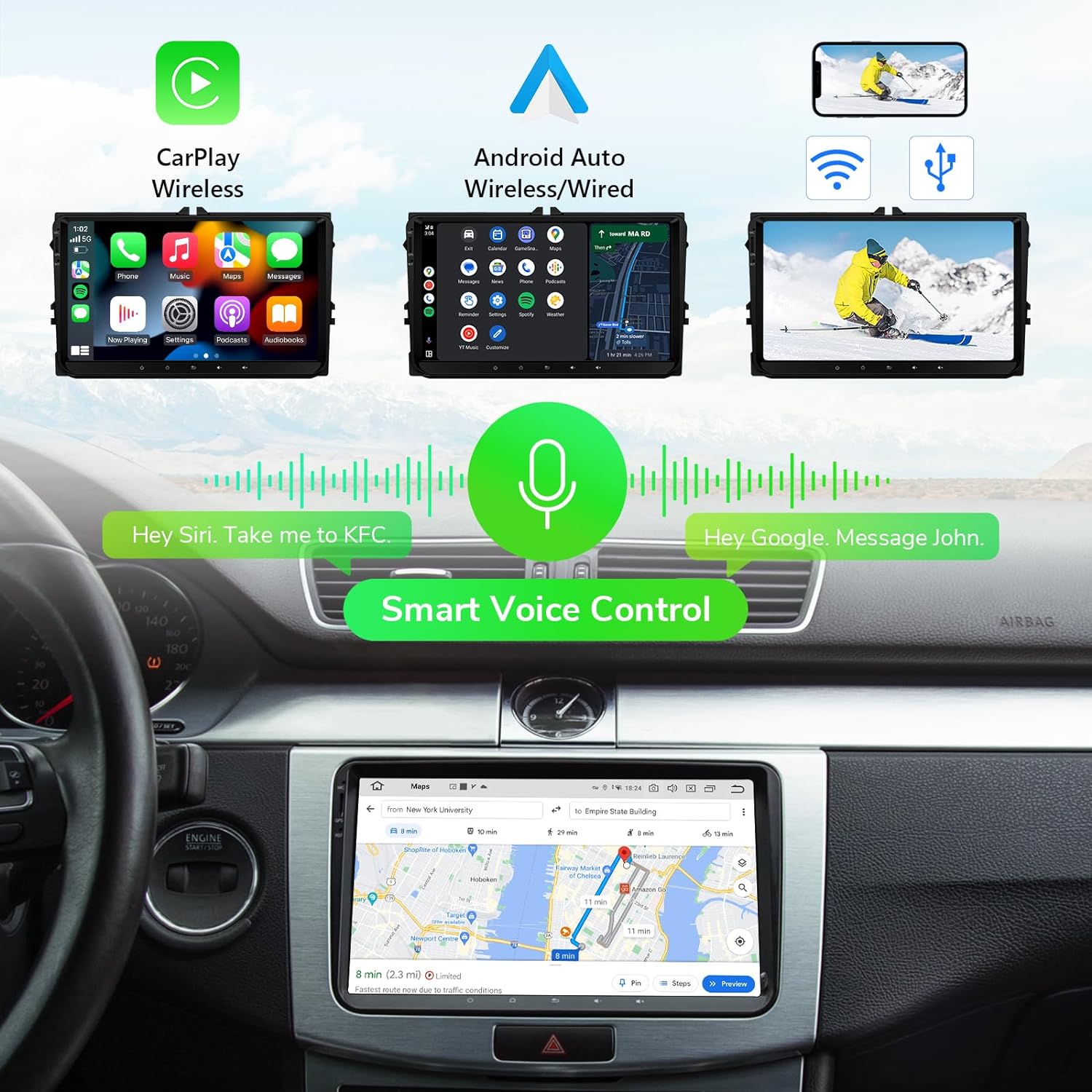
Image: The Eonon VWA12S showcasing its CarPlay, Android Auto, and Mirror Link capabilities, emphasizing smart voice control.
Hlasové ovládání
Activate Siri or Google Assistant effortlessly using voice commands like "Hey Siri" or "Hey Google" to control navigation, make calls, or play music, ensuring a safer driving experience.
Split-screen Mode
Utilize the split-screen function to run two applications simultaneously, such as navigation and music playback, for enhanced multitasking.
Video: Sim Card, SWC & Split Screen Set Up. This video demonstrates how to use the split-screen feature on your stereo.
Ovládání na volantu
The unit supports most original steering wheel control functions via CANBUS integration. You can customize button assignments for various stereo functions.

Image: The Eonon VWA12S seamlessly integrates with existing vehicle features, including steering wheel controls.
Video: Eonon how to use the steering wheel control function-VWA12S. This video provides a detailed guide on utilizing and configuring steering wheel controls.
Režimy jasu
The stereo offers three brightness modes (Light, Dark, and Auto) to optimize screen visibility and reduce eye strain, especially during night driving.
UI Themes and Customization
Personalize your stereo's interface with multiple UI themes and customizable wallpapers to match your preferences.
Údržba
Aktualizace systému
Keep your stereo updated with the latest software via OTA (Over-The-Air) updates. Regular updates optimize system performance, fix bugs, and enhance security.

Image: The system update screen on the Eonon VWA12S, indicating available software updates.
Video: How to perform a system upgrade? This video demonstrates the steps for updating the system software on your Eonon stereo.
Odstraňování problémů
If you encounter any issues with your Eonon VWA12S car stereo, please refer to the troubleshooting section in the comprehensive user manual provided with your product. Common issues often relate to connectivity, power, or software settings. Ensure all cables are securely connected and that your device's software is up to date.
For persistent problems or complex technical support, please contact Eonon customer service directly. Provide your product model number (VWA12S) and a detailed description of the issue for faster assistance.
Specifikace
| Funkce | Detail |
|---|---|
| Rozměry produktu | 7.01 x 2.24 x 3.9 palce |
| Hmotnost položky | 2.65 libry |
| Číslo modelu položky | VW12S |
| Značka | EONON |
| Technologie připojení | Wireless Android Auto & Mirror Link, Wired CarPlay |
| Typ ovladače | Android |
| Speciální funkce | Android Auto, Gorgeous 9” QLED Display, Latest Android 13, CarPlay, Smart Voice Control |
| Kompatibilní zařízení | Smartphone |
| Celkový počet portů HDMI | 1 |
| Režim zvukového výstupu | Stereo |
| Kódování videa | H.265 (HEVC) or similar |
Záruka a podpora
Eonon products typically come with a manufacturer's warranty. Please refer to the warranty information included in your product packaging or visit the official Eonon webpodrobnosti o záručním krytí a podmínkách naleznete na webu.
For technical support, product inquiries, or assistance with installation and operation, please contact Eonon customer service. You can find contact information on the Eonon website or in the user manual provided with your stereo.


