1. Úvod
This manual provides detailed instructions for the installation, operation, and maintenance of your ESLYYDS Double Din Car Stereo. This advanced multimedia system offers a wide range of features including Apple CarPlay, Android Auto, Bluetooth connectivity, a high-definition touchscreen, and support for a backup camera, enhancing your in-car entertainment and navigation experience.

Figure 1.1: ESLYYDS Double Din Car Stereo Overview
2. Obsah balení
Ověřte prosím, zda jsou ve vašem balení obsaženy všechny níže uvedené položky:
- ESLYYDS Double Din Car Stereo Unit
- Sada montážního držáku
- Camera Wire A
- Camera Wire B
- Steering Wheel Control Unit
- Kabelový svazek A
- Kabelový svazek B
- Zadní-view Fotoaparát
- Dálkové ovládání
- Uživatelská příručka (tento dokument)

Figure 2.1: Stereo Dimensions and Included Accessories
3. Vlastnosti produktu
The ESLYYDS Double Din Car Stereo is equipped with a variety of features designed for convenience and enhanced driving experience:
- Apple CarPlay & Android Auto Compatibility: Seamlessly integrate your smartphone for navigation, music, calls, and messages using voice control.
- 7palcová HD kapacitní dotyková obrazovka: A responsive and accurate display supporting 1080P video playback.
- Bluetooth 5.2: For stable and clear hands-free calling and audio streaming.
- Zrcadlový odkaz telefonu: Display your smartphone's screen directly on the stereo.
- Duální USB rozhraní: One port for media playback and another with 2.1A fast charging capability.
- Zadní View Vstup fotoaparátu: Supports the included 12 HD LED light, night vision, 170° viewing angle waterproof backup camera for safer reversing.
- Ovládání na volantu (SWC): Kompatibilní se stávajícími ovládacími prvky na volantu pro pohodlné ovládání.
- AM/FM Audio Receiver: Access to radio stations with user-friendly digital control.
- AUX IN Connectivity: Pro externí zvuková zařízení.
- 7 Color LED Buttons: Přizpůsobitelné podsvícení tlačítek.
3.1 Apple CarPlay a Android Auto
Connect your smartphone via USB to access navigation, phone contacts, email, notifications, and music directly on the stereo display. This feature utilizes voice control technology for safe operation while driving.
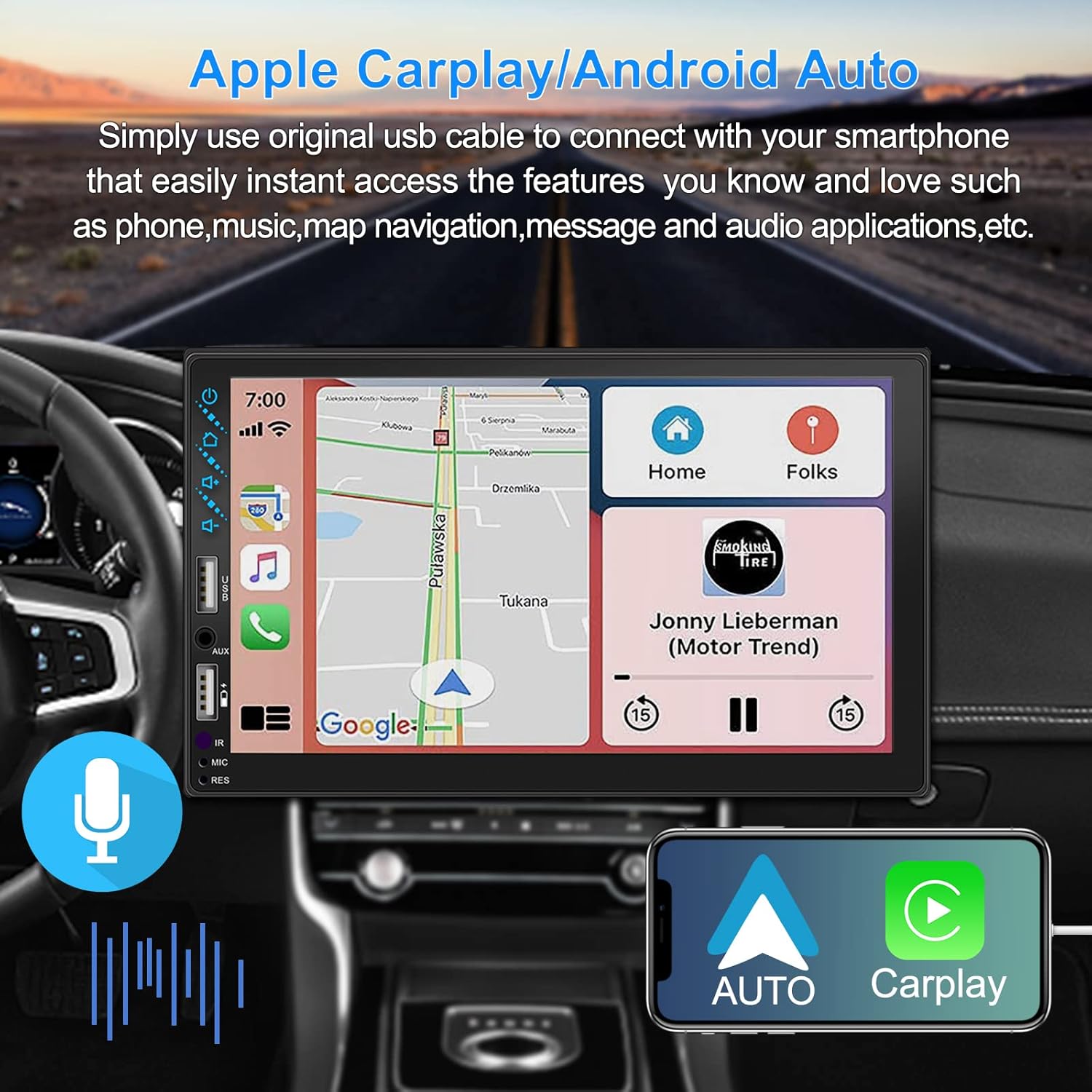
Obrázek 3.1: Rozhraní Apple CarPlay a Android Auto
3.2 Hlasové ovládání
Utilize voice commands to control various functions such as making calls, playing music, and navigating, allowing you to keep your hands on the wheel and eyes on the road.

Obrázek 3.2: Funkce hlasového ovládání
3.3 Zrcadlový odkaz telefonu
The Mirror Link function allows you to display your smartphone's screen directly onto the stereo's touchscreen. This supports Android devices (version 10.1 and below) and iPhone devices (version 14.5 and below, including iPhone 12, 11, XR, and 8 series and below) with resolutions up to 1920x1080 pixels.
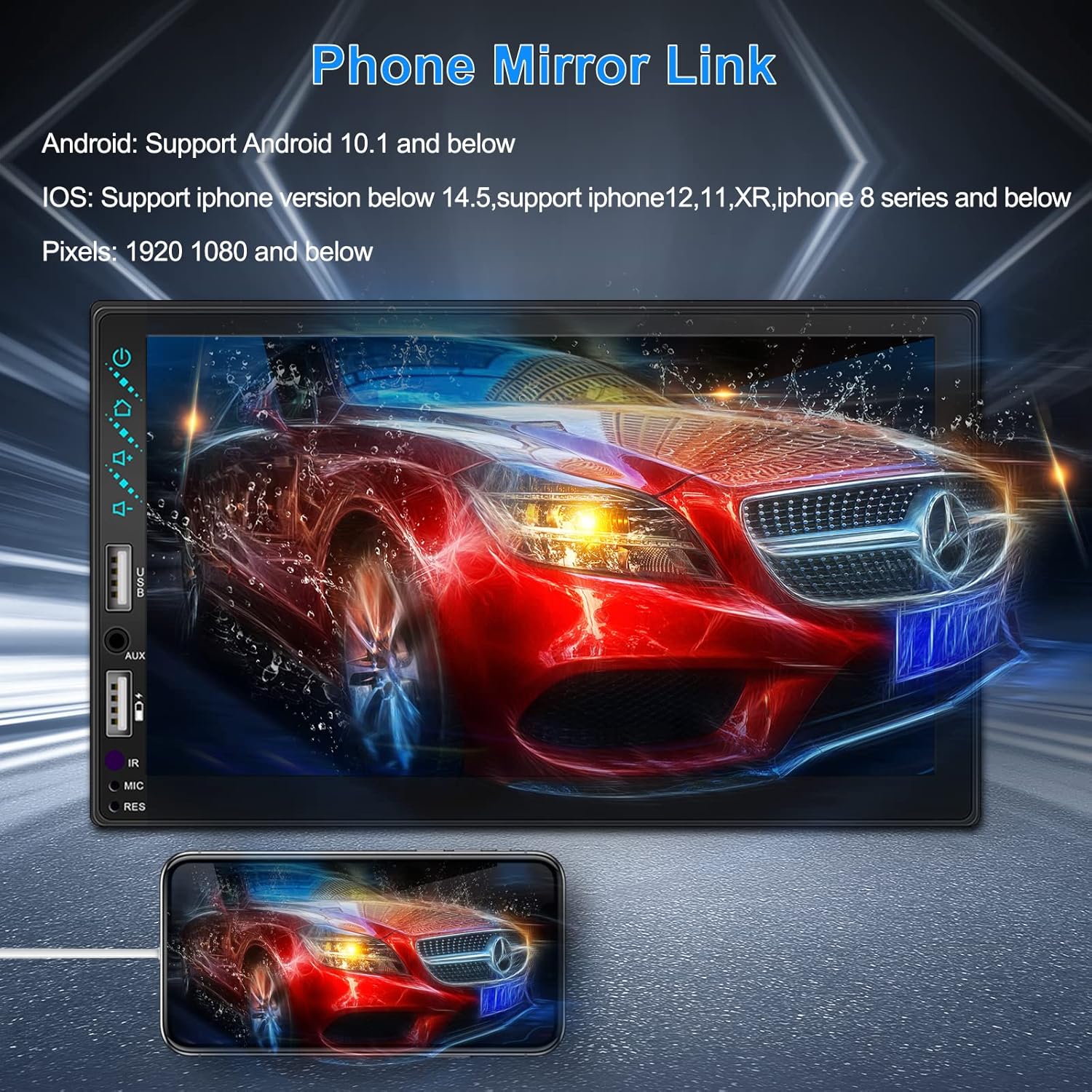
Figure 3.3: Phone Mirror Link
3.4 Zadní View Fotoaparát
The included waterproof backup camera features 12 HD LED lights for night vision and a 170° viewing angle. When you shift into reverse, the system automatically displays the camera feed on the screen, providing optimal visibility in various weather conditions.
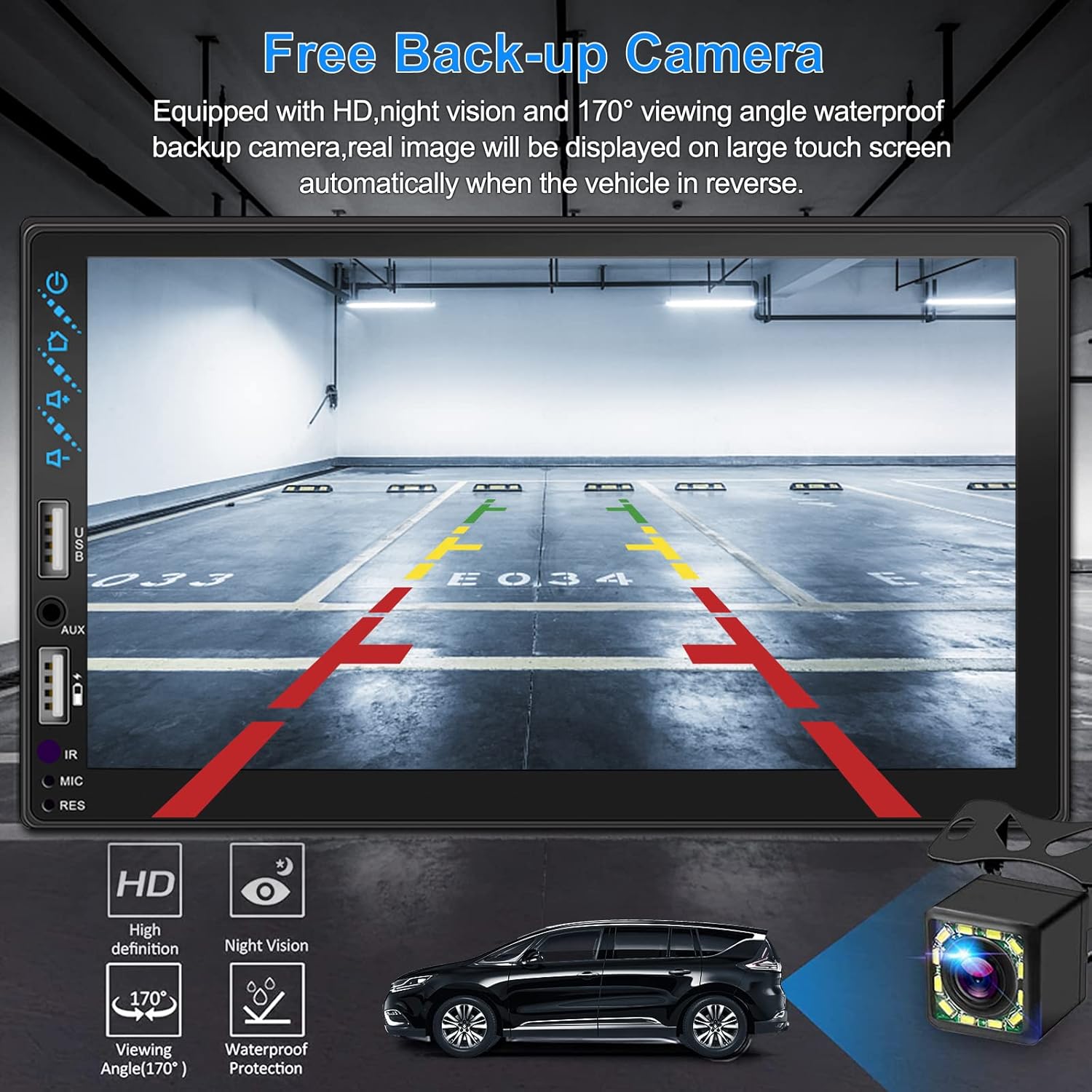
Obrázek 3.4: Zadní View Zobrazení fotoaparátu
4. Instalační příručka
Proper installation is crucial for optimal performance. It is recommended to have the unit installed by a professional if you are unfamiliar with car audio wiring.
4.1 Rozměry
The stereo unit has a standard double din size. Refer to Figure 2.1 for detailed dimensions.
- Šířka: 178 mm (7 XNUMX palců)
- Výška: 102 mm (4 palce)
- Hloubka: 60 mm (2.6 palce)
4.2 Schéma zapojení
Carefully follow the wiring diagram below to connect the stereo to your vehicle's electrical system. Ensure all connections are secure to prevent malfunctions.
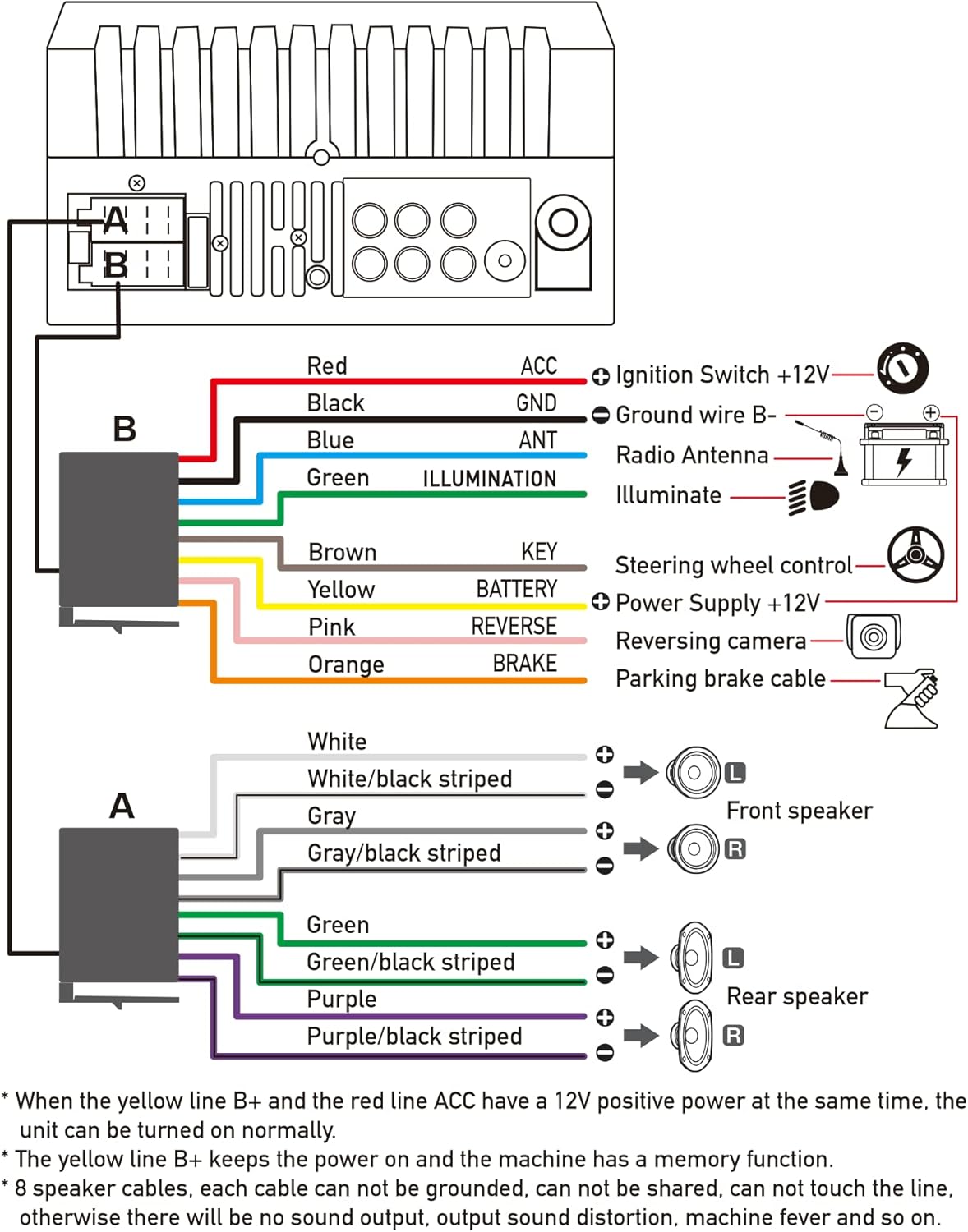
Obrázek 4.1: Schéma hlavního zapojení
- Červená (ACC): Connect to Ignition Switch +12V.
- Černá (GND): Connect to Ground wire B-.
- Modrá (ANT): Connect to Radio Antenna (if applicable).
- Green (ILLUMINATION): Connect to Illuminate wire.
- Hnědá (KLÍČ): Connect to Steering wheel control.
- Žlutá (BATERIE): Connect to Power Supply +12V.
- Růžová (RUDOVÁ STRANA): Connect to Reversing camera input.
- Orange (BRAKE): Connect to Parking brake cable.
Speaker Connections (8 speakers supported):
- White / White/black striped: Přední levý reproduktor
- Gray / Gray/black striped: Přední pravý reproduktor
- Green / Green/black striped: Levý zadní reproduktor
- Purple / Purple/black striped: Pravý zadní reproduktor
Důležité poznámky:
- The unit requires both the Yellow (BATTERY) and Red (ACC) wires to have a 12V positive power supply simultaneously for normal operation.
- The Yellow (BATTERY) wire keeps the power on and maintains memory functions.
- For speaker connections, each cable must not be grounded or shared with other cables. Incorrect wiring can lead to no sound output, sound distortion, or damage to the machine.
5. Návod k obsluze
5.1 Základní operace
- Zapnutí/vypnutí: Stiskněte tlačítko napájení na předním panelu nebo na dálkovém ovladači.
- Ovládání hlasitosti: Use the volume buttons on the front panel, steering wheel controls, or remote control.
- Výběr zdroje: Tap the 'Source' or 'Mode' icon on the touchscreen to switch between Radio, Bluetooth, USB, AUX, CarPlay, and Android Auto.
5.2 Apple CarPlay / Android Auto Usage
- Connect your compatible iPhone or Android smartphone to the stereo's USB port using a certified USB cable.
- The stereo will automatically detect the connection and prompt you to launch CarPlay or Android Auto.
- Dokončete nastavení podle pokynů na obrazovce.
- Once connected, you can access supported apps like Maps, Phone, Messages, and Music directly from the stereo's touchscreen or via voice commands.
5.3 Párování Bluetooth
- Zapněte na svém smartphonu Bluetooth.
- Na stereo systému přejděte do nabídky Bluetooth.
- Hledat available devices on your smartphone. The stereo's Bluetooth name will typically be 'ESLYYDS' or similar.
- Select the stereo from your smartphone's list and confirm the pairing code if prompted.
- Po spárování můžete bezdrátově uskutečňovat/přijímat hovory a streamovat zvuk.
5.4 Phone Mirror Link Usage
- Connect your smartphone to the stereo's USB port.
- Select the 'Mirror Link' option on the stereo's screen.
- Follow the specific instructions displayed on the stereo for your phone's operating system (Android or iOS) to enable screen mirroring. This may involve enabling USB debugging for Android or trusting the device for iOS.
5.5 Provoz rádia
- Select the 'Radio' source.
- Pro automatické vyhledávání a ukládání stanic použijte funkci „Skenování“ nebo je nalaďte ručně pomocí ovládacích prvků frekvence.
- Uložte si své oblíbené stanice do předvoleb pro rychlý přístup.
5.6 Přehrávání z USB
- Insert a USB drive containing audio or video files into the designated USB playback port.
- The stereo will automatically switch to USB mode or prompt you to select it.
- Procházejte a přehrávejte média files using the touchscreen controls.
6. Údržba
Abyste zajistili dlouhou životnost a optimální výkon vašeho autorádia, dodržujte tyto pokyny pro údržbu:
- Čištění: Use a soft, dry cloth to clean the screen and exterior. For stubborn smudges on the screen, use a screen cleaner specifically designed for electronic displays. Avoid abrasive cleaners or solvents.
- Teplota: Nevystavujte jednotku extrémním teplotám, ať už horkým nebo nízkým, po delší dobu.
- vlhkost: Udržujte jednotku suchou. Nevystavujte ji vodě ani nadměrné vlhkosti.
- Aktualizace firmwaru: Zkontrolujte výrobce webPravidelně kontrolujte web, zda nejsou k dispozici aktualizace firmwaru pro zlepšení výkonu a přidání nových funkcí.
7. Řešení problémů
If you encounter issues with your ESLYYDS car stereo, please refer to the following common problems and solutions. If the problem persists, contact customer support.
| Problém | Možná příčina | Řešení |
|---|---|---|
| Žádná síla | Nesprávné zapojení; Spálená pojistka; Problém s baterií vozidla. | Check power (Yellow and Red) and ground (Black) wire connections. Inspect vehicle fuses. Ensure vehicle battery is charged. |
| Žádný zvuk | Nesprávně připojené kabely reproduktorů; Příliš nízká hlasitost; Funkce ztlumení je aktivní. | Verify all speaker wire connections (ensure no shorts or grounds). Increase volume. Check if mute is enabled. |
| Bluetooth se nepřipojuje | Bluetooth není na telefonu/stereofonu povoleno; Nesprávný proces párování. | Ensure Bluetooth is active on both devices. Delete previous pairings and re-attempt pairing process. |
| CarPlay/Android Auto se nespouští | Vadný USB kabel; Telefon není kompatibilní; Problém se softwarem. | Use a high-quality, certified USB cable. Ensure your phone's OS version is compatible. Restart both phone and stereo. |
| Zadní kamera se nezobrazuje | Camera wire disconnected; Reverse trigger wire not connected. | Check the camera's video input and power connections. Ensure the Pink (REVERSE) wire is correctly connected to the vehicle's reverse light trigger. |
| USB not reading media | Nepodporováno file format; Corrupted USB drive; USB port issue. | Zajistěte média files are in supported formats (e.g., MP3, MP4, MKV). Try a different USB drive. |
8. Specifikace
| Funkce | Specifikace |
|---|---|
| Rozměry produktu | 7 x 2.6 x 3.94 palce |
| Hmotnost položky | 2.33 libry |
| Číslo modelu | L3 |
| Velikost displeje | 7 palců (18 cm) |
| Typ zobrazení | HD kapacitní dotyková obrazovka |
| Technologie připojení | Carplay, Android Auto, Mirror-Link, Bluetooth 5.2, USB, AUX |
| Typ ovladače | Asistent Google, iOS, Android |
| Speciální funkce | Touchscreen, RDS, Steering Wheel Control (SWC), Fast Charging USB (2.1A) |
| Kompatibilní zařízení | Smartphone |
| Typ konektoru | USB |
| Režim zvukového výstupu | Surround |
| Konfigurace kanálů prostorového zvuku | 5.1 |
| Podpora kódování videa | MKV |
| Barva | Černý |
| Datum první dostupnosti | 25. září 2021 |
9. Záruka a podpora
ESLYYDS is committed to providing excellent customer service and technical support. For any inquiries or assistance, please contact our professional technical team.
- Záruka vrácení peněz: 30-day period from purchase.
- Záruka na výměnu: 12-month period for product replacement.
- Technická podpora: Je poskytována doživotní technická podpora.
Please refer to your purchase documentation for specific contact details or visit the official ESLYYDS webstránky s informacemi o podpoře.


