1. Úvod
The KHQ Mini Projector VF260 Pro is a portable, full HD video projector designed for home theater use, outdoor movies, and various entertainment applications. It supports 1080P resolution and offers wide compatibility with multiple devices. Its compact size and enhanced brightness make it an ideal choice for a versatile viewzkušenosti.
Mezi klíčové vlastnosti patří:
- 1080P Full HD enhancement technology for a superior viewzkušenosti.
- Compact and lightweight design (5.6 x 3.8 x 2.3 inches, 0.75 pounds) for easy portability.
- Built-in stereo speakers and adjustable focus.
- Projection size from 21 inches to 170 inches, with an optimal distance of 6.5 ft to 9.8 ft.
- Wide compatibility with HDMI, USB, and AV inputs for connecting TV sticks, PS4/5, Chromecast, PCs, laptops, and more.
- Long LED bulb life of 30,000 hours.
2. Co je v krabici
Po otevření balení se ujistěte, že jsou přítomny všechny následující položky:
- KHQ Mini Projector VF260 Pro
- Napájecí kabel
- Uživatelská příručka (tento dokument)
- HDMI kabel
- Přepravní taška

Figure 2.1: KHQ Mini Projector VF260 Pro and its accessories.
3. Konec produktuview
3.1. Porty a připojení
The projector features a variety of ports for connecting different devices:
- DC IN: Port napájení.
- HDMI: Connects to devices like TV sticks, PS4/5, PCs, and laptops for high-definition video and audio.
- Vstup USB: For connecting USB drives or other USB-compatible devices.
- AV vstup: For connecting older devices using the included AV cable.
- Slot pro sluchátka: 3.5mm audio výstup pro sluchátka nebo externí reproduktory.

Figure 3.1: Rear panel ports of the projector.
3.2. Ovládací prvky na horním panelu
The top panel provides direct control buttons for basic functions:
- Tlačítko napájení
- Navigační tlačítka (nahoru, dolů, doleva, doprava)
- OK Button (Confirm selection)
- Tlačítko Zpět
- Source Button (Select input source)
Obrázek 3.2: Ovládací prvky na horním panelu.
4. Nastavení
4.1. Připojení napájení
Connect the provided power cord to the DC IN port on the projector and then plug it into a power outlet.
4.2. Připojení zařízení
Use the appropriate cable (HDMI, AV) to connect your desired device to the projector. For smartphones, an additional adapter (Lightning/Micro USB/Type C to HDMI) is required and not included.
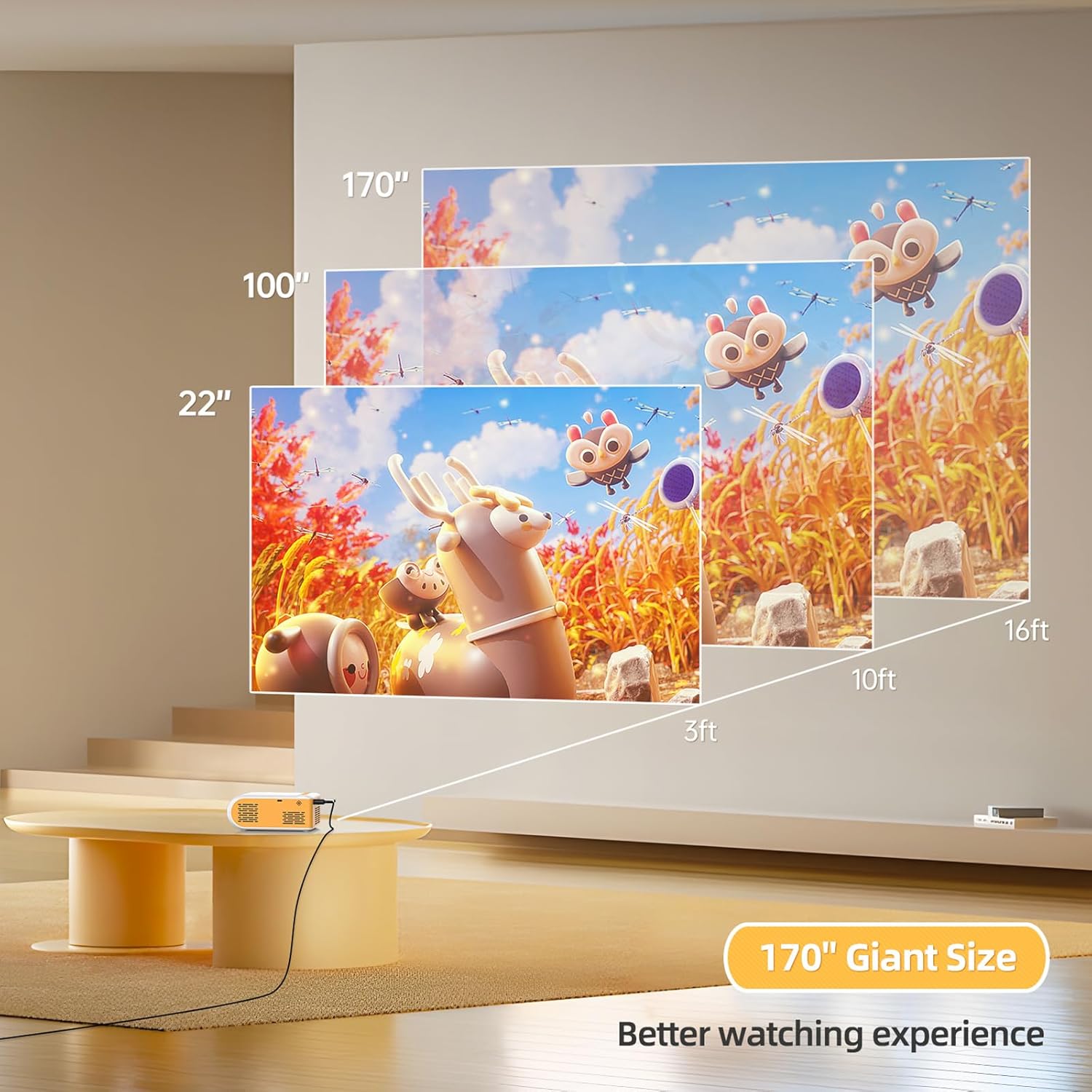
Figure 4.1: Smartphone connection diagram (adapter not included).
4.3. Focus Adjustment and Projection Size
Adjust the focus ring near the lens until the image is clear. The optimal projection distance is 6.5 ft to 9.8 ft, allowing for a screen size between 21 inches and 170 inches.

Obrázek 4.2: Průvodce projekční vzdáleností a velikostí promítací plochy.
Video 4.1: Konecview of the projector's features and basic setup, including port identification and size comparison.
5. Návod k obsluze
5.1. Zapnutí/vypnutí
Press the power button on the top panel or the remote control to turn the projector on or off.
5.2. Výběr zdroje
Use the "Source" button on the projector or remote to cycle through input options (HDMI, USB, AV) until your connected device's display appears.
5.3. Úprava nastavení
Use the navigation buttons and OK button on the projector or remote to access and adjust settings such as picture mode, sound mode, aspect ratio, and more.

Figure 5.1: Projector in use for gaming.

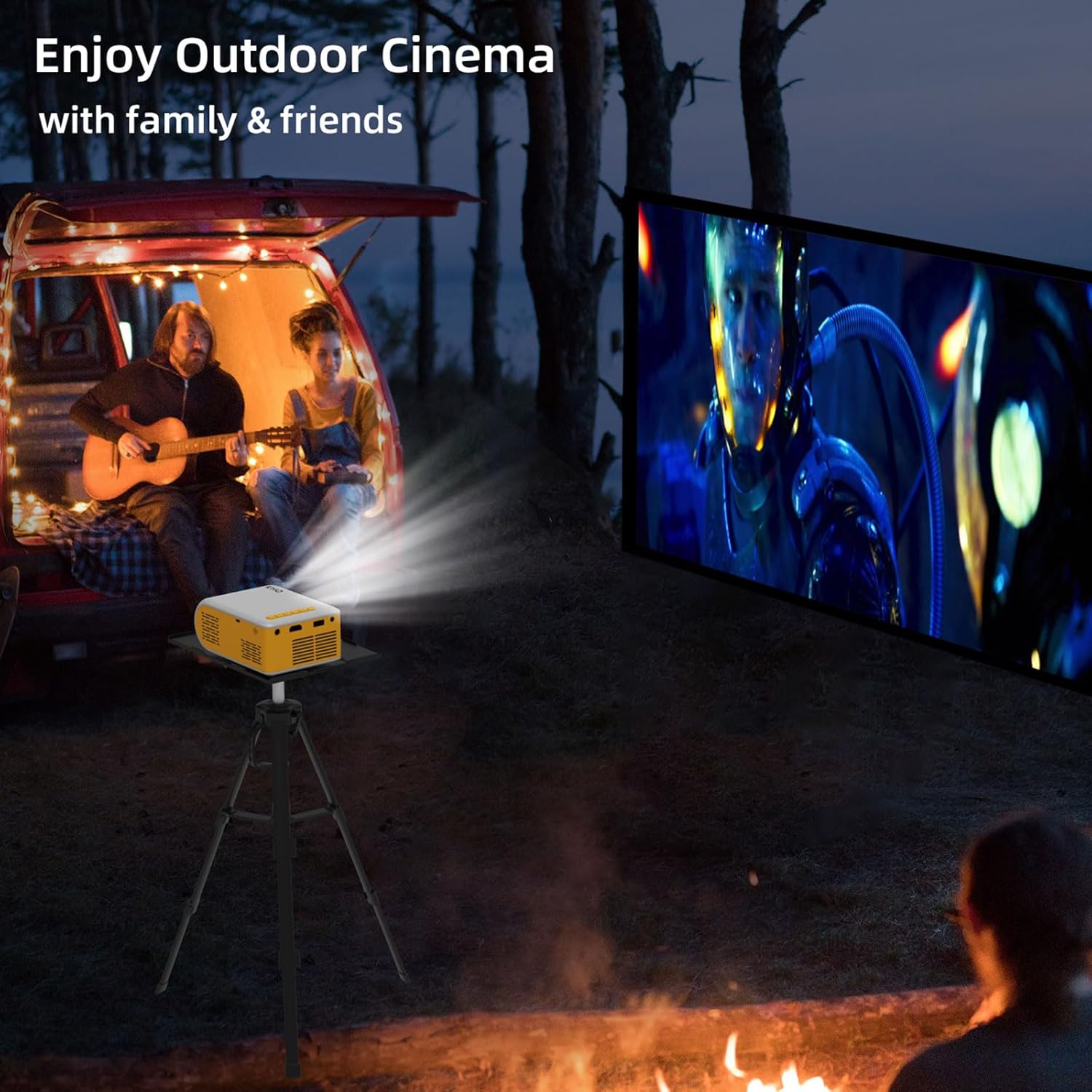
Figure 5.2: Projector used for outdoor cinema.
Video 5.1: Demonstration of the projector's image quality and sound in a dark room.
Video 5.2: Showcase of the projector's features and ease of use, highlighting its portability and various input options.
6. Údržba
6.1. Čištění čočky
K jemnému otření čočky projektoru použijte měkký hadřík bez žmolků, speciálně určený pro optické čočky. Nepoužívejte abrazivní čisticí prostředky ani hadříky, které by mohly čočku poškrábat.
6.2. Větrání
Ensure the projector's ventilation openings are not blocked during operation to prevent overheating. Allow adequate space around the projector for proper airflow.
6.3. Skladování
When not in use, store the projector in a cool, dry place, away from direct sunlight and excessive dust. Use the provided carrying bag for protection during storage and transport.
6.4. Lamp Život
The projector features an LED bulb with an estimated life of 30,000 hours, providing long-lasting performance without frequent bulb replacement.
7. Řešení problémů
| Problém | Možná příčina | Řešení |
|---|---|---|
| Není zobrazen žádný obrázek. | Vybrán nesprávný vstupní zdroj; uvolněné připojení kabelu; zařízení není zapnuté. | Vyberte správný vstupní zdroj. Zkontrolujte všechna kabelová připojení. Ujistěte se, že je připojené zařízení zapnuté. |
| Obrázek je rozmazaný. | Není nastavené zaostření; projektor je příliš blízko/daleko od promítací plochy. | Adjust the focus ring. Position the projector within the optimal projection distance (6.5 ft - 9.8 ft). |
| Žádný zvuk. | Volume too low; audio cable not connected; device audio output settings. | Increase projector volume. Ensure audio cables are correctly connected. Check audio settings on the connected device. |
| Cannot connect smartphone. | Missing required adapter. | An additional Lightning/Micro USB/Type C to HDMI adapter is required (not included). |
| Projektor se přehřívá. | Zablokované větrání. | Ensure ventilation openings are clear and allow sufficient space around the projector. |
8. Specifikace
- Značka: KHQ
- Model: VF260
- Rozlišení displeje: 1920 x 1080 (1080P Full HD Supported)
- Technologie připojení: HDMI, USB, AV
- Hmotnost položky: 0.75 pounds (approx. 1.58 pounds packaged)
- Rozměry produktu: 5.63 x 3.78 x 2.28 palce
- Lamp Život: 30,000 hodin
- Doporučená použití: Vnitřní/venkovní
- Speciální funkce: Lehký
- Viditelná úhlopříčka obrazovky: 100" / 254 cm (as per important information)
9. Záruka a podpora
KHQ offers 7x24h after-sales service for this product. If you encounter any problems during the use of the LED projector, please contact the seller or manufacturer for assistance. This projector is primarily designed as a mini home theater projector and is not recommended for PPT or business presentations.
