1. Úvod
The Segway Ninebot Mecha Kit M1 transforms your compatible Ninebot S self-balancing scooter into an electric Mecha. This kit provides a unique driving and shooting experience, enhancing the functionality of your existing Ninebot S. It is designed for recreational use and offers various speed modes and interactive features.
Klíčové vlastnosti:
- Tři rychlostní režimy: Offers Safe Mode, New Rider Mode, and Sports Mode for varying skill levels.
- Ovládání joystickem: Dual joysticks provide flexible movement and precise control.
- Chytré dálkové ovládání: Connects with a mobile application to function as a remote-control shooting vehicle.
- High-Strength Steel Frame: Ensures durability and protection for the vehicle body.
- Human-Body Sensor: Integrated into the joystick to prevent accidental activation.
- Intelligent Robot Sound: Provides phonetic tutorials and Bluetooth music playback.
- RGB světla: Přizpůsobitelné světelné efekty.
- Water Bullet Shooting: Engages users in interactive shooting games.

Obrázek: Overview of the Ninebot Mecha Kit M1 highlighting its three speed modes: Safe Mode (3.7 mph), New Rider Mode (6 mph), and Sports Mode (8.7 mph).
2. Bezpečnostní informace
Operating the Segway Ninebot Mecha Kit M1 requires adherence to safety guidelines to prevent injury. Always prioritize safety during assembly and operation.
- Ochranné pomůcky: Always wear a helmet, elbow pads, and knee pads when operating the Mecha Kit.
- Věkové a hmotnostní limity: This product is suggested for unisex-teen users. The maximum payload is 220 lbs (100 kg). Do not exceed this weight limit.
- Dozor: Children should only operate the Mecha Kit under direct adult supervision.
- Prostředí: Operate in safe, open areas free from obstacles, traffic, and pedestrians. Avoid wet, slippery, or uneven surfaces.
- Místní předpisy: Comply with all local laws and regulations regarding the use of electric recreational vehicles.
- Kontrola před jízdou: Before each use, ensure all components are securely fastened, the battery is charged, and the Ninebot S is functioning correctly.
- Water Bullet Safety: The water bullets are designed to be safe, but avoid aiming at faces or sensitive areas. Wear appropriate eye protection.
- Zabraňte nadměrnému naklánění: The Mecha Kit has a higher center of gravity than a standalone Ninebot S. Avoid sharp turns at high speeds or on inclines/declines to prevent tipping.

Image: A user demonstrating safe operation of the Mecha Kit M1, wearing a helmet and protective pads.
3. Obsah balení
Ověřte, zda jsou v balení přítomny všechny položky:
- Mecha Kit
- Accessories (including tools for assembly)
Note: The Ninebot S self-balancing scooter is sold separately and is required for the Mecha Kit to function.
4. Nastavení a montáž
Follow these steps to assemble your Segway Ninebot Mecha Kit M1 and prepare it for use:
- Kontrola kompatibility: Ensure your Ninebot S model is compatible. The Mecha Kit is compatible with Ninebot S, Ninebot S Kids, and Ninebot S-PRO. It is ne compatible with Ninebot S-Max and S-plus.
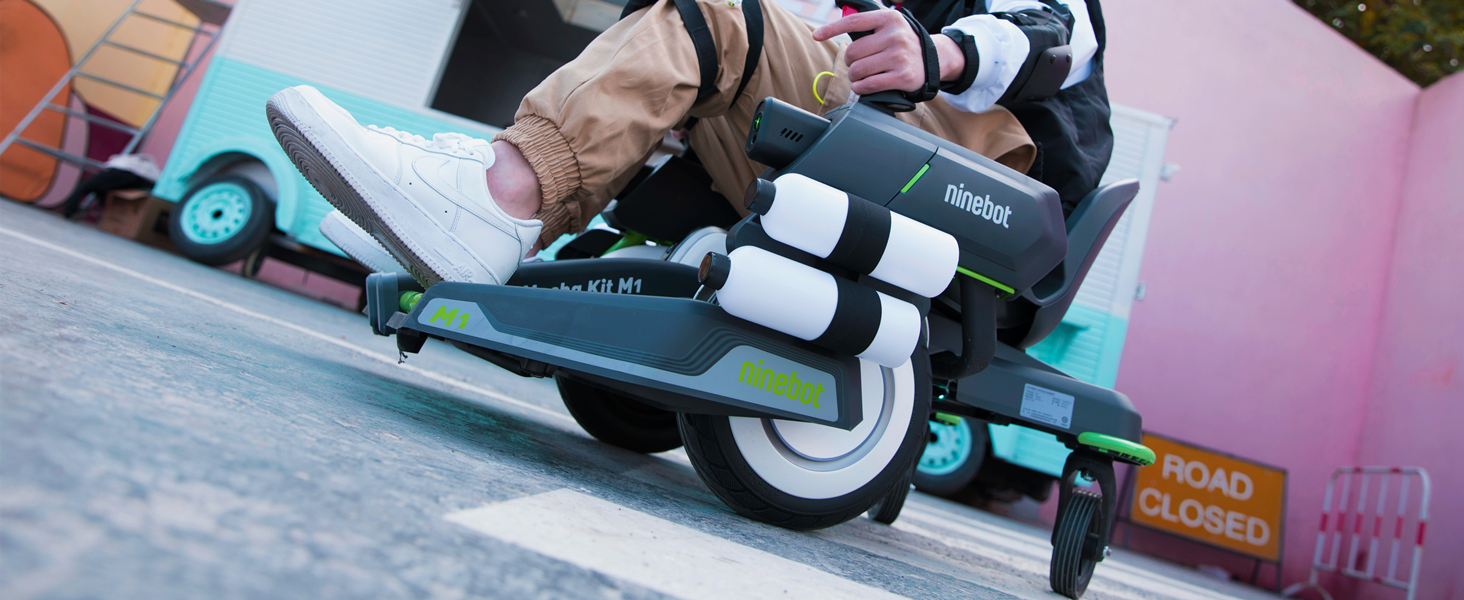
Image: Visual guide to compatible Ninebot S models for the Mecha Kit M1.
- Remove Knee Bar: Before attaching the Mecha Kit, remove the knee bar from your Ninebot S. Use the specialized toolset provided in the accessories package.
- Assemble Mecha Kit: Attach the seat and armrests to the Mecha Kit frame. Ensure all connections are secure. You should hear a click when attaching the joystick arms.
- Attach Ninebot S: Securely attach your Ninebot S to the Mecha Kit using the provided Velcro straps. Ensure a firm connection.

Obrázek: Boční view of the Mecha Kit M1, illustrating its design and attachment points for the Ninebot S.
- Nabíjení baterie: The Mecha Kit has its own power source. Fully charge the battery before first use. It typically comes partially charged.
- Aktualizace firmwaru: Connect your Ninebot S to the Segway-Ninebot app and update its firmware to the latest version before synchronizing with the Mecha Kit.
- Water Bullet Preparation: Place the water bullets in water for at least four hours to allow them to fully absorb water and expand.
5. Návod k obsluze
Once assembled and charged, you can begin operating your Segway Ninebot Mecha Kit M1.
5.1. Zapnutí/vypnutí
- To power on, press the power button on the Mecha Kit.
- Chcete-li přístroj vypnout, stiskněte a podržte tlačítko napájení, dokud se přístroj nevypne.
5.2. Ovládací prvky řízení
The Mecha Kit is controlled using dual joysticks:
- Vpřed/vzad: Push both joysticks forward simultaneously to move forward. Pull both joysticks backward simultaneously to reverse.
- Soustružení: To turn, push one joystick forward while keeping the other neutral or pulling it slightly back. For example, to turn left, push the right joystick forward. To turn right, push the left joystick forward.
- Zero Turn: The Mecha Kit supports zero-turn maneuvers, allowing for tight rotations.
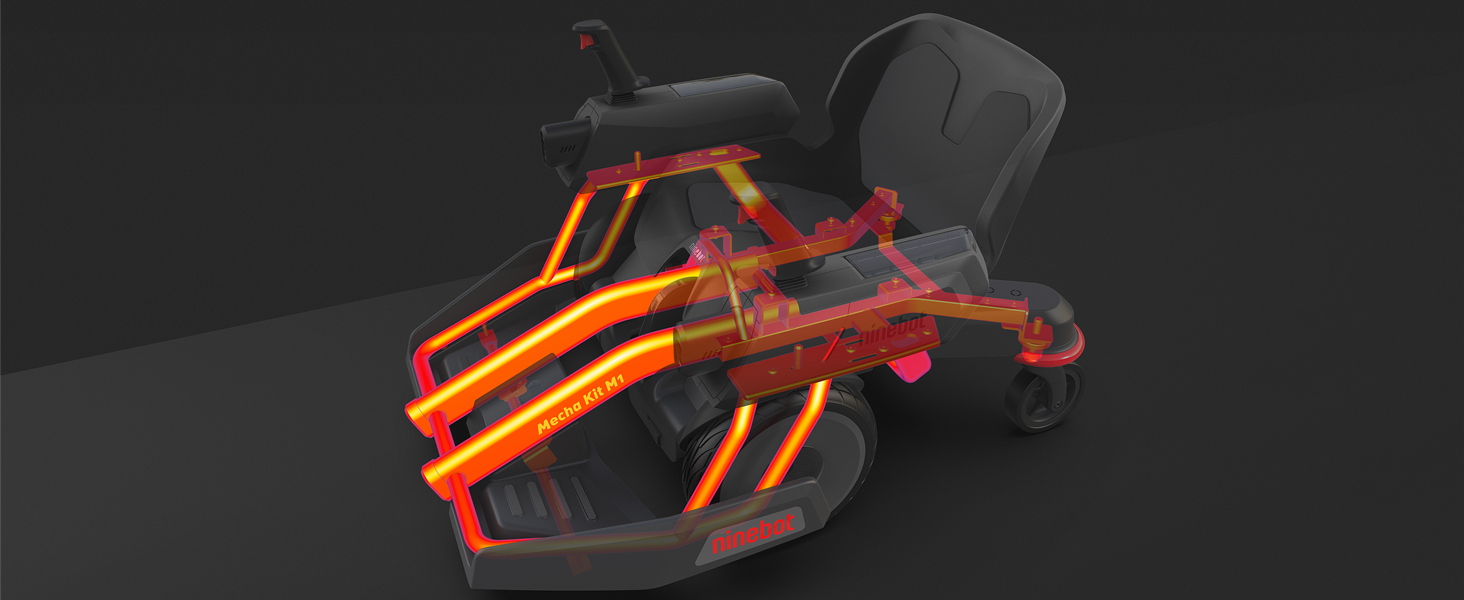
Image: Detail of the Mecha Kit M1 joystick, illustrating its design for precise control.
5.3. Rychlostní režimy
The Mecha Kit features three speed modes, which can be selected via the Segway-Ninebot app:
- Nouzový režim: Maximum speed of 3.7 mph (6 km/h). Recommended for beginners.
- Nový režim pro jezdce: Maximum speed of 6 mph (10 km/h). For users gaining confidence.
- Sportovní režim: Maximum speed of 8.7 mph (14 km/h). For experienced riders.
Note: Faster speeds may be unlocked through the app after completing certain exercises or riding distances.
5.4. Water Bullet Shooting
The Mecha Kit is equipped with water bullet launchers for interactive play.
- Load prepared water bullets into the designated compartments.
- Activate shooting via the joysticks or the mobile app.
- The integrated green laser assists with aiming.
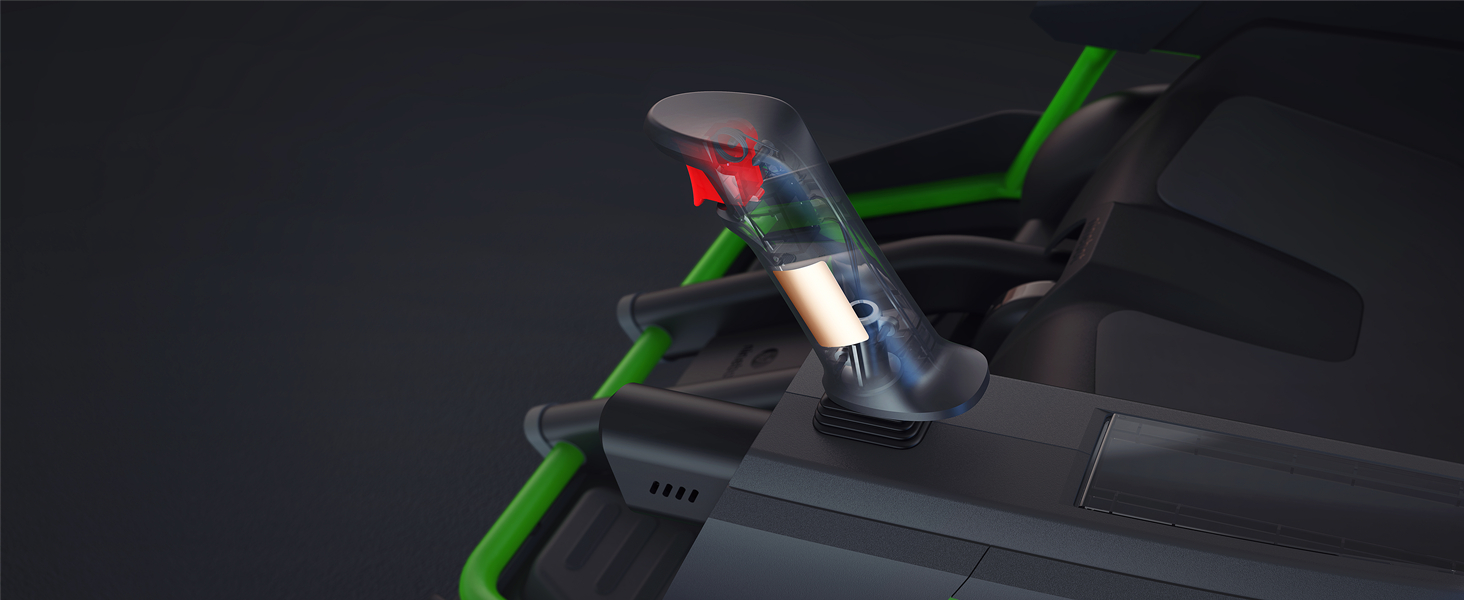
Image: Depiction of the water bullet shooting mechanism in action, showing the trajectory of the bullets.
5.5. Mobile App Integration
The Segway-Ninebot app provides advanced control and customization options:
- Dálkové ovládání: Operate the Mecha Kit remotely, including driving and shooting functions.
- Speed Limit Configuration: Adjust speed modes and unlock higher speeds.
- Světelné efekty: Customize the RGB light colors.
- Zvukové efekty: Access intelligent robot sounds and Bluetooth music playback.
- Údaje o jízdě: Nahrát a znovuview your ride statistics.
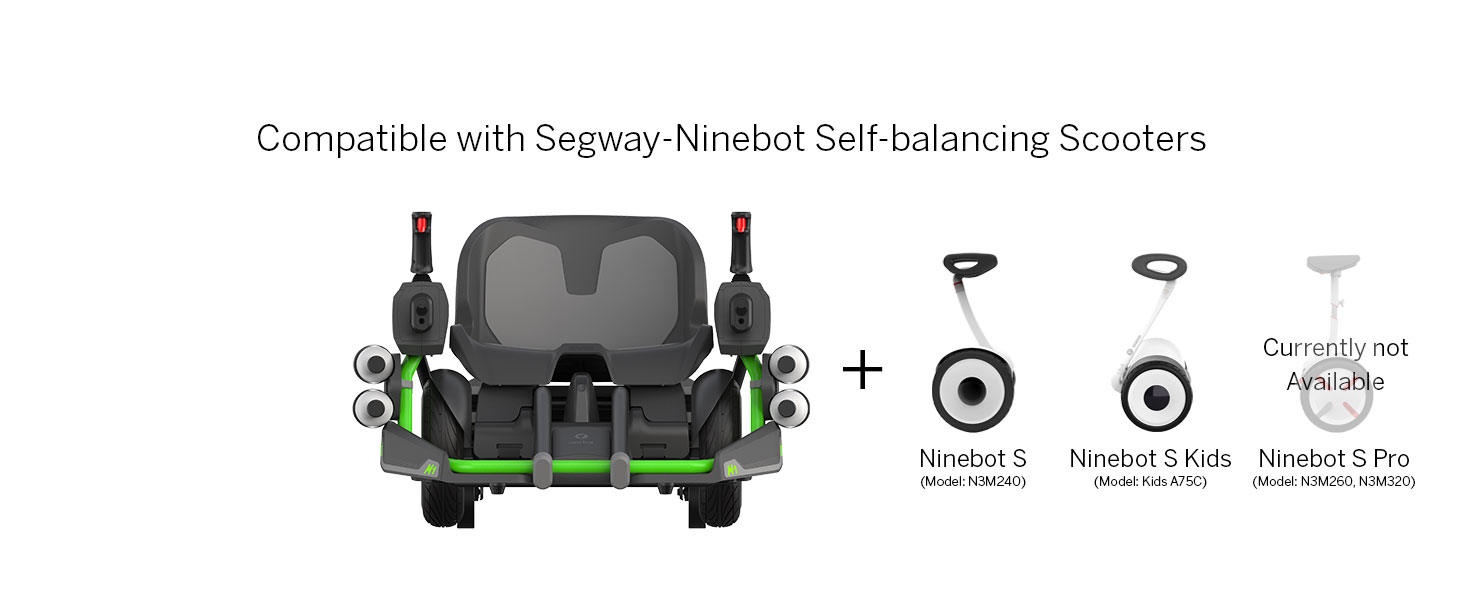
Image: Mobile application interface demonstrating remote control and settings for the Mecha Kit M1.
5.6. Oficiální video produktu
Video: Oficiální video s produktemasing the Segway Ninebot Mecha Kit M1 in action, demonstrating its driving and shooting capabilities.
6. Údržba
Regular maintenance ensures the longevity and optimal performance of your Mecha Kit M1.
- Čištění: Wipe down the Mecha Kit with a damp Po použití setřete hadříkem. Nepoužívejte agresivní chemikálie ani abrazivní čisticí prostředky.
- Skladování: Store the Mecha Kit in a dry, cool place away from direct sunlight and extreme temperatures.
- Péče o baterie: Charge the battery regularly, even if not in use, to maintain battery health. Do not overcharge.
- Kontrola upevňovacích prvků: Pravidelně kontrolujte všechny šrouby a upevňovací prvky, abyste se ujistili, že jsou utažené.
- Water Bullet Residue: Clean any residue from water bullets to prevent blockages in the shooting mechanism.
7. Řešení problémů
If you encounter issues with your Mecha Kit M1, refer to the following common problems and solutions:
| Problém | Možná příčina | Řešení |
|---|---|---|
| Mecha Kit does not power on. | Slabá nebo nenabitá baterie. | Ensure the Mecha Kit's internal battery is fully charged. |
| Difficulty moving or turning. | Ninebot S not properly attached or synchronized; incorrect joystick input. | Verify the Ninebot S is securely attached and its firmware is updated. Practice joystick controls. |
| Water bullets not firing or jamming. | Water bullets not fully hydrated; mechanism blockage. | Ensure water bullets are soaked for at least 4 hours. Check for and clear any obstructions in the firing mechanism. |
| Mecha Kit feels slow or unresponsive. | Operating in a lower speed mode; Ninebot S firmware outdated. | Check the speed mode settings in the mobile app. Update Ninebot S firmware. |
| Mecha Kit gets stuck on small obstacles or inclines. | Low ground clearance; weak reverse power. | Approach obstacles and inclines at an angle. Avoid areas with significant height differences. The reverse function is designed for minor adjustments, not powerful propulsion. |
8. Specifikace
| Funkce | Detail |
|---|---|
| Název modelu | Mecha M1 |
| Značka | Segway |
| Rozměry položky (DxŠxV) | 36 x 27 x 21 palce (91.4 x 68.6 x 53.3 cm) |
| Hmotnost položky | 19.32 kilogramů (42.6 liber) |
| Materiál | Aluminium (High-strength steel frame) |
| Barva | Tmavě šedá |
| Doporučení uživatelé | Unisex-teen |
| Maximální užitečné zatížení | 220 lb (100 kg) |
| Speciální funkce | Wireless control, Human-body sensor, RGB lights, Water bullet shooting |
| Compatible Ninebot S Models | Ninebot S, Ninebot S Kids, Ninebot S-PRO (Not S-Max, S-plus) |

Obrázek: Rozměrový view of the Mecha Kit M1, showing its length, width, and height.
9. Záruka a podpora
9.1. Informace o záruce
The Segway Ninebot Mecha Kit M1 comes with a 1letá omezená záruka. This warranty covers manufacturing defects under normal use. Please retain your proof of purchase for warranty claims. For full details, refer to the official Segway warranty policy document.
9.2. Zákaznická podpora
For technical assistance, troubleshooting not covered in this manual, or warranty inquiries, please contact Segway customer support through their official website or the Segway-Ninebot mobile application. Have your product model and serial number ready when contacting support.


