1. Konec produktuview
The realme narzo 50A is a smartphone designed for performance and extended usage. It features a MediaTek Helio G85 Octa-core Processor, a large 6000 mAh battery, and a versatile 50MP AI Triple Camera system. The device runs on Android 11.0 and offers a 6.5-inch HD+ display for a clear visual experience.

Obrázek: Přední a zadní strana view of the realme narzo 50A smartphone, highlighting its design and camera module.
2. Co je v krabici
Upon unboxing your realme narzo 50A, you should find the following items:
- Handset (realme narzo 50A)
- Adaptér
- USB Cable Type C
- Nástroj pro SIM kartu
- Screen Protect Film
- Important Info Booklet with Warranty Card
- Rychlý průvodce
Video: An unboxing video of the realme narzo 50A, showing the contents of the retail package including the phone, charger, cable, and documentation.
3. Průvodce nastavením
3.1. Vložení SIM karty a paměťové karty
- Vyhledejte držák SIM karty na boku zařízení.
- Insert the provided SIM ejector tool into the small hole on the SIM tray. Press firmly until the tray pops out.
- Vložte kartu (karty) Nano-SIM a/nebo kartu microSD do určených slotů v držáku. Ujistěte se, že zlaté kontakty směřují dolů.
- Opatrně vložte zásobník SIM karty zpět do telefonu, dokud nezacvakne na místo.
3.2. Zapnutí zařízení
- Press and hold the Power button (located on the right side) until the realme logo appears on the screen.
- Postupujte podle pokynů na obrazovce a dokončete počáteční nastavení, včetně výběru jazyka, připojení k Wi-Fi a nastavení účtu Google.
4. Návod k obsluze
4.1. Základní navigace
- Dotek: Klepnutím na ikonu otevřete aplikaci nebo vyberete položku.
- Výpad: Slide your finger across the screen to scroll through pages or content.
- Štípání: Pro přiblížení nebo oddálení fotografií použijte dva prsty a web stránky.
- Domovská obrazovka: Přejetím prstem odspodu nahoru otevřete seznam aplikací.
4.2. Volume and Power Buttons
- The Volume rocker is located on the right side of the device. Press the upper part to increase volume, and the lower part to decrease volume.
- The Power button is located below the Volume rocker. Press it once to lock/unlock the screen. Press and hold to access power options (Power off, Restart).
5. Funkce fotoaparátu
The realme narzo 50A is equipped with a versatile camera system to capture your moments.
- Zadní kamera: 50MP + 2MP + 2MP AI Triple Camera setup. The 50MP primary sensor captures detailed photos, while the additional sensors assist with macro shots and depth effects.
- Přední kamera: 8MP pro ostré selfie a videohovory.
- Režimy fotoaparátu: Includes modes such as Photo, Video, Night, Portrait, and Macro.

Obrázek: Podrobný view of the realme narzo 50A's rear camera array and integrated fingerprint sensor.
6. Funkce displeje
Experience vibrant visuals on the realme narzo 50A's display.
- Velikost: 16.51 cm (6.5 inch) HD+ Display.
- Rezoluce: 1600 x 720 pixelů.
- Technologie: LCD with 269 PPI and 60Hz refresh rate.
- Jas: Up to 570 nits for clear visibility.
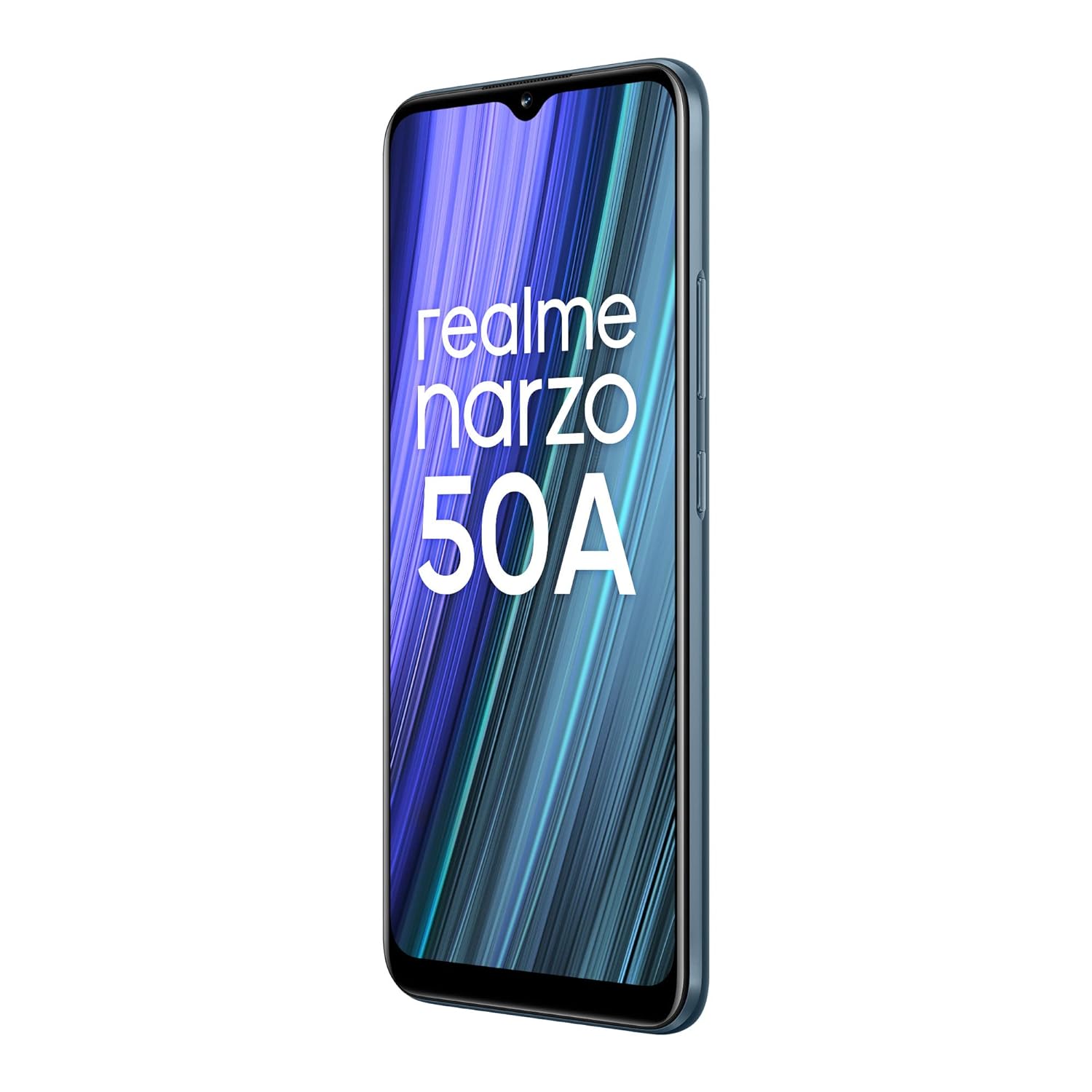
Image: The realme narzo 50A display showcasing a colorful interface.
7. Baterie a nabíjení
The device is powered by a high-capacity battery and supports fast charging.
- Kapacita baterie: Lithium-polymerová baterie s kapacitou 6000 mAh.
- Nabíjení: Supports 18W Quick Charge via USB Type-C.
- Používání: Designed for extended talk time and standby.

Image: Graphic illustrating the 6000 mAh mega battery of the realme narzo 50A.
8. Technické specifikace
| Funkce | Specifikace |
|---|---|
| Číslo modelu | RMX3430 |
| Operační systém | Android 11.0 |
| Procesor | Osmijádrový procesor MediaTek Helio G85 |
| BERAN | 4 GB |
| Interní úložiště | 64 GB (Expandable Upto 256 GB) |
| Velikost displeje | 16.51 cm (6.5 inch) HD+ |
| Rozlišení displeje | 1600 x 720 pixelů |
| Zadní kamera | Trojitý fotoaparát 50 MP + 2 MP + 2 MP |
| Přední kamera | 8 MP |
| Kapacita baterie | 6000 XNUMX mAh |
| Nabíjení | Rychlé nabíjení 18W |
| Konektivita | Bluetooth, Wi-Fi, mobilní připojení |
| Audio Jack | 3.5 mm |
| Rozměry | 16.5 x 7.6 x 1 cm |
| Hmotnost | 207 g |
9. Řešení problémů
If you encounter issues with your realme narzo 50A, consider the following common solutions:
- Zařízení se nezapíná: Ujistěte se, že je baterie nabitá. Připojte telefon k nabíječce a před opětovným zapnutím počkejte několik minut.
- Pády/zamrzání aplikací: Try clearing the cache of the problematic app (Settings > Apps > [App Name] > Storage > Clear Cache). If the issue persists, reinstall the app.
- Slabá výdrž baterie: Zkontrolujte používání aplikací na pozadí (Nastavení > Baterie). Snižte jas obrazovky a vypněte nepotřebné funkce, jako je GPS nebo Bluetooth, když je nepoužíváte.
- Problémy s připojením k síti: Ensure your SIM card is correctly inserted. Try restarting the device or toggling Airplane Mode on and off. Check with your service provider for network status.
- Pomalý výkon: Zavřete nepoužívané aplikace na pozadí. Odstraňte nepotřebné. files and data to free up storage. Consider a factory reset as a last resort (back up your data first).
10. Údržba
To ensure the longevity and optimal performance of your realme narzo 50A, follow these maintenance tips:
- Udržujte software aktualizovaný: Regularly check for and install system updates to benefit from performance improvements and security patches.
- Chraňte obrazovku: Use the provided screen protect film or a third-party screen protector to prevent scratches.
- Jemně čistěte: K čištění obrazovky a těla telefonu používejte měkký hadřík, který nepouští vlákna. Vyhněte se agresivním chemikáliím.
- Vyhněte se extrémním teplotám: Do not expose the device to very high or low temperatures, as this can affect battery life and internal components.
- Nabíjejte správně: Use only the original charger and cable provided with the device to prevent damage and ensure efficient charging.
11. Záruka a podpora
Your realme narzo 50A comes with a standard manufacturer's warranty. Please refer to the "Important Info Booklet with Warranty Card" included in your package for detailed terms and conditions.
- Záruční doba: Typically 1 year from the date of purchase for the device, and 6 months for accessories.
- Služby zákazníkům: For technical assistance, repairs, or warranty claims, please contact realme customer support. Contact details can usually be found on the official realme webna webu nebo v záruční brožuře.
- Online zdroje: Visit the official realme support webweb s nejčastějšími dotazy, průvodci řešením problémů a softwarem ke stažení.


