
1. Úvod
The Poly Studio X70 Video Bar and TC8 Touch Controller combine to provide a premium, all-in-one video conferencing solution designed for large conference rooms. This system delivers razor-sharp 4K video and boardroom-filling stereo sound, ensuring an optimal meeting experience. The integrated design simplifies setup by eliminating complex cabling and offers robust audio and video capabilities.
This manual provides essential information for setting up, operating, maintaining, and troubleshooting your Poly Studio X70 and TC8 system.

Image: The Poly Studio X70 Video Bar (top) and the TC8 Touch Controller (bottom left), showcasing the complete conferencing system.
2. Co je v krabici
Před zahájením instalace ověřte, zda jsou všechny komponenty přítomny:
- Video Bar Poly Studio X70
- Poly TC8 Touch Controller
- Required cables (e.g., Ethernet, HDMI) - Specific cables may vary by region or package.
- Montážní hardware (pokud je k dispozici)
3. Nastavení
Follow these steps to set up your Poly Studio X70 and TC8 system:
- Umístění: Position the Poly Studio X70 Video Bar centrally above or below your display in the conference room. Ensure it has a clear line of sight to all participants.

Image: The Poly Studio X70 Video Bar installed above a large display in a conference room, with the TC8 controller on the table.
- Připojte napájení: The Poly Studio X70 requires Power Over Ethernet (POE). Connect an Ethernet cable from a POE-enabled network switch or injector to the POE port on the Studio X70.
- Připojení k displeji: Use an HDMI cable to connect the Studio X70 to your conference room display(s).
- Connect TC8 Touch Controller: Connect the TC8 Touch Controller to the network via an Ethernet cable. The TC8 will automatically discover and pair with the Studio X70 on the same network.
- Internetové připojení: Ensure both the Studio X70 and TC8 are connected to a network with internet access for updates and cloud service integration.
- Počáteční konfigurace: Follow the on-screen prompts on the TC8 controller to complete the initial setup, including network settings, time zone, and integration with your preferred cloud video service (e.g., Zoom, Microsoft Teams).
4. Návod k obsluze
The Poly Studio X70 and TC8 are designed for intuitive operation with leading cloud video services.
4.1. Starting a Meeting
- On the TC8 Touch Controller, select your desired meeting platform (e.g., Zoom, Microsoft Teams).
- Join a scheduled meeting from the calendar, or start an instant meeting.
- Use the TC8 to manage participants, mute/unmute microphones, share content, and control camera functions.
4.2. Funkce videa
The Studio X70 features dual 4K lenses and 20-megapixel camera sensors for life-like video quality.
- Sledování reproduktorů: The system automatically focuses on the active speaker, ensuring they are always clearly visible.

Image: Close-up of the Poly Studio X70 camera, highlighting its automatic speaker tracking and group framing capabilities.
- Group Framing: The camera intelligently frames all participants in the room, adjusting as people enter or leave.

Obrázek: Podrobný view of the Poly Studio X70's dual 4K lenses, emphasizing its high-resolution video capabilities.
4.3. Zvukové funkce
Experience boardroom-filling audio with two-way stereo speakers, aluminum cone tweeters, and advanced bass ports.
- NoiseBlockAI: This technology intelligently blocks distracting noises from interrupting your meetings.

Obrázek: Boční view of the Poly Studio X70, indicating the location of microphones and speakers that utilize NoiseBlockAI and Acoustic Fence technologies.
- Akustický plot: Creates a virtual fence to prevent side conversations and background noise from being picked up by the microphones.
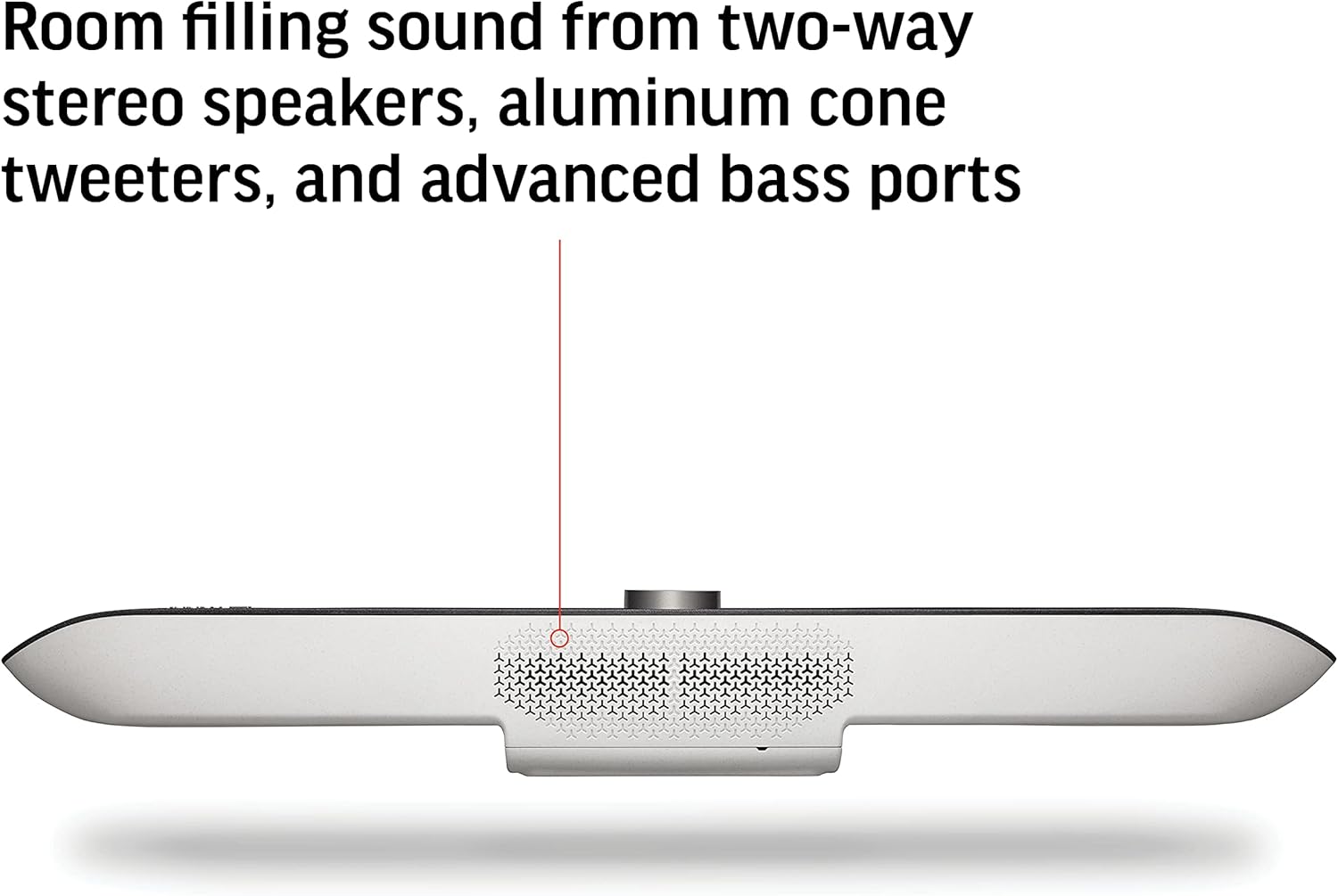
Obrázek: Spodní část view of the Poly Studio X70, highlighting the speaker grilles for room-filling stereo sound.
4.4. Content Sharing
Share content wirelessly from most personal devices directly to the meeting display.

Image: Graphic illustrating wireless content sharing from various devices like phones, tablets, and laptops to the Poly Studio X70 system.
4.5. Správa zařízení
The Poly Studio X70 can be managed using Poly Lens cloud-based device management software, ensuring high uptime and providing advanced analytics.
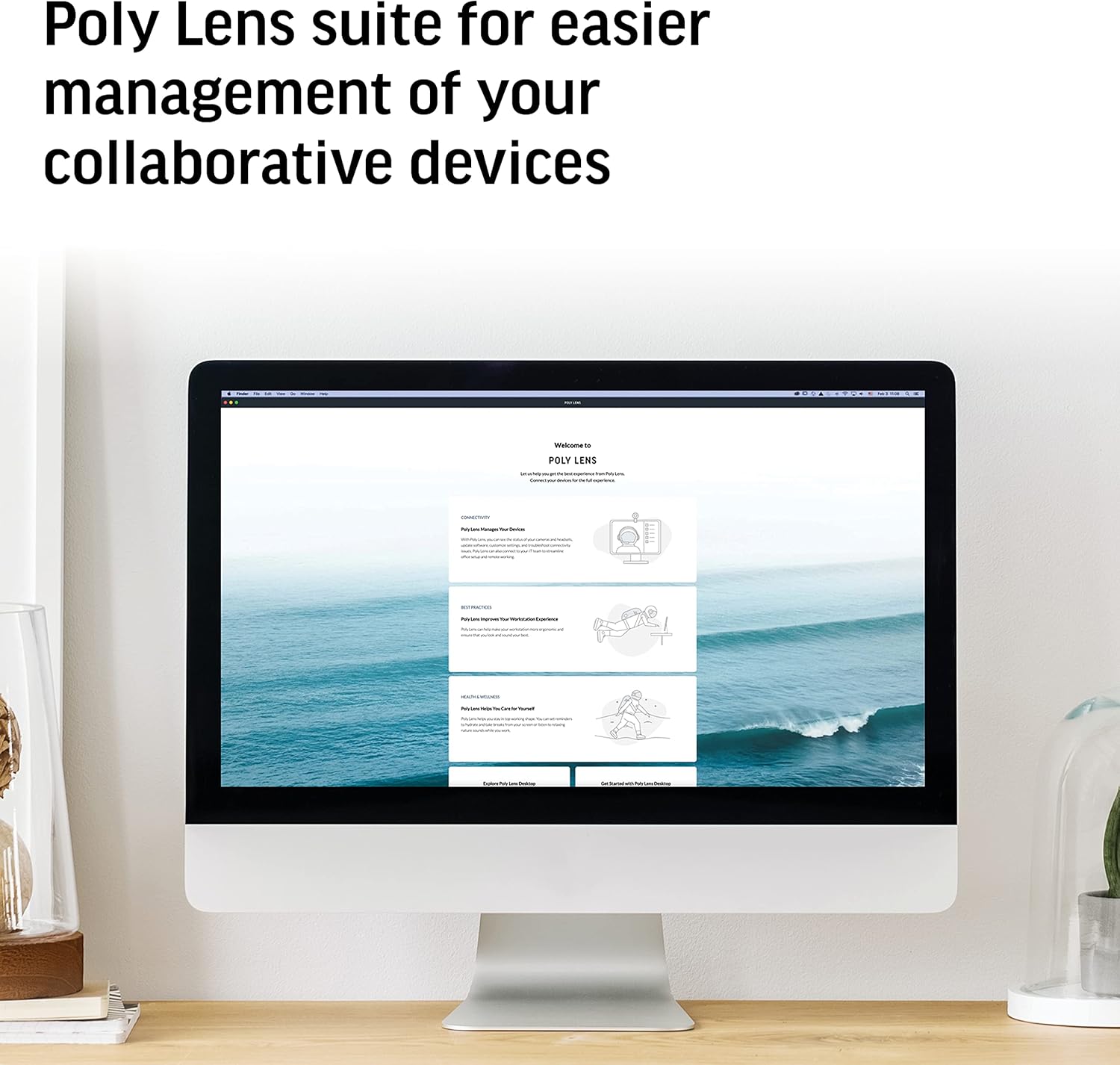
Image: A computer screen displaying the Poly Lens software interface, used for managing Poly collaborative devices.
5. Údržba
To ensure optimal performance and longevity of your Poly Studio X70 and TC8 system:
- Čištění: Gently wipe the surfaces of the video bar and touch controller with a soft, dry, lint-free cloth. Do not use abrasive cleaners or solvents.
- Aktualizace softwaru: Regularly check for and install firmware updates through the Poly Lens platform or the device's web interface to ensure the latest features and security patches.
- Větrání: Ensure the video bar's ventilation openings are not obstructed to prevent overheating.
6. Řešení problémů
If you encounter issues with your Poly Studio X70 and TC8, refer to the following common solutions:
| Problém | Možná příčina | Řešení |
|---|---|---|
| Na displeji není žádný video výstup. | HDMI cable loose or faulty; display input incorrect; Studio X70 not powered on. | Check HDMI cable connections. Ensure display is on correct input. Verify Studio X70 is powered via POE. |
| Z reproduktorů není slyšet žádný zvuk. | Volume muted; audio settings incorrect; speaker issue. | Check volume on TC8 and display. Verify audio output settings in the system. |
| TC8 Touch Controller not responding or paired. | Network connectivity issue; TC8 not powered; pairing lost. | Ensure TC8 has power and network connection. Restart both TC8 and Studio X70. Re-pair if necessary via system settings. |
| Špatná kvalita videa. | Insufficient network bandwidth; dirty camera lenses. | Check network speed and stability. Clean camera lenses with a soft cloth. |
For further assistance, please refer to the official Poly support website or contact your IT administrator.
7. Specifikace
| Funkce | Detail |
|---|---|
| Číslo modelu | 7200-87300-001 |
| Rozlišení záznamu videa | 4K |
| Kamerové senzory | Dual 20 Megapixel |
| Zvukové funkce | Two-way stereo speakers, aluminum cone tweeters, advanced bass ports, NoiseBlockAI, Acoustic Fence |
| Konektivita | Ethernet (POE), HDMI |
| Ideální velikost pokoje | Large meeting rooms (up to 25ft long) |
| Rozměry (DxŠxV) | 36.5 x 13.5 x 8 palce |
| Hmotnost položky | 16.61 libry |
| Podporované cloudové služby | Zoom, Microsoft Teams, and more |
8. Záruka a podpora
Poly products typically come with a standard manufacturer's warranty. For specific warranty terms and conditions, please refer to the documentation included with your purchase or visit the official Poly webmísto.
For technical support, software downloads, and additional resources, please visit the Podpora Poly webmísto or contact your authorized Poly reseller.
It is recommended to register your product to receive updates and support notifications.


