Google Nest Cam (Outdoor or Indoor, Battery) User Manual
Model: GA02411-US | Značka: Google
Zavedení
The Google Nest Cam (Outdoor or Indoor, Battery) is a versatile security camera designed for both indoor and outdoor use. It offers advanced features to help you monitor your home effectively. This manual provides detailed instructions for setting up, operating, and maintaining your Nest Cam.
Klíčové vlastnosti
- Inteligentní upozornění: Differentiates between people, animals, and vehicles.
- Wire-Free & Weather Resistant: Flexible placement indoors or outdoors.
- 1080p HDR Video with Night Vision: Clear video day and night.
- 3 Hours Free Event Video History: Review recent activity without a subscription.
- Obousměrný rozhovor: Communicate with visitors or deter unwanted guests.
- Místní úložiště: Stores up to an hour of recorded events during outages.
- Google Home App Integration: Control and manage your camera from one app.
Co je zahrnuto
Your Google Nest Cam package includes the following items:
- 2 Nest Cam Cameras
- Magnetic and Wall Plates
- Nástěnné kotvy a šrouby
- Nabíjecí kabel
- Napájecí adaptér

Figure 1: Two Google Nest Cams included in the package.
Nastavení a instalace
Setting up your Nest Cam is designed to be straightforward. Follow the instructions in the Google Home app for a guided installation process.
Požadavek na aplikaci
The Nest Cam requires the Google Home app and a free Google Account. It is not compatible with the older Nest app or Nest webmísto.
Wire-Free Installation
The battery-powered design allows for wire-free installation, making it easy to place almost anywhere.

Figure 2: Wire-free installation is as simple as hanging a picture frame.
Možnosti napájení
Your Nest Cam is primarily battery-powered. For continuous power and 24/7 video recording (with Nest Aware Plus subscription), you can add a weatherproof power cable or an indoor stand with a power cable (both sold separately).

Figure 3: Nest Cam with optional weatherproof power cable for continuous operation.
Operating Your Nest Cam
The Google Home app is your central hub for controlling and monitoring your Nest Cam.
Inteligentní upozornění
The Nest Cam has built-in intelligence to detect and differentiate between people, animals, and vehicles, sending specific alerts to your phone.
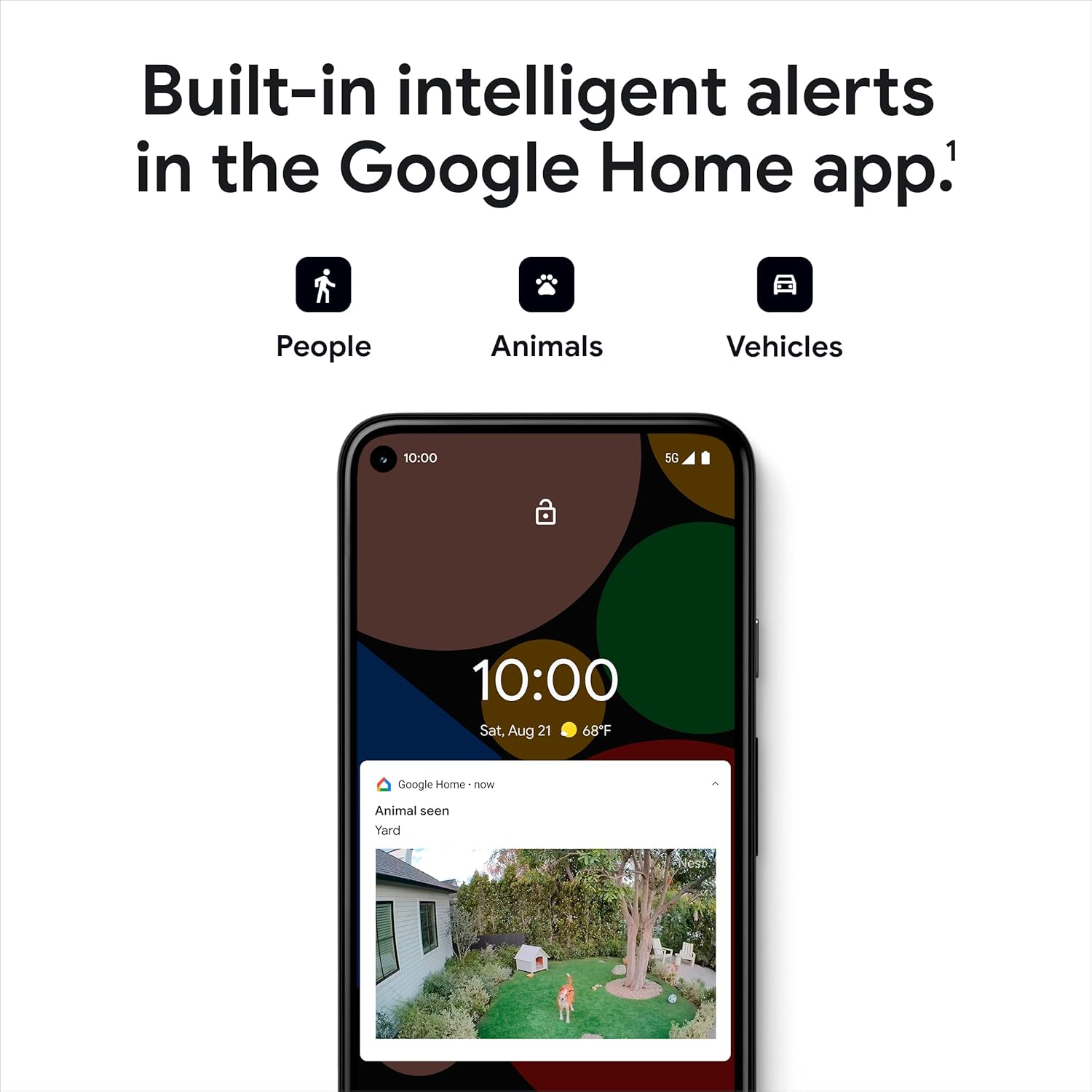
Figure 4: Intelligent alerts for people, animals, and vehicles.
Žít View and Video History
Access a live 1080p HDR video feed from anywhere, 24/7. The camera also provides night vision for clear viewing in low-light conditions. You get 3 hours of free event video history, with options to extend up to 60 days with a Nest Aware subscription (sold separately).
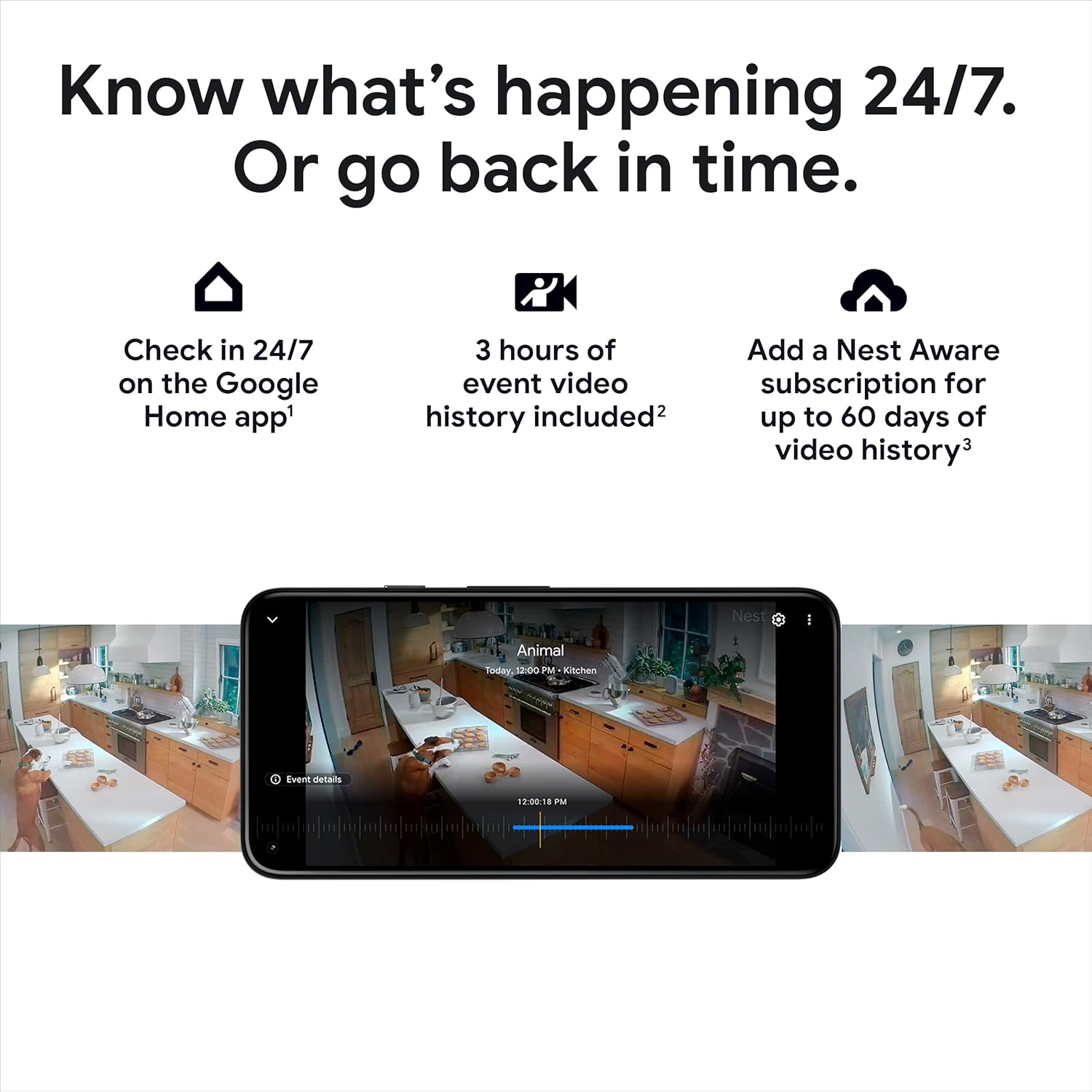
Obrázek 5: Reviewing video history in the Google Home app.

Obrázek 6: Živě view of your home through the Nest Cam.

Figure 7: Night vision provides clear images in the dark.
Oboustranný rozhovor
Use the built-in speaker and microphone to talk to visitors or communicate with family members through the camera.

Figure 8: Two-way talk and emergency service calling from the app.

Figure 9: Activating two-way talk via the Google Home app.
Oblasti činnosti
Definujte specifické oblasti v záběru kamery view as Activity Zones to receive notifications only when activity is detected in those critical areas.

Figure 10: Customizing Activity Zones for targeted alerts.
Offline úložiště
Pokud se vám vypadne Wi-Fi nebo dojde k výpadku proudutage, the Nest Cam will store up to an hour of recorded events locally, so you don't miss important moments.

Figure 11: Nest Cam continues to record during outages.
Údržba
To ensure optimal performance of your Nest Cam, consider the following maintenance aspects:
Nabíjení baterie
As a battery-powered device, the Nest Cam will require periodic recharging. The Google Home app will notify you when the battery is low.
Continuous Power Options
For uninterrupted operation and 24/7 video recording (with Nest Aware Plus), consider purchasing a weatherproof power cable for outdoor use or an indoor stand with a power cable for indoor use.
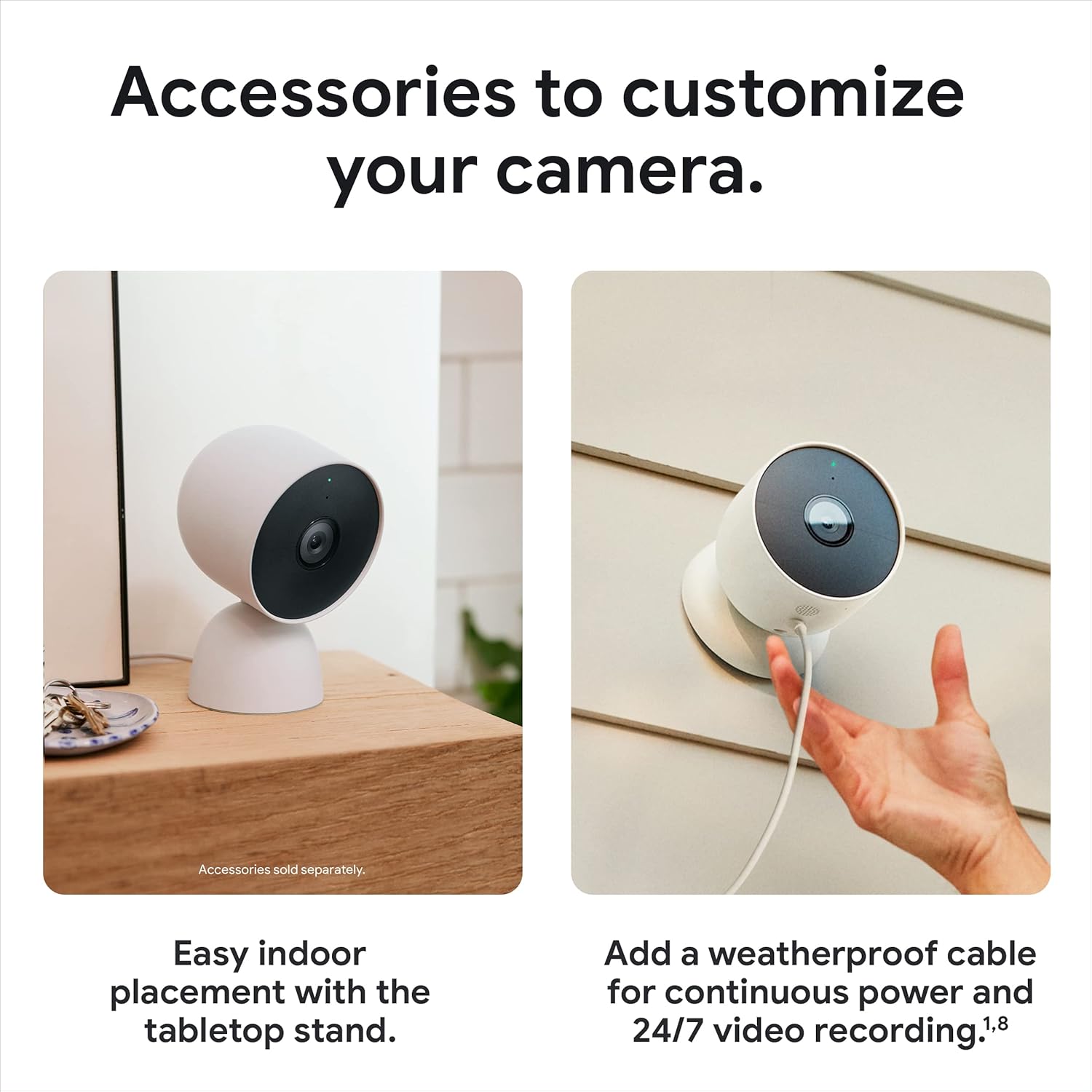
Figure 12: Optional accessories for enhanced power and placement.
Odstraňování problémů
If you encounter issues with your Nest Cam, try the following steps:
Problémy s připojením
If your camera shows as 'offline' or is not connecting to your Wi-Fi network, ensure your Wi-Fi is stable. Remember that the camera stores up to an hour of events during outages. If reconnection fails, you may need to reset the camera. Locate the reset button (refer to the device diagram in the app) and press it for 15 seconds to perform a factory reset, then repeat the connection process.
Kompatibilita aplikací
Ensure you are using the Google Home app. The Nest Cam is not compatible with the older Nest app.
Specifikace
| Funkce | Detail |
|---|---|
| Vnitřní/venkovní použití | Venkovní, Vnitřní |
| Zdroj napájení | Napájení z baterie |
| Protokol připojení | Bluetooth, Wi-Fi (802.11a/b/g/n 2.4GHz/5GHz) |
| Rozlišení záznamu videa | 1080p |
| Pole View | 130 stupňů |
| Technologie nízkého osvětlení | Noční barva |
| Typ upozornění | Motion Only (Intelligent alerts for person, animal, vehicle) |
| Hodnocení mezinárodní ochrany | IP65 (odolné vůči povětrnostním vlivům) |
| Rozměry položky (D x Š x V) | 3.27 x 3.27 x 3.27 palce |
| Hmotnost položky | 1.76 libry (28.08 uncí) |
| Baterie | Jsou vyžadovány 4 lithium-iontové baterie (součástí balení) |
| Kompatibilní zařízení | Amazon Alexa, Google Assistant |
Záruka a podpora
For warranty information and technical support, please refer to the official Google support channels. You can also visit the Obchod Google na Amazonu pro další zdroje a informace o produktech.


