MARKLIFE Label Maker Machine User Manual
Model: P50 | Značka: MARKLIFE
Konec produktuview
The MARKLIFE P50 Label Maker is a mini portable Bluetooth thermal label printer designed for various labeling needs in homes, offices, and small businesses. It utilizes thermal printing technology, eliminating the need for ink or toner, and supports black and white printing.
Mezi klíčové vlastnosti patří:
- Široká aplikace: Supports label widths from 0.59'' to 2.24'', suitable for address, clothing, price, cable, jewelry, and ingredient labels.
- Bezdrátové a přenosné: Lightweight design with Bluetooth 4.0 connectivity for convenient, smooth, and fast printing from smartphones (Android & iOS) within 33 feet.
- Smart Printing Features: Offers voice and image recognition, barcode generation from scans, PDF batch printing, and the ability to print photos on labels. USB connection and online software are available for Windows PC.
- Odolné štítky: Labels are designed to be tear-proof, watertight, and oil-proof, ensuring longevity.
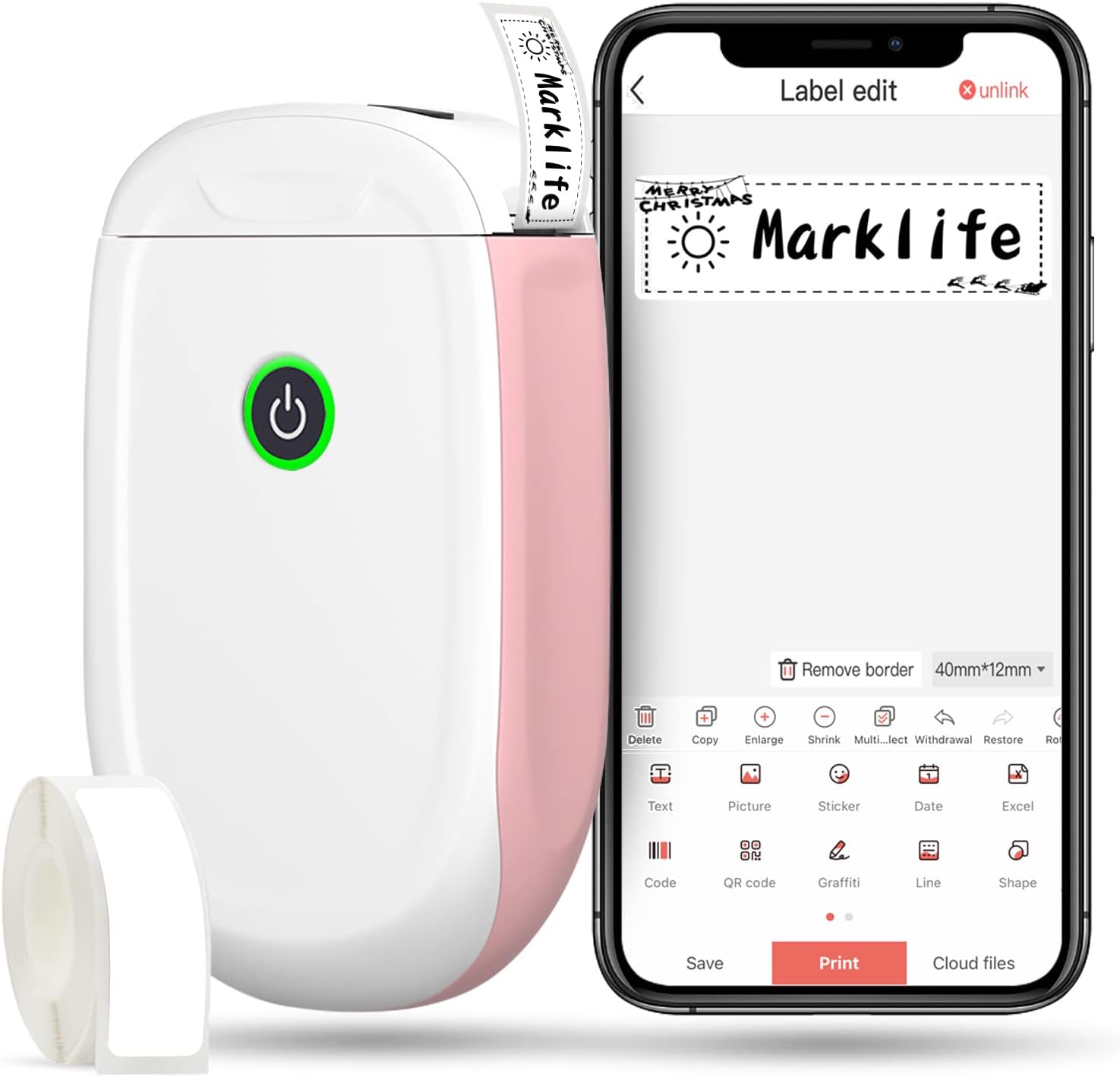
Figure 1: MARKLIFE P50 Label Maker and companion app.
Průvodce nastavením
Follow these steps to set up your MARKLIFE P50 Label Maker:
- Load Label Paper: Open the cover and insert the label roll with the printing side facing up. Close the cover securely.
- Stáhněte si aplikaci: Hledat "Marklife" in your smartphone's app store (available for Android and iOS) and install it.
- Zapněte Bluetooth: Povolte na svém smartphonu Bluetooth.
- Připojit k zařízení: Open the Marklife app, turn on the labeler, and connect to the device via Bluetooth. The device name will typically start with "P11" or "P50".

Figure 2: Quick setup guide for the Marklife P50.
Video 1: Demonstrates the setup and basic usage of the Marklife P11 (similar to P50) label maker, including loading paper, connecting via Bluetooth, and printing a label.
Návod k obsluze
Once connected, you can begin creating and printing labels:
- Choose a Template: In the Marklife app, select from various pre-designed templates or start a new blank label.
- Upravit obsah štítku: Double-click on the label area to input text. You can customize font, size, alignment, and add elements like images, icons, dates, or barcodes.
- Předview a tisknout: Před tiskem předview your label to ensure it looks as desired. Then, tap the "Print" button to send the design to the label maker.
- Pokročilé funkce:
- Čárový kód/QR kód: Generate barcodes or QR codes directly from the app. Exampčárový kód: 46745875478655
- Image Recognition (OCR): Use your phone's camera as an OCR scanner within the app to convert text from images into editable label content.
- Dávkový tisk: Print multiple labels from a PDF or a list for efficiency.
- Přizpůsobení: Access over 600 combinations of templates, 9 languages, 600+ symbols, 27+ frames, and 15+ fonts.

Figure 3: Customize your own labels with various design elements.

Figure 4: Many designing items available in the app.
Údržba
To ensure the longevity and optimal performance of your MARKLIFE P50 Label Maker, follow these maintenance guidelines:
- Čištění: Pravidelně otírejte vnější povrch zařízení měkkým, suchým hadříkem. Pro tiskovou hlavu použijte vatový tampon lehceampened with rubbing alcohol, ensuring the device is off and disconnected from power. Allow it to dry completely before use.
- Skladování: Štítkovač skladujte na chladném a suchém místě mimo dosah přímého slunečního záření a extrémních teplot.
- Péče o rolku s etiketami: Keep unused label rolls in their original packaging to protect them from dust and moisture.
- Péče o baterie: For optimal battery life, charge the device regularly, even if not in frequent use. Avoid completely draining the battery for extended periods.

Figure 5: Thermal printing technology requires no ink, simplifying maintenance.

Figure 6: Labels are designed for durability and resistance to water and oil.
Odstraňování problémů
If you encounter issues with your MARKLIFE P50 Label Maker, try the following solutions:
| Problém | Možná příčina | Řešení |
|---|---|---|
| Zařízení se nezapne. | Slabá baterie. | Nabijte zařízení pomocí dodaného kabelu USB. |
| Nelze se připojit přes Bluetooth. | Bluetooth is off on phone/device, or device is out of range. | Ensure Bluetooth is enabled on your phone and the label maker is within 33 feet. Restart both devices. |
| Špatná kvalita tisku nebo prázdné štítky. | Incorrect label paper loading, dirty print head, or low battery. | Re-load label paper correctly. Clean the print head. Charge the device. |
| Aplikace padá nebo zamrzá. | Softwarová chyba nebo zastaralá verze aplikace. | Restart the app. Check for app updates in your app store. Reinstall the app if necessary. |
| Štítky se nepodávají správně. | Paper jam or incorrect paper type. | Open the cover and clear any jammed paper. Ensure you are using compatible Marklife label rolls. |
Specifikace
| Funkce | Detail |
|---|---|
| Název modelu | P50 |
| Značka | MARKLIFE |
| Technologie tisku | Tepelný |
| Technologie připojení | Bluetooth |
| Tiskový výstup | Monochromatický (černý inkoust) |
| Maximální rychlost tisku (černobíle) | 30 ppm |
| Maximální velikost média | 3 x 5 palce |
| Rozsah šířky štítku | 0.59'' - 2.24'' |
| Hmotnost položky | 9.6 unce (272 gramů) |
| Rozměry produktu | 3.14 x 5.5 x 1.18 palců (přibližně 7.5 x 13.6 x 2.8 cm) |
| Kompatibilní zařízení | Android & iOS mobile devices, Windows PC (via USB) |
| Zahrnuté komponenty | Label Maker, Label Tape |
Aplikace
The MARKLIFE P50 Label Maker is versatile and can be used in various scenarios:
- Domácí organizace: Labeling spice jars, storage containers, baby items, and personal belongings.
- Kancelářské použití: Organizování files, marking cables, labeling office tools, and creating name tags. Přampčárový kód: 6953124066961
- Malé firmy: Tvorba ceny tags, product labels, barcode labels, and shipping labels for retail, clothing, and jewelry.
- Osobní použití: Labeling gifts, creating custom stickers, and marking food expiration dates.
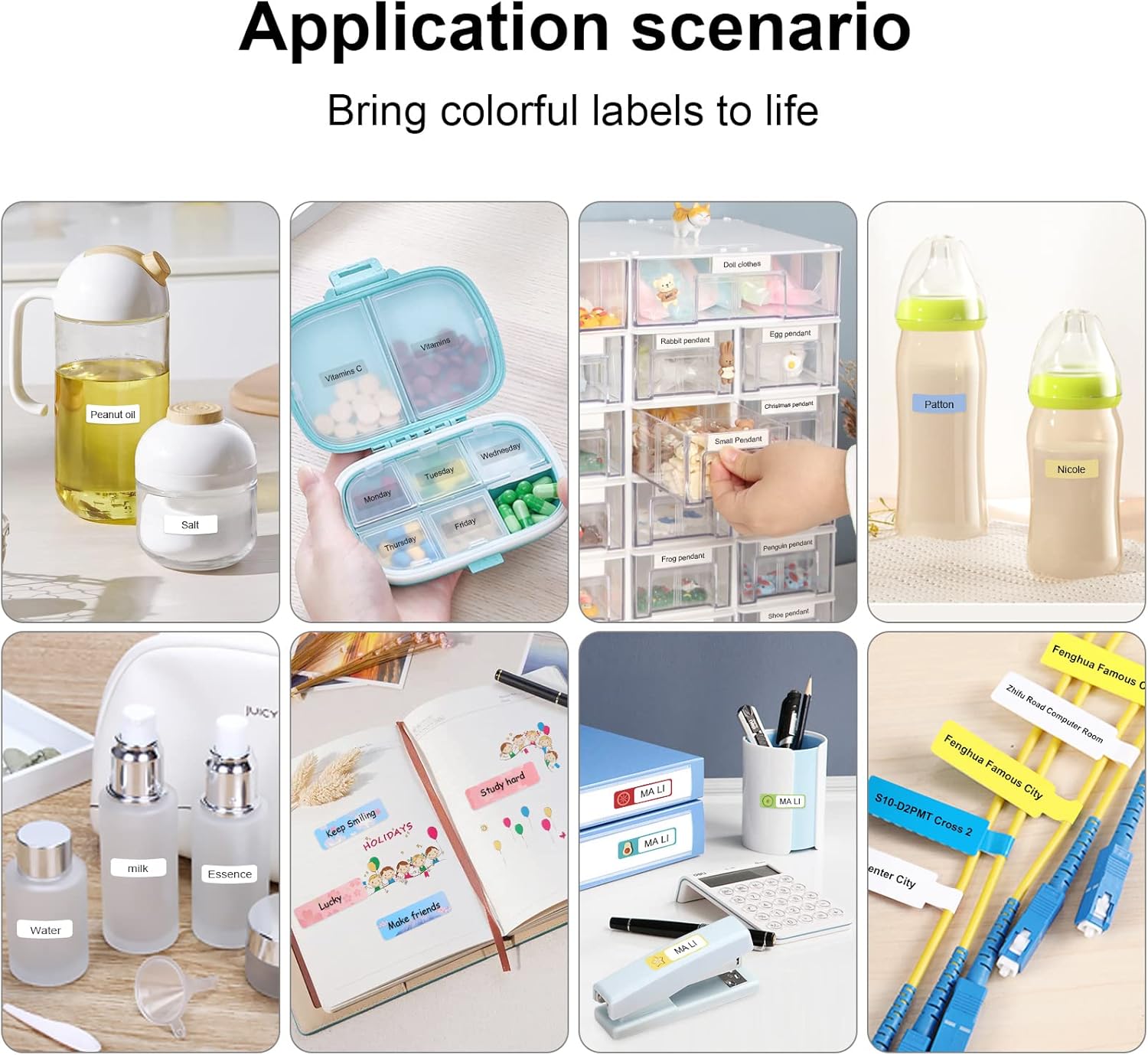
Figure 7: Diverse application scenarios for home and personal use.
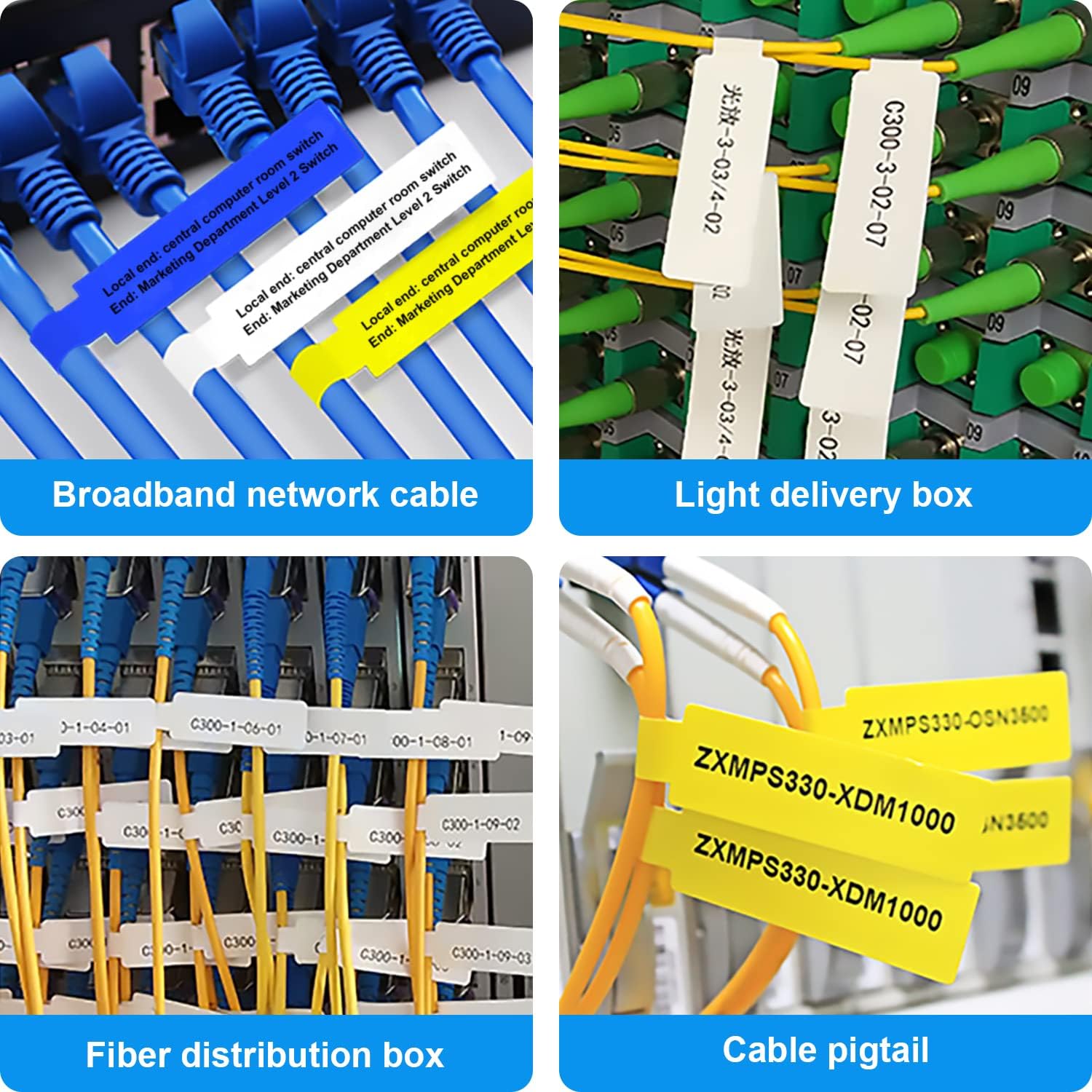
Figure 8: Labeling solutions for various types of cables and wiring.

Figure 9: Practical applications for office organization.

Figure 10: Creative uses for gift labeling.
Záruka a podpora
MARKLIFE products are designed for reliability and performance. For specific warranty information and support, please refer to the warranty card included with your product or visit the official MARKLIFE website. For common inquiries, please consult the troubleshooting section of this manual or the FAQ section within the Marklife app.
You can also visit the official MARKLIFE store on Amazon for more information and product updates: Obchod MARKLIFE.


