1. Úvod
The Wyze Cam Pan v2 is an indoor smart home camera designed to provide comprehensive surveillance with its pan, tilt, and zoom capabilities. This device features 1080p HD video, Color Night Vision, two-way audio, and automatic motion tracking, making it suitable for monitoring various indoor environments. This manual provides instructions for setting up, operating, and maintaining your Wyze Cam Pan v2.
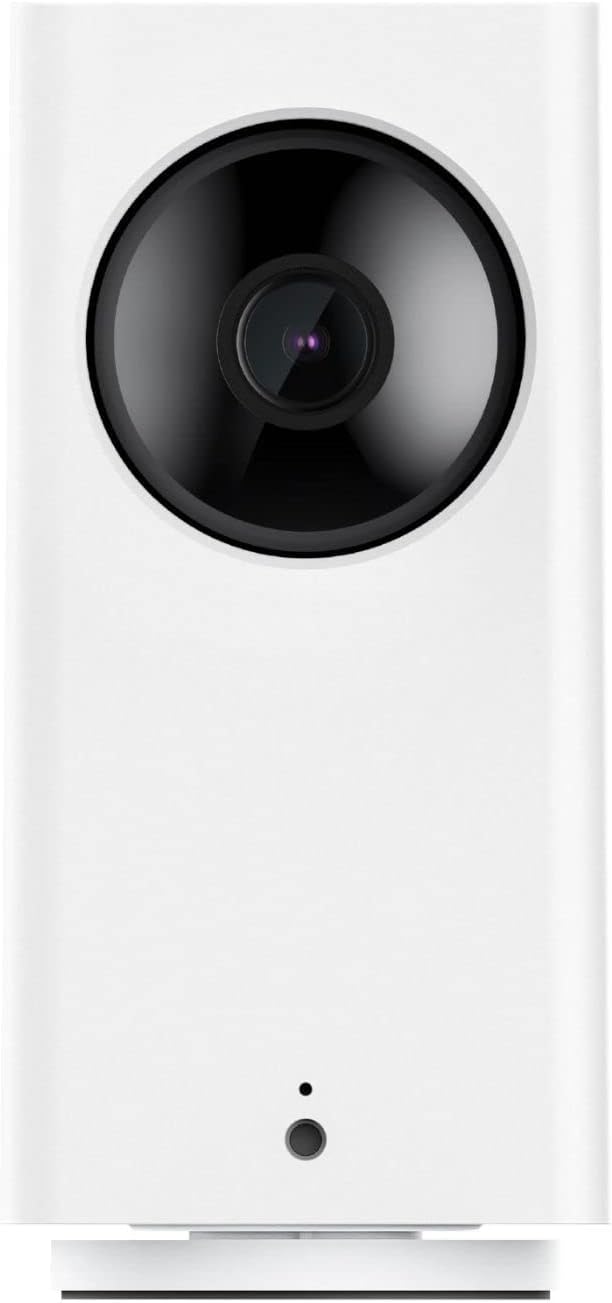
Přední view of the Wyze Cam Pan v2 camera, showcasinjeho kompaktní design a objektiv.
Klíčové vlastnosti:
- 360° pokrytí: Pan, tilt, and zoom functionality allows for a full view of any room.
- 1080p HD video: Clear live streaming and recording.
- Barevné noční vidění: Enhanced visibility in low-light conditions using a Starlight Sensor.
- Obousměrný zvuk: Communicate through the camera using the built-in microphone and speaker.
- Automatické sledování pohybu: The camera automatically follows and records detected movement.
- Smart Assistant Compatibility: Spolupracuje s Amazon Alexa a Google Assistant pro hlasové ovládání.
2. Co je v krabici
Ověřte, zda jsou v balení přítomny všechny komponenty:
- Kamera Wyze Cam Pan v2
- Napájecí kabel USB
- Napájecí adaptér
- Stručný průvodce (není součástí této příručky)

Zadní view of the Wyze Cam Pan v2, highlighting the speaker grille and power input port.
3. Průvodce nastavením
Follow these steps to set up your Wyze Cam Pan v2:
- Stáhněte si aplikaci Wyze: Hledat "Wyze" in your smartphone's app store (iOS or Android) and download the official application.
- Create or Log In to Your Account: Open the Wyze app and follow the prompts to create a new account or log in if you already have one.
- Zapnutí fotoaparátu: Connect the USB power cable to the camera's power port and plug the power adapter into a standard electrical outlet. The camera will begin its startup sequence.
- Přidat zařízení do aplikace: In the Wyze app, tap the "+" icon in the top left corner, then select "Add Device." Choose "Cameras" and then "Wyze Cam Pan v2."
- Párování: Follow the on-screen instructions in the app to pair your camera. This typically involves scanning a QR code displayed on your phone with the camera's lens and connecting to your Wi-Fi network.
- Počáteční kalibrace: The camera will perform an initial calibration, rotating to its full range of motion. Once complete, your camera is ready for use.

The Wyze Cam Pan v2 positioned on a shelf, demonstrating a typical indoor placement.
4. Návod k obsluze
4.1 Otáčení, naklápění a zoom (PTZ)
Ovládejte fotoaparát viewing angle directly from the Wyze app. Use the directional controls to pan horizontally up to 360 degrees and tilt vertically up to 93 degrees. The camera can rotate at a speed of 110 degrees per second, allowing for quick adjustments to monitor different areas of a room.

The Wyze Cam Pan v2 illustrating its 360-degree rotational capability to cover an entire room.
4.2 Barevné noční vidění
The Wyze Cam Pan v2 features Color Night Vision, enabled by a Starlight Sensor, which provides full-color video in low-light conditions. This enhances visibility compared to traditional black-and-white infrared night vision.

A visual comparison demonstrating the improved clarity and color provided by the Starlight Sensor in low-light conditions.
4.3 Obousměrný zvuk
Utilize the camera's built-in microphone and speaker to engage in two-way conversations. This feature allows you to speak to individuals near the camera or listen to sounds in the camera's environment directly through the Wyze app.

The Wyze Cam Pan v2 enabling two-way communication, illustrated by a user speaking to a pet.
4.4 Automatic Motion Tracking and Alerts
When enabled, the camera will automatically detect, track, and record movement within its field of view. You will receive instant notifications on your smartphone when motion is detected. Notification settings can be customized within the Wyze app.

The camera's motion tracking feature actively following a moving subject, indicated by a green tracking box.

A smartphone displaying an instant notification from the Wyze app, indicating motion detection.
4.5 Integrace chytrého asistenta
The Wyze Cam Pan v2 is compatible with Amazon Alexa and Google Assistant. You can use voice commands to view your camera's live feed on compatible smart displays or devices.

A smart display showing the live feed from the Wyze Cam Pan v2, demonstrating compatibility with voice assistants.
5. Údržba
- Čištění: K čištění objektivu a těla fotoaparátu používejte měkký, suchý hadřík. Nepoužívejte abrazivní čisticí prostředky ani rozpouštědla.
- Aktualizace firmwaru: Regularly check the Wyze app for available firmware updates. Keeping your camera's firmware up-to-date ensures optimal performance and security.
- Umístění: Ujistěte se, že je kamera umístěna na stabilním povrchu nebo bezpečně upevněna, aby nedošlo k náhodnému pádu.
6. Řešení problémů
If you encounter issues with your Wyze Cam Pan v2, consider the following:
- Bez napájení: Ensure the power cable is securely connected to both the camera and the power adapter, and the adapter is plugged into a working outlet.
- Stav offline: Check your Wi-Fi connection. Restart your router and the camera. If the issue persists, try re-pairing the camera through the Wyze app.
- Špatná kvalita videa: Ensure your Wi-Fi signal is strong where the camera is placed. Move the camera closer to your router or consider a Wi-Fi extender.
- Problémy s detekcí pohybu: Verify that motion detection is enabled in the Wyze app settings. Adjust sensitivity levels if necessary.
- Otáčení/náklon nereaguje: Ensure the camera has completed its initial calibration. If it's stuck, try power cycling the device.
For further assistance, refer to the official Wyze support resources.
7. Specifikace

Dimenzionální nadview of the Wyze Cam Pan v2 camera.
| Funkce | Detail |
|---|---|
| Název modelu | Cam Pan v2 |
| Číslo modelu položky | WYZECP2 |
| Rozlišení záznamu videa | 1080p |
| Pole View | 360 stupňů (otáčení) |
| Technologie nízkého osvětlení | Color Night Vision (Starlight Sensor) |
| Technologie připojení | Wi-Fi (2.4 GHz) |
| Typ ovladače | Amazon Alexa, Google Assistant |
| Zdroj napájení | Elektrický s kabelem (110 V AC, 5 W) |
| Vnitřní/venkovní použití | Krytý |
| Rozměry (D x Š x V) | 5.5 x 3.5 x 3 palce |
| Hmotnost položky | 16 uncí (1 libra) |
| Materiál | Glass (Lens) |
| Barva | Bílý |
8. Informace o záruce
The Wyze Cam Pan v2 comes with a 1letá záruka výrobce. Please retain your proof of purchase for warranty claims. For detailed terms and conditions, visit the official Wyze webmísto.
9. Podpora
For additional support, frequently asked questions, or to contact customer service, please visit the official Wyze support page:


