1. Úvod
Thank you for choosing the Qilmy Pan Tilt Security Light Camera. This device combines a full HD 1080P wireless Wi-Fi IP camera with an integrated LED light, offering comprehensive home surveillance. It features pan and tilt functionality for wide coverage, motion detection with instant app and siren alarms, night vision, and remote viewing capabilities. This manual provides essential information for the proper installation, operation, and maintenance of your new security camera.
2. Klíčové vlastnosti
- Rozlišení Full HD 1080P: Poskytuje jasné a podrobné video footage.
- 2.4 GHz Wi-Fi připojení: Easy and stable wireless connection.
- Funkce otáčení a naklápění: Offers 355° horizontal pan and 90° vertical tilt for full area coverage.
- Design 2 v 1: Functions as both a security camera and an LED light.
- Detekce pohybu a alarmy: Sends instant app notifications and activates siren/light alarms upon detecting motion.
- Noční vidění: Equipped with 4 white LEDs and 4 infrared LEDs for clear vision in low light or complete darkness (up to 12 meters).
- Vzdálený Viewing: Monitor your property from anywhere, anytime via a smartphone app.
- Snadná instalace: Designed to screw into a standard E27 light socket.
- Obousměrný zvuk: Vestavěný reproduktor a mikrofon pro komunikaci.
- Místní úložiště: Supports Micro SD card (card NOT included).

Obrázek 2.1: Přesview of the camera's key features.
3. Bezpečnostní informace
- Ensure the power is OFF before installing or removing the camera from the light socket.
- Do not expose the camera to extreme temperatures, humidity, or direct water immersion. While rated IP67, avoid prolonged exposure to harsh weather conditions.
- Use only the specified power source (AC/DC, E27 socket).
- Nepokoušejte se kameru rozebírat ani upravovat. Zrušíte tak platnost záruky a může dojít k jejímu poškození.
- Uchovávejte fotoaparát mimo dosah dětí a domácích zvířat.
- Clean the camera with a soft, dry cloth. Do not use liquid cleaners or aerosols.
4. Obsah balení
- Qilmy Pan Tilt Security Light Camera (1)
- Mounting Screws (Optional, for secure installation if E27 socket is loose)
- Uživatelský manuál (1)
5. Nastavení
5.1 Než začnete
- Ensure you have a standard E27 light socket available.
- Confirm your Wi-Fi network is 2.4GHz. This camera does not support 5GHz Wi-Fi.
- Mějte připravený název (SSID) a heslo vaší Wi-Fi sítě.
- A smartphone (Android or iOS) is required for setup and remote viewIng.
5.2 Instalace
- Ensure the power to the E27 light socket is turned OFF at the circuit breaker.
- Carefully screw the Qilmy Pan Tilt Security Light Camera into the E27 light socket until it is securely fastened.
- Turn the power back ON at the circuit breaker. The camera will power on and initiate its self-test.

Figure 5.1: Installing the camera into an E27 light socket.
5.3 Stažení aplikace a připojení
- Stáhněte si aplikaci: Hledat the recommended app (e.g., 'Tuya Smart' or 'Smart Life' as indicated in product packaging) in your smartphone's app store (Google Play Store for Android or Apple App Store for iOS). Download and install it.
- Vytvořit účet: Open the app and register a new account using your email address or phone number. Follow the on-screen prompts to complete registration.
- Přidat zařízení: Tap the '+' icon or 'Add Device' button in the app. Select 'Security & Video Surveillance' > 'Smart Camera' or 'Light Camera'.
- Připojení k Wi-Fi: Follow the app's instructions to connect the camera to your 2.4GHz Wi-Fi network. This typically involves scanning a QR code generated by the app with the camera's lens or entering your Wi-Fi password.
- Přidané zařízení: Once connected, the camera will appear in your device list. You can now access the live feed and control its functions.
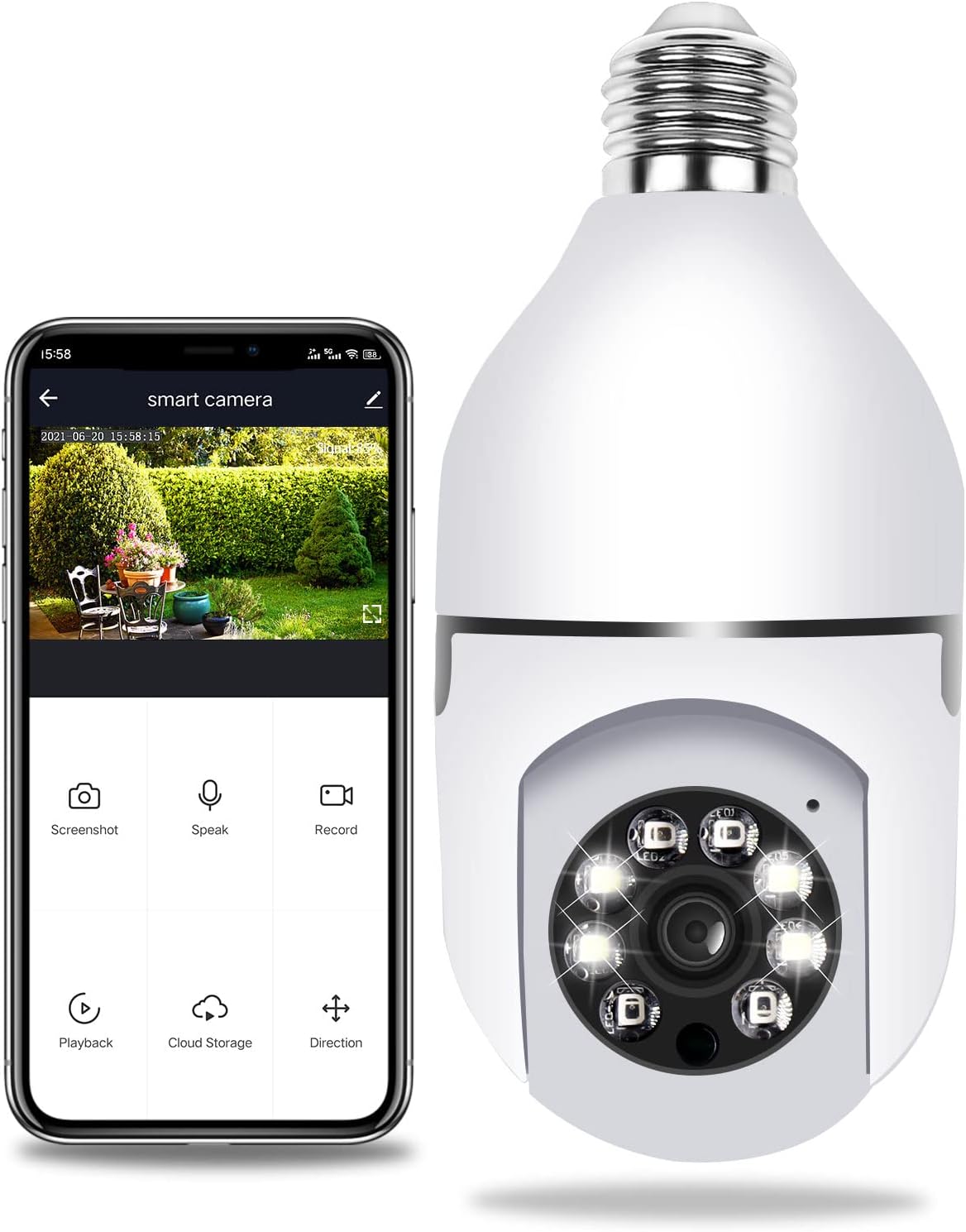
Figure 5.2: Camera connected to the smartphone app for remote viewovládání a ovládání.
6. Návod k obsluze
6.1 Dálkové ovládání ViewIng
Open the app on your smartphone and select your camera from the device list. You will see the live video feed. Ensure your phone has an active internet connection.
6.2 Ovládání otáčení a naklápění
V rámci živého vysílání view interface of the app, use the directional controls (usually a joystick or arrow buttons) to remotely pan the camera horizontally (355°) and tilt it vertically (90°) to adjust the viewúhel.
6.3 Detekce pohybu a alarmy
The camera is equipped with smart motion detection. When motion is detected, the camera will automatically send an instant notification to your smartphone app. You can also configure the camera to activate a siren alarm and/or turn on its white LED lights to deter intruders. Adjust sensitivity settings within the app's camera settings.
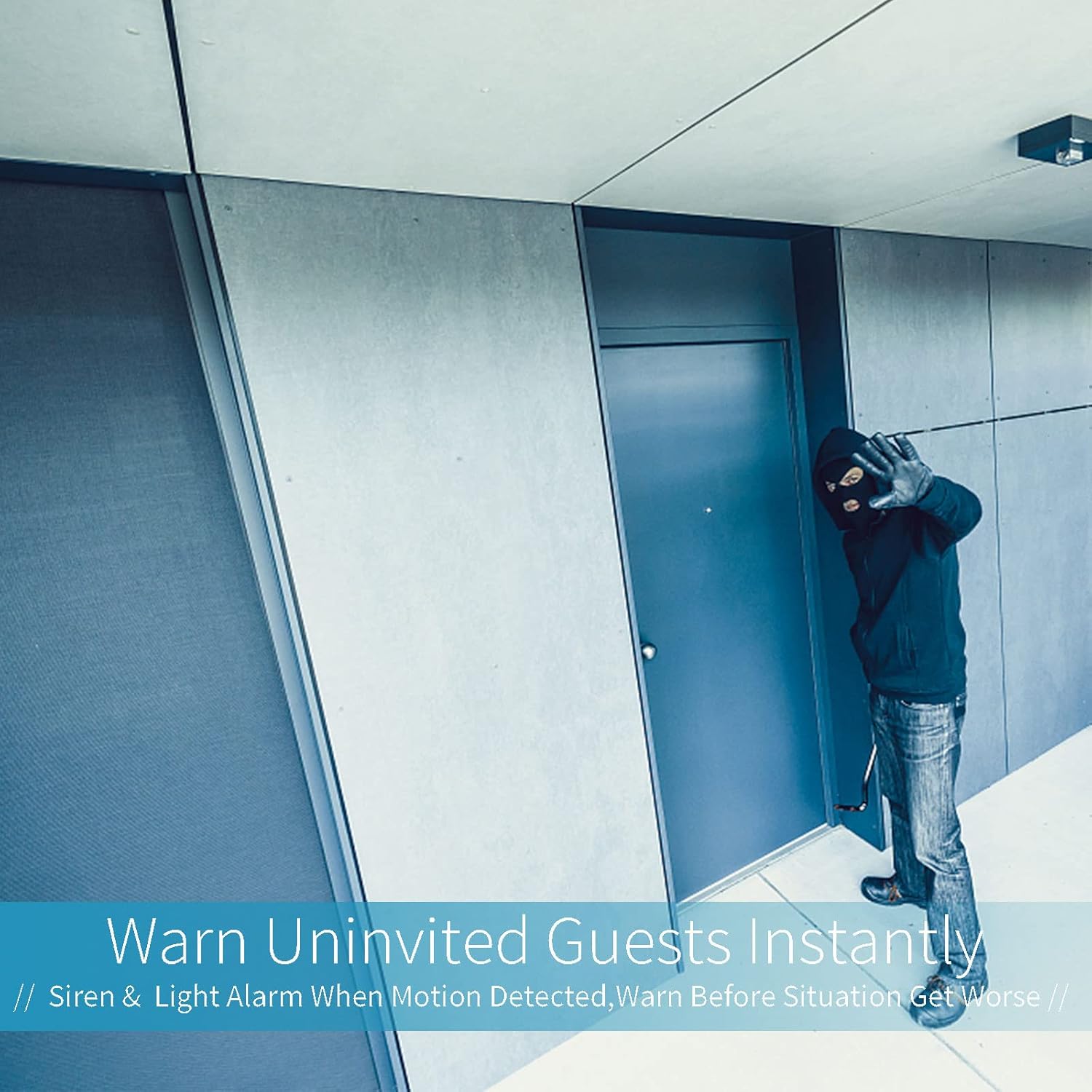
Figure 6.1: The camera's ability to warn uninvited guests with siren and light alarms.
6.4 Obousměrný zvuk
Klepněte na ikonu mikrofonu v živém zobrazení aplikace view to speak through the camera's speaker. Tap the speaker icon to listen to audio from the camera's microphone. This allows for real-time communication with anyone near the camera.
6.5 Noční vidění
The camera automatically switches between day and night vision modes based on ambient light conditions. The infrared LEDs provide clear black-and-white footage in complete darkness, while the white LEDs can illuminate the area for color night vision or act as a deterrent.
6.6 Nahrávání a ukládání videa
The camera supports continuous recording or event-triggered recording (e.g., motion detection). Footage can be stored on a Micro SD card (not included, up to 128GB recommended) inserted into the camera's TF card slot, or via optional cloud storage services offered within the app (subscription may be required).
7. Údržba
- Čištění: Gently wipe the camera lens and body with a soft, dry, lint-free cloth. Do not use harsh chemicals or abrasive cleaners.
- Aktualizace firmwaru: Periodically check the app for available firmware updates. Keeping the firmware updated ensures optimal performance and security.
- Stabilita sítě: Ensure your Wi-Fi network is stable and strong in the camera's location for uninterrupted operation.
8. Řešení problémů
| Problém | Možná příčina | Řešení |
|---|---|---|
| Fotoaparát se nezapíná. | No power to E27 socket; Camera not screwed in properly. | Check power supply to the socket; Ensure camera is securely screwed in. |
| Nelze se připojit k Wi-Fi. | Nesprávné heslo k Wi-Fi; síť Wi-Fi 5 GHz; kamera je příliš daleko od routeru. | Verify Wi-Fi password; Ensure you are connecting to a 2.4GHz network; Move camera closer to router or use a Wi-Fi extender. |
| No image/offline in app. | Network disconnection; Camera power issue. | Check Wi-Fi connection; Restart camera by turning off/on power; Re-add device in app if necessary. |
| Detekce pohybu nefunguje. | Sensitivity too low; Detection zone not set; App notifications disabled. | Adjust motion detection sensitivity in app; Configure detection zones; Enable app notifications for the camera. |
| Přehrávání videa je trhané. | Weak Wi-Fi signal; Slow internet speed. | Improve Wi-Fi signal strength; Check internet speed. |
9. Specifikace
| Funkce | Specifikace |
|---|---|
| Číslo modelu | AUB09DQ4TSX3 |
| Rozlišení záznamu videa | 1080p (Full HD) |
| Maximum WebRozlišení obrazu kamery | 2 MP |
| Technologie připojení | Bezdrátové (Wi-Fi) |
| Technologie bezdrátové komunikace | Wi-Fi (pouze 2.4 GHz) |
| Zdroj napájení | AC/DC (E27 Light Socket) |
| Wattage | 5 wattů |
| Rozsah Pan | 355 stupňů |
| Rozsah náklonu | 90 stupňů |
| Rozsah nočního vidění | 12 metrů |
| Hodnocení mezinárodní ochrany | IP67 |
| Rozměry položky (D x Š x V) | 2.8 x 2.8 x 6.1 palce |
| Hmotnost položky | 10.2 unce |
| Skladování | Micro SD karta (až 128 GB, není součástí balení) |
| Kompatibilní zařízení | Chytrý telefon (Android, iOS) |
| Typ upozornění | Zvuk a pohyb |
| Technologie fotosenzoru | CMOS |
| Typ světelného zdroje | LED |
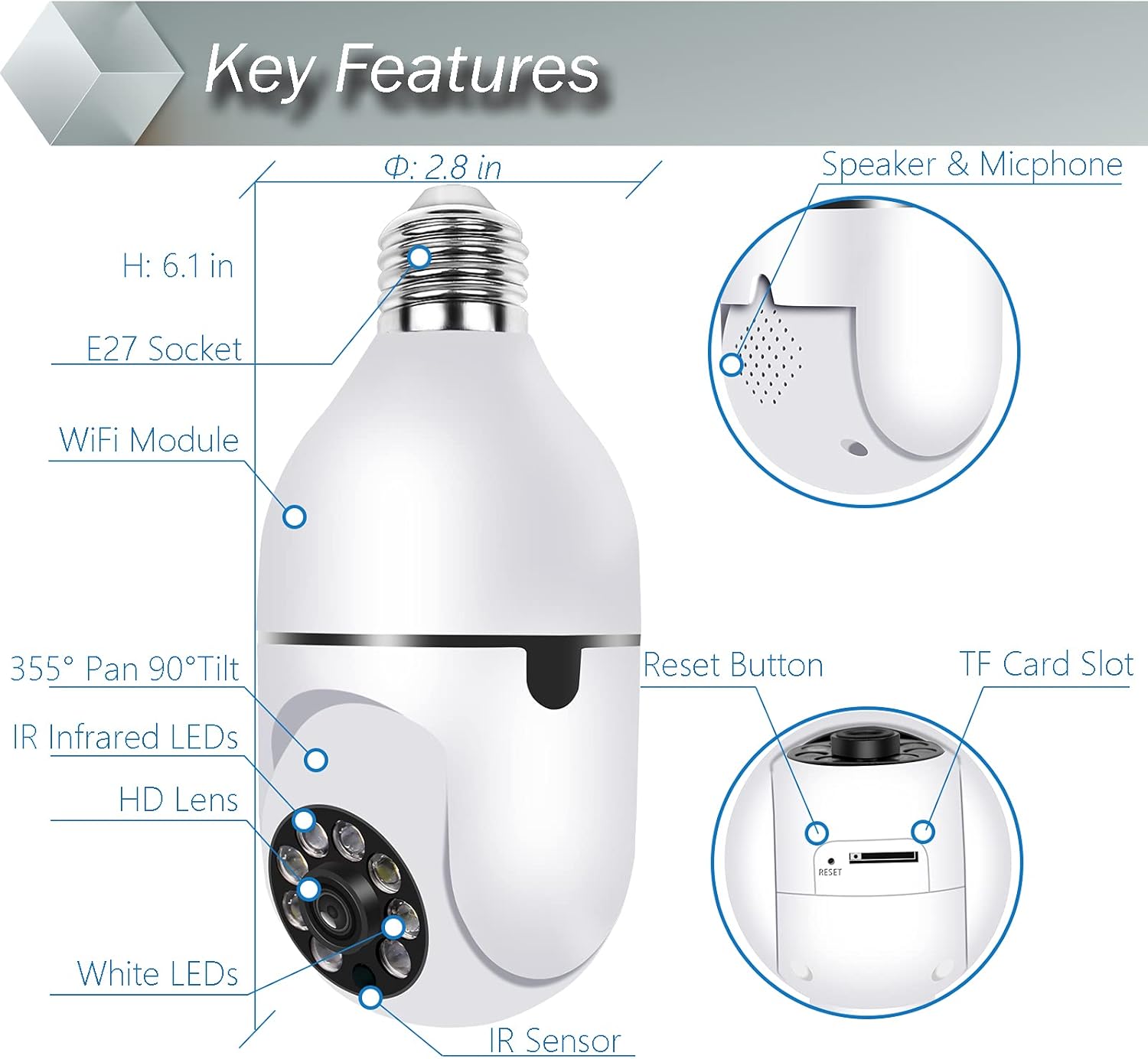
Obrázek 9.1: Detailní view of camera components and dimensions.
10. Záruka a podpora
The Qilmy Pan Tilt Security Light Camera comes with a standard manufacturer's warranty. Please refer to the product packaging or the official Qilmy website for specific warranty terms and conditions. For technical support, troubleshooting assistance, or warranty claims, please contact Qilmy customer service through the contact information provided on their official webwebu nebo v aplikaci produktu.