1. Úvod
The EZVIZ C3W Pro is a high-performance wired outdoor smart Wi-Fi security camera designed to provide reliable surveillance for your property. Featuring 1080p Full HD video, advanced color night vision, and AI-powered human shape detection, this camera offers comprehensive monitoring day and night. Its IP67 weather-resistant design ensures durability in various outdoor conditions. The camera also supports two-way talk, local storage via MicroSD card, and seamless integration with smart home ecosystems like Amazon Alexa and Google Assistant.

Figure 1: EZVIZ C3W Pro Outdoor Smart Wi-Fi Security Camera.
2. Co je v krabici
Upon unboxing your EZVIZ C3W Pro camera, verify that all the following items are included:
- EZVIZ C3W Pro Camera
- Napájecí adaptér
- Montážní základna
- Montážní šrouby a hmoždinky
- Šablona cvičení
- Waterproof Kit for Network Cable
- Rychlý průvodce

Figure 2: Included items in the EZVIZ C3W Pro package.
3. Nastavení
3.1. Fyzická instalace
- Vyberte místo montáže: Vyberte venkovní místo s jasným view of the area you wish to monitor. Ensure the camera is within Wi-Fi range and has access to a power outlet. The camera is IP67 rated for dust and water resistance.
- Use the Drill Template: Place the provided drill template on the desired mounting surface and mark the screw holes.
- Vrtací otvory: Drill pilot holes at the marked positions. Insert the wall plugs if mounting on masonry or concrete.
- Namontujte základnu: Připevněte montážní základnu kamery k povrchu pomocí dodaných šroubů.
- Připojte kameru: Attach the camera to the mounting base and adjust its angle for optimal coverage.
Figure 3: EZVIZ C3W Pro camera mounted for outdoor use.
3.2. Instalace karty MicroSD (volitelné)
For local video storage, you can install a MicroSD card (up to 256GB). Locate the MicroSD card slot on the camera, typically protected by a cover secured with screws. Carefully open the cover, insert the MicroSD card, and then re-secure the cover to maintain the camera's weather resistance.
3.3. Zapnutí
Connect the camera to the power adapter and plug it into a suitable outdoor power outlet. The camera will power on and its indicator light will begin to flash blue, indicating it's ready for network configuration.
3.4. EZVIZ App Configuration
- Stáhněte si aplikaci EZVIZ: Download and install the EZVIZ app from the App Store (iOS) or Google Play Store (Android).
- Vytvořit účet: Launch the app and register for a new EZVIZ account if you don't already have one.
- Přidat zařízení: Log in to your EZVIZ account. Tap the '+' icon in the upper right corner of the home screen to add a new device. Select 'Cameras'.
- Naskenujte QR kód: Scan the QR code located on the camera body or on the Quick Start Guide.
- Připojení k Wi-Fi: Follow the in-app prompts to connect your camera to your 2.4GHz Wi-Fi network. Ensure your phone is connected to the same 2.4GHz Wi-Fi network during this process.
- Kompletní nastavení: Po připojení můžete kameru pojmenovat a upravit počáteční nastavení.
Video 1: EZVIZ C3W Pro Setup Guide. This video demonstrates the step-by-step setup process for the camera.
4. Ovládání fotoaparátu
4.1. Živě View & Basic Controls
Access the live video feed from your camera through the EZVIZ app. From the live view rozhraní, můžete:
- Pořizujte snímky: Zachyťte statické snímky z živého vysílání.
- Záznam videa: Manually record video clips.
- Digitální zoom: Zoom in up to 8x to view podrobnosti.
4.2. Obousměrná komunikace
The C3W Pro features a built-in microphone and speaker, allowing for two-way communication. Tap the 'Talk' button in the app to speak through the camera and hear responses from the monitored area.
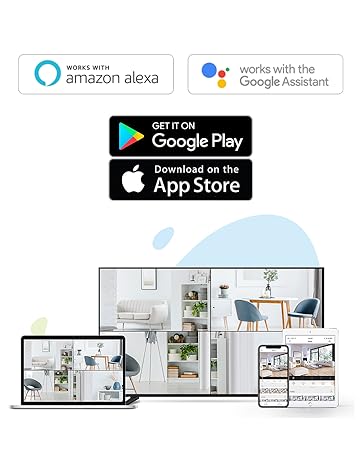
Figure 4: Using the two-way talk feature via the EZVIZ app.
4.3. Režimy nočního vidění
Kamera nabízí tři režimy nočního vidění:
- IR Mode (Black & White): Standard infrared night vision for clear black and white images in low light.
- Barevný režim: Utilizes built-in spotlights to provide full-color night vision, even in complete darkness.
- Chytré noční vidění: By default, the camera operates in black and white mode. When motion is detected, it automatically switches to color night vision and activates the spotlights.

Figure 5: Night vision modes: Color Night Vision and Black & White Vision.
4.4. Detekce pohybu a upozornění
The C3W Pro uses AI-powered human shape detection to minimize false alarms. You can customize detection settings:
- Human Shape Detection: Enable this feature to only receive alerts when a human shape is detected.
- Oblast detekce pohybu: Definujte specifické zóny v rámci kamery view where motion detection will be active. This helps to ignore irrelevant movements (e.g., trees swaying).
- Citlivost detekce pohybu: Adjust the sensitivity level to fine-tune how easily motion triggers an alert.
- Aktivní obrana: When motion is detected, the camera can trigger a loud siren and flash its spotlights to deter intruders.

Figure 6: AI-Powered Person Detection in action.
4.5. Integrace chytré domácnosti
The EZVIZ C3W Pro is compatible with popular smart home platforms:
- Amazon Alexa: Použijte k tomu hlasové příkazy view your camera feed on compatible Alexa devices.
- Asistent Google: Integrate with Google Assistant for voice control and viewing on Google Home devices.

Figure 7: EZVIZ C3W Pro working with Amazon Alexa.
Video 2: Oficiální konecview of the EZVIZ C3W Pro's key features, including color night vision, AI detection, and two-way talk.
5. Údržba
- Pravidelný úklid: Pravidelně čistěte objektiv a kryt fotoaparátu měkkým hadříkemamp hadříkem pro zajištění ostrého obrazu. Vyhněte se agresivním chemikáliím.
- Aktualizace firmwaru: Keep your camera's firmware updated through the EZVIZ app to ensure optimal performance, security, and access to new features.
- Zkontrolujte připojení: Regularly inspect power and network cable connections for any signs of wear or damage, especially in outdoor environments.
6. Řešení problémů
6.1. No Power / Offline
- Ujistěte se, že je napájecí adaptér bezpečně připojen k fotoaparátu i k funkční zásuvce.
- Zkontrolujte, zda je zásuvka funkční, zapojením jiného zařízení.
- Ověřte, zda je vaše síť Wi-Fi aktivní a zda je kamera v dosahu.
6.2. Špatná kvalita obrazu
- Očistěte objektiv fotoaparátu, abyste odstranili veškeré nečistoty nebo šmouhy.
- Ujistěte se, že před objektivem nejsou žádné překážky.
- Check your Wi-Fi signal strength in the EZVIZ app; a weak signal can affect video quality.
- Adjust the video resolution settings in the app if your network bandwidth is limited.
6.3. Excessive False Alarms
- Enable AI-powered Human Shape Detection in the app settings.
- Adjust the Motion Detection Area to exclude areas with frequent irrelevant motion (e.g., trees, busy roads).
- Lower the Motion Detection Sensitivity in the app.
7. Specifikace
| Číslo modelu | EZC3W3H2L28 |
| Rozlišení záznamu videa | 1080p |
| Technologie připojení | Wireless (Wi-Fi 2.4GHz with Dual External Antennas) |
| Hodnocení mezinárodní ochrany | IP67 (odolné vůči povětrnostním vlivům a prachu) |
| Rozsah nočního vidění | 98 stop |
| Speciální funkce | Motion Sensor, Night Vision (Color, Black & White, Smart), AI-Powered Human Detection, Two-Way Talk, Active Defense (Siren & Strobe Light) |
| Skladování | MicroSD Slot (up to 256GB), Secure Cloud Storage (Optional) |
| Kompatibilní zařízení | iOS, Android, Amazon Alexa, Google Assistant |
| Zdroj napájení | Wired (Power Adapter Included) |
| Rozměry (D x Š x V) | 9 x 4.1 x 3.7 palce |
| Hmotnost položky | 1.28 libry |
8. Záruka a podpora
For warranty information, technical support, or service inquiries, please refer to the official EZVIZ webwebu nebo se obraťte přímo na jejich zákaznickou podporu. Podrobnosti obvykle naleznete v průvodci rychlým spuštěním nebo na obalu produktu.


