1. Úvod
The JVC HA-A5T Gumy Mini True Wireless Earbuds are designed for convenient, high-quality audio on the go. These compact and lightweight earbuds feature a Neodymium magnet driver for clear sound, Bluetooth 5.1 for stable wireless connection, and an IPX4 rain-proof rating for durability. They offer hands-free calling with voice assistant compatibility and simple one-button control.
Klíčové vlastnosti:
- Kompaktní a lehký design
- High sound quality with Neodymium magnet driver
- Bluetooth Version 5.1 for stable wireless connectivity
- Rain Proof (IPX4) for protection against splashes and sweat
- Up to 15 hours of total battery life (including charging case)
- Hands-free microphone with Voice Assistant compatibility
- Ovládání jedním tlačítkem pro snadné ovládání
- Auto on/off/connect function
- Compatible with iOS, Android, and Windows devices
2. Obsah balení
Ujistěte se prosím, že balení obsahuje všechny položky:
- JVC HA-A5T True Wireless Earbuds (Left and Right)
- Nabíjecí pouzdro
- Regular Silicon Earpieces (S/M/L sizes)
- USB nabíjecí kabel

Image: The retail packaging for the JVC HA-A5T Gumy Mini True Wireless Earbuds, showing the earbuds and charging case.
3. Nastavení
3.1 Nabíjení sluchátek a pouzdra
Before first use, fully charge the earbuds and the charging case. The charging case provides additional power to the earbuds, extending their usage time.
- Vložte sluchátka do příslušných slotů v nabíjecím pouzdře. Ujistěte se, že jsou správně usazena.
- Připojte dodaný nabíjecí kabel USB k nabíjecímu portu na pouzdře a ke zdroji napájení USB (např. k počítači, síťovému adaptéru USB).
- The indicator lights on the case will show the charging status. Refer to the indicator light section for details.
- Once fully charged, disconnect the USB cable. The earbuds and case together provide up to 15 hours of playback.

Image: The JVC HA-A5T earbuds placed inside their open charging case, ready for charging.
3.2 Párování se zařízením Bluetooth
The earbuds feature an auto on/off/connect function for seamless pairing.
- Otevřete nabíjecí pouzdro. Sluchátka se automaticky zapnou a přejdou do režimu párování.
- Na svém zařízení Bluetooth (chytrý telefon, tablet atd.) povolte Bluetooth a vyhledejte dostupná zařízení.
- Select "JVC HA-A5T" from the list of found devices.
- Once connected, a confirmation sound or indicator will notify you. The earbuds will automatically reconnect to the last paired device when taken out of the case.
3.3 Výběr správných sluchátek
For optimal sound quality and comfort, choose the silicone earpieces that best fit your ears. The package includes Small (S), Medium (M), and Large (L) sizes.
- Try each size to find the one that creates a snug seal in your ear canal. A good seal enhances bass response and noise isolation.
- Jemně vložte sluchátko do ucha a lehce jím otáčejte, dokud nebudete cítit bezpečně a pohodlně.
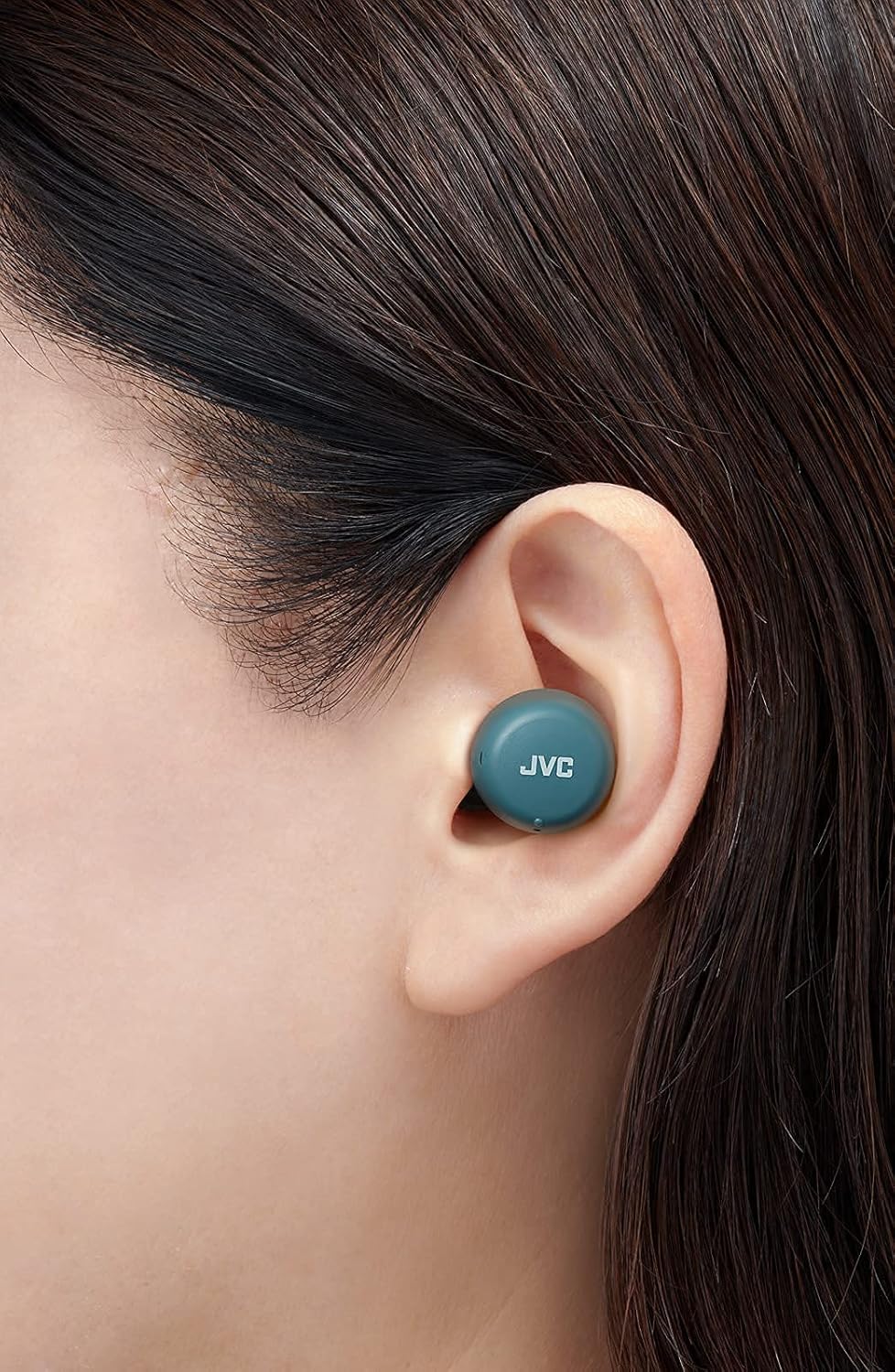
Obrázek: Detailní záběr view of a JVC HA-A5T earbud correctly positioned in a user's ear, demonstrating proper fit.
4. Ovládání sluchátek
4.1 Zapnutí/vypnutí
- Zapnutí: Open the charging case or press and hold the button on each earbud for approximately 2 seconds.
- Vypnout: Place the earbuds back into the charging case and close the lid, or press and hold the button on each earbud for approximately 5 seconds.
4.2 Basic Controls (One-Button Operation)
Each earbud features a multi-function button for controlling playback and calls.
| Funkce | Akce |
|---|---|
| Přehrát/Pozastavit | Stiskněte jednou tlačítko na kterémkoli sluchátku. |
| Další stopa | Dvakrát stiskněte tlačítko na pravém sluchátku. |
| Předchozí stopa | Press the button on the left earbud twice. |
| Přijmout/ukončit hovor | Press the button on either earbud once during an incoming call or active call. |
| Odmítnout hovor | Press and hold the button on either earbud for approximately 2 seconds during an incoming call. |
| Aktivujte hlasového asistenta | Press the button on either earbud three times. |
4.3 Použití jednoho sluchátka
The JVC HA-A5T earbuds support single earbud use, specifically with the left earbud. This allows you to use one earbud while the other is charging or stored.
- To use only the left earbud, simply take it out of the case. It will automatically connect to your device if previously paired.
- The right earbud cannot be used independently for calls or music playback.
4.4 Hlasový asistent
Activate your smartphone's voice assistant (e.g., Siri, Google Assistant) directly from the earbuds.
- Press the multi-function button on either earbud three times to activate the voice assistant.
- Speak your command after the prompt.

Image: A woman wearing JVC HA-A5T earbuds, demonstrating their use for listening to audio.
5. Údržba
5.1 Čištění
Pravidelné čištění pomáhá udržovat výkon a životnost vašich sluchátek.
- Jemně otřete sluchátka a nabíjecí pouzdro měkkým, suchým hadříkem, který nepouští vlákna.
- Remove the silicone earpieces and clean them with a mild soap solution if necessary. Rinse thoroughly and dry completely before reattaching.
- Do not use harsh chemicals, abrasive materials, or immerse the earbuds or case in water.
5.2 Skladování
Pokud sluchátka nepoužíváte, uložte je do nabíjecího pouzdra, abyste je chránili před prachem, poškozením a udrželi je nabité.
- Skladujte na chladném a suchém místě, mimo dosah přímého slunečního záření a extrémních teplot.
5.3 Vodotěsnost (IPX4)
Sluchátka mají stupeň krytí IPX4, což znamená, že jsou chráněna proti stříkající vodě z jakéhokoli směru. Díky tomu jsou vhodná pro cvičení a mírný déšť.
- Neponořujte sluchátka do vody.
- Před vložením sluchátek zpět do nabíjecího pouzdra se ujistěte, že jsou suchá, abyste zabránili poškození nabíjecích kontaktů.

Image: A woman engaged in physical activity while wearing the JVC HA-A5T earbuds, highlighting their sweat and rain-proof capabilities.
6. Řešení problémů
If you encounter issues with your JVC HA-A5T earbuds, refer to the following common solutions:
| Problém | Možná příčina | Řešení |
|---|---|---|
| Sluchátka se nezapínají. | Slabá baterie. | Vložte sluchátka do nabíjecího pouzdra a plně je nabijte. |
| Nelze spárovat se zařízením. | Bluetooth na zařízení je vypnutý; sluchátka nejsou v režimu párování; dříve spárované zařízení ruší. | Ensure Bluetooth is enabled on your device. Place earbuds in case, close, then open to re-enter pairing mode. Forget "JVC HA-A5T" from your device's Bluetooth list and try pairing again. |
| Žádný zvuk nebo nízká hlasitost. | Volume too low on device; earbuds not properly seated; poor earpiece fit. | Increase volume on your connected device. Ensure earbuds are properly inserted. Try different earpiece sizes for a better seal. |
| Občasné připojení nebo výpadky zvuku. | Distance from device; interference; low earbud battery. | Keep earbuds within 10 meters (33 feet) of your device. Avoid areas with strong Wi-Fi or other Bluetooth signals. Charge earbuds fully. |
| Mikrofon nefunguje. | Mikrofon zablokován; nastavení zařízení. | Ensure the microphone port is not obstructed. Check your device's audio input settings to confirm "JVC HA-A5T" is selected. |
7. Specifikace
| Funkce | Specifikace |
|---|---|
| Název modelu | HA-A5T |
| Technologie připojení | Bluetooth, bezdrátové připojení |
| Verze Bluetooth | 5.1 |
| Úroveň odolnosti proti vodě | IPX4 (Rain Proof) |
| Životnost baterie | Až 15 hodin (s nabíjecím pouzdrem) |
| Zdroj napájení | Battery-Powered (2 Lithium Polymer batteries included) |
| Formát mikrofonu | Vestavěný |
| Typ ovládání | One-button control, Voice Control |
| Materiál | Plast |
| Form Factor | V uchu |
| Impedance | 16 ohmů |
| Hmotnost položky | 90 g |
| Rozměry produktu | 40 x 47 x 23 centimetrů |
| Zahrnuté komponenty | Regular Silicon Earpieces (S/M/L), USB charging cable, Charging case |
8. Záruka a podpora
Informace o záruce a zákaznické podpoře naleznete v záručním listu dodaném s vaším produktem nebo navštivte oficiální web společnosti JVC. webUschovejte si doklad o koupi pro případné reklamace.
- Online podpora: Visit the JVC official webweb s častými dotazy, ovladači ke stažení a kontaktními informacemi.
- Kontaktní údaje: Refer to your product packaging or the JVC webstránky s kontaktními údaji regionálního zákaznického servisu.


