Zavedení
This manual provides instructions for the ALLIMITY N2QAYC000046 Replacement Remote Control. This remote is designed to operate various Panasonic Home Theater Audio Systems, including models such as SC-HTB15, SU-HTB15, SC-HTB15EG, SC-HTB15EB, SC-HTB15GN, SU-HTB15EB-K, and SC-HTB520. Please read this manual thoroughly before using the remote control to ensure proper operation and longevity.
Nastavení
1. Instalace baterie
The remote control requires 1 AAA battery (not included) for operation.
- Najděte kryt prostoru pro baterie na zadní straně dálkového ovladače.
- Posuňte kryt dolů nebo stiskněte západku (pokud je k dispozici) a otevřete přihrádku.
- Vložte 1 baterii AAA a ujistěte se, že kladný (+) a záporný (-) pól správně odpovídají označením uvnitř přihrádky.
- Nasaďte kryt přihrádky na baterie tak, že jej zasunete zpět na místo, dokud bezpečně nezacvakne.
2. První použití
This remote control operates using infrared (IR) technology. No programming is typically required. Once batteries are installed, the remote is ready for use with compatible Panasonic Home Theater Audio Systems.
Návod k obsluze
To operate your home theater system, point the remote control directly towards the infrared sensor on your Panasonic unit. Ensure there are no obstacles blocking the line of sight between the remote and the unit.
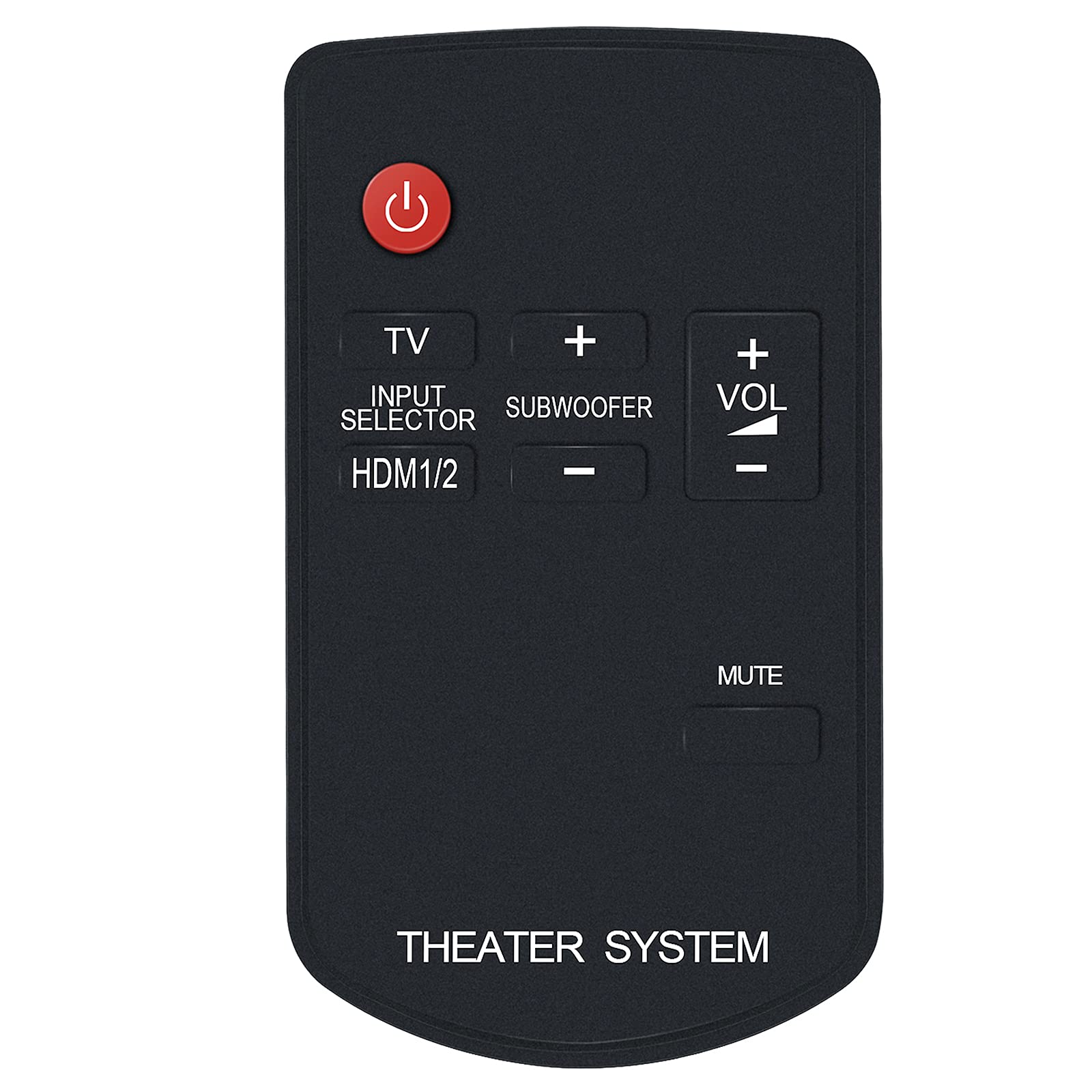
Obrázek 1: Přední strana view of the N2QAYC000046 Remote Control. This image displays the layout of the buttons, including the red power button at the top, TV, Input Selector, HDMI1/2, Subwoofer controls, Volume up/down, and Mute. The bottom of the remote is labeled "THEATER SYSTEM".
Funkce tlačítek:
- Tlačítko napájení (červený kruh): Turns the home theater system on or off.
- TELEVIZE: Switches the input to the TV.
- INPUT SELECTOR / HDMI1/2: Cycles through available input sources, including HDMI 1 and HDMI 2.
- SUBWOOFER (+/-): Nastavuje úroveň hlasitosti subwooferu.
- VOL (+/-): Increases or decreases the main volume level.
- ZTLUMIT: Ztlumí nebo zruší ztlumení zvukového výstupu.
Údržba
1. Výměna baterie
Replace the battery when the remote control's response becomes sluggish or stops working. Follow the battery installation steps outlined in the "Setup" section.
2. Čištění
To clean the remote control, wipe it with a soft, dry cloth. Do not use liquid cleaners, abrasive pads, or chemical solvents, as these can damage the remote's surface or internal components.
3. Skladování
Dálkový ovladač skladujte na chladném a suchém místě mimo dosah přímého slunečního záření a extrémních teplot. Pokud dálkový ovladač nebudete delší dobu používat, doporučuje se vyjmout baterii, aby nedošlo k jejímu vytečení.
Odstraňování problémů
- Dálkové ovládání nereaguje:
- Zkontrolujte, zda je baterie vložena správně se správnou polaritou.
- Vyměňte baterii za novou.
- Ensure there are no obstructions between the remote control and the home theater system's IR sensor.
- Make sure you are pointing the remote directly at the system's sensor.
- Nefungují určité funkce:
- Verify that your Panasonic Home Theater Audio System model is listed as compatible in the "Introduction" section.
- Some functions may be specific to certain system models.
- Remote received does not work with your TV model:
- This remote is specifically designed for Panasonic Home Theater Audio Systems. If you are attempting to control a TV and it is not responding, ensure your TV is compatible or that the remote has a dedicated TV control function (like the 'TV' button) that is properly configured for your TV model. If issues persist, contact customer support.
Specifikace
| Číslo modelu | N2QAYC000046 |
| Značka | ALLIMITY |
| Kompatibilní zařízení | Panasonic Home Theater Audio Systems (e.g., SC-HTB15, SU-HTB15, SC-HTB15EG, SC-HTB15EB, SC-HTB15GN, SU-HTB15EB-K, SC-HTB520) |
| Bezdrátová technologie | Infračervený (IR) |
| Zdroj napájení | 1 x AAA baterie (nejsou součástí balení) |
| Rozměry produktu | 4 x 2 x 0.6 palce (přibližně) |
| Hmotnost položky | 0.704 unce (přibližně) |
| Barva | Černý |
| Speciální funkce | Ergonomický design |
Zákaznická podpora
If you encounter any issues with your ALLIMITY N2QAYC000046 Replacement Remote Control that are not resolved by the troubleshooting steps, or if your specific model is not listed, please contact the seller or manufacturer's customer service for assistance. Provide your product model number and a detailed description of the issue for prompt support.
The manufacturer is committed to resolving any issues you may experience with the product.
