1. Konec produktuview

Přední horní část view of the SUNMI 80mm Kitchen Cloud Receipt Printer, showcasing its compact black design with orange accents and control panel.
The SUNMI 80mm Kitchen Cloud Receipt Printer (Model C04000069) is a compact and efficient thermal printer designed for various environments, particularly suited for kitchen and point-of-sale applications. It offers reliable, high-speed printing for receipts and orders.
Klíčové vlastnosti:
- Compact 130mm square design for space-saving installation.
- High-performance Seiko thermal print head.
- Fast printing speed of 165mm/s for 80mm receipts.
- Easy internet connectivity via LAN cable.
- Supports 80mm paper format.
2. Obsah balení
Zaškrtněte prosím políčko u následujících položek:
- SUNMI 80mm Kitchen Cloud Receipt Printer (Model C04000069)
- Napájecí adaptér
- Thermal Paper Roll (for initial setup)
- Uživatelská příručka (tento dokument)
3. Průvodce nastavením
3.1 Připojení napájení
- Ujistěte se, že je tiskárna umístěna na stabilním a rovném povrchu.
- Připojte napájecí adaptér ke vstupnímu portu napájení tiskárny.
- Zapojte napájecí adaptér do vhodné elektrické zásuvky.
- Press the power button to turn on the printer. The power indicator light will illuminate.
3.2 Instalace role papíru

Otevřený view of the SUNMI printer's interior, revealing the paper roll compartment and the high-performance Seiko thermal print head, capable of 165mm/s printing speed.
- Otevřete horní kryt tiskárny stisknutím uvolňovací západky.
- Vložte 80mm roli termopapíru do přihrádky a ujistěte se, že papír je podáván zespodu a že přední okraj je rovný.
- Vytáhněte malé množství papíru ven z řezačky.
- Pevně zavřete horní kryt, dokud nezacvakne na místo.

Two sequential images: one showing a hand inserting a receipt into the printer's output slot, and another showing a hand replacing the thermal paper roll inside the printer's open compartment.
3.3 Síťové připojení
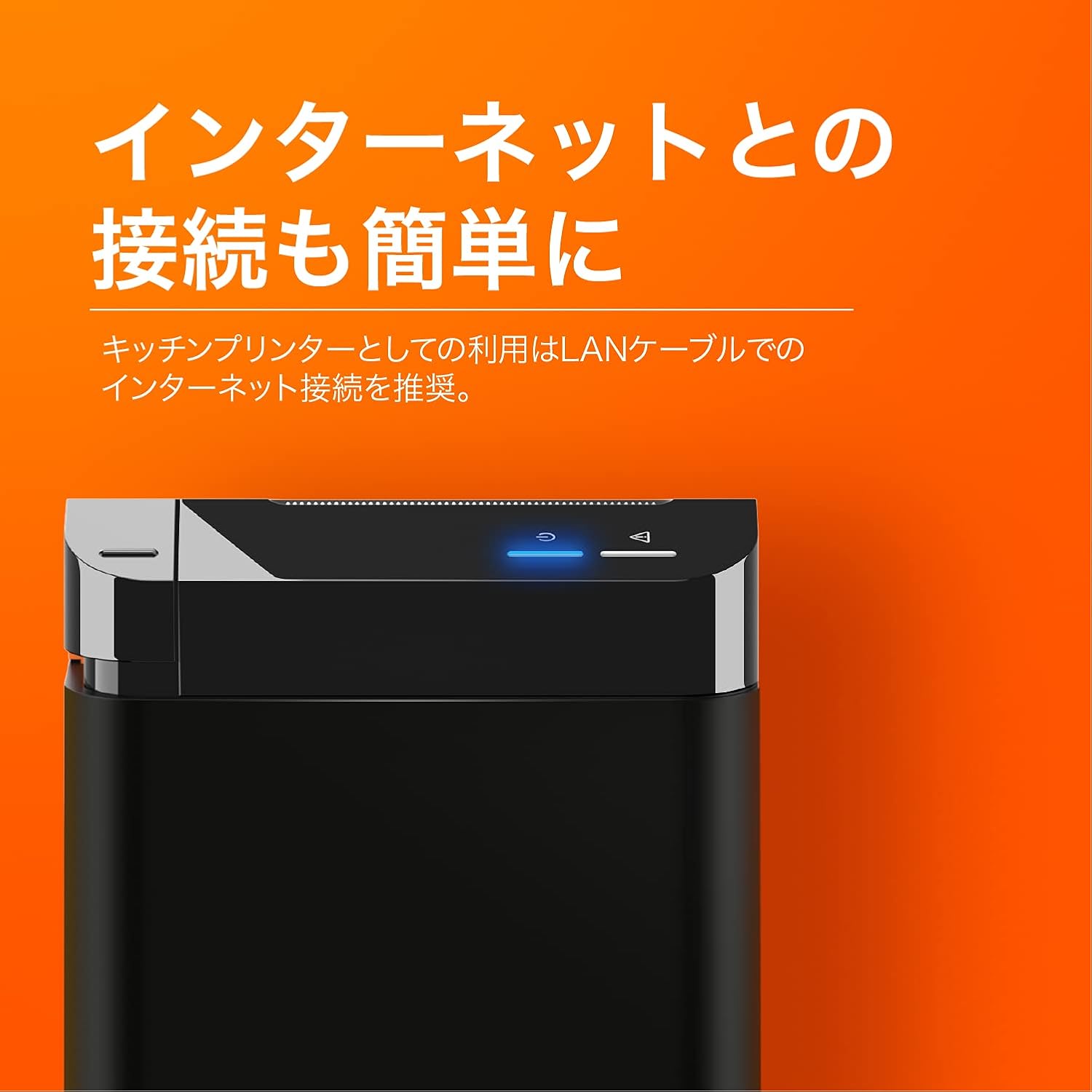
The SUNMI printer with a blue illuminated status light, highlighting its easy internet connectivity via LAN cable, recommended for kitchen printer use.
For optimal performance, especially in kitchen environments, a wired LAN connection is recommended.
- Connect one end of an Ethernet (LAN) cable to the printer's LAN port.
- Připojte druhý konec ethernetového kabelu k síťovému směrovači nebo přepínači.
- The network indicator light on the printer will show connection status (e.g., solid blue for connected).
4. Návod k obsluze
4.1 Základní tisk
Once the printer is powered on and connected to your network, it is ready to receive print commands from compatible software or systems (e.g., POS software, kitchen display systems).
- Ensure your printing application is configured to use the SUNMI 80mm Kitchen Cloud Printer.
- Initiate a print job from your application.
- The printer will automatically feed and cut the receipt after printing.

A view of two SUNMI 80mm Kitchen Cloud Printers side-by-side, with one actively printing a receipt, demonstrating its operational use.
4.2 Stavové indikátory
The printer features indicator lights on its control panel to provide status information:
- Indikátor napájení: Solid light indicates the printer is on.
- Indikátor chyby: Flashing or solid light indicates an error (e.g., paper out, cover open). Refer to the Troubleshooting section.
- Indikátor sítě: Indicates network connectivity status.
5. Údržba
5.1 Čištění tiskárny
Pravidelné čištění pomáhá udržovat kvalitu tisku a prodlužuje životnost tiskárny.
- Před čištěním tiskárnu vypněte a odpojte ze zásuvky.
- Použijte měkký hadřík, který nepouští vlákna dampened with water or isopropyl alcohol to wipe the exterior.
- Gently clean the thermal print head with a cotton swab dipped in isopropyl alcohol. Allow it to dry completely before use.
- Odstraňte z dráhy papíru veškerý papírový prach nebo nečistoty.
5.2 Replacing Paper Roll
When the paper roll is nearing its end, the printer may indicate a paper-low error or print faint lines. Follow the steps in Section 3.2 to replace the paper roll.
6. Řešení problémů
If you encounter issues with your SUNMI printer, refer to the table below for common problems and solutions.
| Problém | Možná příčina | Řešení |
|---|---|---|
| Tiskárna se nezapne | Žádné napájení, vadný adaptér | Check power cable connection; ensure outlet is working; try a different adapter if available. |
| No printing / Error light on | Paper out, cover open, paper jammed | Replace paper roll; ensure cover is closed properly; clear any paper jams. |
| Faint or blank prints | Incorrect paper type, dirty print head, paper loaded incorrectly | Ensure thermal paper is used; clean the print head (Section 5.1); check paper orientation. |
| Nelze se připojit k síti | Loose LAN cable, network configuration issue | Check LAN cable connection; verify network settings on your router/system. |
7. Technické specifikace

The SUNMI 80mm Kitchen Cloud Printer, demonstrating its compact 130mm square footprint, ideal for space-saving installations.
| Funkce | Specifikace |
|---|---|
| Číslo modelu | C04000069 |
| Značka | SUNMI |
| Typ tiskárny | Tiskárna s tepelným příjmem |
| Rychlost tisku | 165 mm/s |
| Šířka papíru | 80 mm |
| Technologie připojení | USB, LAN (Ethernet) |
| Barva | Multicolor (primarily black with orange accents) |
| Rozměry produktu | 13 x 13 x 13 cm (přibližně 5.1 x 5.1 x 5.1 palce) |
| Hmotnost položky | 1.32 kg (přibližně 2.91 libry) |
| Maximální vstupní kapacita listů | 100 sheets (referring to paper roll length equivalent) |
| Oboustranný tisk | No (single-sided receipt printing) |
| Podporovaná média | Thermal Labels/Receipt Paper |
8. Záruka a podpora
This product is covered by the standard manufacturer's warranty. For specific warranty terms and conditions, please refer to the documentation provided at the time of purchase or contact your retailer.
For technical support, troubleshooting assistance beyond this manual, or service inquiries, please contact SUNMI customer support or your authorized dealer. Keep your purchase receipt and product model number (C04000069) ready when contacting support.


