Zavedení
This manual provides detailed instructions for the safe and effective use of your Accutime FRCA1001 Unicorn Interactive Children's Camera. Please read this manual thoroughly before operating the device and retain it for future reference.
Bezpečnostní informace
VAROVÁNÍ:
- Nevhodné pro děti do 36 měsíců z důvodu malých částí. Nebezpečí udušení.
- Long string: Risk of strangulation.
- Packaging components such as tape, plastic film, wire ties, stickers, and labels are not part of the product. Dispose of them safely for your child's protection.
- The packaging contains important information and should be kept for later reading.
- The appearance and color of the product may differ from the images shown.
Co je v krabici
Po otevření balení ověřte, zda jsou v něm obsaženy všechny následující položky:
- Accutime FRCA1001 Unicorn Interactive Children's Camera
- Micro SD karta
- USB kabel
- Návod k použití
Konec produktuview
Seznamte se s komponenty a ovládacími prvky fotoaparátu.
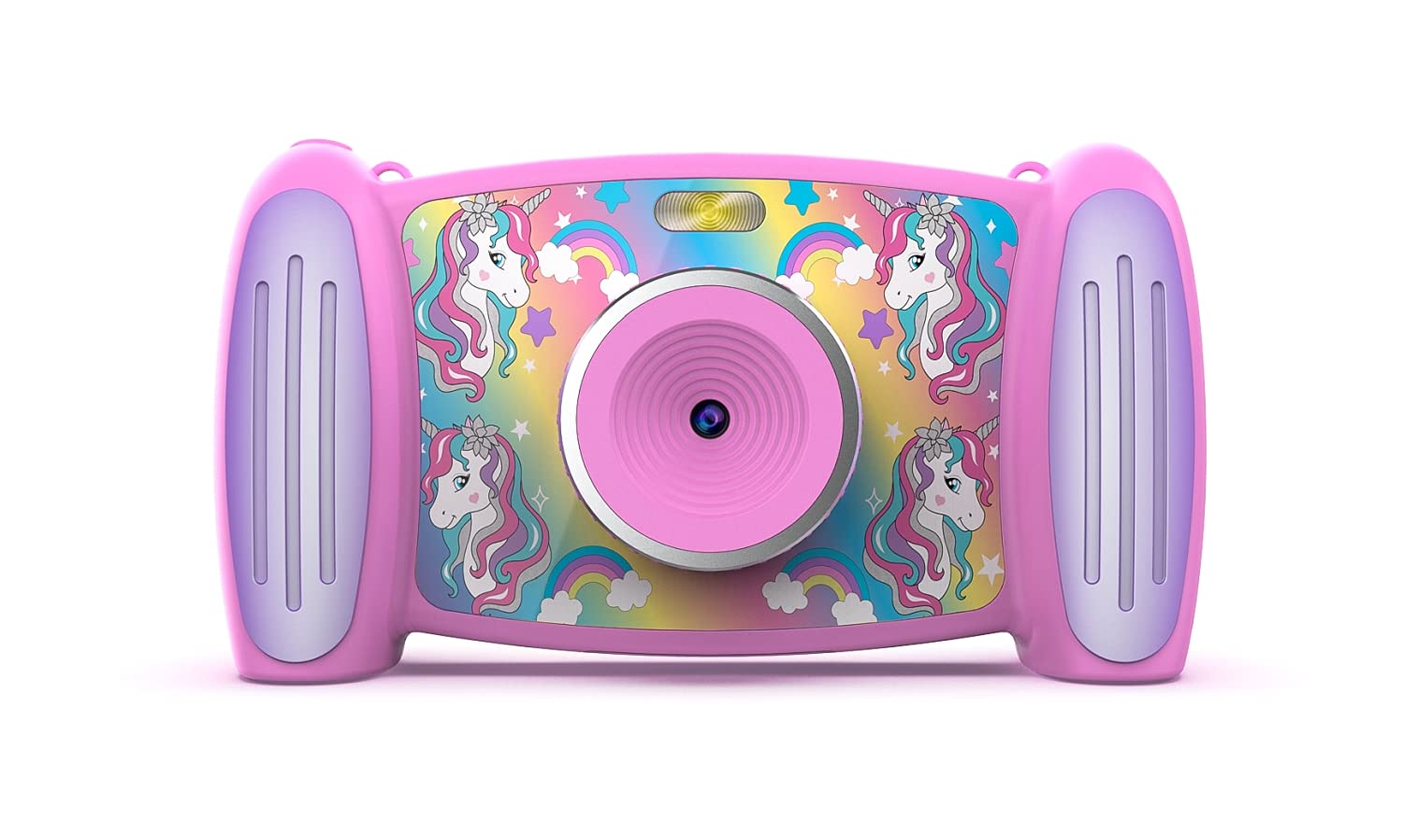
Obrázek 1: Přední view of the Accutime FRCA1001 Unicorn Interactive Children's Camera, displaying the main menu with icons for photo, video, games, and settings.
The camera features a vibrant screen, intuitive buttons for navigation, and a built-in speaker. Key controls include:
- Vypínač: Located on the side/bottom, used to turn the camera on and off.
- Směrová tlačítka (nahoru, dolů, vlevo, vpravo): For navigating menus and selecting options.
- Tlačítko OK: Potvrzuje výběr.
- Tlačítko Foto/Video: Zahájí pořizování fotografií nebo nahrávání videa.
- Tlačítka pro přiblížení (+/-): Adjusts digital zoom.
- Mikrofon: For audio recording during videos.
- Reproduktor: Pro přehrávání zvuku.
- Slot pro kartu Micro SD: For memory expansion.
- USB port: Pro nabíjení a přenos dat.
Nastavení
1. Instalace a nabíjení baterie
The camera includes a built-in Lithium Ion battery. Before first use, ensure the camera is fully charged.
- Connect the provided USB cable to the camera's USB port and the other end to a compatible USB power adapter (not included) or a computer's USB port.
- Rozsvítí se kontrolka nabíjení.
- Po úplném nabití se kontrolka změní nebo zhasne. Odpojte kabel.
2. Instalace Micro SD karty
A Micro SD card is required to save photos and videos. A card is included with your camera.
- Vyhledejte slot pro kartu Micro SD na fotoaparátu.
- Gently insert the Micro SD card into the slot with the gold contacts facing down, until it clicks into place.
- Chcete-li kartu vyjmout, jemně ji znovu zatlačte, dokud nevyskočí.
Návod k obsluze
1. Zapnutí/vypnutí
- To turn on: Press and hold the Power button until the screen illuminates.
- To turn off: Press and hold the Power button until the screen shuts down.
2. Pohyb v nabídce
Use the directional buttons to move between icons on the screen. Press the OK tlačítko pro výběr možnosti.

Obrázek 2: Two children engaged in an activity, with one child holding and looking at the Accutime FRCA1001 camera, demonstrating its intended use.
3. Fotografování
- From the main menu, select the camera icon.
- Komponujte snímek pomocí obrazovky.
- Press the Photo/Video button to capture a picture.
- The camera supports 5-megapixel image resolution.
4. Nahrávání videí
- From the main menu, select the video camera icon.
- Press the Photo/Video button to start recording.
- Press the Photo/Video button again to stop recording.
- Videos are recorded in 1080p resolution.
5. Using Filters and Special Effects
Enhance your photos and videos with built-in filters and effects.
- While in photo or video mode, navigate to the filter/effects option (refer to on-screen icons).
- Select from 5 fun filters and 5 special effects.
6. Changing Photo Frames and Backgrounds
Personalize your photos with various frames and customize the camera's display with different backgrounds.

Obrázek 3: A collage showing five distinct colorful backgrounds or photo frames available for selection on the camera, featuring unicorn and rainbow themes.

Obrázek 4: An illustration displaying the camera's default start screen featuring a unicorn and rainbow, along with a sample wallpaper option.
- Access the settings menu to find options for changing photo frames or display backgrounds.
- Choose from the available designs to customize your camera experience.
7. Hraní her
The camera includes 4 pre-installed educational and exciting games.
- From the main menu, select the games icon.
- Choose a game from the list and follow the on-screen instructions to play.
8. Using the MP3 Player
The camera features an MP3 player with a built-in speaker.
- Transfer MP3 audio files to the Micro SD card via the USB connection.
- From the main menu, select the music icon.
- Browse and play your stored MP3 files.
9. Digitální zoom
Fotoaparát disponuje 4násobným digitálním zoomem.
- While in photo or video mode, use the '+' and '-' buttons to zoom in or out.
Údržba
Čištění
- K čištění těla fotoaparátu použijte měkký, suchý hadřík.
- For the lens, use a specialized lens cleaning cloth.
- Nepoužívejte tekuté čisticí prostředky ani abrazivní materiály.
Skladování
- Fotoaparát skladujte na chladném a suchém místě mimo dosah přímého slunečního záření.
- Ensure the camera is turned off before storing.
- Pokud baterii skladujete delší dobu, pravidelně ji nabíjejte, aby byla v dobrém stavu.
Odstraňování problémů
Pokud narazíte na problémy s fotoaparátem, podívejte se na následující běžná řešení:
- Fotoaparát se nezapne: Ujistěte se, že je baterie plně nabitá. Stiskněte a několik sekund podržte tlačítko napájení.
- Nelze ukládat fotografie/videa: Check if the Micro SD card is correctly inserted and has sufficient free space. The card may need to be formatted (refer to camera settings).
- Špatná kvalita obrazu: Ujistěte se, že je objektiv čistý a bez šmouh. Zkontrolujte světelné podmínky.
- Kamera se zasekne: Try restarting the camera by holding the power button until it turns off, then turn it back on.
- Žádný zvuk z reproduktoru: Check volume settings in the camera menu. Ensure MP3 files are correctly formatted.
Pokud problémy přetrvávají, požádejte o další pomoc zákaznickou podporu.
Specifikace
| Funkce | Detail |
|---|---|
| Číslo modelu | FRCA1001 |
| Rozlišení obrazu | 5 megapixelů (MP) |
| Rozlišení videa | 1080p |
| Digitální zoom | 4x |
| Typ obrazovky | 2-in-1 Screen |
| Skladování | Micro SD karta (součástí balení) |
| Typ baterie | 1 Lithium Ion (součástí balení) |
| Rozměry | 5.71 x 1.69 x 3.5 palce |
| Hmotnost položky | 4.9 unce |
| Vlastnosti | 5 Fun Filters, 5 Special Effects, 4 Games, MP3 Player with Speaker |
Záruka a podpora
For warranty information or technical support, please refer to the contact details provided on the product packaging or visit the official Accutime webwebu. Uschovejte si účtenku jako doklad o koupi.