1. Úvod
This manual provides essential information for the safe and efficient use of your Lenovo IdeaPad Flex 5 14-inch 2-in-1 Laptop. Please read this manual thoroughly before operating your device and retain it for future reference. This device combines the functionality of a laptop with the versatility of a tablet, featuring a 14-inch Full HD touchscreen display and powered by an Intel Core i5-1135G7 processor.
2. Konec produktuview
2.1 Klíčové vlastnosti
- Design 2 v 1: Seamlessly switch between laptop, tablet, tent, and stand modes.
- Zobrazit: 14-inch Full HD (1920x1080) IPS Glossy Touchscreen.
- Procesor: 11th Gen Intel Core i5-1135G7 (2.40 GHz, up to 4.20 GHz with Turbo Boost, 4 Cores, 8 Threads, 8 MB Cache).
- Grafika: Integrovaná grafika Intel Iris Xe.
- Paměť: 8GB DDR4-3200 SDRAM.
- Skladování: 512GB PCIe NVMe M.2 SSD.
- Operační systém: Windows 10 Home.
- Konektivita: Intel Wi-Fi 6 AX 201 (2x2) and Bluetooth 5.
- Zabezpečení: Physical camera shutter and fingerprint reader.
- Životnost baterie: Až 9 hodiny.
2.2 Komponenty a porty
Familiarize yourself with the various components and ports of your IdeaPad Flex 5.

Obrázek: Shora dolů view of the Lenovo IdeaPad Flex 5 in laptop mode, highlighting its sleek design and keyboard layout.

Image: The Lenovo IdeaPad Flex 5 demonstrating its 2-in-1 capability, shown in both traditional laptop and tablet orientations.
- 2 x porty USB 3.2 Gen 1
- 1 x USB Type-C 3.2 Gen 1 port with Power Delivery
- 1 x HDMI 1.4b port
- 1 x 4-in-1 card reader
- 1 x kombinovaný konektor pro sluchátka/mikrofon
3. Nastavení
3.1 Počáteční zapnutí
- Vybalte notebook a veškeré příslušenství.
- Připojte napájecí adaptér k napájecímu portu notebooku a poté do elektrické zásuvky.
- Open the laptop lid and press the power button, typically located on the side or top right of the keyboard deck.
- Postupujte podle pokynů na obrazovce a dokončete počáteční nastavení systému Windows 10, včetně výběru jazyka, síťového připojení a vytvoření uživatelského účtu.

Image: The Lenovo IdeaPad Flex 5 with its screen displaying the Windows 10 operating system desktop, ready for use.
3.2 Připojení k Wi-Fi
During initial setup or anytime thereafter, connect to a wireless network:
- Klikněte na ikonu Wi-Fi na hlavním panelu (v pravém dolním rohu obrazovky).
- Vyberte požadovanou síť ze seznamu.
- Pokud se zobrazí výzva, zadejte bezpečnostní klíč sítě (heslo).
- Klikněte na tlačítko „Připojit“.
4. Návod k obsluze
4.1 Konvertibilní režimy
Your IdeaPad Flex 5 features a 360-degree hinge, allowing it to be used in various modes:
- Režim notebooku: Standardní konfigurace notebooku pro psaní a produktivitu.
- Režim stanu: Fold the screen back to form an inverted 'V' shape, ideal for watching videos or presentations in confined spaces.
- Režim stojanu: Fold the keyboard back to act as a stand, positioning the screen for viewIng.
- Režim tabletu: Fold the screen completely back against the base for a full tablet experience. The keyboard and touchpad are automatically disabled in this mode.
4.2 Používání dotykové obrazovky
The 14-inch Full HD touchscreen supports multi-touch gestures for intuitive interaction with Windows 10.

Image: A user's hand performing a touch gesture on the screen of the Lenovo IdeaPad Flex 5, illustrating its responsive touchscreen functionality.
- Klepněte na: Ekvivalent kliknutí myší.
- Klepnutí a podržení: Ekvivalent kliknutí pravým tlačítkem myši.
- Stažením prstů přiblížíte: Pro přiblížení nebo oddálení použijte dva prsty.
- Výpad: Navigate through content or open system menus.
4.3 Klávesnice a touchpad
The integrated keyboard and touchpad provide traditional input methods. The keyboard may feature backlighting for use in low-light conditions.
4.4 Using the Included Pen Drive
Your laptop includes a 64GB TW Pen Drive for portable storage. Insert the pen drive into an available USB port to access its contents or store files.
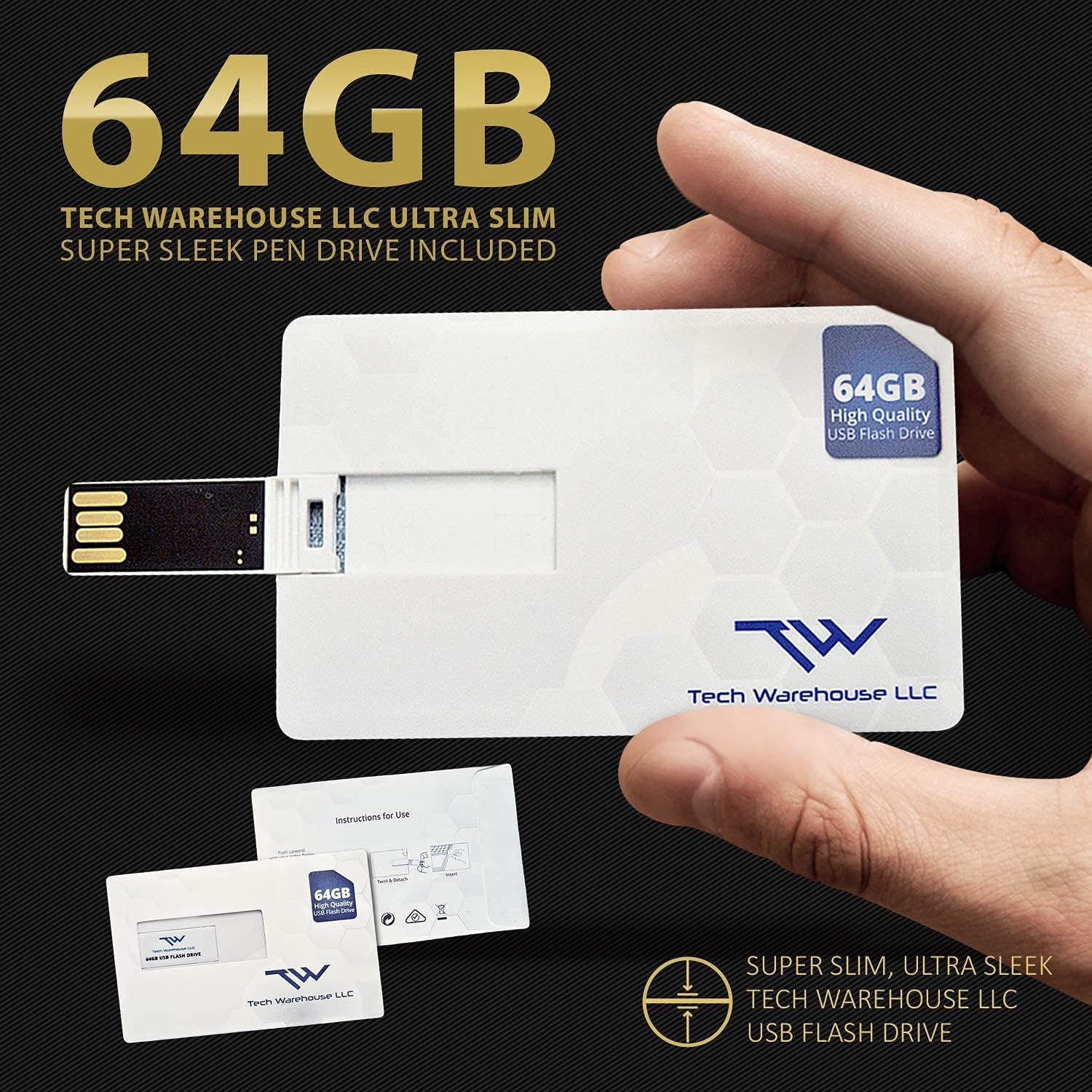
Image: The included 64GB Tech Warehouse LLC USB Flash Drive, designed for convenient data transfer and storage.
4.5 Bezpečnostní funkce
- Physical Camera Shutter: Slide the small cover over the webobjektiv kamery pro zajištění soukromí, když se kamera nepoužívá.
- Čtečka otisků prstů: Configure Windows Hello to use the integrated fingerprint reader for secure and quick login.

Image: Close-up of the Lenovo IdeaPad Flex 5's webcam, showing the physical privacy shutter in place for user security.
5. Údržba
5.1 Čištění notebooku
- Před čištěním vždy notebook vypněte a odpojte ze zásuvky.
- Použijte měkký hadřík, který nepouští vlákna dampvodou nebo čističem obrazovek.
- Na klávesnici a šasi používejte měkký, suchý hadřík. Nepoužívejte agresivní chemikálie ani abrazivní materiály.
5.2 Péče o baterii
- Vyhněte se častému úplnému vybíjení baterie.
- Pokud notebook delší dobu nepoužíváte, skladujte jej na chladném a suchém místě.
- Pro optimální životnost baterie nevystavujte notebook extrémním teplotám.
5.3 Aktualizace softwaru
Pravidelně kontrolujte a instalujte aktualizace systému Windows a aktualizace ovladačů Lenovo, abyste zajistili optimální výkon a zabezpečení.
6. Řešení problémů
6.1 Běžné problémy a řešení
- Notebook se nezapne: Ujistěte se, že je napájecí adaptér bezpečně připojen a baterie je dostatečně nabitá. Zkuste jinou zásuvku.
- Obrazovka je prázdná: Check if the laptop is powered on. Press Fn + F2 (or the display toggle key) to ensure the display is not turned off. Reconnect external monitors if applicable.
- Nelze se připojit k Wi-Fi: Verify Wi-Fi is enabled in Windows settings. Restart your router and laptop. Ensure you have the correct Wi-Fi password.
- Pomalý výkon: Close unnecessary applications. Check for background updates. Ensure sufficient free storage space on the SSD.
- Dotyková obrazovka nereaguje: Restart the laptop. Ensure no physical obstructions are on the screen. Check for driver updates.
Podrobnější informace o řešení problémů naleznete na stránkách podpory Lenovo. webwebu nebo kontaktujte zákaznickou podporu.
7. Specifikace
| Funkce | Detail |
|---|---|
| Značka | Lenovo |
| Název modelu | IdeaPad Flex 5 |
| Velikost stálé obrazovky | 14 palce |
| Maximální rozlišení obrazovky | 1920x1080 pixelů (FHD) |
| Procesor | Intel Core i5-1135G7 (2.4 GHz, 4 Cores) |
| BERAN | 8 GB DDR4-3200 SDRAM |
| Pevný disk | 512 GB NVMe SSD |
| Grafický koprocesor | Intel Xe Graphics |
| Operační systém | Windows 10 Home |
| Bezdrátový typ | Intel Wi-Fi 6 AX 201 (2x2), Bluetooth 5 |
| Průměrná životnost baterie | 9 hodiny |
| Hmotnost položky | 2.96 libry |
| Barva | Propastná modrá |

Image: Information detailing the capabilities and advantages of Intel Iris Xe Graphics, a key component of the laptop's performance.
8. Záruka a podpora
8.1 Informace o záruce
Your Lenovo IdeaPad Flex 5 comes with a 1-Year On-site Premium 24/7 WarrantyTato záruka zahrnuje:
- Repairs performed at your location.
- Front-of-the-queue, VIP access to technicians.
- Getting Started and How-to assistance.
- Support for Hardware, Software and Peripherals.
- Free Annual PC Health Check.

Image: A visual representation of the Lenovo Premium On-site / In-Home 24/7 Warranty, detailing the comprehensive support services provided.
8.2 Zákaznická podpora
For technical assistance, warranty claims, or product inquiries, please visit the official Lenovo support website or contact their customer service directly. Have your product's serial number ready when contacting support.


