Zavedení
The Anova Precision Smart Oven is a versatile countertop appliance designed to bring professional-grade cooking capabilities to your home kitchen. It combines convection, steam, bake, broil, roast, and dehydrate functions, offering precise temperature control for a wide range of culinary tasks. This manual provides essential information for the safe and effective operation and maintenance of your Anova Precision Smart Oven.
For optimal performance and longevity, please read this manual thoroughly before first use and retain it for future reference.
Bezpečnostní informace
Při používání elektrických spotřebičů vždy dodržujte základní bezpečnostní opatření, abyste snížili riziko požáru, úrazu elektrickým proudem a zranění osob.
- Nedotýkejte se horkých povrchů. Použijte rukojeti nebo knoflíky.
- Abyste se chránili před úrazem elektrickým proudem, neponořujte kabel, zástrčky ani spotřebič do vody ani jiné kapaliny.
- Když je jakýkoli spotřebič používán dětmi nebo v jejich blízkosti, je nutný pečlivý dohled.
- Vytáhněte zástrčku ze zásuvky, když ji nepoužíváte a před čištěním. Před nasazením nebo sejmutím dílů nechte vychladnout.
- Neprovozujte žádný spotřebič s poškozenou šňůrou nebo zástrčkou nebo poté, co spotřebič nefunguje správně nebo byl jakýmkoliv způsobem poškozen.
- Použití příslušenství, které není doporučeno výrobcem spotřebiče, může způsobit zranění.
- Nepoužívejte venku.
- Nenechávejte kabel viset přes okraj stolu nebo pultu ani se dotýkat horkých povrchů.
- Neumisťujte na horký plynový nebo elektrický hořák nebo do jeho blízkosti nebo do vyhřáté trouby.
- Při přemisťování spotřebiče obsahujícího horký olej nebo jiné horké kapaliny je třeba dbát mimořádné opatrnosti.
- Nepoužívejte spotřebič k jinému než určenému použití.
Komponenty skončilyview
Familiarize yourself with the main components of your Anova Precision Smart Oven:
- Objem trouby: Hlavní varná komora.
- Nádrž na vodu: Removable tank for steam generation. Located on the side.
- Ovládací panel: Digital display and knobs for setting temperature, time, and cooking modes.
- Potravinová sonda: Detachable probe for precise internal temperature monitoring.
- Removable Racks: Multiple racks for various cooking needs.
- Pekáč: Included pan for general baking and roasting.

Obrázek 1: Přední strana view of the Anova Precision Smart Oven, showing the main oven cavity, control panel, and side-mounted water tank.

Obrázek 2: Interiér view of the Anova Precision Smart Oven, illustrating the two removable racks and the included baking pan.

Figure 3: A user demonstrating the removal of the clear water tank from the side of the Anova Precision Smart Oven for refilling or cleaning.
Nastavení
Vybalení a umístění
- Opatrně vyjměte troubu a veškeré příslušenství z obalu.
- Remove any protective film or packaging materials from the oven.
- Place the oven on a stable, level, heat-resistant surface with adequate clearance from walls and other appliances for ventilation. Ensure at least 4 inches of space on all sides and above the oven.
- Ujistěte se, že je elektrická zásuvka snadno přístupná.
Počáteční čištění
- Před prvním použitím otřete vnitřek i vnější povrch trouby čisticím prostředkem.amp tkanina.
- Wash the removable racks, baking pan, and water tank with warm, soapy water. Rinse thoroughly and dry completely.
Příprava vodní nádrže
- Remove the water tank from its housing on the side of the oven.
- Fill the water tank with distilled water. Do not use tap water as it can lead to mineral buildup.
- Securely reinsert the water tank into its housing until it clicks into place.
Připojení napájení
Plug the oven into a grounded electrical outlet. The display will illuminate, indicating the oven is ready for use.
Návod k obsluze
Konec ovládacího paneluview
The Anova Precision Smart Oven features an intuitive control panel with a digital display and rotary knobs for setting cooking parameters. The display shows temperature, time, and current cooking mode.
Connecting to the Anova App
For enhanced control and access to a recipe library, download the Anova Oven app on your smartphone. Follow the in-app instructions to connect your oven via Wi-Fi.
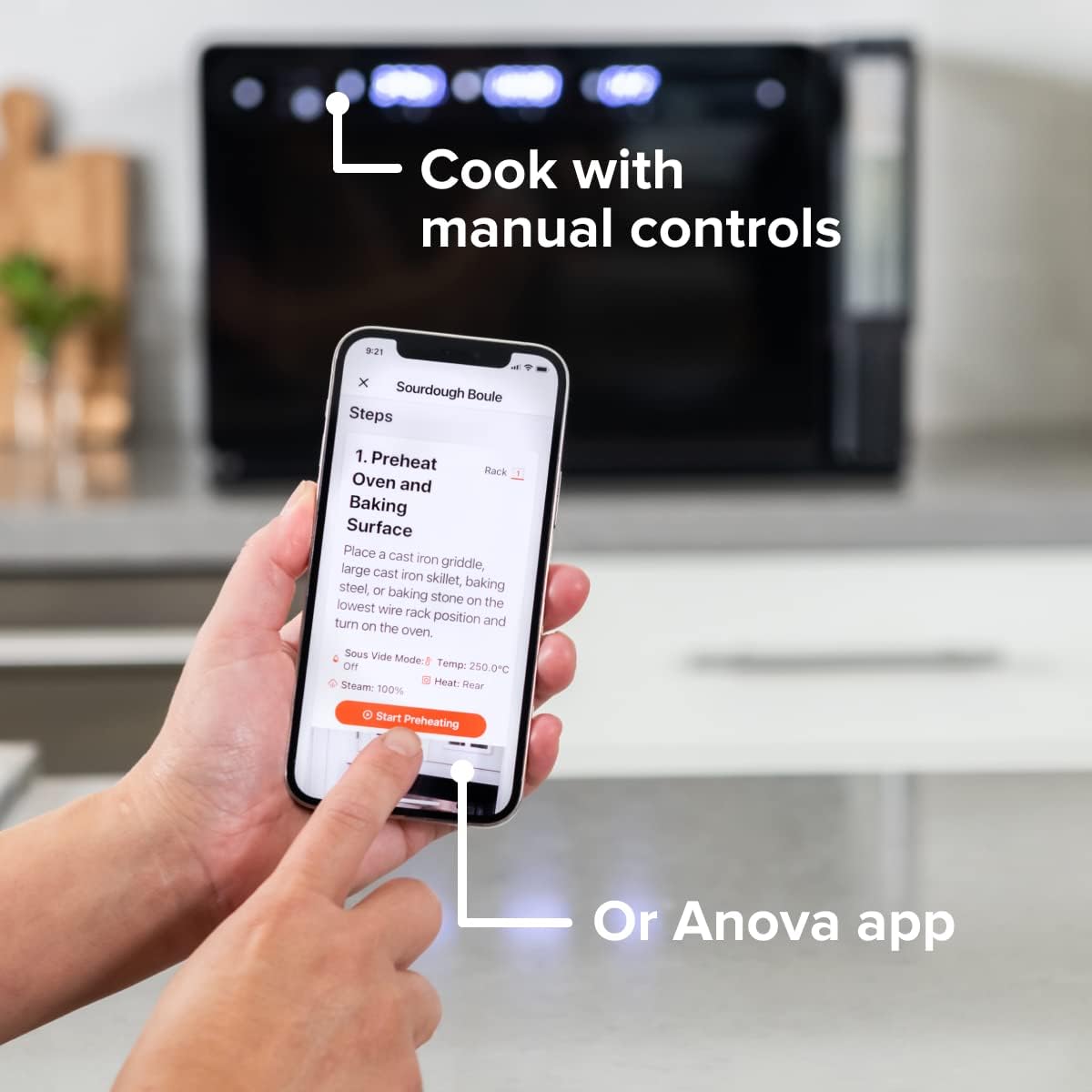
Figure 4: A user interacting with the Anova app on a smartphone, demonstrating remote control capabilities for the oven.
Basic Cooking Modes
The oven offers several cooking modes:
- Proudění: Uses a fan to circulate hot air for even cooking and browning.
- Pára: Injects steam into the oven cavity, ideal for baking bread, steaming vegetables, or sous vide style cooking.
- Combi (Convection + Steam): Combines hot air and steam for moist interiors and crispy exteriors.
- Pečeme/Pečeme: Standard oven functions for baking and roasting.
- Grilovat: High heat from the top element for searing and browning.
- Dehydrát: Low heat and fan circulation for drying foods.
Setting a Program (Manual Control)
- Turn the mode knob to select your desired cooking mode.
- Adjust the temperature using the temperature knob.
- Nastavte dobu vaření pomocí časového knoflíku.
- Stisknutím tlačítka Start/Pauza zahájíte vaření.
- To use the food probe, insert it into the thickest part of your food before starting. The oven will cook until the target internal temperature is reached.
Režim Sous Vide
The Anova Precision Oven can achieve sous vide style results without a water bath. Use the steam function and the food probe to cook food to a precise internal temperature, ensuring tenderness and juiciness.
Steam Injection for Baking
For perfect breads with crispy crusts and soft interiors, utilize the steam injection feature. Ensure the water tank is filled before starting a steam-assisted baking program.

Figure 5: Two loaves of freshly baked bread, showcasing the results of steam injection for a perfect crust and crumb. The Anova Precision Smart Oven is visible in the background.
Údržba a čištění
Regular cleaning and maintenance will ensure the longevity and optimal performance of your Anova Precision Smart Oven.
Denní úklid
- After each use, allow the oven to cool completely.
- Otřete vnitřní a vnější povrchy adamp hadříkem a jemným čisticím prostředkem. Nepoužívejte abrazivní čisticí prostředky ani drátěnky.
- Remove and clean the racks and baking pan with warm, soapy water.
- Empty and rinse the water tank after each use, especially if using steam functions. Allow it to air dry before reinserting.
Descaling (Steam Function Users)
If you frequently use the steam function, mineral buildup may occur. The oven may indicate when descaling is needed. Refer to the Anova app or online resources for detailed descaling instructions using a descaling solution.
Skladování
Pokud troubu delší dobu nepoužíváte, ujistěte se, že je čistá a suchá. Skladujte ji na chladném a suchém místě.
Odstraňování problémů
This section addresses common issues you might encounter with your Anova Precision Smart Oven.
| Problém | Možná příčina | Řešení |
|---|---|---|
| Oven not turning on. | Není zapojeno do zásuvky; výpadek napájenítage; jistič se vypnul. | Ujistěte se, že je trouba bezpečně zapojena do funkční zásuvky. Zkontrolujte jistič v domácnosti. |
| Nevytváří se žádná pára. | Water tank empty or not properly seated; mineral buildup. | Fill water tank with distilled water and ensure it is correctly inserted. Perform descaling if necessary. |
| Jídlo se nevaří rovnoměrně. | Improper rack placement; overcrowding; fan obstruction. | Refer to recipe for recommended rack position. Avoid overcrowding the oven. Ensure nothing obstructs the convection fan. |
| Problémy s připojením k Wi-Fi. | Nesprávné heslo k Wi-Fi; router příliš daleko; rušení sítě. | Double-check Wi-Fi password. Move oven closer to router or use a Wi-Fi extender. Restart oven and router. |
If the problem persists after attempting these solutions, please contact Anova Customer Support.
Specifikace
- Značka: Kulinářské Anova
- Název modelu: Přesná trouba
- Číslo modelu položky: AN900-10
- Rozměry produktu: 18"H x 22"Š x 14"V
- Hmotnost položky: 59 libry
- Barva: Černý
- Typ ovládání: Knoflík
- Zdroj napájení: Elektrický
- Zahrnuté komponenty: Water tank, pan, temp probe
- Speciální funkce: Programovatelné
Záruka a podpora
The Anova Precision Smart Oven comes with a manufacturer's warranty. Please refer to the warranty card included with your product or visit the official Anova Culinary webpodrobné záruční podmínky naleznete na webu.
For technical support, troubleshooting assistance, or to inquire about replacement parts, please contact Anova Customer Support:
- Online podpora: Navštivte Anova Culinary Store on Amazon nebo jejich úředník webmísto.
- Uživatelská příručka (PDF): Komplexní uživatelská příručka je k dispozici ke stažení na adrese tento odkaz.

Figure 6: The Anova Precision Smart Oven integrated with a smart home assistant (Alexa), demonstrating its connectivity features.


