1. Úvod
The Sennheiser CX Plus True Wireless Earphones (Model 509188) provide a high-quality audio experience with the convenience of true wireless technology. These earphones feature Active Noise Cancellation (ANC) for immersive listening and Transparent Hearing to stay aware of your surroundings. With customizable touch controls and a comfortable ergonomic design, they are suitable for various activities.
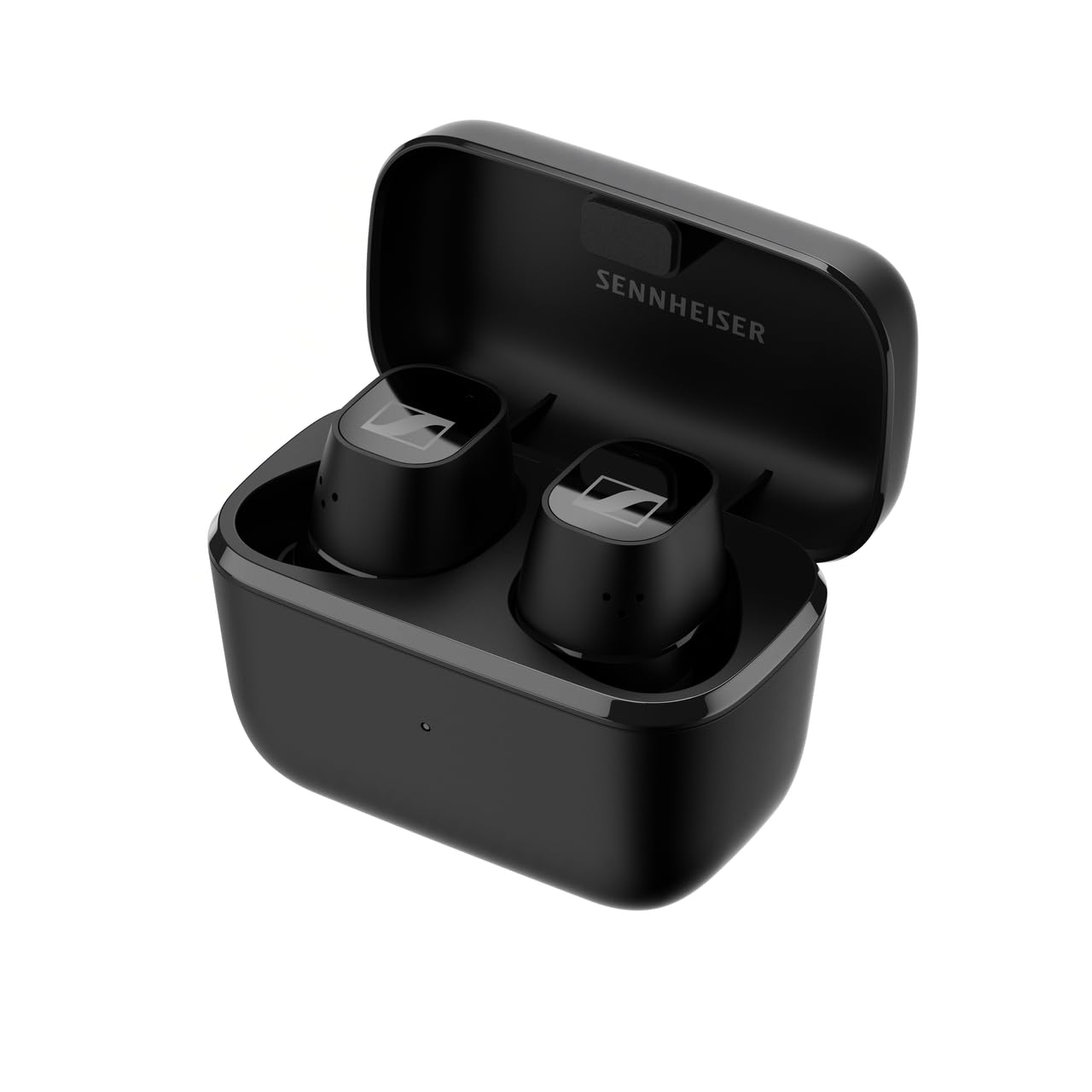
Obrázek 1.1: Přední strana view of the Sennheiser CX Plus True Wireless Earphones.
2. Nastavení
2.1 Vybalení a dodávané komponenty
Po otevření balení se ujistěte, že jsou přítomny všechny součásti:
- Sennheiser CX Plus True Wireless Earphones (Left and Right)
- Nabíjecí pouzdro
- Nabíjecí kabel USB-C
- Silicone Ear Adapter Sets (XS, S, M, L)
- Quick Guide and Safety Guide

Image 2.1: The product box for Sennheiser CX Plus True Wireless Earphones, showing the earphones and charging case.
2.2 Nabíjení sluchátek a pouzdra
Before first use, fully charge the earphones and the charging case. The earphones offer up to 8 hours of playback, with an additional 16 hours provided by the charging case, totaling up to 24 hours of battery life.
- Place the earphones into the charging case. Ensure they are correctly seated; magnetic contacts will guide them.
- Připojte nabíjecí kabel USB-C k nabíjecímu pouzdru a zdroji napájení.
- LED indikátor na nabíjecím pouzdře bude ukazovat stav nabíjení.
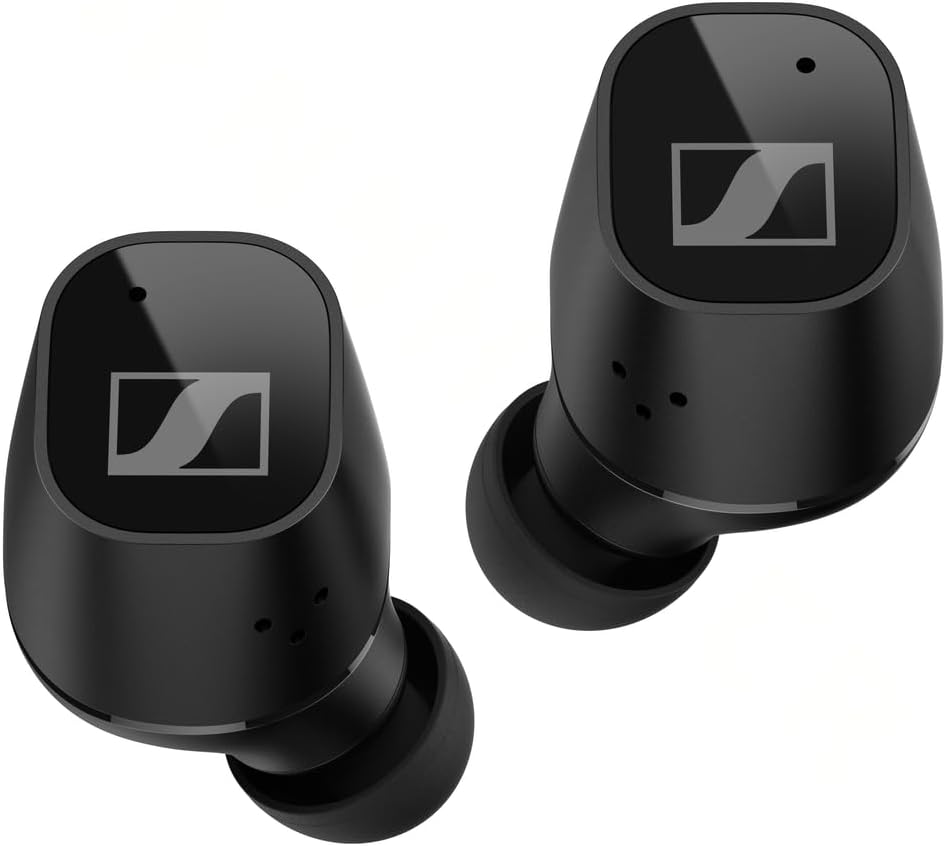
Image 2.2: Earphones placed inside the charging case for charging.
2.3 Párování Bluetooth
Připojení sluchátek k zařízení:
- Open the charging case. The earphones will automatically enter pairing mode (LEDs will flash blue and red).
- On your device (smartphone, tablet, etc.), go to Bluetooth settings and search for new devices.
- Select "Sennheiser CX Plus TW" from the list of available devices.
- Once connected, the earphones will confirm with an audible prompt.
2.4 Nasazení sluchátek
Proper fit is crucial for sound quality and comfort. Experiment with the different sizes of silicone ear adapters to find the best seal for your ears.
- Gently insert the earphone into your ear canal.
- Rotate the earphone slightly until it feels secure and comfortable.
- Ensure a good seal to maximize bass response and Active Noise Cancellation effectiveness.
3. Ovládání sluchátek
3.1 Customizable Touch Controls
The CX Plus True Wireless Earphones feature customizable touch controls on each earbud. These controls allow you to manage audio playback, calls, and voice assistant functions. Default controls can be customized via the Sennheiser Smart Control app.

Image 3.1: A user wearing the Sennheiser CX Plus True Wireless Earphones, demonstrating their ergonomic design and touch control capability.
3.2 Aktivní potlačení hluku (ANC)
Active Noise Cancellation reduces ambient noise, allowing for a more focused listening experience. This feature can be toggled on or off via the touch controls or the Smart Control app.
3.3 Transparent Hearing
Transparent Hearing allows you to hear your surroundings without removing the earphones. This is useful for situational awareness, such as hearing announcements or engaging in brief conversations. Activate or deactivate this mode using the touch controls or the Smart Control app.
3.4 Přehrávání hudby a správa hovorů
Use the touch controls to:
- Přehrát/Pozastavit hudbu
- Přeskočit skladby (další/předchozí)
- Upravte hlasitost
- Přijmout / ukončit hovory
- Odmítněte příchozí hovory
3.5 Hlasový asistent
Access your device's voice assistant (Siri, Google Assistant) directly from the earphones using the customizable touch controls.
4. Údržba
4.1 Čištění
Pravidelné čištění pomáhá udržovat optimální výkon a hygienu:
- Use a soft, dry cloth to wipe the earphones and charging case.
- Remove ear adapters and clean them with mild soap and water, then dry thoroughly before reattaching.
- Gently clean the charging contacts on the earphones and inside the case with a dry cotton swab.
4.2 Skladování
Pokud sluchátka nepoužíváte, uložte je do nabíjecího pouzdra, aby byla chráněna a zůstávala nabitá.
4.3 Voděodolnost
The Sennheiser CX Plus True Wireless Earphones are rated IPX4 for splash resistance. This means they are protected against splashing water from any direction. They are not designed for submersion in water or exposure to heavy rain.
5. Řešení problémů
Pokud narazíte na problémy, zkuste následující kroky:
- Žádný zvuk nebo přerušovaný zvuk:
- Ujistěte se, že jsou sluchátka nabitá.
- Zkontrolujte připojení Bluetooth na vašem zařízení. Zkuste zařízení znovu spárovat.
- Clean charging contacts if earphones are not charging.
- Přesuňte se blíže k zařízení, abyste se vyhnuli rušení.
- Sluchátka se nespárují:
- Ensure earphones are in pairing mode (LEDs flashing blue/red).
- Vypněte a zapněte Bluetooth na vašem zařízení.
- Zapomeňte na zařízení v nastavení Bluetooth a zkuste spárování znovu.
- Problémy s nabíjením:
- Verify the USB-C cable is securely connected to both the case and power source.
- Zkuste jiný nabíjecí kabel nebo napájecí adaptér.
- Ensure charging contacts on earphones and case are clean and free of debris.
- Active Noise Cancellation Not Effective:
- Ensure a proper seal with the correct size ear adapters.
- Check if ANC is enabled via touch controls or the Smart Control app.
For further assistance, refer to the Sennheiser Smart Control app or the official Sennheiser support webmísto.
6. Specifikace
| Model | 509188 |
| Technologie připojení | Bezdrátové (Bluetooth) |
| Umístění uší | V uchu |
| Kontrola hluku | Aktivní potlačení hluku |
| Frekvenční odezva | 21000 Hz |
| Citlivost | 114 dB |
| Formát mikrofonu | Vestavěný |
| Výdrž baterie (sluchátka) | Až 8 hodin |
| Celková výdrž baterie (s pouzdrem) | Až 24 hodin |
| Doba nabíjení | Approximately 1.5 hours for full charge (earphones + case) |
| Úroveň odolnosti proti vodě | IPX4 (odolnost proti stříkající vodě) |
| Hmotnost položky | 47 gramů |
| Materiál | Plast |
| Zahrnuté komponenty | Cable, Ear Cushions, Wireless Charging Case |
7. Záruka a podpora
Sennheiser products are designed for reliability and performance. For detailed warranty information specific to your region and product, please refer to the warranty card included in your product packaging or visit the official Sennheiser webmísto.
For technical support, FAQs, and software updates, please visit the Sennheiser support portal:
You can also download the Sennheiser Smart Control app from your device's app store for additional features and customization options.


