Zavedení
This manual provides comprehensive instructions for the safe and efficient use of your IMILAB ESW-W12 Smartwatch. Please read this manual thoroughly before using the device and retain it for future reference.
The IMILAB W12 Smartwatch is designed to be a versatile wearable device, offering a range of features for daily activity tracking and smart notifications.
Konec produktuview
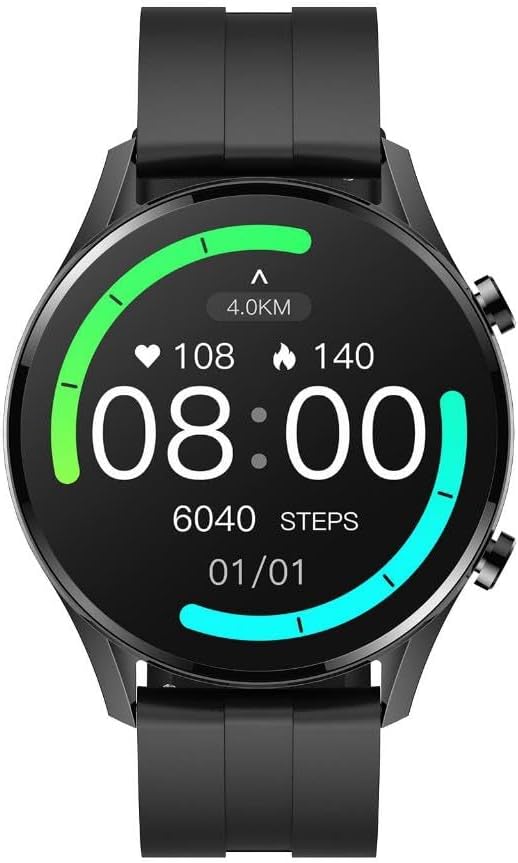
Obrázek 1: Přední view of the IMILAB W12 Smartwatch displaying a digital watch face with activity metrics.

Obrázek 2: Úhlové view of the IMILAB W12 Smartwatch showcasing an analog-style watch face with additional data points.
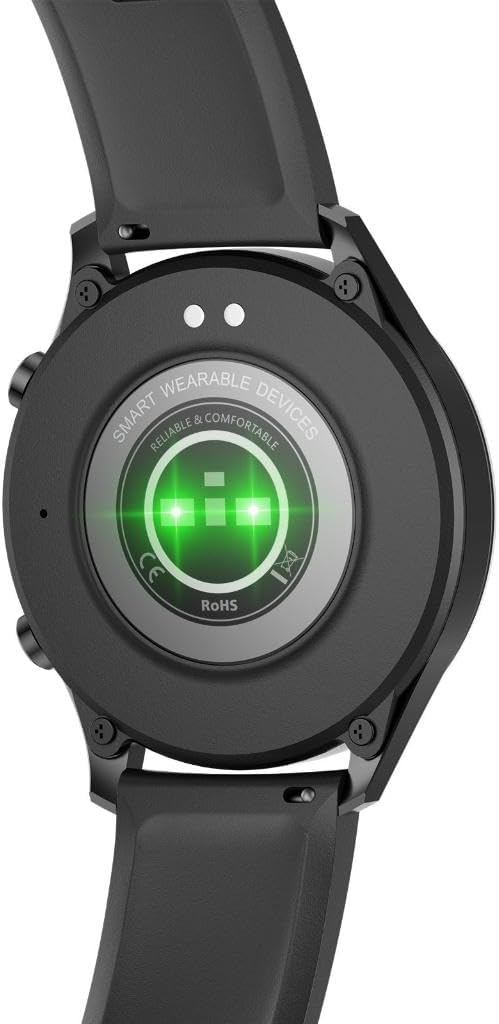
Obrázek 3: Zadní view of the IMILAB W12 Smartwatch, highlighting the sensor array for health monitoring and charging points.
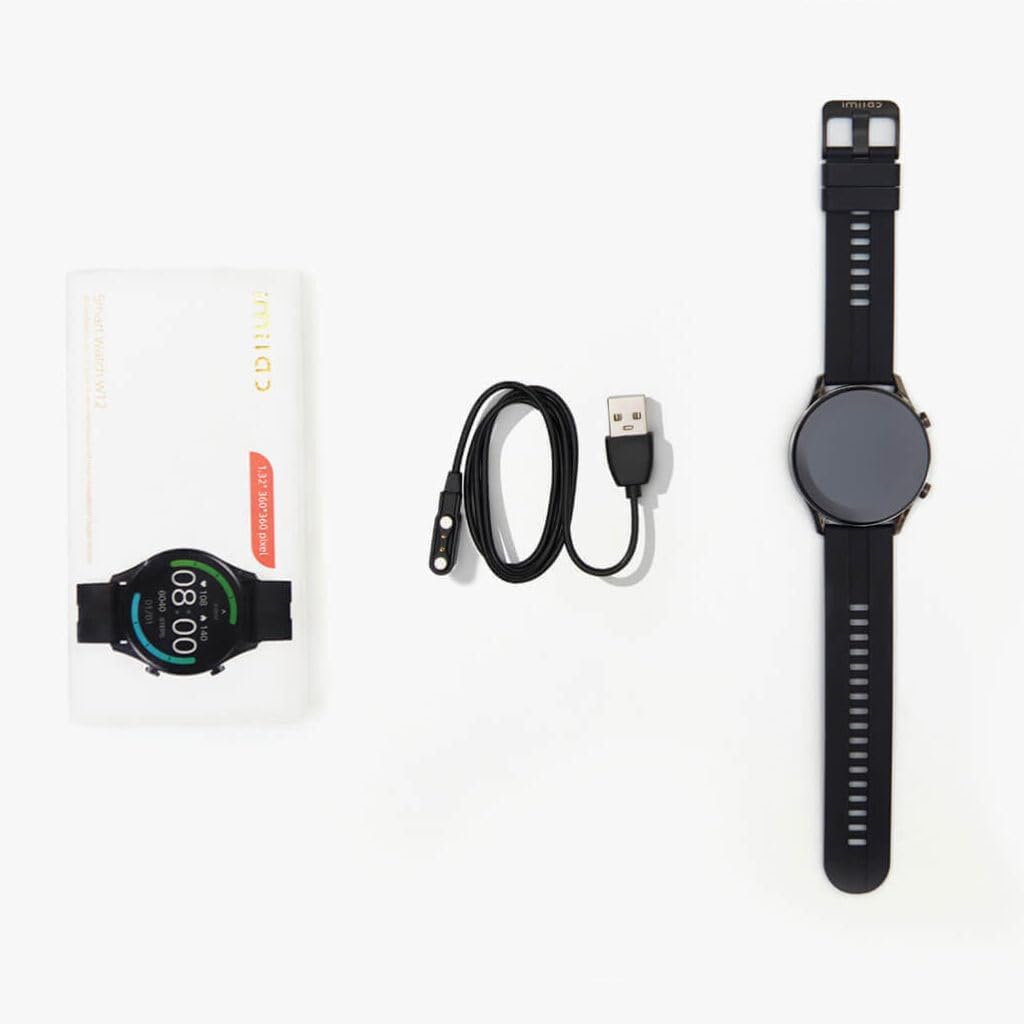
Obrázek 4: Package contents for the IMILAB W12 Smartwatch, including the device, magnetic charging cable, and documentation.
The IMILAB W12 Smartwatch features a 1.32-inch HD display and is designed for comfort and durability. It includes sensors for heart rate monitoring and activity tracking.
Nastavení
1. Nabíjení zařízení
- Připojte magnetický nabíjecí kabel k nabíjecím kontaktům na zadní straně chytrých hodinek. Ujistěte se, že jsou piny správně zarovnány.
- Zapojte USB konec nabíjecího kabelu do standardního USB napájecího adaptéru (doporučeno 5V/1A) nebo do USB portu počítače.
- Na displeji hodinek se zobrazí indikátor nabíjení. Plné nabití trvá přibližně 2 hodiny.
2. Zapnutí/vypnutí
- Zapnutí: Press and hold the side button for 3-5 seconds until the IMILAB logo appears.
- Vypnout: From the watch face, swipe down to access quick settings, then tap the power icon, or navigate to Settings > System > Power Off. Confirm your selection.
3. Instalace a párování aplikace
- Download the "GloryFit" app from your smartphone's app store (App Store for iOS, Google Play Store for Android).
- Open the GloryFit app and create an account or log in.
- Ujistěte se, že je na vašem smartphonu povoleno Bluetooth.
- In the GloryFit app, navigate to "Device" and tap "Add Device".
- Select "IMILAB W12" from the list of available devices.
- Potvrďte požadavek na párování na smartphonu i na chytrých hodinkách.
- Once paired, the app will synchronize data with your smartwatch.
Návod k obsluze
1. Základní navigace
- Přejeďte nahoru: View oznámení.
- Přejeďte prstem dolů: Přístup k rychlým nastavením (jas, Nerušit, úspora baterie, nastavení).
- Přejetí doleva/doprava: Cycle through widgets (activity data, heart rate, weather, music control).
- Stiskněte boční tlačítko: Vraťte se na ciferník hodinek nebo otevřete nabídku aplikací.
- Klepněte na: Vyberte položku nebo otevřete aplikaci.
2. Klíčové vlastnosti
- Monitorování srdeční frekvence: Access the heart rate app to measure your current heart rate. The watch continuously monitors heart rate throughout the day.
- Sledování aktivity: The watch tracks steps, distance, calories burned, and active minutes. View detailed data in the GloryFit app.
- Monitorování spánku: Wear the watch to bed for automatic sleep tracking. Data on sleep stages and duration is available in the app.
- Tréninkové režimy: Select from various sports modes (e.g., running, cycling, walking) to track specific workouts.
- Oznámení: Receive call, message, and app notifications directly on your wrist. Manage notification settings in the GloryFit app.
- Ovládání hudby: Ovládejte přehrávání hudby na smartphonu z hodinek.
- Počasí: View aktuální povětrnostní podmínky a předpovědi po synchronizaci s aplikací.
Údržba
1. Čištění
- Pravidelně čistěte hodinky a řemínek měkkým hadříkemamp tkanina.
- Nepoužívejte agresivní chemikálie nebo abrazivní materiály, protože by mohly zařízení poškodit.
- Před nabíjením se ujistěte, že jsou nabíjecí kontakty čisté a suché, aby nedošlo ke korozi.
2. Voděodolnost
The IMILAB W12 Smartwatch has a certain level of water resistance. It is suitable for daily use, such as hand washing or light rain. However, it is not recommended for swimming, showering with hot water, or diving, as steam and high water pressure can damage the device.
3. Skladování
When not in use for extended periods, store the smartwatch in a cool, dry place. Charge the device periodically (e.g., once every three months) to maintain battery health.
Odstraňování problémů
| Problém | Možné řešení |
|---|---|
| Hodinky se nezapínají. | Ujistěte se, že jsou hodinky plně nabité. Připojte je k nabíječce alespoň na 10 minut. |
| Nelze spárovat se smartphonem. |
|
| Oznámení nejsou přijímána. |
|
| Inaccurate heart rate/activity data. |
|
Specifikace
- Model: ESW-W12-B-BR
- Značka: IMILAB
- Zobrazit: 1.32" HD Screen
- Rozměry: 5.08 x 5.08 x 10.16 cm
- Hmotnost: 50 g
- Materiál: Kov (hliník)
- Baterie: 1 C battery required (internal, non-removable)
- Konektivita: Bluetooth
- Kompatibilita: Android, iOS (via GloryFit app)
- Výrobce: OnanOff
Záruka a podpora
For warranty information and technical support, please refer to the official IMILAB webnebo se obraťte na místního distributora. Uschovejte si účtenku jako doklad o koupi pro případ reklamace.
Pro další pomoc můžete navštívit stránka produktu nebo kontaktujte zákaznický servis.