Zavedení
Thank you for choosing the JBL Cinema SB190 Soundbar. This manual provides essential information for setting up, operating, and maintaining your soundbar system. Please read it thoroughly to ensure proper use and optimal performance.
Důležité bezpečnostní informace
Always follow these basic safety precautions when using your soundbar system:
- Přečtěte si pozorně tyto pokyny.
- Uschovejte si tyto pokyny pro budoucí použití.
- Dbejte všech varování.
- Dodržujte všechny pokyny.
- Nepoužívejte toto zařízení v blízkosti vody.
- Čistěte pouze suchým hadříkem.
- Nezakrývejte žádné větrací otvory. Nainstalujte v souladu s pokyny výrobce.
- Neinstalujte v blízkosti zdrojů tepla, jako jsou radiátory, tepelné regulátory, kamna nebo jiná zařízení (včetně amplifikátory), které produkují teplo.
- Chraňte napájecí kabel před šlapáním nebo přiskřípnutím, zejména u zástrček, zásuvek a v místě, kde vychází z přístroje.
- Používejte pouze nástavce/příslušenství určené výrobcem.
- Odpojte toto zařízení během bouřky s blesky nebo když se delší dobu nepoužívá.
- Veškeré opravy svěřte kvalifikovanému servisnímu personálu. Servis je nutný, pokud bylo zařízení jakýmkoli způsobem poškozeno, například je poškozen napájecí kabel nebo zástrčka, pokud do zařízení vnikla tekutina nebo do něj spadly předměty, zařízení bylo vystaveno dešti nebo vlhkosti, nefunguje normálně. , nebo byla vypuštěna.
Co je v krabici
Your JBL Cinema SB190 package includes the following components:
- Soundbar
- Bezdrátový subwoofer
- Dálkové ovládání s bateriemi
- Power cords (region specific)
- HDMI kabel
- Sada nástěnného držáku se šrouby
- Průvodce rychlým startem
- Záruční list
- Bezpečnostní list

Image: Included accessories for the JBL Cinema SB190, featuring the remote control, HDMI cable, power cords, and wall-mount hardware.
Konec produktuview
Soundbar Front and Top Panel

Obrázek: Přední strana view of the JBL Cinema SB190 Soundbar, showcasinjeho elegantní design.
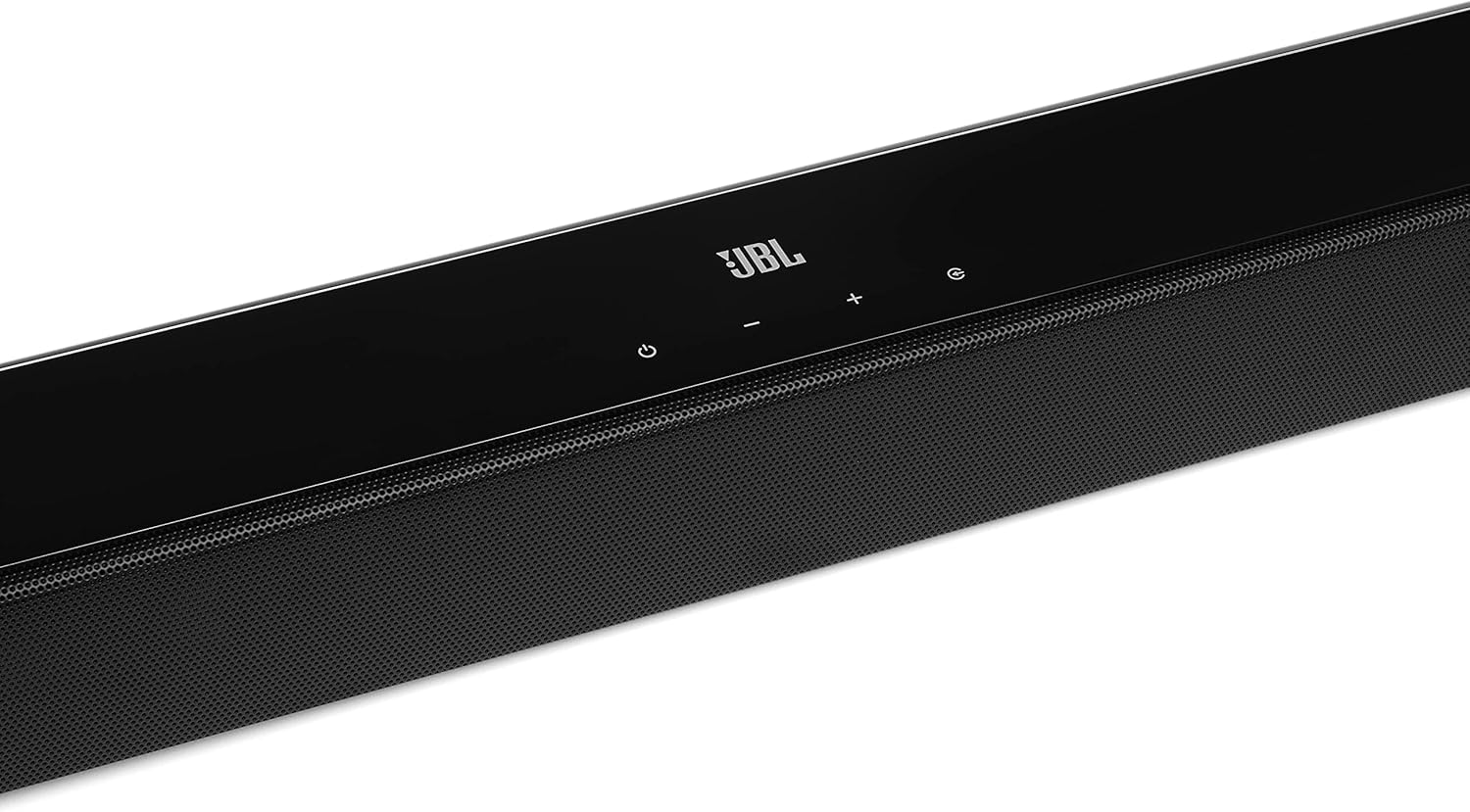
Image: Close-up of the top panel controls on the JBL Cinema SB190 Soundbar, including power, volume, and source selection buttons.
The soundbar features a minimalist design with essential controls located on the top panel for easy access. These include power, volume up/down, and input selection.
Soundbar Rear Panel Connections

Image: Rear panel of the JBL Cinema SB190 Soundbar, showing the power input, HDMI eARC, HDMI In, and Optical In ports.
The rear panel provides various connection options for your audio sources and TV, including HDMI eARC, HDMI In, and Optical In. A power input is also located here.
Bezdrátový subwoofer

Obrázek: Přední strana view of the JBL Cinema SB190 Wireless Subwoofer, featuring the JBL logo at the bottom.

Obrázek: Zadní view of the JBL Cinema SB190 Wireless Subwoofer, showing the power input and pairing button.
The wireless subwoofer provides deep bass and connects automatically to the soundbar. Its rear panel includes the power input and a pairing button if manual pairing is required.
Dálkové ovládání
The included remote control allows full command over your soundbar system, including power, volume, input selection, sound modes (Music, Movie, News), Voice enhancement, and Bass level adjustment.
Nastavení
1. Umístění
Soundbar: Place the soundbar on a flat surface directly in front of your TV, centered. Ensure no objects obstruct the front of the soundbar. Alternatively, you can wall-mount the soundbar using the provided bracket kit.
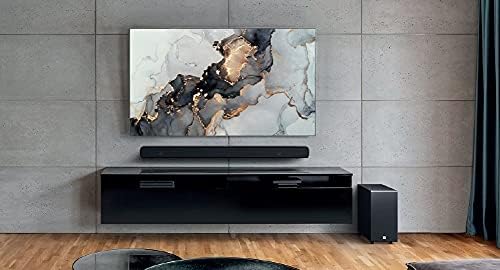
Image: The JBL Cinema SB190 Soundbar positioned below a television, with the wireless subwoofer to the side.
subwoofer: The wireless subwoofer can be placed anywhere in the room, ideally within 50 feet (15 meters) of the soundbar, for optimal bass distribution. Avoid placing it in a corner directly, as this can sometimes lead to boomy bass.
2. Připojení
Choose one of the following connection methods to connect your soundbar to your TV:
- HDMI eARC (doporučeno): For the highest quality audio, connect an HDMI cable (included) from the HDMI eARC port on your soundbar to the HDMI eARC port on your TV. This connection supports Virtual Dolby Atmos and allows for TV remote control of the soundbar volume.

Image: HDMI icon, representing the HDMI eARC connection.
- Optický vstup: If your TV does not have an HDMI eARC port, connect an optical cable (not included) from the OPTICAL IN port on your soundbar to the optical output on your TV.

Image: TV icon, indicating connection to a television.
- Vstup HDMI: You can also connect an external device (e.g., Blu-ray player, game console) directly to the HDMI IN port on the soundbar. The video signal will pass through to your TV via the HDMI eARC/ARC connection.
3. Připojení napájení
- Connect the power cords to the soundbar and subwoofer.
- Plug the power cords into an AC outlet.
- The soundbar and subwoofer will automatically power on and attempt to pair. The subwoofer's LED indicator will turn solid white once successfully paired.
Ovládání soundbaru
Zapnutí/vypnutí
Stiskněte tlačítko Moc tlačítko na soundbaru nebo dálkovém ovladači pro zapnutí nebo vypnutí systému.
Ovládání hlasitosti
Použijte Hlasitost + or Hlasitost - tlačítky na soundbaru nebo dálkovém ovladači upravte úroveň hlasitosti.
Výběr vstupu
Stiskněte tlačítko Zdroj button on the soundbar or the dedicated input buttons (HDMI IN, HDMI ARC, OPT, BT) on the remote control to switch between audio sources.
Zvukové režimy
The remote control features dedicated buttons for optimizing audio for different content types:
- HUDBA: Enhances audio for music playback.
- FILM: Optimizes sound for cinematic experiences, including Virtual Dolby Atmos effects.
- ZPRÁVY: Enhances vocal clarity for news and dialogue-heavy content.
Voice and Bass Adjustment
The remote control allows for fine-tuning of voice clarity and bass levels:
- HLAS: Press the VOICE button repeatedly to cycle through different levels of voice enhancement. This helps make dialogue clearer.
- BAS: Press the BASS button repeatedly to adjust the subwoofer's bass output level.
Párování pomocí Bluetooth
Bezdrátové streamování zvuku z mobilního zařízení:
- Stiskněte tlačítko BT button on the remote control or soundbar. The soundbar's indicator will flash, indicating pairing mode.
- Na svém mobilním zařízení povolte Bluetooth a v seznamu dostupných zařízení vyberte „JBL Cinema SB190“.
- Once connected, the indicator on the soundbar will turn solid. You can now stream audio from your device.

Image: Bluetooth icon, representing wireless audio streaming.
Údržba
To ensure the longevity and optimal performance of your JBL Cinema SB190 Soundbar:
- Čištění: Use a soft, dry cloth to clean the surfaces of the soundbar and subwoofer. Do not use liquid cleaners or abrasive materials, as they may damage the finish.
- Větrání: Ensure that the ventilation openings on the soundbar and subwoofer are not blocked to prevent overheating.
- Skladování: Pokud budete přístroj skladovat delší dobu, odpojte jej ze zásuvky a uložte jej na chladném a suchém místě.
Odstraňování problémů
Pokud se se soundbarem setkáte s problémy, podívejte se na následující běžné problémy a jejich řešení:
Žádný zvuk ze soundbaru
- Ensure the soundbar is powered on and the volume is not muted or set too low.
- Verify that the correct input source is selected on the soundbar (e.g., HDMI ARC, Optical, Bluetooth).
- Check all cable connections (HDMI, Optical) between the soundbar and your TV/source device. Ensure they are securely plugged in.
- If using HDMI ARC/eARC, ensure your TV's HDMI ARC/eARC feature is enabled in its settings.
- Try restarting both the soundbar and your TV.
Žádný zvuk ze subwooferu
- Ensure the subwoofer is plugged into a power outlet and powered on.
- Check the LED indicator on the subwoofer. If it's not solid white, it may not be paired with the soundbar.
- Ruční párování subwooferu:
- Press and hold the pairing button on the back of the subwoofer until the LED flashes rapidly.
- On the soundbar, press and hold the Moc button for 5 seconds. The soundbar will enter pairing mode.
- Once paired, the LED on the subwoofer will turn solid white.
Audio/Video Sync Issues
- If using HDMI eARC, this feature is designed to minimize sync issues. Ensure your TV's firmware is up to date.
- Some TVs have an audio delay setting (lip-sync) that can be adjusted. Consult your TV's manual.
- If connecting via Optical, audio lag can sometimes occur. Try connecting via HDMI eARC if available.
Problémy s připojením Bluetooth
- Ensure Bluetooth is enabled on your mobile device and the soundbar is in pairing mode.
- Přesuňte zařízení blíže k soundbaru.
- Vymažte seznam párování Bluetooth v zařízení a zkuste spárování zopakovat.
- Ujistěte se, že žádná jiná zařízení Bluetooth neruší.
Specifikace
| Funkce | Detail |
|---|---|
| Název modelu | Kino SB190 |
| Typ reproduktoru | Soundbar |
| Konfigurace kanálů prostorového zvuku | 2.1 |
| Total Speaker Power Output | 380 wattů |
| Průměr subwooferu | 6.5 palce |
| Speciální funkce | Bluetooth 5.1 streaming, Dedicated sound mode to enhance voice clarity, HDMI In and Optical In connection, HDMI eARC capable, Virtual Dolby Atmos technology |
| Technologie připojení | Bluetooth, Wired (HDMI, Optical) |
| Kontrolní metoda | Vzdálený |
| Rozměry produktu (soundbar) | 89.9 Š x 6.2 H x 6.6 V centimetrů |
| Hmotnost položky | 7.5 Kilograms (Total system) |
| Materiál | Plast |
| Barva | Černý |
| Zahrnuté komponenty | Soundbar, Wireless subwoofer, Remote control with batteries, Power cords, HDMI cable, Wall-mount bracket kit with screws, Quick start guide, Warranty card, Safety sheet |
Záruka a podpora
For detailed warranty information, please refer to the warranty card included in your product package. For technical support, product registration, or further assistance, please visit the official JBL support webnebo kontaktujte jejich zákaznický servis.
Více informací a podpůrných zdrojů naleznete na JBL Store na Amazonu.


