Zavedení
This manual provides comprehensive instructions for the setup, operation, and maintenance of your Browning BTC-5HD-MXP Strike Force HD MAX Plus Outdoor Trail Camera. Designed for robust outdoor use, this camera captures high-quality photos and videos, making it ideal for wildlife monitoring and surveillance. Please read this manual thoroughly before using the device to ensure proper function and longevity.
Bezpečnostní informace
- Nevystavujte fotoaparát extrémním teplotám ani přímému slunečnímu záření po delší dobu.
- Ensure all battery compartments and covers are securely closed to prevent water ingress.
- Use only recommended battery types (AA batteries). Do not mix old and new batteries or different battery types.
- Uchovávejte fotoaparát mimo dosah silných magnetických polí.
- Nepokoušejte se kameru rozebírat ani upravovat. Ztratíte tak záruku.
- Baterie zlikvidujte zodpovědně v souladu s místními předpisy.
Obsah balení
Ověřte, zda jsou v balení obsaženy všechny níže uvedené položky:
- Browning BTC-5HD-MXP Strike Force HD MAX Plus Trail Camera
- 6-Foot Tree Mount Strap
- Blucoil 32GB Class 10 SDHC SD Card
- Blucoil 6.5-Foot Multi-Functional Combination Cable Lock with 4-Digit Password Code
- 4-Pack of Blucoil AA Batteries
- 5-Pack of Blucoil Reusable Velcro Cable Ties
- VidPro USB 2.0 Card Reader

Image: The complete Browning BTC-5HD-MXP Strike Force HD MAX Plus bundle, including the trail camera, SD card, cable lock, batteries, cable ties, and USB card reader.
Nastavení
1. Instalace baterie
The camera requires 6 AA batteries for operation. Ensure correct polarity when inserting the batteries.
- Open the camera's main compartment latch.
- Najděte přihrádku na baterie.
- Insert 6 AA batteries, matching the positive (+) and negative (-) terminals as indicated.
- Bezpečně uzavřete přihrádku na baterie.
2. Instalace SD karty
A Blucoil 32GB Class 10 SDHC SD Card is included. The camera supports SDXC memory cards up to 512GB.
- With the camera open, locate the SD card slot, typically near the control panel.
- Vložte SD kartu štítkem směrem k přední straně fotoaparátu, dokud nezacvakne na místo.
- To remove, press the SD card gently to eject it.

Image: The Browning trail camera with its front panel open, revealing the control screen, navigation buttons, and the SD card slot. The "SD CARD" and "Eject" labels are visible.
3. Montáž kamery
Use the included 6-foot tree mount strap to secure the camera to a tree or post.
- Thread the tree mount strap through the slots on the back of the camera.
- Wrap the strap around the desired mounting surface (e.g., tree trunk).
- Pull the strap tight and secure it to ensure the camera is stable and does not move.
- Position the camera to capture the desired area, ensuring no obstructions are in the field of view.
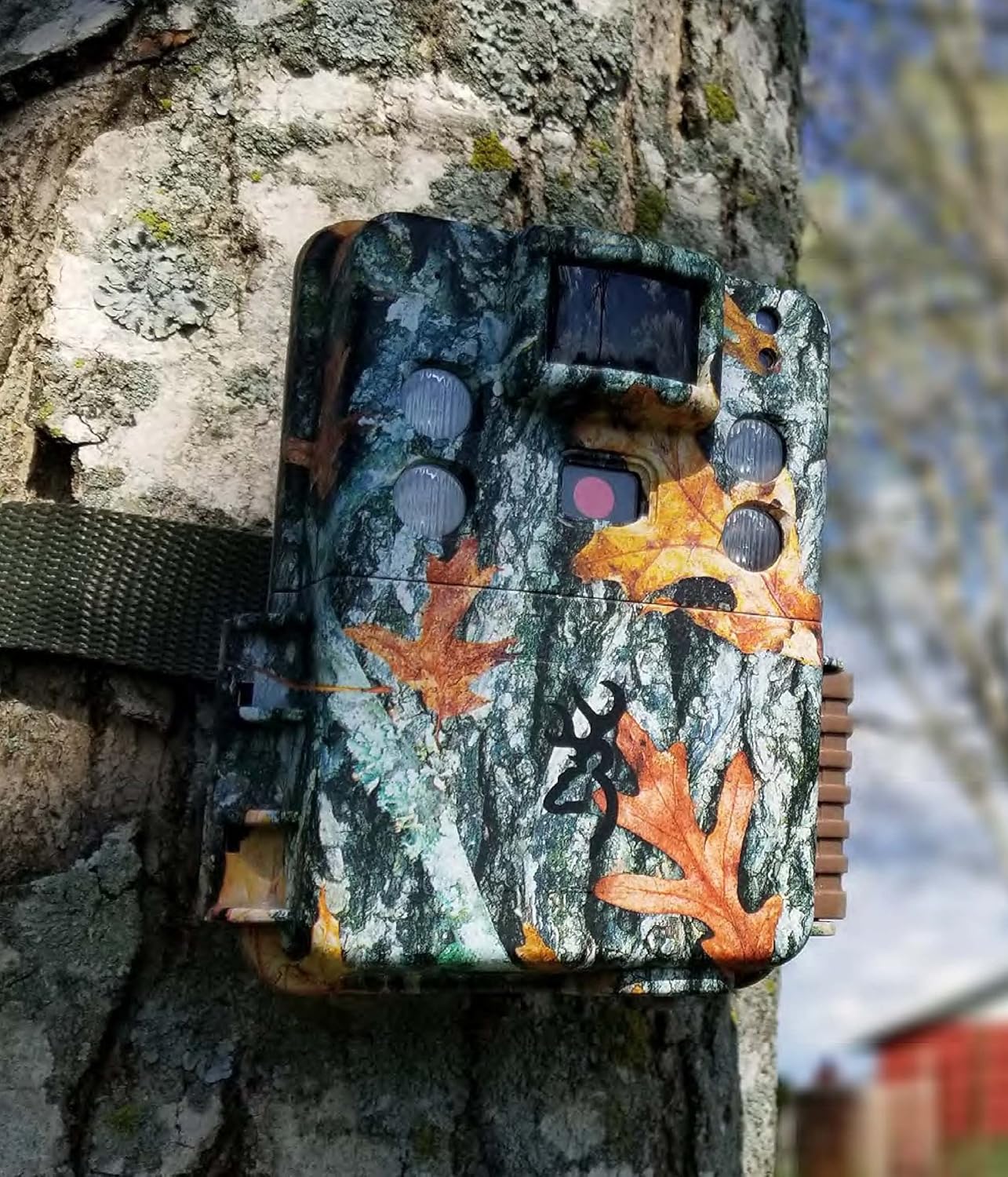
Image: The Browning trail camera securely mounted on a tree trunk using its strap, blending into the natural environment with its camouflage pattern.
4. Securing with Cable Lock
The Blucoil 6.5-Foot Multi-Functional Combination Cable Lock provides additional security for your camera.
- Locate the security cable slots on the camera body.
- Thread the cable lock through these slots and around the mounting surface.
- Set your desired 4-digit combination (initial password is 0000) and secure the lock. Refer to the cable lock's instructions for changing the combination.

Image: A Browning trail camera secured to a tree with a Blucoil 6.5-foot combination cable lock, demonstrating its anti-theft feature.
Obsluha fotoaparátu
Zapnutí/vypnutí
Chcete-li kameru zapnout, přepněte vypínač do polohy „ON“. Chcete-li kameru vypnout, přepněte jej do polohy „OFF“.
Základní režimy
The Strike Force HD MAX Plus offers various capture modes:
- Režim fotografie: Zachycuje statické snímky.
- Režim videa: Nahrává videoklipy se zvukem.
- Timelapse Plus Mode: Captures images at pre-set intervals over a period. These can be compiled into a video using the Buck Watch Timelapse Viewer software.
Use the "MODE" button on the control panel to cycle through these options and the navigation buttons to select settings.
Úprava nastavení
The camera allows for customization of several parameters:
- Rychlost spouštění: Adjustable from 0.135s to 0.7s for faster or slower detection response.
- Doba zotavení: A shorter 0.5s recovery time between images allows for more frequent captures.
- Capture Timer: This function allows you to specify the operational hours of the camera.
- Rezoluce: Set desired photo (up to 20MP) and video (up to 1600 x 900p HD+) resolution.
Noční provoz
The camera features Illuma-Smart technology that automatically adjusts the 90-FT IR flash power for clear nighttime photos. The infrared illumination range extends up to 100-FT.
Viewnahrávky
Na view pořízené obrázky a videa:
- Vyjměte SD kartu z fotoaparátu.
- Insert the SD card into the VidPro USB 2.0 Card Reader.
- Connect the card reader to your computer (Mac or Windows).
- Přístup k files on the SD card through your computer's file badatel.
- For Timelapse videos, download the Buck Watch Timelapse Viewer Software from Browning's official webstrana. Poznámka: This software is not compatible with Mac. Mac users can view timelapse images by changing the file extension from .TLS to .AVI format.

Image: The VidPro USB 2.0 Card Reader, a compact device for transferring data from various memory card types to a computer.
Údržba
Čištění
- Otřete vnější povrch fotoaparátu měkkým hadříkemamp tkanina. Vyhněte se abrazivním čisticím prostředkům.
- Gently clean the lens and IR sensors with a lens cleaning cloth or brush to ensure clear images.
- Ensure no debris is obstructing the motion sensor.
Výměna baterie
Replace all 6 AA batteries when the low battery indicator appears on the camera's screen or when performance degrades. Always replace all batteries at once with new ones of the same type.
Správa SD karty
Regularly format your SD card using the camera's internal formatting function or a computer to maintain optimal performance and prevent data corruption. Back up important files před formátováním.
Skladování
Pokud fotoaparát delší dobu nepoužíváte, vyjměte z něj baterie a uložte jej na chladném a suchém místě mimo dosah přímého slunečního záření.
Odstraňování problémů
| Problém | Možná příčina | Řešení |
|---|---|---|
| Fotoaparát se nezapíná. | Vybité nebo nesprávně vložené baterie. | Vyměňte baterie za nové, dbejte přitom na správnou polaritu. |
| Nebyly pořízeny žádné obrázky/videa. | SD card full, not inserted correctly, or corrupted; motion sensor obstructed; camera in wrong mode. | Check SD card, format if necessary. Clear sensor. Ensure camera is in active capture mode. |
| Poor quality nighttime images. | IR flash obstructed; object too far; low batteries. | Clear obstructions. Ensure target is within 100-FT IR range. Replace batteries. |
| Timelapse videos not playing on Mac. | Buck Watch Timelapse Viewer not Mac compatible. | Přeměna file extension from .TLS to .AVI. |
Specifikace
| Funkce | Detail |
|---|---|
| Model | BTC-5HD-MXP |
| Efektivní rozlišení | 20 MP |
| Rozlišení záznamu videa | 1920 x 1080 FHD (with Sound) / 1600 x 900p HD+ |
| Rychlost spouštění | 0.135 - 0.7 seconds (adjustable) |
| Doba zotavení | 0.5 sekund |
| Rozsah detekce | 80-FT |
| Rozsah IR blesku | 100-FT (Illuma-Smart) |
| Zdroj napájení | 6 AA baterie |
| Podpora paměťových karet | Up to 512GB SDXC (32GB SDHC included) |
| Technologie připojení | Bezdrátové (Wi-Fi) |
| Vnitřní/venkovní použití | Venkovní |
| Materiál | Zinek |
| Rozměry (D x Š x V) | 1 x 1 x 1 palce |
| Hmotnost položky | 1 liber |
| Hodnocení mezinárodní ochrany | IP54 |
Záruka a podpora
For warranty information and technical support, please refer to the official Browning Trail Cameras webnebo se obraťte na jejich zákaznický servis. Uschovejte si účtenku jako doklad o koupi pro případné reklamace.
For additional support regarding Blucoil accessories (SD card, cable lock, batteries, cable ties), please visit the Blucoil official webnebo kontaktujte jejich zákaznickou podporu.


