1. Úvod
The GROVIEW JQ818C Projector is designed to deliver a high-quality home theater experience with its native 1080P resolution, high brightness (15000lux 490ANSI lm), and impressive contrast ratio (12000:1). Utilizing LED light and LCD technology, it supports 4K Ultra HD video for clear and detailed images. This versatile projector offers seamless connectivity options including 2.4+5G dual-band WiFi and Bluetooth, enabling easy screen mirroring and audio integration. Its compact design and user-friendly features make it suitable for various applications, from home entertainment to business presentations.
2. Co je v krabici
Upon unboxing your GROVIEW JQ818C Projector, please ensure all the following components are present:
- JQ818C Projector
- Dálkové ovládání
- AV kabel
- HDMI kabel
- Napájecí kabel
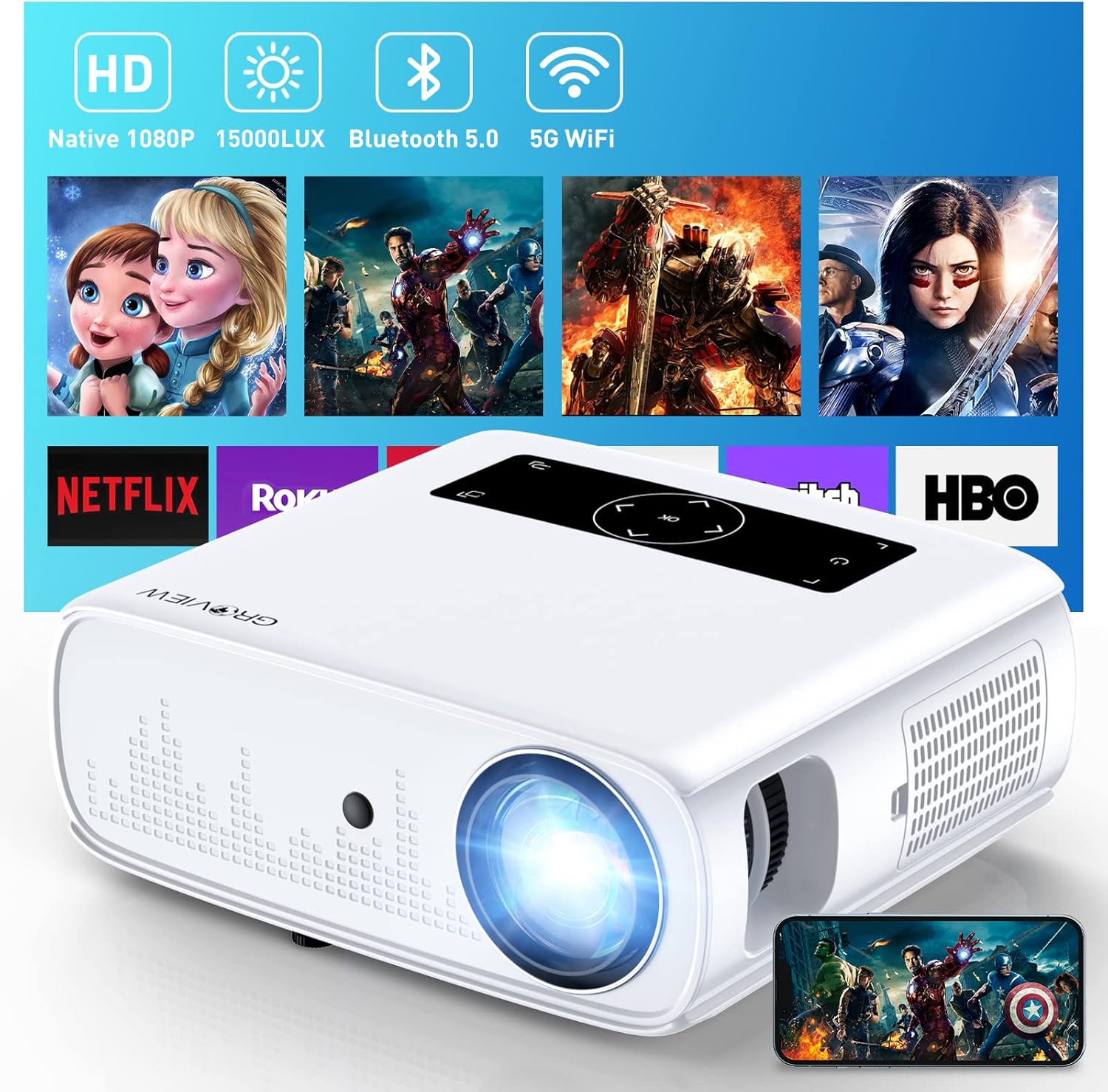
Image: The GROVIEW JQ818C Projector shown with its remote control, AV cable, HDMI cable, and power cord.
3. Konec produktuview
3.1 Fyzické vlastnosti
The GROVIEW JQ818C Projector features a sleek, white design with intuitive controls and multiple connectivity options. Its compact dimensions of 10.63 x 9.06 x 3.94 inches and a weight of 5.9 pounds make it portable for various setups.
Obrázek: Přední strana view of the GROVIEW JQ818C Projector, highlighting its lens and clean design.
3.2 Porty a ovládací prvky
The projector is equipped with a variety of ports for seamless integration with your devices:
- HDMI porty (x2): Pro připojení notebooků, herních konzolí (PS5), televizních karet a dalších zařízení s podporou HDMI.
- USB porty (x2): For connecting USB drives, smartphones, tablets, and other USB devices.
- AV port: Pro připojení starších zařízení pomocí AV kabelu.
- Audio výstup (3.5mm jack): Pro připojení externích reproduktorů nebo sluchátek.
- Příkon: Pro připojení napájecího kabelu.
Control buttons are conveniently located on the top panel, allowing for easy navigation and adjustments. A remote control is also included for convenient operation from a distance.

Obrázek: Zadní view of the projector, detailing the HDMI, USB, AV, and audio out ports.

Image: Top panel of the projector with illuminated control buttons.
4. Nastavení
4.1 Umístění
Umístěte projektor na stabilní, rovný povrch. Pro optimální viewing, position it directly in front of your projection surface (wall or screen). The projector features an adjustable foot at the front to slightly tilt the projection upward if needed.

Image: Diagram illustrating recommended projection distances for various screen sizes (50-300 inches).
4.2 Připojení napájení
Connect the provided power cord to the projector's power input and then to a standard electrical outlet.
4.3 Počáteční zapnutí a nastavení zaostření
Press the power button on the projector or the remote control to turn on the device. Adjust the focus ring around the lens until the projected image is clear and sharp. The projector also includes a lens cap to protect the lens when not in use.
5. Návod k obsluze
5.1 Připojení zařízení
The GROVIEW JQ818C Projector offers multiple ways to connect your devices:
- HDMI: Use the provided HDMI cable to connect your laptop, game console (PS5), DVD player, or TV stick to either of the two HDMI ports.
- USB: Vložte USB flash disk do jednoho z USB portů pro přehrávání médií files přímo.
- AV: Connect older devices like DVD players using the AV cable.
5.2 Screen Mirroring (Wireless Connectivity)
Experience seamless content sharing with the projector's advanced screen mirroring capabilities:
- WiFi (2.4G+5G Dual-Band): Connect the projector to your home WiFi network for ultra-fast and stable screen mirroring from your smartphone, tablet, or laptop.
- Mobilní síť: The projector supports one-step screen mirroring via cellular network technology, allowing you to mirror your device even outdoors without a WiFi network.
- Bluetooth: Connect the projector to external Bluetooth speakers for enhanced audio experience. The built-in 5W dual stereo speakers with SRS sound system also provide clear and dynamic audio.
5.3 Úprava obrazu
- Funkce zoom: Adjust the display size from 50 to 300 inches using the 25% zoom function, allowing you to fine-tune the image without moving the projector.
- Korekce lichoběžníkového zkreslení: Manually adjust the keystone to correct distorted images if the projector is not perfectly perpendicular to the screen.
6. Údržba
To ensure the longevity and optimal performance of your GROVIEW JQ818C Projector, follow these maintenance guidelines:
- Čištění objektivu: Use a soft, lint-free cloth specifically designed for optical lenses to gently wipe the projector lens. Avoid using abrasive cleaners or cloths that could scratch the surface.
- Čištění exteriéru: Vnější povrch projektoru otřete měkkým, suchým hadříkem. Nepoužívejte tekuté ani aerosolové čisticí prostředky.
- Větrání: Ensure the projector's ventilation openings are clear and unobstructed to prevent overheating. Regularly check for dust buildup.
- Skladování: When not in use for extended periods, store the projector in a cool, dry place, ideally in its original packaging or a protective case, with the lens cap on.
7. Řešení problémů
If you encounter any issues with your GROVIEW JQ818C Projector, please refer to the common troubleshooting steps below. For more detailed information, consult the full Uživatelská příručka (PDF).
- Bez obrázku:
- Ujistěte se, že je napájecí kabel bezpečně připojen a projektor je zapnutý.
- Verify the input source is correctly selected (e.g., HDMI 1, USB, Miracast).
- Check the connected device for proper output settings.
- Rozmazaný obrázek:
- Upravte zaostřovací kroužek na objektivu projektoru.
- Ensure the projection surface is flat and the projector is positioned correctly.
- Use keystone correction to adjust image shape if needed.
- Žádný zvuk:
- Zkontrolujte nastavení hlasitosti na projektoru i na připojeném zařízení.
- Pokud používáte externí reproduktory, ujistěte se, že jsou správně připojeny a zapnuté.
- Pokud používáte bezdrátové připojení Bluetooth, ověřte připojení Bluetooth.
- Problémy s připojením (WiFi/Bluetooth):
- Ensure the projector is within range of the WiFi router or Bluetooth device.
- Restart both the projector and the connecting device.
- Zkontrolujte, zda nedochází k rušení jinými bezdrátovými zařízeními.
8. Technické specifikace
| Funkce | Specifikace |
|---|---|
| Rozměry produktu | 10.63 x 9.06 x 3.94 palce |
| Hmotnost položky | 5.9 libry |
| Číslo modelu | JQ818C |
| Nativní rozlišení | 1920 x 1080 (Full HD) |
| Jas | 15000LUX (490ANSI lm) |
| Kontrastní poměr | 12000:1 |
| Podporované rozlišení videa | Up to 4K Ultra HD (downscaled to 1080P) |
| Velikost projekce | 50-300 palců |
| Technologie připojení | Wireless (WiFi 2.4G+5G, Bluetooth), HDMI, USB, AV |
| Vestavěné reproduktory | 5W Dual Stereo Speakers with SRS Sound System |
| Speciální funkce | Zoom function, Eye-friendly diffused reflection |
9. Záruka a podpora
GROVIEW nabízí a 2-year customer service and replacement policy for the JQ818C Projector, providing peace of mind for your purchase.
Pro další pomoc, podrobné pokyny nebo řešení problémů, které nejsou uvedeny v této příručce, se prosím obraťte na komplexní Uživatelská příručka (PDF) dostupné online.
Můžete také navštívit úředníka Groview Obchod na Amazonu pro více informací o produktu a podporu.


