1. Úvod
Děkuji za nákupasing the VTech VM5255 Video Baby Monitor. This manual provides comprehensive instructions on how to set up, operate, and maintain your new baby monitor. Please read this manual thoroughly before use to ensure proper operation and safety.
The VTech VM5255 is designed to provide a clear video and audio connection to your baby, offering peace of mind with features like a 5-inch color display, night vision, two-way talk, and a soothing night light.
2. Bezpečnostní informace
Please observe the following safety precautions to reduce the risk of injury, electric shock, or fire:
- Keep the baby unit and parent unit out of reach of children.
- Do not place the baby unit or cords within 3 feet (1 meter) of the crib.
- Use only the power adapters provided with the product.
- Nevystavujte výrobek vodě nebo vlhkosti.
- Avoid placing the product near heat sources such as radiators, heat registers, stoves, or other apparatus that produce heat.
- Neblokujte žádné ventilační otvory.
- Používejte pouze nástavce/příslušenství určené výrobcem.
3. Obsah balení
Ujistěte se, že máte v balení všechny položky:
- Parent Unit (with rechargeable battery)
- Dětská jednotka (kamera)
- Two Power Adapters (one for parent unit, one for baby unit)
- Uživatelská příručka (tento dokument)
4. Konec produktuview
4.1 Rodičovská jednotka
Rodičovská jednotka je vybavena 5palcovým LCD displejem pro jasný... viewing of your baby. It includes controls for volume, menu navigation, talk-back function, and zoom.
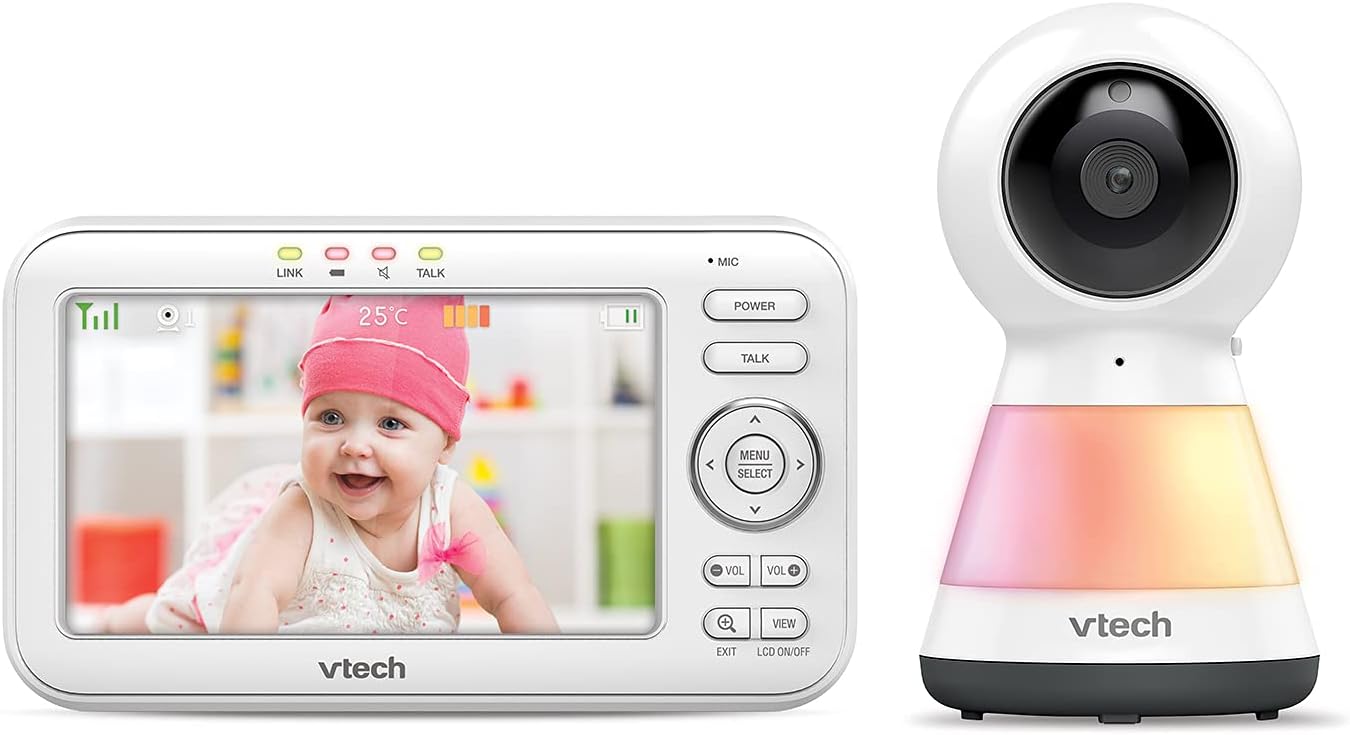
Image: The VTech VM5255 Parent Unit (left) displaying a baby, alongside the Baby Unit (right) with its integrated night light.
4.2 Dětská jednotka (kamera)
The baby unit is equipped with a camera, microphone, speaker, and an integrated night light. It also features infrared LEDs for night vision and a temperature sensor.

Obrázek: Přední strana view of the VTech VM5255 Baby Unit, showing the camera lens and the night light base.

Obrázek: Boční view of the VTech VM5255 Baby Unit, illustrating its profile and the optional wall mount bracket.
5. Nastavení
5.1 Nabíjení rodičovské jednotky
- Connect the small plug of the parent unit power adapter to the parent unit's power jack.
- Connect the large plug of the power adapter to a wall outlet.
- The battery icon on the screen will indicate charging status. For optimal performance, charge the parent unit for at least 12 hours before initial use.
5.2 Umístění dětské jednotky
- Place the baby unit at least 3 feet (1 meter) away from your baby to avoid potential cord hazards.
- Position the baby unit on a flat surface, such as a dresser or shelf, or mount it on a wall.
- Upravte úhel kamery pro zajištění jasného obrazu view vašeho dítěte.
- Connect the baby unit power adapter to the baby unit and then to a wall outlet.
5.3 Zapnutí/vypnutí
- To power on the parent unit, press and hold the MOC dokud se obrazovka nerozsvítí.
- To power on the baby unit, slide the ON/OFF přepněte do polohy ON.
- Pro vypnutí opakujte kroky v opačném pořadí.
6. Provoz
6.1 Základní monitorování
Once both units are powered on and linked, the parent unit will automatically display the video feed from the baby unit. The screen will show the live video, temperature, and battery status.
6.2 Nastavení hlasitosti
Stiskněte tlačítko VOL+ or VOL- buttons on the parent unit to adjust the listening volume.
6.3 Obousměrná komunikace
To talk to your baby, press and hold the MLUVIT button on the parent unit. Speak clearly into the microphone. Release the button to hear your baby.
6.4 Noční vidění
The baby unit automatically activates its infrared LEDs for night vision when the room is dark. This allows you to see your baby clearly in low-light conditions.
6.5 Night Light Control
The baby unit features a multi-color night light. You can control it from the parent unit's menu. Navigate to the light settings to turn it on/off or change colors.
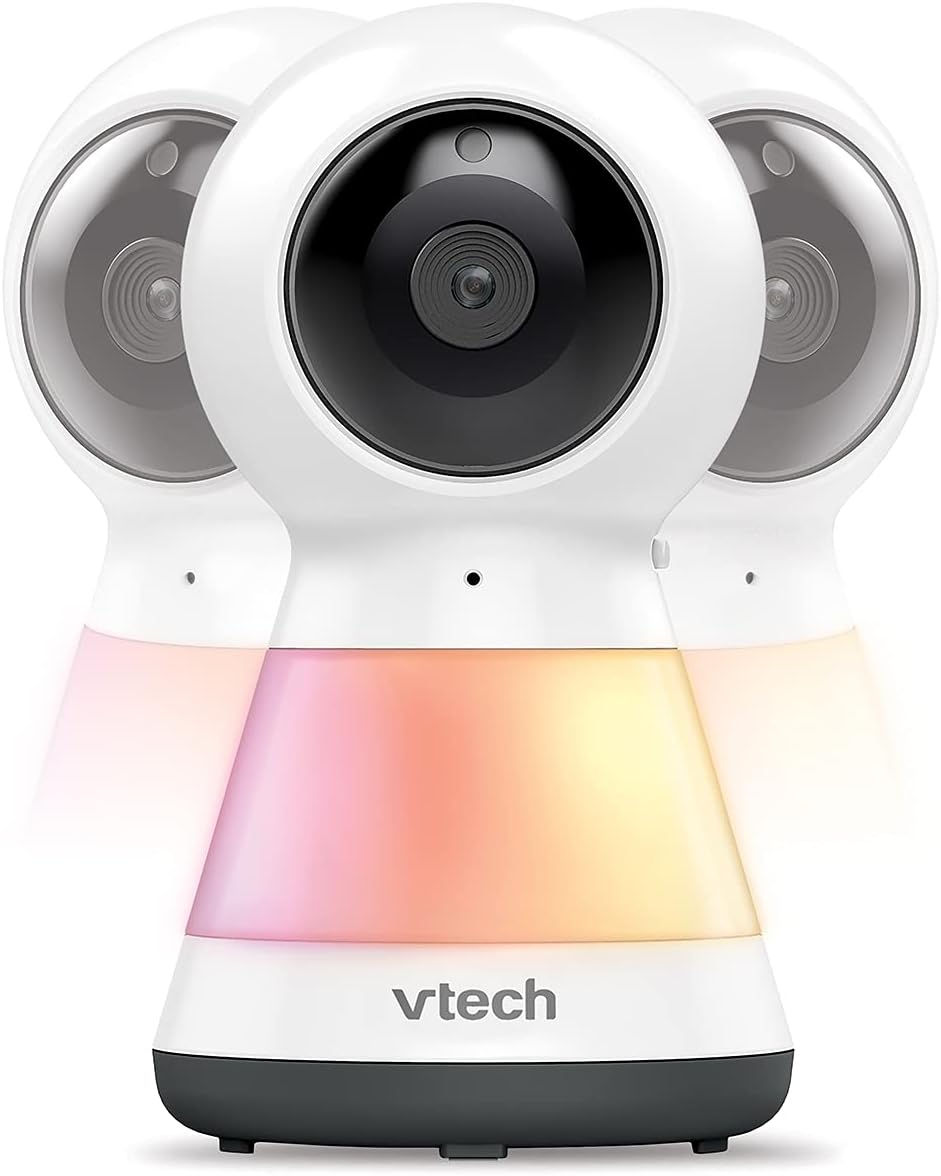
Image: Multiple VTech VM5255 Baby Units demonstrating the various color options of the integrated night light.
6.6 Otáčení, naklánění a zoom
Use the directional arrows (NAHORU DOLU VLEVO VPRAVO) on the parent unit to remotely pan and tilt the baby unit camera. Press the ZOOM button to digitally zoom in or out on the image.

Image: The VTech VM5255 Parent Unit highlighting its 5-inch LCD screen, with the baby unit visible on the right.
7. Údržba
7.1 Čištění výrobku
- Výrobek očistěte mírně damp cloth. Do not use cleaning sprays or liquid cleaners.
- Před čištěním se ujistěte, že je produkt odpojený.
7.2 Péče o baterii
- To prolong battery life, fully charge the parent unit before first use.
- If the product will not be used for an extended period, remove the battery from the parent unit.
8. Řešení problémů
| Problém | Řešení |
|---|---|
| No video/audio on parent unit. |
|
| Statická elektřina nebo rušení. |
|
| Baterie rodičovské jednotky se rychle vybíjí. |
|
9. Specifikace
| Funkce | Detail |
|---|---|
| Model | VM5255 |
| Velikost obrazovky | 5palcový barevný LCD |
| Bezdrátová technologie | 2.4 GHz FHSS |
| Noční vidění | Infračervené LED diody |
| Zdroj napájení | Parent Unit: Rechargeable Battery; Baby Unit: AC Power Adapter |
| Provozní teplota | 0 °C až 40 °C |
| Dimensions (Parent Unit) | Přibližně 11.77 x 8.35 x 3.31 cm (rozměry balení) |
| Hmotnost | 1.8 libry |
10. Záruka a podpora
VTech products are designed with quality and reliability in mind. For warranty information, technical support, or service inquiries, please refer to the warranty card included with your product or visit the official VTech webmísto.
You can also find frequently asked questions and additional support resources online.


