1. Úvod
This manual provides essential information for the installation, operation, and maintenance of your GIGABYTE GeForce RTX 3070 Ti Gaming OC 8G Graphics Card. Please read this manual thoroughly before installation to ensure proper usage and optimal performance.
2. Konec produktuview
The GIGABYTE GeForce RTX 3070 Ti Gaming OC 8G Graphics Card is engineered for high-performance gaming and demanding creative applications. It features NVIDIA's Ampere architecture, offering advanced graphics capabilities.
Klíčové vlastnosti:
- NVIDIA AmpStreamovací multiprocesory: Provides the building blocks for the world's fastest, most efficient GPUs.
- RT jádra 2. generace: Delivers up to 2X the throughput of 1st Gen RT Cores for realistic ray tracing.
- Tenzorová jádra 3. generace: Offers up to 2X the throughput with structural sparsity and advanced AI algorithms like DLSS.
- Integrated 8GB GDDR6X 256-bit Memory Interface: High-speed memory for demanding games and applications.
- WINDFORCE 3X Cooling System: Features alternate spinning fans for efficient heat dissipation.
- RGB Fusion 2.0: Customizable lighting effects to personalize your system.
- Protection Metal Back Plate: Enhances structural integrity and provides additional protection.
- Jádro Hodiny: 1830 MHz.

Figure 1: GIGABYTE GeForce RTX 3070 Ti Gaming OC 8G Graphics Card with its packaging.

Obrázek 2: Úhlové view of the GIGABYTE GeForce RTX 3070 Ti Graphics Card showcasinjeho RGB osvětlení.
3. Obsah balení
Ověřte, zda jsou v balení přítomny všechny položky:
- Grafická karta GIGABYTE GeForce RTX 3070 Ti Gaming OC 8G
- Quick Guide / Instruction Manual
Video 1: Official GIGABYTE GeForce RTX 30 Series Trailer. This video showcases the features and capabilities of the RTX 30 series graphics cards, including the RTX 3070 Ti.
4. Nastavení a instalace
Before installing the graphics card, ensure your system meets the minimum requirements, especially the power supply unit (PSU) wattage.
Minimální systémové požadavky:
- Vyžadován grafický slot PCI Express.
- Microsoft Windows 10/11 64-bit or Linux 64-bit operating system.
- One PCIe 16-pin or three PCIe 8-pin power connectors required.
- Recommended PSU: 750W.
Kroky instalace:
- Systém vypnutí: Vypněte počítač a odpojte napájecí kabel.
- Otevřený případ: Sejměte boční panel skříně počítače.
- Vyhledejte slot PCIe: Najděte na základní desce dostupný slot PCI Express x16.
- Odstraňte kryty slotů: Remove the necessary expansion slot covers from the back of your case.
- Vložte grafickou kartu: Opatrně zarovnejte grafickou kartu se slotem PCIe a pevně ji zatlačte dolů, dokud nebude bezpečně usazena. Ujistěte se, že pojistná svorka na slotu PCIe zacvakne na místo.
- Bezpečná karta: Fasten the graphics card to the case with screws.
- Připojte napájení: Connect the required PCIe power cables from your power supply to the graphics card. The RTX 3070 Ti requires one 16-pin or three 8-pin power connectors. Ensure all connections are secure.
- Zavřít případ: Vyměňte boční panel skříně počítače.
- Připojení displeje: Connect your monitor(s) to the graphics card's display outputs (HDMI or DisplayPort).
- Zapnutí: Znovu připojte napájecí kabel a zapněte počítač.
- Nainstalujte ovladače: Once Windows loads, install the latest NVIDIA drivers from the official NVIDIA webweb (www.nvidia.com/drivers) or GIGABYTE's support page.

Obrázek 3: Úhlové view of the GIGABYTE GeForce RTX 3070 Ti Graphics Card, highlighting its triple-fan design.

Figure 4: The display output panel of the graphics card, featuring HDMI and DisplayPort connections.
5. Ovládání grafické karty
After successful installation and driver setup, your graphics card is ready for use. The NVIDIA control panel and GIGABYTE's software allow for customization.
Ovládací panel NVIDIA:
Access the NVIDIA Control Panel to adjust display settings, manage 3D settings for games, and configure features like G-SYNC (if supported by your monitor).
GIGABYTE RGB Fusion 2.0:
Utilize GIGABYTE's RGB Fusion 2.0 software to customize the RGB lighting effects on your graphics card. You can synchronize lighting with other compatible GIGABYTE devices for a unified aesthetic.
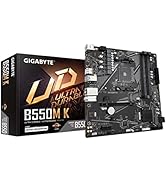
Figure 5: Diagram illustrating the customizable RGB Fusion 2.0 lighting on the graphics card.
6. Údržba
Správná údržba zajistí dlouhou životnost a optimální výkon vaší grafické karty.
- Odstranění prachu: Regularly clean dust from the fans and heatsink using compressed air. Ensure the system is powered off and unplugged before cleaning.
- Aktualizace ovladačů: Keep your graphics drivers updated to the latest version from NVIDIA's official webweb bude moci těžit z vylepšení výkonu a oprav chyb.
- Monitorování teploty: Use monitoring software to keep an eye on GPU temperatures, especially during heavy loads, to ensure the WINDFORCE 3X cooling system is functioning effectively.

Figure 6: Diagram of the WINDFORCE 3X Cooling System, showing the alternate spinning fan design for enhanced heat dissipation.
7. Řešení problémů
Pokud narazíte na problémy s grafickou kartou, postupujte podle následujících běžných kroků pro řešení problémů:
- Bez displeje: Ensure the monitor cables are securely connected to the graphics card and the monitor. Verify the graphics card is properly seated in the PCIe slot and all power connectors are attached.
- Problémy s výkonem: Update your graphics drivers. Check for adequate system cooling and ensure no components are overheating. Verify your power supply meets the recommended wattage.
- Selhání softwaru: Ensure all drivers are up-to-date. Check for game or application updates.
- RGB nefunguje: Ensure GIGABYTE RGB Fusion 2.0 software is installed and running. Check for software updates.
For further assistance, contact GIGABYTE customer support or visit their official webmísto.
8. Specifikace
| Funkce | Specifikace |
|---|---|
| Zpracování grafiky | NVIDIA GeForce RTX 3070 Ti |
| Core Clock | 1830 MHz |
| Hodiny paměti | 19000 MHz |
| Velikost paměti | 8 GB |
| Typ paměti | GDDR6X |
| Paměťová sběrnice | 256bitový |
| Digitální maximální rozlišení | 7680x4320 |
| Video výstupní rozhraní | 2x HDMI 2.1, 2x DisplayPort 1.4 |
| Doporučený PSU | 750W |
| Rozměry (DxŠxV) | 12.6 x 5.08 x 2.17 palce |
| Hmotnost položky | 3.74 libry |

Figure 7: Physical dimensions of the GIGABYTE GeForce RTX 3070 Ti Graphics Card.
9. Záruka a podpora
GIGABYTE offers a 4-year warranty for this product. Online registration is required to activate the full warranty period. Please visit the official GIGABYTE webstránky pro registraci záruky a podrobné obchodní podmínky.
Pro technickou podporu, stažení ovladačů a odpovědi na nejčastější dotazy navštivte stránky podpory GIGABYTE. webmísto:


