Zavedení
Welcome to the VTech Secret Safe Diary Light Show user manual. This interactive diary is designed to provide a secure and engaging platform for children to express themselves, play educational games, and explore creative activities. It features a 2.4-inch color screen, face recognition, voice password protection, a virtual pet, and various learning activities.
Please read this manual thoroughly to ensure proper setup and operation of your device.

Přední view of the VTech Secret Safe Diary Light Show, showcasing its vibrant purple color, floral patterns, and the heart-shaped display area.
Bezpečnostní informace
For your child's safety, please observe the following:
- Veškeré obalové materiály, jako jsou pásky, plastové fólie, zámky obalů, odnímatelné tags, cable ties, and packaging screws, are not part of this toy and should be discarded before use.
- Ujistěte se, že jsou baterie vloženy správně podle vyznačené polarity.
- Nekombinujte staré a nové baterie ani různé typy baterií.
- Vybité baterie okamžitě vyjměte.
- Nevhazujte baterie do ohně.
Nastavení
Instalace baterie
- Locate the battery compartment on the back of the diary.
- Pomocí šroubováku otevřete kryt prostoru pro baterie.
- Insert 4 x AA batteries, ensuring correct polarity (+/-). Batteries are included for demonstration purposes only; new batteries are recommended for regular use.
- Nasaďte kryt prostoru pro baterie a utáhněte šroub.
Počáteční zapnutí
Press the Power button (usually located on the side or front) to turn on the diary. Follow the on-screen prompts for initial setup, including setting the date and time.
Návod k obsluze
Unlocking the Diary
The Secret Safe Diary Light Show offers multiple security options:
- Rozpoznávání obličejů: Position your face in front of the camera when prompted. The diary will unlock if your registered face is recognized. Ensure good lighting for optimal performance.
- Voice Password: Record a unique voice password during setup. Speak your password clearly when prompted to unlock the diary.
- Number Password: Set a numerical password for additional security. Enter this password using the keyboard when prompted.

A child demonstrating the face recognition feature to unlock the diary, showing the interactive cover.
Diary Entries
Navigate to the 'Diary' section to write or record your thoughts. Use the QWERTY keyboard for typing entries or the microphone to record voice memos. You can also apply funny effects to your voice recordings.
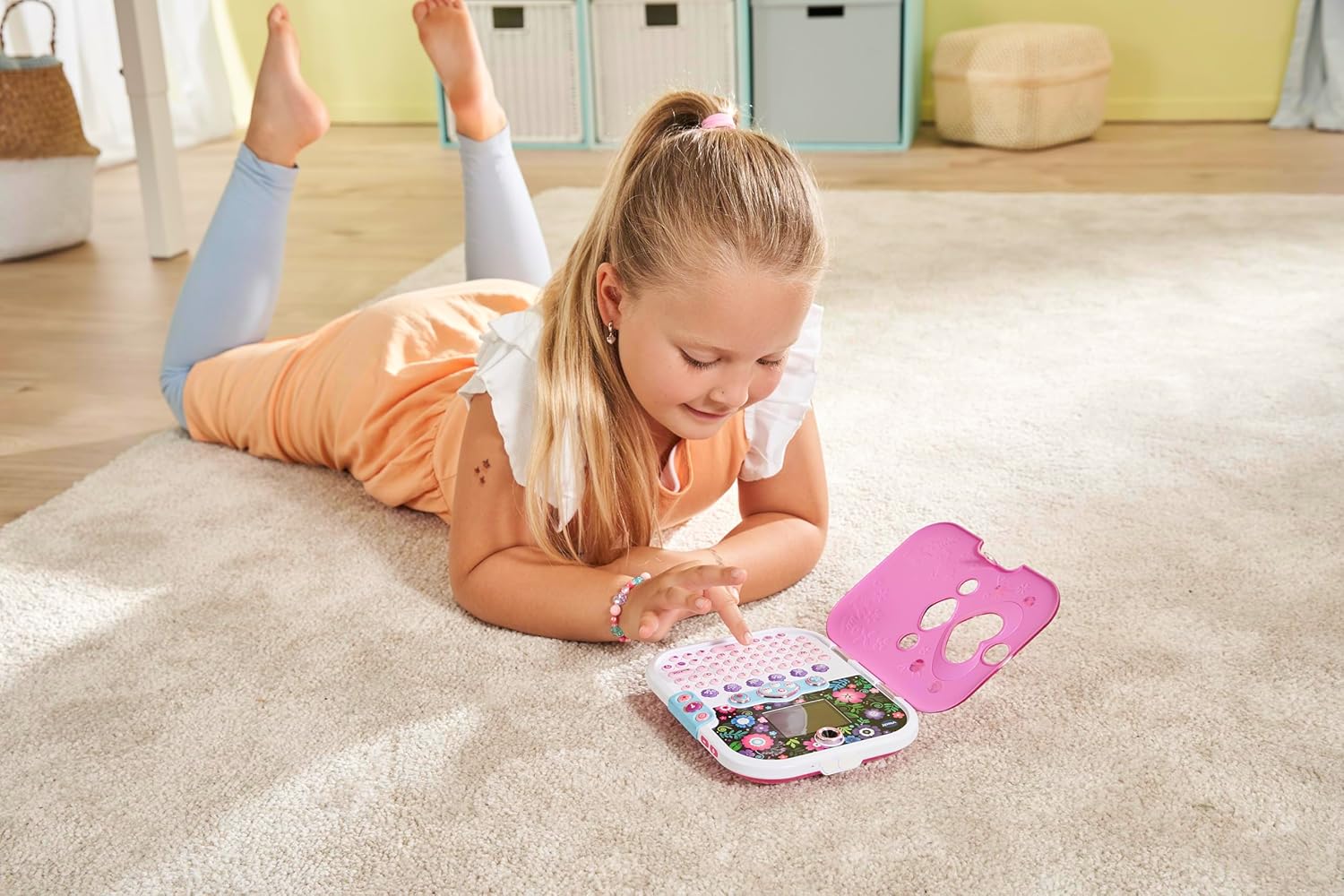
A child engaging with the diary's keyboard, illustrating the process of writing entries or playing games.
Games and Activities
The diary includes various learning activities and games that cover spelling, typing, maths, and logic. Explore the 'Games' menu to discover and play these activities.
Virtual Pet Unicorn
Access the 'Virtual Pet' section to care for your very own unicorn. Feed it, play with it, and watch it grow.
Music Player and Light Show
The diary features a music player. The light effect cover synchronizes with the music, creating an engaging light show. You can add your own music or listen to built-in songs.
Funkce fotoaparátu
Use the integrated cameras to take photos and videos. Navigate to the 'Camera' or 'Photos' section to capture moments and view vaše média.

Detailní view highlighting the 2.4-inch color screen and the two integrated cameras for photos and videos.
Alarm Clock and Secret Drawer
Set an alarm using the 'Alarm Clock' feature. The diary also includes a secret drawer for storing small treasures. Refer to the on-screen instructions for accessing and utilizing these features.

Otevřený view of the diary, revealing the full QWERTY keyboard and the interactive screen with colorful graphics.
Údržba
Čištění
Wipe the diary with a slightly damp cloth. Do not use harsh chemicals or abrasive cleaners. Ensure the device is dry before use.
Skladování
Store the diary in a cool, dry place away from direct sunlight and extreme temperatures. If the device will not be used for an extended period, remove the batteries to prevent leakage.
Odstraňování problémů
- Zařízení se nezapne: Zkontrolujte instalaci baterií a ujistěte se, že jsou nové.
- Rozpoznávání obličeje nefunguje: Ensure adequate lighting and that your face is positioned correctly in front of the camera. Try re-registering your face.
- Zapomenuté heslo: A reset button is located in the battery compartment. Pressing this button will reset the password without erasing photos or data.
- Problémy s obrazovkou: If the screen is unresponsive or displaying incorrectly, try turning the device off and on again. If the problem persists, replace the batteries.
Specifikace
| Funkce | Detail |
|---|---|
| Číslo modelu | 541903 |
| Rozměry produktu | 7.17"D x 5.79"Š x 1.1"V |
| Velikost obrazovky | 2.4 inches (color screen) |
| Zdroj napájení | 4 x AA batteries (included for demo) |
| Speciální funkce | Face Recognition, Voice Password, Number Lock, Dual Cameras, Virtual Pet, Games, Music Player, Alarm Clock, Secret Drawer |
| Doporučený věk | 6-11 roky |
Záruka a podpora
For warranty information or technical support, please refer to the documentation included with your purchase or visit the official VTech webwebu. Uschovejte si účtenku jako doklad o koupi.
For further assistance, you may contact VTech customer service through their official channels.


