1. Úvod
Thank you for choosing the Moultrie MCG-14001 A-900 Game and Trail Camera. This manual provides essential information for setting up, operating, and maintaining your camera to ensure optimal performance. The A-900 camera is designed for outdoor surveillance, featuring a 30 MP resolution, a rapid 0.4-second trigger speed, and 1280x720 HD video recording capabilities. Its Illumi-Night Sensor enhances nighttime image clarity, and the 70-foot flash range ensures clear captures at a distance. Please read this manual thoroughly before use.
2. Nastavení
2.1 Vybalení a komponenty
Před zahájením se ujistěte, že jsou přítomny všechny komponenty:
- Moultrie A-900 Game Camera
- Heavy-duty Camera Strap
- 16GB SD karta
- 8 AA baterie

Image 2.1: The Moultrie A-900 Game Camera shown with the included 16GB SD card and 8 AA batteries.
2.2 Instalace baterie
- Otevřete západku krytu kamery.
- Najděte přihrádku na baterie.
- Vložte 8 baterie AA, dbejte na správnou polaritu (+/-).
- Bezpečně uzavřete přihrádku na baterie.
2.3 Vložení SD karty
- S otevřeným krytem kamery vyhledejte slot pro SD kartu.
- Insert the 16GB SD card into the slot until it clicks into place. Ensure the card is oriented correctly.
- Chcete-li kartu vyjmout, jemně na ni zatlačte.
2.4 Montáž fotoaparátu
The camera can be mounted using the provided heavy-duty strap.
- Thread the strap through the mounting slots on the back of the camera.
- Secure the camera to a tree or post at the desired height and angle.
- Ujistěte se, že je kamera stabilní a namířená na oblast, kterou chcete monitorovat.
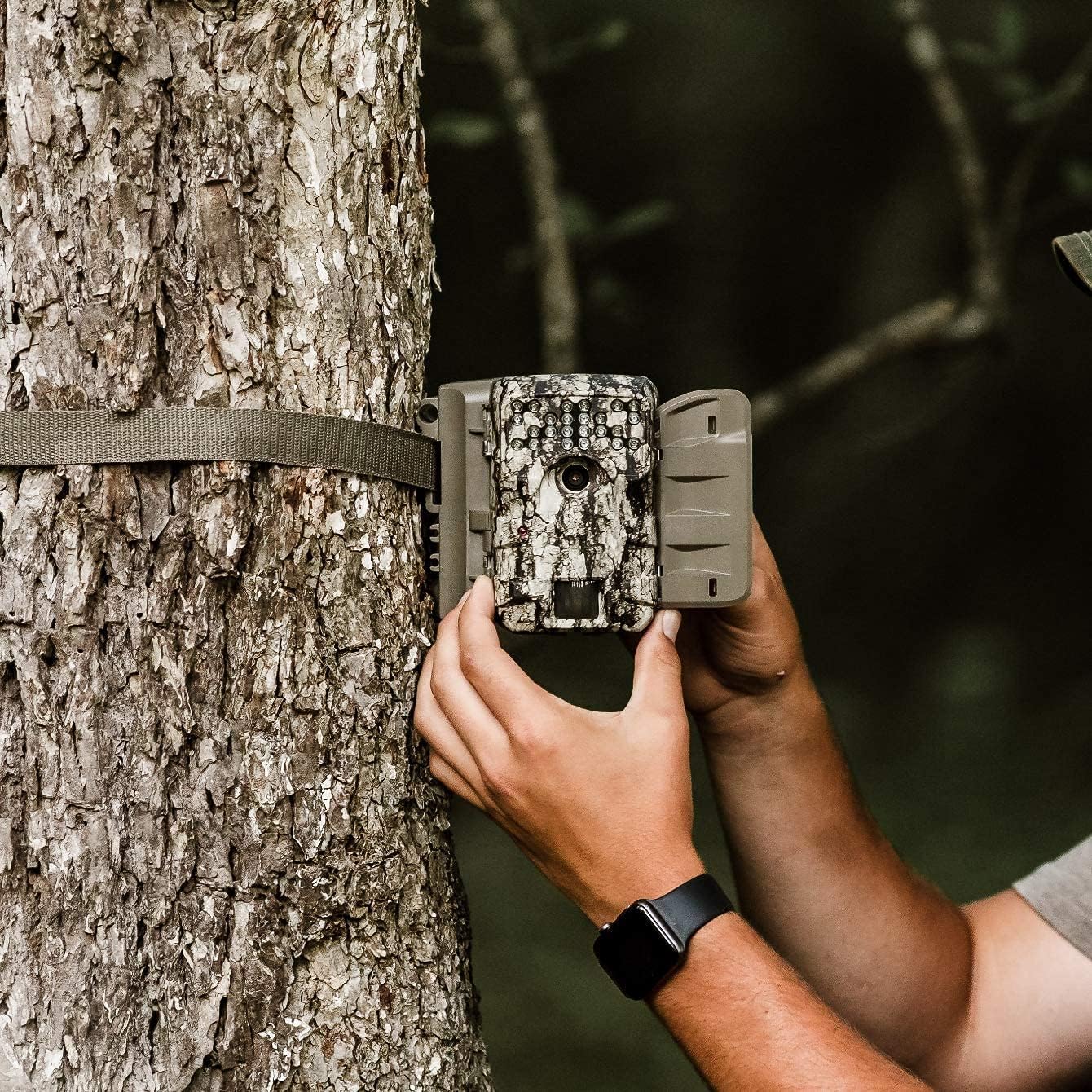
Image 2.2: A user demonstrating the process of securing the camera to a tree.

Image 2.3: The Moultrie A-900 Game Camera shown securely mounted to a tree, ready for operation.
2.5 První zapnutí
After installing batteries and the SD card, close the camera housing. Power on the camera using the designated power switch. The camera will perform a self-check and enter standby mode.
3. Návod k obsluze
3.1 Základní provozní režimy
The A-900 camera offers several capture options:
- Režim fotografie: Zachycuje statické snímky.
- Režim videa: Records 1280x720 HD video clips.
- Režim foto + video: Pořídí statický snímek a následně videoklip.
Refer to the camera's internal menu for selecting and configuring these modes.
3.2 Capture Options
Within Photo Mode, you can configure the number of photos taken per trigger event:
- 1 Photo: Takes a single image per trigger.
- Fotografie z roku 3: Takes three consecutive images per trigger.
Image resolution can also be set to either low or high resolution for both single and multiple photo captures.
3.3 Illumi-Night Sensor and Night Vision
The camera is equipped with an Illumi-Night Sensor to produce bright and clear images during nighttime operation. This feature automatically activates in low-light conditions, utilizing the 70-foot flash range to illuminate subjects.
3.4 Funkce pohybového senzoru
The integrated motion sensor detects movement within its range, triggering the camera to capture images or videos. The 0.4-second trigger speed ensures that fast-moving subjects are captured effectively. Adjust the sensor sensitivity in the camera settings if needed.
4. Údržba
4.1 Výměna baterie
When the battery indicator shows low power, replace all 8 AA batteries with new ones. Always use high-quality alkaline or lithium batteries for best performance and longevity.
4.2 Správa SD karty
Regularly check the SD card capacity. It is recommended to format the SD card periodically using the camera's menu function to ensure optimal performance and prevent data corruption. Always back up important files před formátováním.
4.3 Čištění fotoaparátu
To maintain image quality, periodically clean the camera lens and the motion sensor window with a soft, lint-free cloth. For the camera housing, use a damp cloth to wipe away dirt and debris. Do not use abrasive cleaners or solvents.
5. Řešení problémů
| Problém | Možná příčina | Řešení |
|---|---|---|
| Kamera se nezapíná | Vybité nebo nesprávně nainstalované baterie | Vyměňte baterie, zkontrolujte polaritu |
| Špatná kvalita obrazu | Špinavý objektiv, slabé osvětlení, nesprávné nastavení | Clean lens, check Illumi-Night settings, adjust resolution |
| Pohybový senzor se neaktivuje | Obstruction, incorrect sensitivity, out of range | Clear sensor path, adjust sensitivity, reposition camera |
| Chyba SD karty | Card full, corrupted, or incompatible | Format SD card (backup data first), replace with compatible card |
V případě problémů, které zde nejsou uvedeny, se prosím podívejte na sekci Záruka a podpora, kde najdete kontaktní informace.
6. Specifikace
- Rezoluce: 30 megapixelů
- Rychlost spouštění: 0.4 sekund
- Rozlišení videa: 1280x720 HD
- Rozsah blesku: 70 stop
- Senzor: Illumi-Night Motion Sensor
- Skladování: Podporuje až 16GB SD kartu
- Moc: 8 AA Batteries (not included in all bundles)
- Používání: Venkovní
- Speciální vlastnosti: Pohybový senzor, noční vidění
7. Záruka a podpora
Moultrie products are manufactured to high-quality standards. For specific warranty details, please refer to the warranty card included with your product or visit the official Moultrie website. If you encounter any issues or require technical assistance, please contact Moultrie customer support through their official channels. Keep your purchase receipt as proof of purchase for warranty claims.


