
Zavedení
This manual provides detailed instructions for the setup, operation, and maintenance of your Explore Scientific Projection Radio Controlled Clock with Weather Forecast Display and Outdoor Sensor, Model RPW3008CM3000. Please read these instructions carefully before using the device to ensure proper function and longevity.
Obsah balení
- 1x Explore Scientific Projection Radio Controlled Clock (Main Unit)
- 1x Bezdrátový venkovní senzor
- Batteries (for main unit and sensor)
- Uživatelská příručka
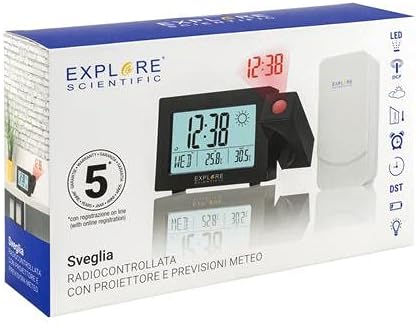
Image: The product packaging, displaying the main clock unit, the outdoor sensor, and branding.
Konec produktuview
The Explore Scientific Projection Radio Controlled Clock features a digital time display, weather forecast, and an outdoor temperature sensor. It includes dual alarms, a 180° time projection, and a backlight for enhanced visibility.

Obrázek: Přední strana view of the clock displaying time, day, indoor temperature, and outdoor temperature, along with weather icons.

Image: Technical drawing showing the dimensions of the clock unit in millimeters.
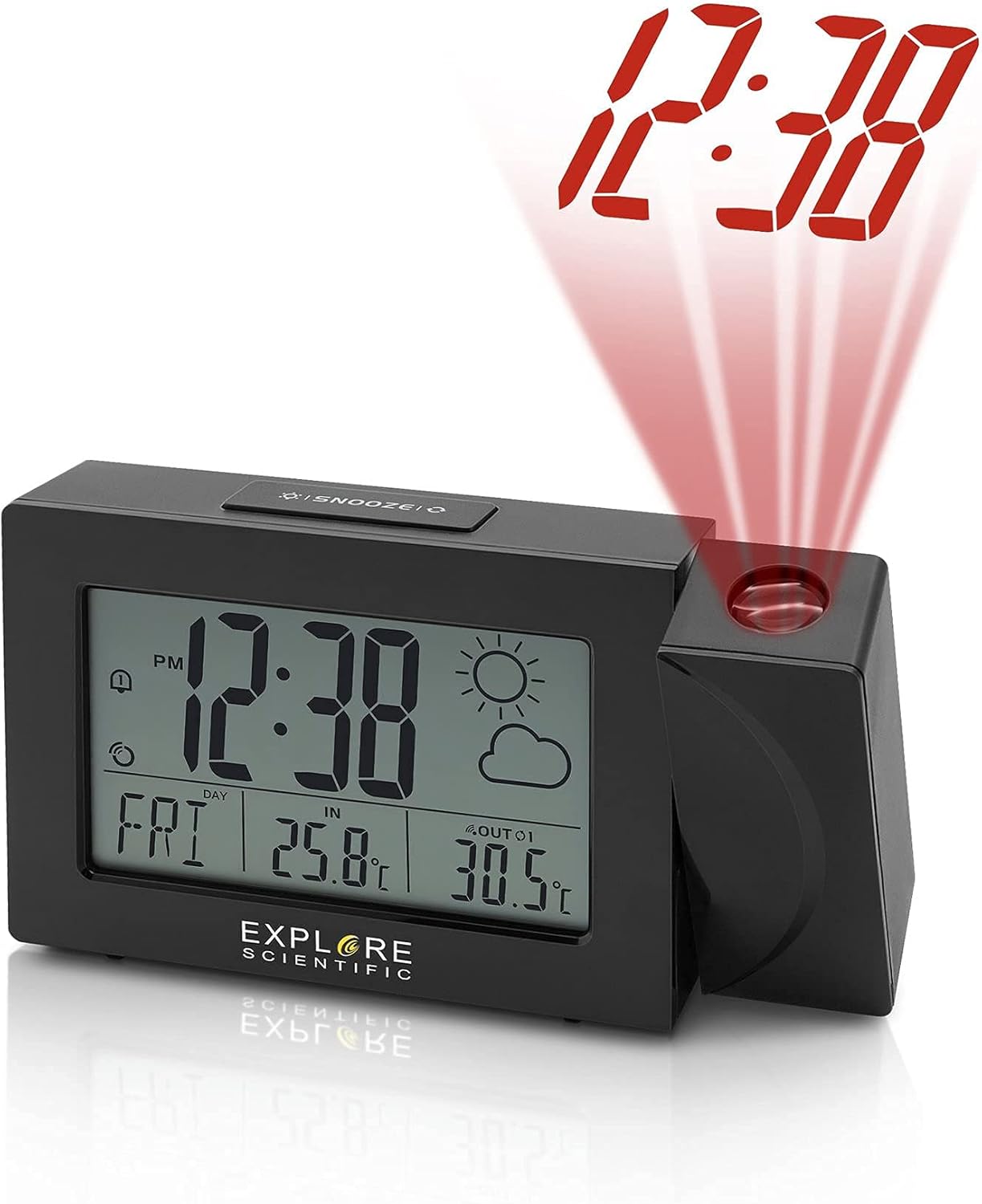
Image: The clock unit with its projection arm extended, showing the time '12:38' projected in red light.

Image: The clock placed on a shelf, projecting the time '12:38' onto a nearby wall.

Obrázek: Zadní view of the clock, highlighting the battery compartment and control buttons for time, alarm, and settings.

Obrázek: Nahoře view of the clock, clearly showing the 'SNOOZE' button.
Nastavení
- Instalace baterie:
- Open the battery compartment on the back of the main clock unit.
- Insert the required batteries, observing the correct polarity (+/-).
- Zavřete přihrádku na baterie.
- Repeat this process for the wireless outdoor sensor.
- Počáteční zapnutí:
Once batteries are inserted, the clock will power on and begin searching for the Radio Controlled (RC) signal (WWVB in North America). This process may take several minutes or up to 24 hours depending on signal strength and location. Place the clock near a window for better reception.
- Outdoor Sensor Pairing:
The main unit will automatically attempt to connect with the outdoor sensor. Ensure the sensor is placed within range (typically up to 30 meters/100 feet in open air) and away from major metallic objects or electronic interference. If pairing does not occur automatically, refer to the troubleshooting section.
- Umístění:
Position the main clock unit indoors on a flat surface. Place the outdoor sensor in a shaded, dry location outdoors, protected from direct sunlight and rain, to ensure accurate temperature readings.
Návod k obsluze
Nastavení času a data
- Radio Controlled Time (WWVB): The clock automatically synchronizes with the WWVB signal for accurate time. The signal icon will indicate successful reception.
- Manuální nastavení času: If the RC signal is unavailable, press and hold the 'TIME SET' button (often marked with a clock icon) to enter manual time setting mode. Use the '+' and '-' buttons to adjust hours, minutes, year, month, and day. Press 'TIME SET' again to confirm each setting.
- 12/24hodinový formát: Press the '+' button during normal time display to switch between 12-hour (with AM/PM indicator) and 24-hour formats.
- Weekday Language: Press and hold the 'LANGUAGE' button (if available, or often combined with other settings) to cycle through English (EN), German (GE), French (FR), Italian (IT), and Dutch (DU).
Nastavení alarmu
- Nastavení budíků: Press the 'ALARM' button (often marked with a bell icon) to view Alarm 1. Press and hold 'ALARM' to enter Alarm 1 setting mode. Use '+' and '-' to adjust the alarm time. Press 'ALARM' to confirm. Repeat for Alarm 2.
- Aktivace/deaktivace alarmů: Press 'ALARM' repeatedly to toggle Alarm 1 ON/OFF, then Alarm 2 ON/OFF. An alarm icon will appear on the display when active.
- Funkce odložení: When an alarm sounds, press the 'SNOOZE' button (located on top) to temporarily silence the alarm for a few minutes. The alarm will sound again after the snooze period.
Weather and Temperature Display
- Jednotky teploty: Press the '°C/°F' button (often combined with '+' or '-') to switch between Celsius and Fahrenheit display for both indoor and outdoor temperatures.
- Předpověď počasí: The clock displays a weather forecast icon (e.g., sunny, cloudy, rainy) based on changes in atmospheric pressure. This is a prediction and may not always match current conditions precisely.
- Multiple Outdoor Sensors: If you have additional compatible sensors (up to 3 supported), press the 'CHANNEL' button (often combined with '+') to cycle through the outdoor sensor readings.
Projekční funkce
- Activating Projection: Press the 'PROJECTION' button (or a dedicated button near the projector lens) to turn the time projection ON/OFF.
- Otočení o 180°: The projection arm can be rotated 180 degrees to adjust the projection angle. The projected time can also be flipped 180 degrees digitally by pressing the projection button repeatedly to ensure correct orientation on the wall or ceiling.
- Nastavení zaostření: Rotate the focus ring on the projector lens to sharpen the projected image.
Podsvícení
- Press the 'LIGHT' or 'SNOOZE' button to activate the display backlight for a few seconds.
Údržba
- Čištění: Wipe the clock and sensor with a soft, damp tkanina. Nepoužívejte abrazivní čisticí prostředky nebo rozpouštědla.
- Výměna baterie: Replace batteries in both the main unit and outdoor sensor when the low battery indicator appears on the display. Use fresh batteries of the specified type.
- Skladování: Pokud zařízení skladujete delší dobu, vyjměte všechny baterie, abyste zabránili jejich vytečení.
Odstraňování problémů
| Problém | Možná příčina | Řešení |
|---|---|---|
| Žádný displej nebo tlumený displej | Slabé nebo vybité baterie; nesprávná polarita baterií. | Vyměňte baterie za nové, dbejte přitom na správnou polaritu. |
| No RC time signal (WWVB) | Interference; poor reception area; signal not yet received. | Move the clock closer to a window; avoid electronic devices; allow up to 24 hours for signal acquisition. Manually set time if necessary. |
| Venkovní teplota se nezobrazuje nebo je nesprávná | Sensor out of range; sensor batteries low; interference; sensor not paired. | Ensure sensor is within range; replace sensor batteries; re-pair sensor (refer to setup); avoid placing sensor in direct sunlight. |
| Projekce je rozmazaná | Zaostření není upraveno. | Otáčejte zaostřovacím kroužkem na objektivu projektoru, dokud nebude obraz jasný. |
Specifikace
- Číslo modelu: RPW3008CM3000
- UPC: 811803033238
- Typ displeje: Digitální
- Formát času: 12/24 Hour Selectable
- Weekday Display: 5 Languages (EN, GE, FR, IT, DU)
- Rozsah vnitřní teploty: 23 °F až 122 °F (-5 °C až 50 °C)
- Rozsah venkovních teplot: -4 °F až 140 °F (-20 °C až 60 °C)
- Jednotky teploty: ° F/° C přepínatelné
- Rádiové ovládání: NIST WWVB Receiver
- Projekce: Time with 180° Flip
- Budíky: Dual Alarms with Snooze
- Podsvícení: Ano
- Outdoor Sensor Support: Up to 3 sensors (1 included)
- Zdroj napájení: Battery Powered (Batteries included)
- Materiál: Akrylonitril-butadien-styren
- Typ montáže: Stolní deska
Záruka a podpora
Explore Scientific products are designed for quality and reliability. This product is covered by a manufacturer's warranty. For specific warranty terms, registration, or technical support, please refer to the warranty card included in your package or visit the official Explore Scientific webstránky. Uschovejte si prosím doklad o koupi pro případ reklamace.
GTIN: 00811803033238


