1. Úvod
The Qilmy 1080P Wireless WiFi Home Security Camera is designed to provide reliable surveillance for your home. This device combines a high-definition camera with motion detection, night vision, and remote viewing capabilities, all integrated into a standard light bulb form factor for easy installation. This manual will guide you through the installation, setup, and operation of your new security camera.
2. Klíčové vlastnosti
- Rozlišení Full HD 1080P: Poskytuje jasné a podrobné video footage.
- Bezdrátové WiFi připojení: Easy connection to your home network for remote access.
- Motion Detection & Instant Alarm: Automatically detects movement and sends alerts to your connected device.
- Jasné noční vidění: Zajišťuje viditelnost za zhoršených světelných podmínek.
- Vzdálený Viewing: Monitor your property from anywhere using a smartphone app.
- Integrated Flood Light: Features 3 built-in flood lights that can activate automatically upon motion detection.
- Snadná instalace: Screws into a standard E27 light socket.
- Slot pro kartu Micro SD: Pro lokální ukládání nahrávek.

Obrázek: Overview of the Qilmy Home Security Camera's key features, including 1080P resolution, video recording, 360 panoramic viewing, Wi-Fi connection, light function, motion detection, remote viewing, and Micro SD card slot.
3. Co je v krabici
- Qilmy 1080P Wireless WiFi Home Security Camera (Bulb-shaped)
- E27 Light Socket Adapter (for mounting)
- Montážní šrouby a nástěnné hmoždinky
- Rychlý průvodce

Image: Contents of the Qilmy Home Security Camera package, showing the camera, an E27 socket adapter, mounting hardware, and a quick start guide.
4. Nastavení
4.1 Fyzická instalace
- Vyberte umístění: Select a location with a standard E27 light socket that provides the desired viewúhlu a je v dosahu vaší 2.4GHz Wi-Fi sítě.
- Vypnout: Před instalací se ujistěte, že je napájení objímky světla vypnuto jističem.
- Instalace fotoaparátu: Carefully screw the Qilmy security camera into the E27 light socket. If no existing socket is available, use the provided E27 adapter and mounting hardware to install it on a wall or ceiling.
- Zapnutí: Restore power to the light socket. The camera will power on and emit a voice prompt indicating it is ready for configuration.

Image: A person's hands installing the Qilmy Home Security Camera into a ceiling light fixture, demonstrating its easy and quick installation process.
4.2 Připojení k Wi-Fi a nastavení aplikace
- Stáhnout aplikaci: Download the recommended mobile application (e.g., "iCSee" or similar as indicated in the Quick Start Guide) from your smartphone's app store.
- Vytvořit účet: Open the app and register a new user account if you don't already have one.
- Přidat zařízení: Follow the in-app instructions to add a new device. This typically involves scanning a QR code on the camera or selecting the device type and following prompts.
- Připojení k Wi-Fi: Connect the camera to your 2.4GHz Wi-Fi network. Ensure your smartphone is also connected to the same 2.4GHz network during the setup process.
- Konfigurace: The camera will confirm successful connection with a voice prompt. Once connected, you can access live video and adjust settings through the app.

Image: A smartphone displaying the live feed from the Qilmy Home Security Camera, illustrating Wi-Fi connection and remote viewing capabilities from anywhere, anytime.
5. Návod k obsluze
5.1 Živě Viewnahrávání a nahrávání
- Otevřete mobilní aplikaci pro view the live feed from your camera.
- Pomocí rozhraní aplikace můžete ručně nahrávat video nebo pořizovat snímky obrazovky.
- Přístup zaznamenán footage stored on the Micro SD card or cloud storage (if subscribed).
5.2 Detekce pohybu a upozornění
- Povolte detekci pohybu v nastavení aplikace.
- Upravte úrovně citlivosti, abyste minimalizovali falešné poplachy.
- Dostávejte okamžitá push upozornění na svůj smartphone, když je detekován pohyb.
- The camera can automatically activate its floodlights and siren alarm upon detecting motion, deterring intruders.
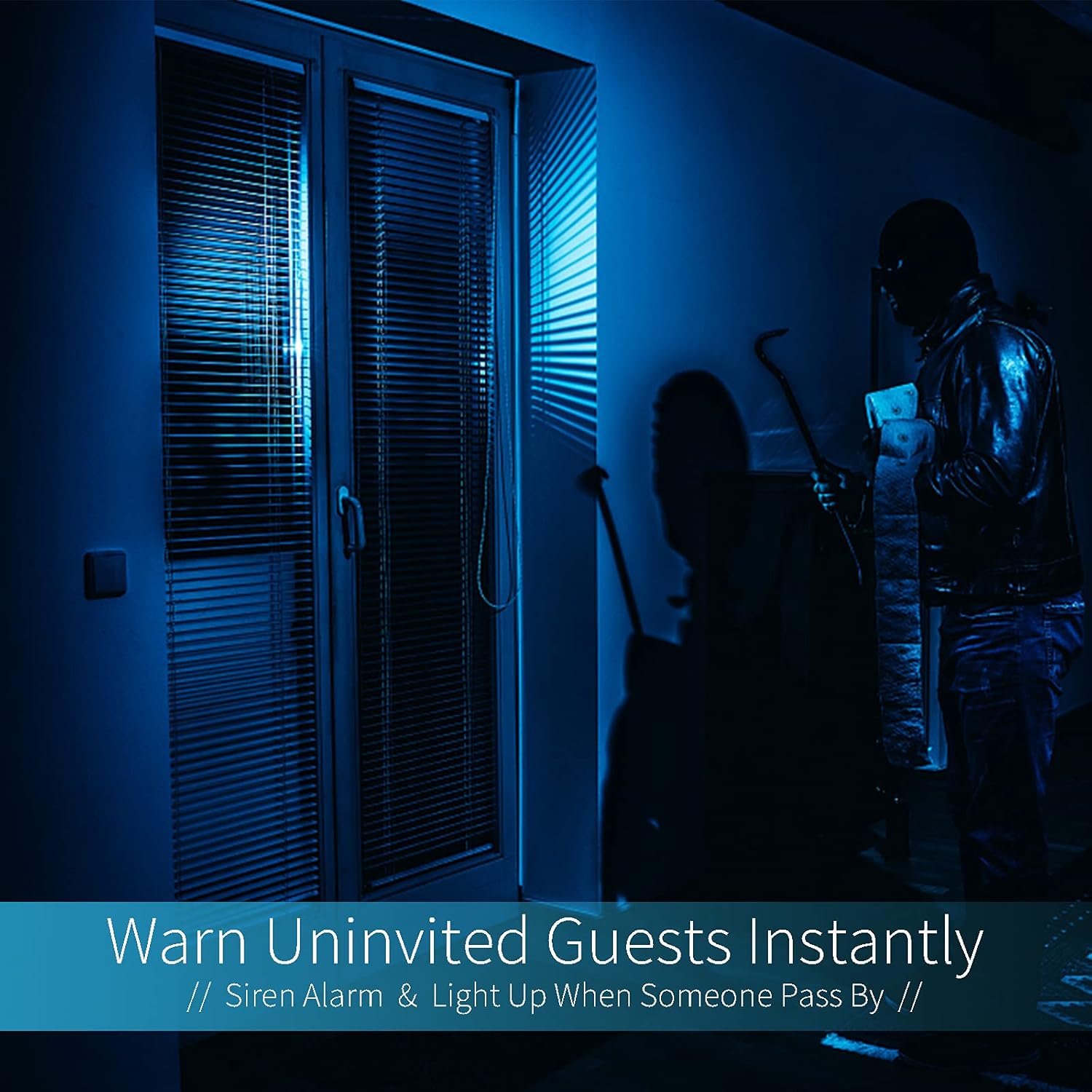
Image: A dark room with a security camera's light illuminating a figure, depicting the camera's ability to warn uninvited guests instantly with a siren alarm and light activation upon motion detection.
5.3 Funkce světla
- The camera features built-in floodlights.
- Control the floodlights manually through the app.
- Configure the floodlights to turn on automatically when motion is detected, especially during nighttime.

Image: A comparison of a standard light bulb and the Qilmy Home Security Camera, highlighting its dual function as both a light bulb and a security camera with 3W consumption.
6. Údržba
- Čištění: Jemně otřete objektiv a tělo fotoaparátu měkkým, suchým hadříkem. Nepoužívejte agresivní chemikálie ani abrazivní čisticí prostředky.
- Aktualizace firmwaru: Pravidelně kontrolujte mobilní aplikaci, zda nejsou k dispozici aktualizace firmwaru, abyste zajistili optimální výkon a zabezpečení.
- Správa SD karet: Pokud používáte kartu Micro SD, pravidelně jiview a smazat staré footage to free up space, or enable loop recording if supported by the app.
- Stabilita sítě: Ensure your Wi-Fi network is stable and strong for uninterrupted camera operation.
7. Řešení problémů
| Problém | Možná příčina | Řešení |
|---|---|---|
| Fotoaparát se nezapíná. | No power to the light socket; camera not screwed in properly. | Check the circuit breaker. Ensure the camera is securely screwed into the E27 socket. |
| Nelze se připojit k Wi-Fi. | Nesprávné heslo k Wi-Fi; kamera je příliš daleko od routeru; použita je síť Wi-Fi 5 GHz. | Verify Wi-Fi password. Move camera closer to router. Ensure you are connecting to a 2.4GHz Wi-Fi network. |
| Žádná upozornění na detekci pohybu. | Motion detection disabled; sensitivity too low; app notifications blocked. | Enable motion detection in the app. Increase sensitivity. Check app notification settings on your phone. |
| Špatná kvalita videa. | Slabý signál Wi-Fi; špinavý objektiv. | Zlepšete sílu signálu Wi-Fi. Očistěte objektiv fotoaparátu měkkým hadříkem. |
| Vzdálený viewnefunguje to. | Internet connection issue on camera or phone; app not updated. | Check internet connectivity for both camera and phone. Update the app to the latest version. |
8. Specifikace
- Číslo modelu: ZXL2023011
- Rozlišení záznamu videa: 1080p Full HD
- Technologie připojení: Bezdrátové (Wi-Fi)
- Technologie bezdrátové komunikace: Wi-Fi (pouze 2.4 GHz)
- Zdroj napájení: AC/DC (E27 light socket)
- Wattage: 3 wattů
- Speciální vlastnosti: Motion Sensor, Night Vision, Integrated Flood Light
- Form Factor: Dome (Bulb-shaped)
- Typ montáže: Wall Mount (via E27 adapter)
- Rozměry položky (D x Š x V): 6.45 x 4.1 x 3.54 palce
- Hmotnost položky: 7.8 unce (222 gramů)
- Hodnocení mezinárodní ochrany: IP67
- Kompatibilní zařízení: Smartphone
- UPC: 605660998393
9. Záruka a podpora
Specific warranty information and detailed support contact details are typically provided with the product packaging or on the manufacturer's official website. Please refer to the documentation included with your purchase for the most accurate and up-to-date warranty terms and customer support options.