1. Úvod
The Numark Party Mix Live is an all-in-one compact DJ controller designed for intuitive mixing and dynamic performance. It features built-in speakers, integrated lighting effects, and seamless integration with Serato DJ Lite, making it suitable for both beginners and experienced DJs. This manual provides essential information for setting up, operating, and maintaining your device.

Figure 1: Numark Party Mix Live DJ Controller overview.
2. Nastavení
2.1 Obsah balení
- Party Mix Live DJ Controller
- USB kabel
- Napájecí adaptér
- Software Download Card (for Serato DJ Lite)
- Rychlý návod
2.2 Připojení ovladače
- Připojení napájení: Connect the included power adapter to the Party Mix Live and then to a power outlet.
- USB připojení: Connect the Party Mix Live to your computer (Mac or Windows) using the provided USB cable. This connection facilitates data transfer and control.
- Zvukový výstup:
- Hlavní výstup: Use a 1/8-inch (3.5mm) stereo cable to connect the main output of the Party Mix Live to your external speakers or sound system.
- Sluchátkový výstup: Plug your DJ headphones into the 1/8-inch (3.5mm) headphone jack for private monitoring.
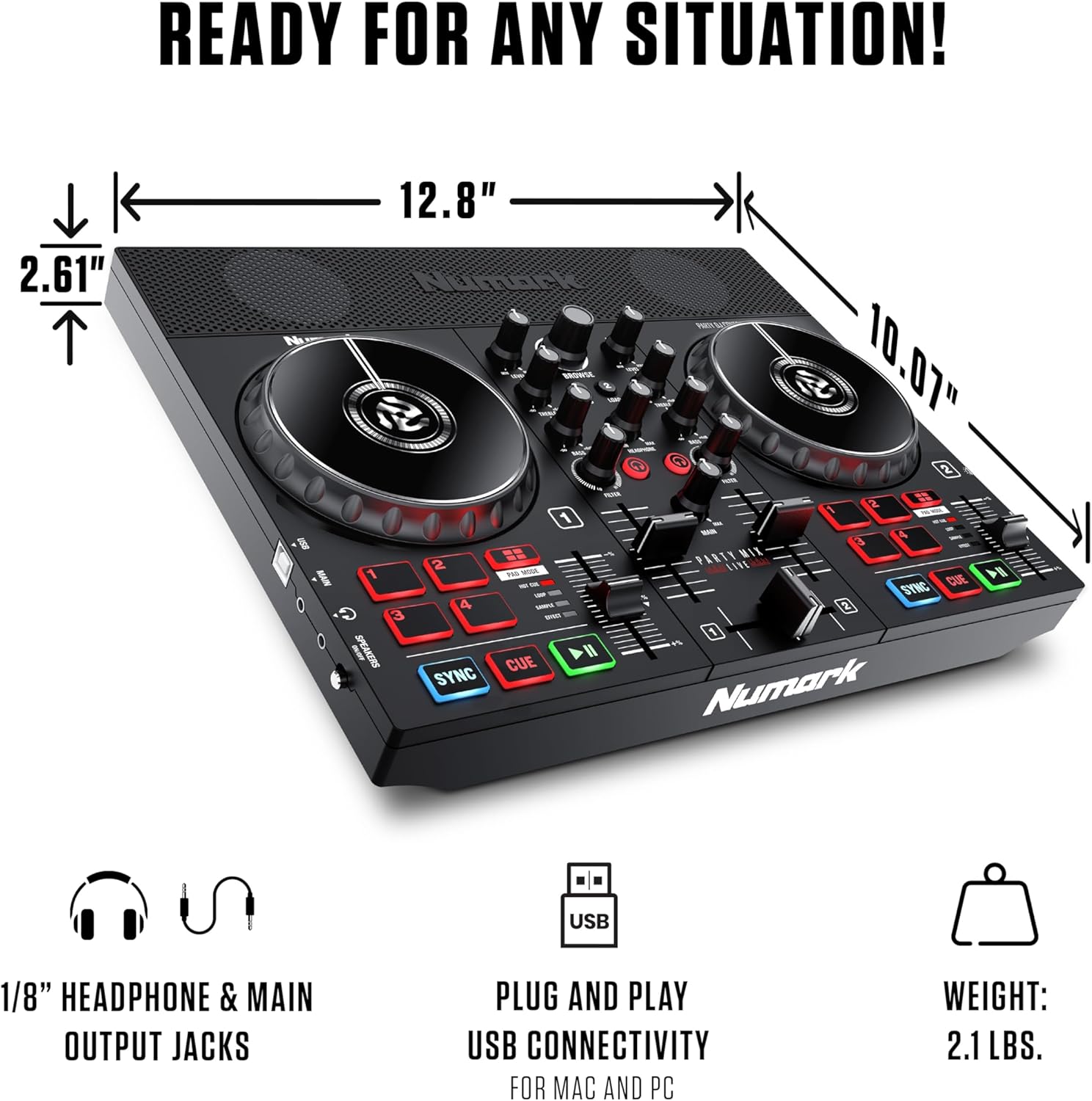
Obrázek 2: Zadní view showing USB and audio connections.
2.3 Instalace softwaru
The Party Mix Live includes Serato DJ Lite software. Follow these steps to install:
- Navštivte Serato website (serato.com/dj/lite/downloads) and download the latest version of Serato DJ Lite.
- Nainstalujte software podle pokynů na obrazovce.
- Once installed, launch Serato DJ Lite. The software should automatically detect your Party Mix Live controller.
3. Operating the Party Mix Live
The Party Mix Live offers a comprehensive set of controls for mixing and performance. Familiarize yourself with the layout:

Obrázek 3: Detailní view of the controller's top panel with labeled controls.
3.1 Basic DJ Controls
- Jogová kola: Large, touch-sensitive jog wheels allow for scratching, nudging, and track searching.
- Play/Pause & Cue Buttons: Control track playback and set cue points.
- Tlačítko synchronizace: Automatically matches the BPM (beats per minute) of tracks for seamless transitions.
- Posuvníky výšky tónu: Adjust the tempo of each track manually.
3.2 Mixer Functions
- 2pásmový EQ: Adjust the high and low frequencies for each deck to shape your sound.
- Knoflíky filtru: Apply high-pass or low-pass filters to create dynamic effects.
- Crossfader: Blend between the two decks.
- Knoflíky úrovně: Control the individual volume of each deck.
- Main Gain Control: Adjust the overall output volume of the controller.
3.3 výkonnostních podložek
The Party Mix Live features four performance pads per deck, offering various functions:
- Hot Cue: Set and trigger instant cue points in your tracks.
- Smyčka: Create and trigger automatic loops of various lengths.
- Sampler: Přednastavené spouštěčeamples or create your own.
- Účinek: Aplikujte na své stopy různé efekty.
3.4 Integrované světelné efekty
The built-in multi-colored LEDs provide a beat-synced light show, enhancing your performance environment.
- Přepínač světelného režimu: Cycle through different lighting modes to suit your preference.
- The lights automatically sync to the beat of your music.

Figure 4: Close-up of the integrated multi-colored LED lights.
3.5 Vestavěné reproduktory
The Party Mix Live includes 10W stereo speakers for immediate audio playback, ideal for practice or small gatherings.
- Speaker On/Off Switch: Allows for private headphone monitoring without external sound.
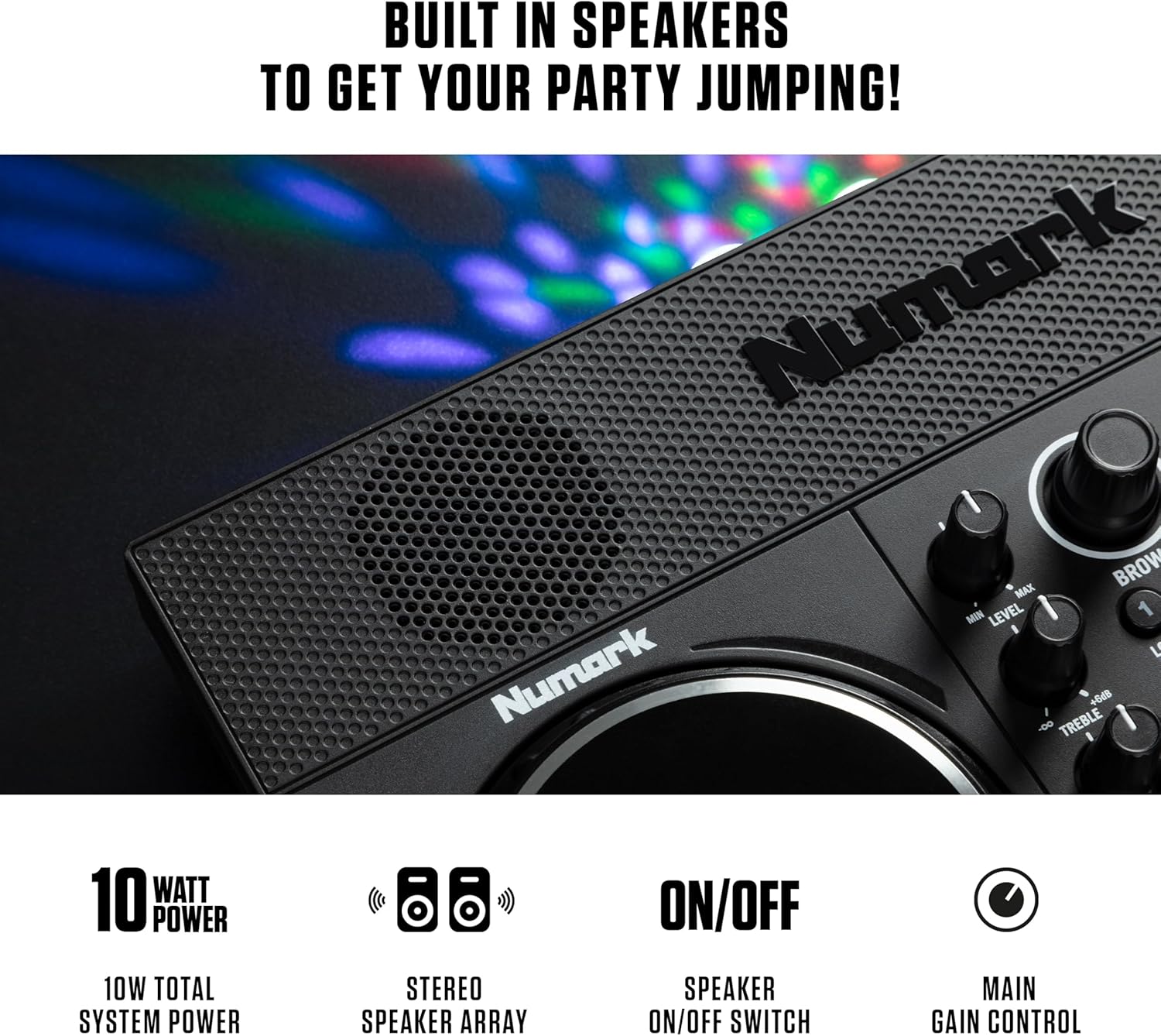
Figure 5: Detail of the built-in stereo speakers.
3.6 Streamování hudby
Serato DJ Lite provides access to millions of tracks from leading streaming platforms:
- Apple Music
- TIDAL
- SoundCloud GO
- Beatport Link
- Beatsource Link

Figure 6: Serato DJ Lite interface showing integrated streaming services.
3.7 Official Product Video: DJ Controller with Lights & Speakers
Video 1: An official video from inMusic Brands Inc. showcasing the Numark Party Mix Live DJ Controller, highlighting its built-in lights and speakers. This video demonstrates the product's features and functionality in a dynamic setting.
3.8 Official Product Video: DJ Set for Beginners with Built-In DJ Lights
Video 2: An official video from inMusic Brands Inc. demonstrating the Numark Party Mix Live as a beginner-friendly DJ set, emphasizing its ease of use and integrated lighting features.
4. Údržba
Proper maintenance ensures the longevity and optimal performance of your Party Mix Live.
- Čištění: Use a soft, dry cloth to clean the exterior of the controller. Avoid abrasive cleaners or solvents.
- Skladování: Regulátor skladujte na chladném a suchém místě mimo dosah přímého slunečního záření a extrémních teplot.
- Péče o kabely: Abyste předešli poškození, vyhněte se nadměrnému ohýbání nebo krimpování kabelů.
5. Řešení problémů
If you encounter issues with your Party Mix Live, refer to the following common solutions:
- Bez napájení: Ujistěte se, že je napájecí adaptér bezpečně připojen k ovladači i k funkční zásuvce.
- Žádný zvuk:
- Check all audio cable connections (main output to speakers, headphones).
- Verify that the volume levels on the controller, software, and external speakers are turned up.
- Ensure the built-in speaker switch is in the correct position if using internal speakers.
- Software nerozpoznává řadič:
- Ujistěte se, že je kabel USB pevně připojen.
- Restartujte Serato DJ Lite a/nebo počítač.
- Check for updated drivers for the controller on the Numark webmísto.
- Světla nefungují: Ensure the controller is powered on and check the light mode switch.
6. Specifikace
| Funkce | Specifikace |
|---|---|
| Značka | Numark |
| Model | Party Mix živě |
| Hmotnost položky | 2.87 libry (1.3 kg) |
| Rozměry produktu | 18.9 x 20.51 x 17.91 palce (48 x 52.1 x 45.5 cm) |
| Výstupní Wattage | 10 Watts (Built-in Speakers) |
| Konektivita | USB, 1/8-inch Main Output, 1/8-inch Headphone Output |
| Software v ceně | Serato DJ Lite |
| Integrované funkce | Built-in Speakers, Beat-Synced LED Light Show |
7. Záruka a podpora
The Numark Party Mix Live DJ Controller comes with a manufacturer's warranty. Please refer to the warranty card included in your package for specific terms and conditions.
For technical support, product registration, or additional resources, please visit the official Numark webnebo kontaktujte jejich oddělení zákaznických služeb.
- Oficiální Webmísto: www.numark.com
- Podpora: Viz sekci podpory na oficiálním webu. webmísto pro často kladené otázky, průvodce řešením problémů a kontaktní informace.


