1. Konec produktuview
The DBPOWER L22 projector is designed for home entertainment, offering a high-quality viewing experience with its advanced features. This manual will guide you through its functions and ensure optimal performance.
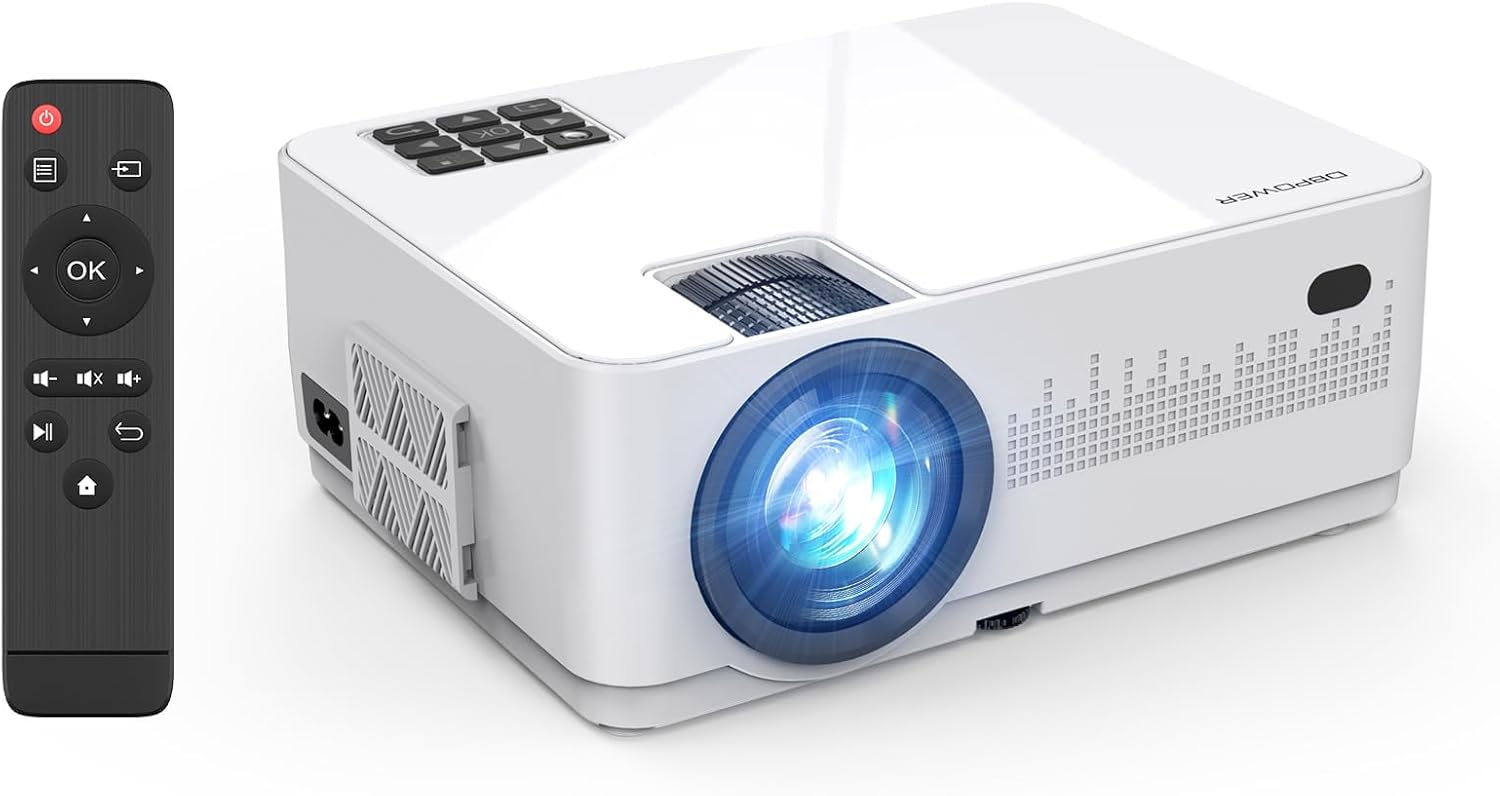
Image 1.1: The DBPOWER L22 projector and its remote control.
Klíčové vlastnosti:
- WiFi & Wired Connectivity: Supports both wireless screen mirroring for iOS and Android devices, and wired connections via USB cable.
- High Brightness & Native 720P: Delivers clear images with 8000 lumens brightness and a native 720P resolution, supporting 1080P Full HD input.
- Included 100-inch Screen: Comes with a dedicated 100-inch screen for immediate use, ideal for outdoor campcestování nebo cestování.
- Dual Built-in Speakers & Efficient Cooling: Features two internal speakers for immersive sound and an optimized cooling system to extend product lifespan.
- Široká kompatibilita: Equipped with AV, USB, VGA, and HDMI ports, compatible with smartphones, tablets, PCs, DVD players, game consoles, and TV sticks.
- Keystone Correction & Focus Function: Manual ±15° vertical keystone correction and focus adjustment for clear image projection.

Obrázek 1.2: Konecview of DBPOWER L22 projector's main features.
2. Pokyny k nastavení
2.1 Počáteční nastavení
- Before starting the projector, remove the lens protection cover.
- Ensure the remote control has two new AAA batteries installed.
- Connect the power cable to the projector and a power outlet.
- Stisknutím tlačítka napájení na projektoru nebo dálkovém ovladači jej zapněte.
2.2 Zaostření a korekce lichoběžníkového zkreslení
Pro dosažení jasného a obdélníkového obrazu upravte zaostření a korekci lichoběžníkového zkreslení:
- Soustředit: Rotate the focus ring on the projector lens until the image appears sharp.
- Korekce lichoběžníkového zkreslení: Use the keystone correction dial (±15° vertical) to adjust the image shape if it appears trapezoidal.

Image 2.1: Focus and keystone correction mechanisms.
3. Návod k obsluze
3.1 Připojení zařízení
The DBPOWER L22 projector offers various connectivity options:
- HDMI: Connect PCs, laptops, DVD players, PS4, Xbox, or TV sticks using an HDMI cable.
- USB: Connect USB drives for media playback or use a USB cable for wired screen mirroring with smartphones.
- AV: Connect older devices like DVD players using the AV cable.
- VGA: Connect older computers or laptops using a VGA cable.

Image 3.1: Wide compatibility with various devices and input types.
3.2 Bezdrátové zrcadlení obrazovky (WiFi)
The projector supports WiFi connectivity for screen mirroring from iOS and Android devices.
- Select the 'Screen Mirroring' input source on the projector.
- Connect your smartphone to the projector's WiFi network (e.g., 'DBPOWER-XXXXXX').
- For iOS: Swipe down/up to open Control Center, tap 'Screen Mirroring', and select 'DBPOWER-XXXXXX'.
- For Android: Swipe down to open the quick settings panel, tap 'Wireless Projection' or 'Smart View', and select 'DBPOWER-XXXXXX'.

Image 3.2: Step-by-step guide for WiFi screen mirroring with iOS and Android.
3.3 Wired Screen Mirroring (USB)
For a direct connection without WiFi, use a USB cable:
- Connect your smartphone to the projector using its original USB charging cable.
- No additional adapters or apps are required.
3.4 Výběr vstupního zdroje
After connecting a device, ensure you select the corresponding input source on the projector. If the wrong source is selected, the content may not display.
4. Údržba
4.1 Chladicí systém
The projector features an improved cooling system to prevent overheating and extend its operational life. The internal fan will operate during use; faster fan speed indicates more efficient cooling.
4.2 LED damp Život
LED lamp has a long lifespan of up to 100,000 hours, ensuring extended use without frequent lamp nahrazení.
5. Řešení problémů
5.1 Problémy se zrcadlením obrazovky
- Ensure you are on the correct screen mirroring page for your device (iOS or Android).
- For wireless connections, ensure the projector and your device are within 1 meter for stable WiFi.
- Copyrighted Content: Due to copyright protection, streaming apps like Amazon Prime Video, Hulu, and Netflix do not support screen mirroring. For these services, use a PC or a TV Stick (e.g., Fire TV Stick) connected via HDMI.
5.2 Žádný zvukový výstup
- If connecting a Toshiba REGZA series recorder and experiencing no sound, try connecting via AV (RCA) cable directly.
- Ensure the correct audio mode is selected if using wired connections (e.g., video mode for videos, photo mode for photos).
5.3 Dálkové ovládání nefunguje
- Ensure two new AAA batteries are correctly installed in the remote control.
5.4 Problémy s kvalitou obrazu
- Perform manual focus adjustment before use to ensure a clear projected image.
- Adjust keystone correction if the image is distorted.
5.5 Obecné poznámky k připojení
- When connecting multiple external devices, the projector can only read one signal source at a time. If one HDMI port is used for input, another HDMI port might only function as a power supply.
- For HDMI connection with iOS devices, use an authentic Apple Lightning to Digital AV adapter. For Android, use an authentic Type-C conversion cable.
6. Specifikace

Image 6.1: Detailed product specifications and package contents.
| Funkce | Specifikace |
|---|---|
| Značka | DBPOWER |
| Číslo modelu | L22 |
| Rozměry produktu | 22.1 x 17.4 x 8.7 cm |
| Hmotnost položky | 1.3 kg |
| Nativní rozlišení | 1280 x 720 |
| Podporované rozlišení | 1920 x 1080 MP (1080P Full HD) |
| Technologie připojení | Wi-Fi, HDMI |
| HDMI porty | 2 |
| Wattage | 75 W |
| Doporučené použití | Domácí kino |
7. Záruka a podpora
DBPOWER provides a reliable warranty and customer support for your product.
- Záruka kvality: 12měsíční záruka kvality.
- Doba vrácení: 30-day valid return period.
- Zákaznická podpora: Dedicated customer support is available.
- Bezpečnost produktu: This product is PSE and GITEKI certified, meeting safety standards for electrical products.
If the product box is damaged or if there are performance issues, please contact the seller via Amazon message for a new product exchange.

Image 7.1: DBPOWER customer support details and LINE QR code.
For direct support, scan the QR code or visit: https://lin.ee/QdlW3a0


