Zavedení
Welcome to the user manual for your AWOW Funtab 701 Kids Tablet. This guide provides essential information on setting up, operating, maintaining, and troubleshooting your device to ensure a safe and enjoyable experience for your child. Please read this manual thoroughly before using the tablet.
Obsah balení
Ověřte prosím, zda jsou ve vašem balení obsaženy všechny níže uvedené položky:
- AWOW Funtab 701 Kids Tablet (7 inch)
- Exclusive Kid-Proof Case
- Aktivní pero
- Uživatelská příručka (tento dokument)
- Napájecí adaptér
Konec produktuview
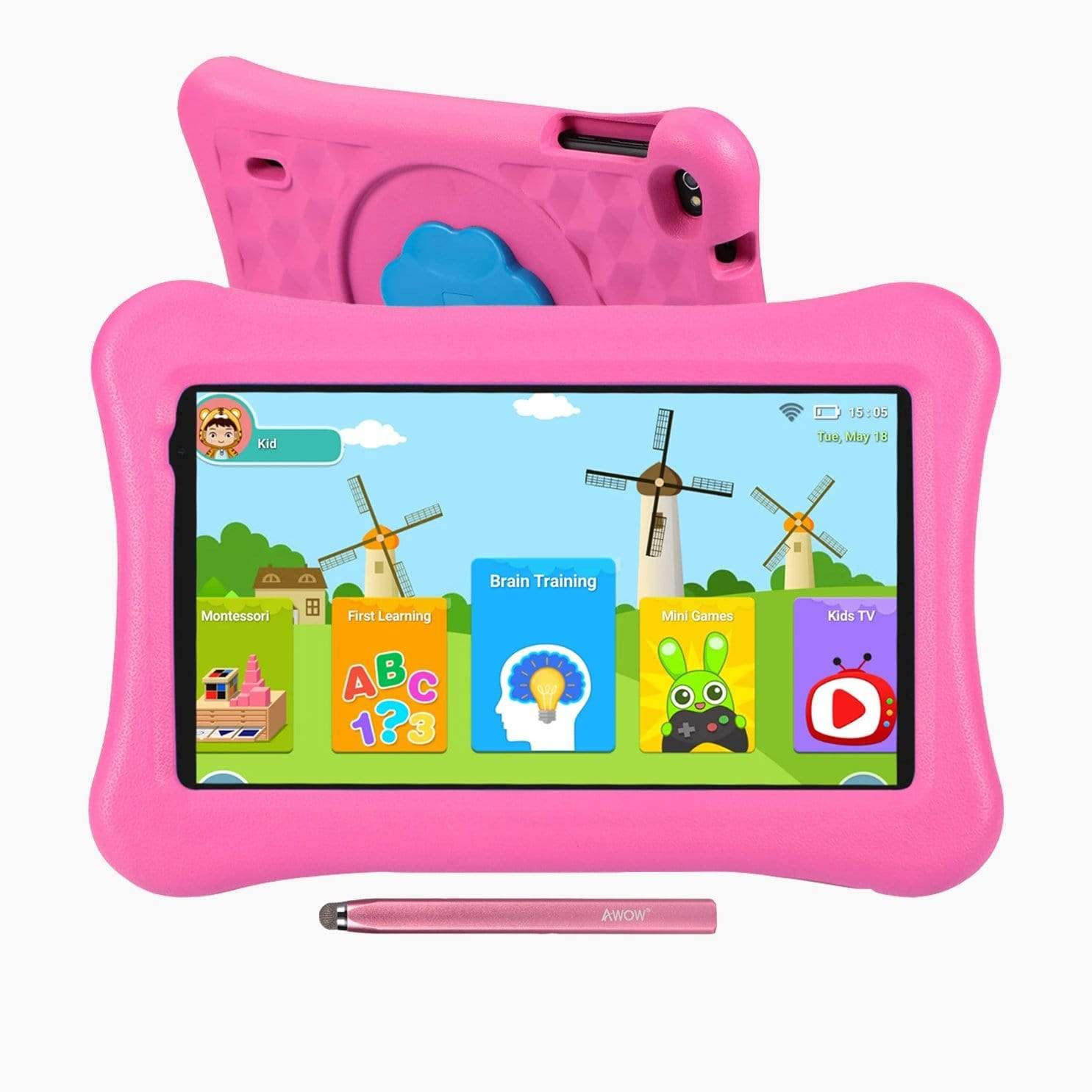
Image: The AWOW Funtab 701 Kids Tablet, shown with its protective pink kid-proof case and the accompanying active pen. The tablet features a 7-inch display.
The AWOW Funtab 701 is a 7-inch kids tablet designed for educational and entertainment purposes. It runs on Android 10 Go, powered by a 1.5GHz Quad-core processor, with 2GB RAM and 16GB ROM. It features a 1024x600 IPS HD display and supports 2.4G Wi-Fi connectivity. The tablet comes with a durable kid-proof case and an active pen for interactive learning and creativity.
Nastavení
1. Nabíjení tabletu
Before first use, fully charge the tablet. Connect the provided power adapter to the tablet's charging port and plug it into a wall outlet. The charging indicator will typically light up. A full charge may take several hours.
2. Zapnutí/vypnutí
- Zapnutí: Stiskněte a podržte tlačítko napájení (obvykle se nachází na boku nebo horním okraji), dokud se obrazovka nerozsvítí.
- Vypnutí: Stiskněte a podržte tlačítko Napájení, dokud se na obrazovce nezobrazí nabídka vypnutí. Vyberte možnost „Vypnout“ a potvrďte.
3. Počáteční nastavení
Po prvním zapnutí vás tablet provede procesem počátečního nastavení:
- Výběr jazyka: Vyberte preferovaný jazyk.
- Wi-Fi připojení: Select your 2.4G Wi-Fi network from the list and enter the password.
- Účet Google: Přihlaste se pomocí stávajícího účtu Google nebo si vytvořte nový. To je nezbytné pro přístup k Obchodu Google Play a dalším službám Google.
- Datum a čas: Nastavte správné datum a čas nebo nechte síť, aby je nastavila automaticky.
4. iWawa App and Parental Controls
The AWOW Funtab 701 comes with the iWawa app pre-installed, offering a safe environment for children and robust parental controls.
- Vytváření Profiles: Open the iWawa app to create individual profilepro každé dítě.
- Správa obsahu: Within the parental control mode, you can hand-pick specific apps, games, videos, and websites that your child can access.
- Screen Time Control: Set daily time limits for tablet usage and specific play periods.
- Bezpečné prohlížení: Ensure children browse only safe and approved webstránky.
- Úprava nastavení: Parental control settings can be adjusted as your child grows to tailor content to their age and development.
Obsluha tabletu
1. Základní navigace
Tablet používá rozhraní dotykové obrazovky. Mezi běžná gesta patří:
- Klepněte na: Výběr položky nebo otevření aplikace.
- Výpad: Pro procházení stránek nebo nabídek.
- Štípání: Pro přiblížení nebo oddálení obrázků a web stránky.
- Dlouhé stisknutí: Pro přístup k kontextovým nabídkám nebo přesun ikon aplikací.
2. Using the Active Pen
The included active pen allows for more precise interaction, drawing, and writing. Simply touch the pen to the screen as you would with your finger. No pairing is typically required for basic functionality.
3. Správa aplikací
- Stahování aplikací: Access the Google Play Store to download new applications. Ensure parental controls are set to manage app downloads for children.
- Odinstalace aplikací: Long-press an app icon on the home screen or in the app drawer, then drag it to the 'Uninstall' option that appears. Alternatively, go to Settings > Apps & notifications > See all apps, select the app, and tap 'Uninstall'.
4. Připojení k Wi-Fi
To connect or reconnect to a Wi-Fi network:
- Přejít na Nastavení > Síť a internet > Wi-Fi.
- Ensure Wi-Fi is turned On.
- Select your desired 2.4G network from the list of available networks.
- Pokud se zobrazí výzva, zadejte heslo sítě a poté klepněte na Připojit.
Údržba
1. Čištění
K čištění obrazovky tabletu použijte měkký hadřík, který nepouští vlákna. V případě odolných šmouh jej lehceampen the cloth with water or a screen-specific cleaning solution. Avoid harsh chemicals or abrasive materials. The kid-proof case can be cleaned with mild soap and water.
2. Péče o baterie
Chcete -li prodloužit životnost baterie:
- Nevystavujte tablet extrémním teplotám (horkým ani nízkým).
- Nedovolte, aby se baterie často úplně vybila.
- K nabíjení používejte pouze dodaný napájecí adaptér.
- Reduce screen brightness and close unused apps to conserve power.
3. Skladování
When not in use for extended periods, store the tablet in a cool, dry place away from direct sunlight. Ensure the battery has at least a 50% charge before storing.
Odstraňování problémů
If you encounter issues with your AWOW Funtab 701, refer to the solutions below:
- Tablet se nezapne: Ensure the tablet is fully charged. Connect it to the power adapter and wait a few minutes before attempting to power it on again. If it still doesn't turn on, try holding the power button for 10-15 seconds.
- Problémy s připojením Wi-Fi: Check if your Wi-Fi router is working correctly. Restart both the tablet and the router. Ensure you are connecting to a 2.4G network and have entered the correct password.
- Aplikace jsou pomalé nebo padají: Close unused applications. Clear the cache of problematic apps (Settings > Apps & notifications > App info > Storage & cache > Clear cache). If the issue persists, consider uninstalling and reinstalling the app.
- Baterie se rychle vybíjí: The average battery life is approximately 4 hours. To optimize, reduce screen brightness, disable Wi-Fi when not needed, and close background apps. Avoid running multiple demanding applications simultaneously.
- Obrazovka nereaguje: Try restarting the tablet. If the issue persists, ensure the screen is clean and free of debris.
Specifikace
| Funkce | Detail |
|---|---|
| Značka | Ach jo |
| Název modelu | Funtab 701 |
| Operační systém | Android 10 Go |
| Velikost obrazovky | 7 palce |
| Rozlišení displeje | 1024 x 600 pixelů |
| Procesor | 1.5 GHz Quad-core (Qualcomm) |
| BERAN | 2 GB |
| Interní úložiště | 16 GB |
| Rozšiřitelné úložiště | Micro SD slot (up to 512GB) |
| Zadní kamera | 2.0 MP |
| Přední kamera | 2.0 MP |
| Bezdrátové připojení | 2.4G Wi-Fi (802.11b) |
| Průměrná životnost baterie | 4 hodiny |
| Rozměry produktu | 18.5 x 10.5 x 1 cm |
| Hmotnost položky | 453.59 g |
Záruka a podpora
For warranty information, please refer to the documentation provided at the time of purchase. This typically includes details on coverage duration and terms. For technical assistance or further inquiries, please contact AWOW customer service through their official support channels.


