1. Úvod
This manual provides detailed instructions for the setup, operation, and maintenance of your ASUS ProArt Display PA32UCG-K 32-inch 4K HDR Monitor. Please read this manual thoroughly before using your monitor to ensure proper functionality and to maximize its performance.
Klíčové vlastnosti
- 32-inch Mini LED Backlight: Features 1,152 zones of local dimming, providing 1600 nits peak brightness and 1000 nits full screen sustained brightness for superior contrast.
- Multiple HDR Format Support: Compatible with Dolby Vision, HDR-10, and HLG for a lifelike visual experience.
- Variabilní obnovovací frekvence (VRR): Offers a 48~120 Hz variable refresh rate with FreeSync2 HDR, ideal for game developers and video editors.
- True 10-bit Color with Quantum-dot Technology: Ensures exceptional color fidelity across DCI-P3, Rec. 2020, Adobe RGB, and sRGB color spaces.
- Advanced Color Accuracy: Achieves a world-leading ΔE < 1 color performance, supported by ASUS ProArt Hardware Calibration Technology for optimal color accuracy, uniformity, and color profile write-back.
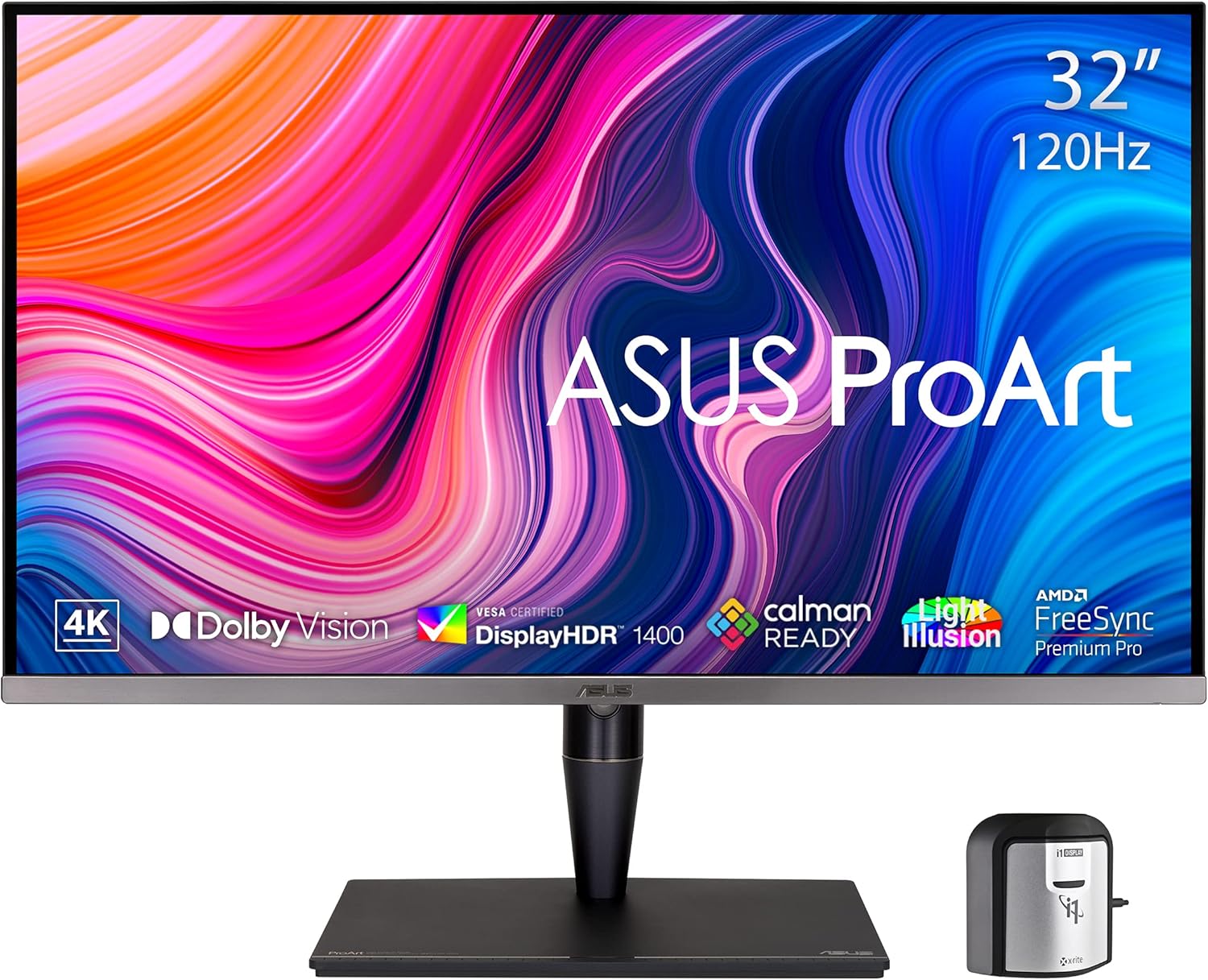
Přední view of the ASUS ProArt Display PA32UCG-K monitor, showcasinjeho zářivý displej a elegantní design.

Illustration of the monitor's 1152-zone Mini LED IPS Panel, highlighting its ability to produce deep blacks and bright whites.
2. Co je v krabici
Please check the contents of your product packaging. If any items are missing or damaged, contact your retailer or ASUS support.
- PA32UCG-K Monitor
- HDMI kabel
- DisplayPort kabel
- USB kabel
- Napájecí kabel
- Thunderbolt 3 mission bridge cable
- Zpráva o kalibraci
- Monitor Hood
- X-rite i1 Display Pro Calibrator
- Rychlý průvodce
- Záruční list

All items included in the ASUS ProArt Display PA32UCG-K packaging.
3. Pokyny k nastavení
3.1 Sestavení monitoru
- Opatrně vyjměte komponenty monitoru a stojanu z obalu.
- Připevněte základnu stojanu k krku stojanu a zajistěte ji dodaným šroubem.
- Připojte sestavený stojan k zadní straně monitoru, dokud nezacvakne na místo.
- Umístěte monitor na stabilní rovný povrch.
3.2 Připojení monitoru
The ASUS ProArt Display PA32UCG-K offers various connectivity options. Choose the appropriate cable for your device.
- Připojení napájení: Připojte napájecí kabel k napájecímu vstupu monitoru a poté do elektrické zásuvky.
- Video vstup:
- HDMI: Use the included HDMI 2.1 cable for high-resolution video and audio. The monitor has one HDMI 2.1 port and two HDMI 2.0 ports.
- DisplayPort: Use the included DisplayPort cable for DisplayPort 1.4 connectivity.
- Thunderbolt 3 (USB-C): Connect compatible devices using the Thunderbolt 3 USB-C cable for video, data, and power delivery. The monitor features two Thunderbolt 3 USB-C ports.
- USB Hub: Connect the USB upstream cable (USB-C to USB-A) from your computer to the monitor to enable the monitor's USB-A ports (x3).

Nadview of the monitor's connectivity options, including HDMI, DisplayPort, Thunderbolt 3, and USB-A ports.
4. Ovládání monitoru
4.1 Zapnutí/vypnutí
Stisknutím tlačítka napájení, které se nachází v pravém dolním rohu rámečku monitoru, monitor zapnete nebo vypnete.
4.2 Navigace v nabídce na obrazovce (OSD)
Use the joystick and buttons on the rear of the monitor to navigate the OSD menu. The OSD allows you to adjust various settings such as brightness, contrast, color modes, and input selection.
4.3 Kalibrace barev
The ASUS ProArt Display PA32UCG-K includes an X-rite i1 Display Pro Calibrator and supports ASUS ProArt Hardware Calibration Technology. This ensures precise color accuracy and uniformity.
- Install the ASUS ProArt Calibration software on your computer.
- Connect the X-rite i1 Display Pro Calibrator to your computer and place it on the designated area of the screen.
- Follow the on-screen instructions in the ProArt Calibration software to perform a hardware calibration.

The monitor's Quantum Dot technology delivers exceptional color accuracy, with Delta E < 1, 98% DCI-P3, 100% Rec. 709, and True 10-bit color.

The monitor supports flexible calibration with an X-rite calibrator for precise color parameter profiles.
4.4 HDR Modes
The monitor supports multiple High Dynamic Range (HDR) formats, including Dolby Vision, HDR-10, and HLG. These modes enhance contrast and color for compatible content. Select the desired HDR mode through the OSD menu or allow your operating system to manage it automatically.
4.5 Variable Refresh Rate (VRR)
With a 48~120 Hz variable refresh rate and FreeSync2 HDR support, the monitor dynamically adjusts its refresh rate to match the frame rate of your content, reducing screen tearing and stuttering for a smoother visual experience, particularly beneficial for gaming and video editing.

The monitor's 120Hz Variable Refresh Rate and AMD FreeSync Premium Pro make it ideal for game developers and video editors.
4.6 Funkce péče o zrak
The ASUS ProArt Display PA32UCG-K incorporates ASUS Eye Care technologies to reduce eye strain during prolonged use. These features include a Blue Light Filter and Flicker-Free technology.
This video demonstrates the benefits of ASUS Eye Care monitors, including anti-glare screens, blue light filters, and flicker-free technology, designed to protect eye health during extended use.
5. Údržba a péče
5.1 Čištění obrazovky
Obrazovku jemně otřete měkkým hadříkem, který nepouští vlákna. V případě odolných skvrn ji lehce otřeteampen the cloth with water or a mild, non-abrasive screen cleaner. Avoid using alcohol-based cleaners, ammonia, or abrasive materials.
5.2 Obecná péče
- Keep the monitor away from direct sunlight, excessive heat, or cold.
- Zajistěte řádné větrání kolem monitoru, aby nedošlo k přehřátí.
- Nepokládejte na monitor ani na jeho kabely těžké předměty.
- Unplug the monitor from the power outlet during lightning storms or when it will be unused for extended periods.
6. Řešení problémů
Pokud se s monitorem setkáte s problémy, podívejte se na následující běžné problémy a jejich řešení:
| Problém | Možné řešení |
|---|---|
| Na obrazovce není žádný obraz | Ensure the power cable is securely connected. Check that the video cable (HDMI, DisplayPort, or Thunderbolt 3) is properly connected to both the monitor and your computer. Verify the correct input source is selected via the OSD menu. |
| Obraz je rozmazaný nebo zkreslený | Check the display resolution settings on your computer and ensure they match the monitor's native resolution (3840 x 2160). Adjust the monitor's sharpness settings in the OSD menu. |
| Barvy se zobrazují nesprávně | Perform a color calibration using the included X-rite calibrator and ProArt Calibration software. Check the color mode settings in the OSD menu. |
| Blikání obrazovky | Ensure Flicker-Free technology is enabled in the OSD menu. Check your graphics card drivers for updates. If using VRR, ensure your graphics card and software support it correctly. |
| USB porty nefungují | Verify that the USB upstream cable (USB-C to USB-A) is connected from your computer to the monitor. Check your computer's device manager for any USB driver issues. |
Pokud problém přetrvává i po vyzkoušení těchto řešení, kontaktujte zákaznickou podporu ASUS.
7. Technické specifikace
| Funkce | Specifikace |
|---|---|
| Název modelu | PA32UCG-K |
| Velikost obrazovky | 32 palce |
| Rezoluce | 4K UHD (3840 x 2160 pixelů) |
| Typ panelu | Mini-LED IPS |
| Špičkový jas | 1600 nitů |
| Sustained Brightness | 1000 nitů |
| Obnovovací frekvence | 120Hz (Variable) |
| Barevná hloubka | Skutečná 10bitová |
| Přesnost barev | ΔE < 1 |
| Podpora HDR | Dolby Vision, HDR-10, HLG |
| Konektivita | HDMI (v2.1) x1, HDMI (v2.0) x2, DisplayPort1.4 x1, Thunderbolt™ 3 USB-C x2, USB-A x3 |
| Hmotnost položky | 32.3 libry |
| Rozměry produktu (DxŠxV) | 18.5 x 28.62 x 9.45 palce |
8. Záruka a podpora
8.1 Záruka na produkt
Your ASUS ProArt Display PA32UCG-K monitor is covered by a limited manufacturer's warranty. Please refer to the included Warranty Card for specific terms, conditions, and duration of coverage in your region. Keep your proof of purchase for warranty claims.
8.2 Zákaznická podpora
For technical assistance, troubleshooting beyond this manual, or warranty service, please contact ASUS customer support:
- Podpora ASUS Webmísto: Navštivte oficiální podporu ASUS webstránka s ovladači, častými dotazy a kontaktními informacemi.
- Online zdroje: Prozkoumat Obchod ASUS na Amazonu pro další informace o produktu a zdroje.


