1. Úvod
Thank you for choosing the boAt Airdopes 641 Truly Wireless Earbuds. This manual provides essential information for setting up, operating, and maintaining your earbuds to ensure optimal performance and longevity. Please read this guide carefully before using the product.
2. Konec produktuview
The boAt Airdopes 641 are designed for a seamless audio experience, featuring advanced connectivity and intuitive controls.

Obraz: Key features of the Airdopes 641, highlighting RGB LEDs, Instant Wake N' Pair (IWP) technology, Bluetooth 5.0 connectivity, 6mm Dual Drivers for audio, and a Capacitive Touch Panel for controls.
2.1 Komponenty
- Sluchátka: Left and Right truly wireless earbuds with in-ear design.
- Nabíjecí pouzdro: Přenosné pouzdro pro nabíjení a ukládání sluchátek.
- Kabel USB Type-C: Pro nabíjení pouzdra.
- Uživatelský manuál: Tento dokument.
2.2 Vlastnosti
- Bluetooth 5.0: Pro stabilní a efektivní bezdrátové připojení.
- IWP (Instant Wake N' Pair): Enables quick pairing with your device once the case lid is opened.
- Capacitive Touch Panel: For easy control of music, calls, and voice assistant.
- 6mm Dual Drivers: Nabízí pohlcující zvukový zážitek.
- LED diody RGB: Indicator lights for status.
- Režim BEAST: Low latency mode for gaming.
- IPX5 Water & Sweat Shield: Poskytuje ochranu před postříkáním a potem.
- Up to 30 Hours Total Playback: Combined battery life of earbuds and charging case.
- Nabíjení USB Type-C: Moderní a pohodlný nabíjecí port.
3. Nastavení
3.1 Nabíjení sluchátek a pouzdra
Před prvním použitím se ujistěte, že jsou sluchátka i nabíjecí pouzdro plně nabité.
- Place both earbuds into the charging case, ensuring they are correctly seated. The earbuds will automatically begin charging.
- Connect the USB Type-C charging cable to the charging port on the case and plug the other end into a compatible USB power adapter (not included).
- The LED indicators on the case will show the charging status. Once fully charged, the indicators may change or turn off.
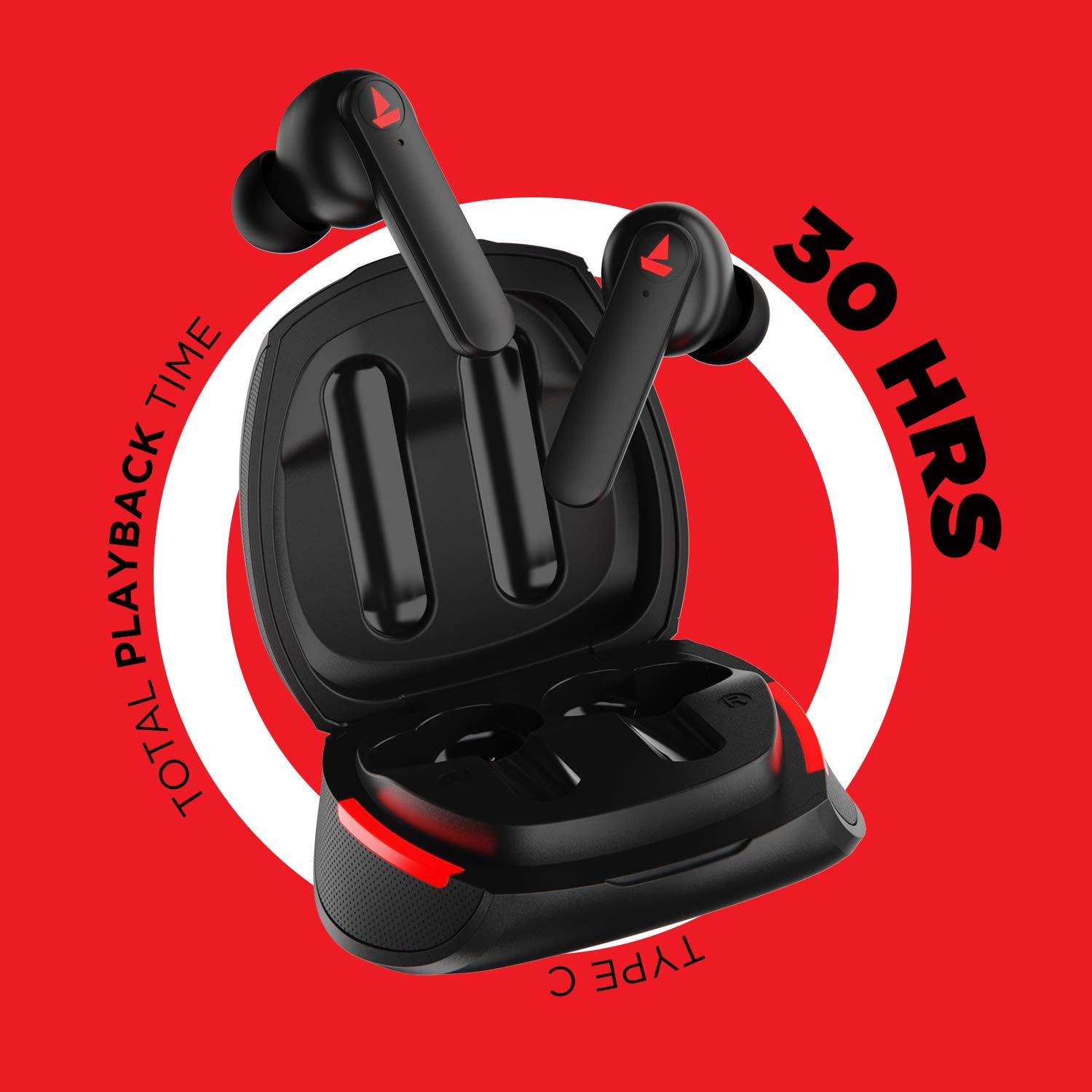
Obraz: The Airdopes 641 earbuds resting in their charging case, illustrating the Type-C charging capability and the impressive 30 hours of total playback time.
3.2 Initial Pairing (IWP Technology)
The Airdopes 641 feature Instant Wake N' Pair (IWP) technology for quick and effortless connection.
- Otevřete víko nabíjecího pouzdra. Sluchátka se automaticky zapnou a přejdou do režimu párování.
- Na smartphonu nebo zařízení s podporou Bluetooth povolte Bluetooth.
- Hledat "Airdopes 641" in the list of available devices and select it to pair.
- Once paired, you will hear an audio prompt, and the earbuds will be ready for use.
- The earbuds will automatically connect to the last paired device when the case lid is opened, provided Bluetooth is enabled on the device.
4. Návod k obsluze
4.1 Zapnutí/vypnutí
- Zapnutí: Open the charging case lid. The earbuds will power on automatically. Alternatively, long-press the Capacitive Touch Control (CTC) on both earbuds for 3 seconds.
- Vypnout: Place the earbuds back into the charging case and close the lid. They will power off automatically. Alternatively, long-press the CTC on both earbuds for 5 seconds.
4.2 Capacitive Touch Controls (CTC)
The Airdopes 641 feature intuitive touch controls on each earbud.
- Přehrát/pozastavit: Single tap on either earbud's CTC.
- Další skladba: Double tap on the right earbud's CTC.
- Předchozí skladba: Double tap on the left earbud's CTC.
- Přijmout/ukončit hovor: Single tap on either earbud's CTC.
- Odmítnout hovor: Long press on either earbud's CTC for 2 seconds.
- Aktivovat Voice Assistant: Triple tap on either earbud's CTC.
- Zvýšit hlasitost: Long press the right earbud's CTC.
- Snížit hlasitost: Long press the left earbud's CTC.
4.3 Režim BEAST (Hraní s nízkou latencí)
Activate BEAST Mode for a low-latency audio experience, ideal for gaming.

Obraz: The Airdopes 641 earbuds and their sleek charging case, emphasizing the "BEAST Mode" feature designed to provide a low-latency audio experience for gamers.
- Activate BEAST Mode: Triple tap on the right earbud's CTC.
- Deactivate BEAST Mode: Triple tap on the right earbud's CTC again.
5. Údržba
Proper care ensures the longevity and performance of your Airdopes 641.
5.1 Čištění
- Jemně otřete sluchátka a nabíjecí pouzdro měkkým, suchým hadříkem, který nepouští vlákna.
- Nepoužívejte abrazivní čisticí prostředky, alkohol ani chemická rozpouštědla.
- Regularly clean the ear tips and mesh to prevent wax buildup, which can affect sound quality.
5.2 Odolnost proti vodě a potu (IPX5)

Obraz: The Airdopes 641 earbuds and their charging case surrounded by water splashes, illustrating their IPX5 rating for water and sweat resistance.
The Airdopes 641 are rated IPX5, meaning they are protected against low-pressure water jets from any direction. This makes them suitable for workouts and light rain.
- Neponořujte sluchátka do vody.
- Nevystavujte je vysokotlaké vodě ani páře.
- Před vložením sluchátek zpět do nabíjecího pouzdra se ujistěte, že jsou suchá, abyste předešli jejich poškození.
5.3 Skladování
Když sluchátka nepoužíváte, uložte je do jejich nabíjecího pouzdra, abyste je ochránili a udrželi nabitá.
6. Řešení problémů
If you encounter issues with your Airdopes 641, try the following solutions.
6.1 Sluchátka se nepárují/nepřipojují
- Ujistěte se, že jsou obě sluchátka nabitá.
- Make sure Bluetooth is enabled on your device and the earbuds are within range.
- Try forgetting "Airdopes 641" from your device's Bluetooth list and re-pairing.
- Proveďte obnovení továrního nastavení, jak je popsáno níže.
6.2 Obnovení továrního nastavení
A factory reset can resolve many common issues by restoring the earbuds to their original settings.

Obraz: A visual guide detailing the steps for a factory reset of the Airdopes 641. It emphasizes clearing the device from pairing history first, then long-pressing the Capacitive Touch Control (CTC) on both earbuds inside the case for 10 seconds until a green LED flashes three times, followed by closing and reopening the case.
- Krok 1: Before performing the reset, clear "Airdopes 641" from your pairing device history by forgetting the device on your phone/tablet.
- Krok 2: Place both earbuds back inside the charging case in the correct orientation.
- Krok 3: Long press the Capacitive Touch Control (CTC) on both earbuds inside the case for up to 10 seconds. The successful reset will be indicated by the flashing of a green LED three times.
- Krok 4: Zavřete víko nabíjecího pouzdra a poté jej znovu otevřete.
- Krok 5: Once you take the earbuds out from the charging case, they automatically restart and are ready for a new pairing.
Note: Please make sure the case is charged before performing a factory reset.
6.3 Žádný zvuk/nízká hlasitost
- Zkontrolujte úroveň hlasitosti na zařízení i ve sluchátkách.
- Ujistěte se, že jsou sluchátka správně usazena v uších.
- Vyčistěte síťku sluchátek od nečistot.
- Zkuste znovu spárovat sluchátka.
7. Specifikace
| Název modelu | Airdopes 641 |
| Technologie připojení | Bezdrátové (Bluetooth) |
| Technologie bezdrátové komunikace | Bluetooth 5.0 |
| Typ ovládání | Dotykové ovládání, hlasové ovládání |
| Typ zvukového ovladače | Dynamický měnič (6 mm) |
| Umístění uší | V uchu |
| Form Factor | V uchu |
| Materiál | Plast |
| Hodnocení odolnosti proti vodě | IPX5 |
| Nabíjecí port | USB Type-C |
| Kompatibilní zařízení | Tablets, Cellphones, Laptops, Desktops, Smart Speaker, Television |
8. Záruka a podpora
For warranty information and customer support, please refer to the warranty card included with your product or visit the official boAt webmísto. Uschovejte si doklad o koupi pro případ záručních reklamací.
Výrobce: Imagine Marketing Pvt Ltd


