1. Úvod
Thank you for choosing the Desktronic HomeOne Electric Standing Desk Frame. This manual provides essential information for the safe and efficient assembly, operation, and maintenance of your new height-adjustable desk frame. This product is designed to promote ergonomic work habits by allowing seamless transitions between sitting and standing positions, enhancing comfort and productivity in your workspace.
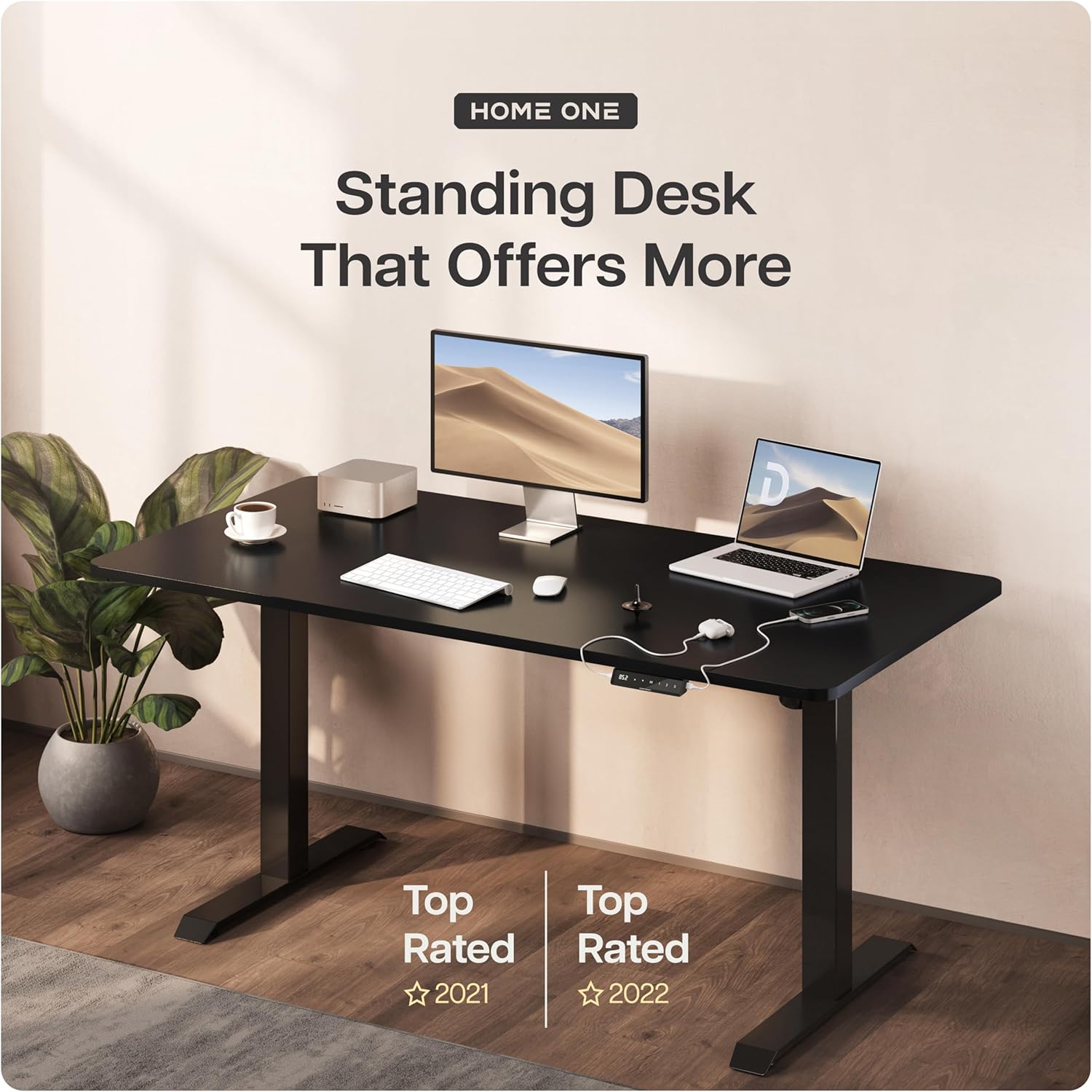
The Desktronic HomeOne Electric Standing Desk Frame, shown here with a tabletop, monitor, and laptop, is designed to enhance your workspace.
2. Bezpečnostní upozornění
Please read and understand all safety warnings before assembly and operation to prevent injury or damage to the product.
- Nosnost: Nepřekračujte maximální nosnost 100 kilogramů (220 lb) on the desk frame. Overloading can cause instability and damage.
- Pinching Hazards: Use extreme caution when adjusting the desk height to avoid pinching hands, fingers, or other objects between moving parts or between the desk and stationary objects. Ensure the area around the desk is clear during movement.
- Elektrická bezpečnost: Ensure proper electrical safety when using the built-in charging ports. Do not overload the ports. Disconnect power before cleaning or maintenance.
- Stabilní povrch: Assemble and operate the desk on a flat, stable, and level surface.
- Děti a domácí mazlíčci: Během provozu držte děti a domácí zvířata v dostatečné vzdálenosti od stolu, abyste předešli nehodám.
- Napájecí kabel: Během montáže nebo provozu se ujistěte, že napájecí kabel není skřípnutý ani poškozený.
3. Obsah balení
Before beginning assembly, verify that all components are present and undamaged. If any parts are missing or damaged, please contact Desktronic customer support.
- Desk Frame Components (Legs, Crossbar, Feet)
- Control Panel with Digital Display and Built-in USB/USB-C Ports
- Motor and Power Supply Unit
- All necessary Screws and Fasteners
- Montážní nářadí (např. imbusový klíč)
- Uživatelská příručka (tento dokument)

The package includes all necessary components and tools for straightforward assembly, typically completed in under 25 minutes.
4. Montážní návod
The Desktronic HomeOne desk frame is designed for quick and easy assembly. Follow these general steps:
- Rozbalte komponenty: Opatrně vyjměte všechny díly z obalu a položte je na čistý, měkký povrch, abyste zabránili poškrábání.
- Assemble Legs and Feet: Attach the desk feet to the bottom of the desk legs using the provided screws.
- Připojení příčníku: Attach the adjustable crossbar to the top of the desk legs. The frame is designed to adapt to a wide range of tabletop sizes, with a minimum length of 110 cm and minimum width of 60 cm.
- Instalace motoru a řídicí jednotky: Secure the motor and control box to the designated areas on the frame. Connect all necessary cables.
- Připojení ovládacího panelu: Mount the control panel to the desired location on the frame or tabletop.
- Secure Tabletop (Not Included): Place your chosen tabletop onto the assembled frame. Use the included screws to secure the tabletop to the frame. Ensure the tabletop is centered and aligned before fastening.
- Připojte napájení: Plug the power cord into the control box and then into a grounded electrical outlet.

The desk frame is designed to be adaptable, fitting a wide range of tabletop sizes. Screws for attachment are included.
5. Nastavení
Once assembled, position your Desktronic desk frame in your desired location. Ensure there is adequate space around the desk for height adjustments and to prevent obstructions or pinching hazards.
- Kompatibilita se stolními počítači: The frame is compatible with most common tabletops on the market. Ensure your tabletop meets the minimum size requirements (minimum length 110 cm, minimum width 60 cm) and does not exceed the maximum weight capacity of 100 kg.
- Správa kabelů: Consider using cable ties or cable management trays (not included) to organize power cords and device cables for a tidy and safe workspace.

The Desktronic Height-Adjustable Desk Frame, ready for your chosen tabletop.
6. Návod k obsluze
Your Desktronic desk frame features an intuitive control panel for easy height adjustment and convenience.
6.1 Nastavení výšky
The desk frame adjusts smoothly from a sitting height of 72 cm (28.3 palců) to a standing height of 119 cm (46.9 palců), accommodating users up to 1.93 m (6'4") tall.
- Tlačítka nahoru/dolů: Use the up (▲) and down (▼) arrows on the control panel to manually raise or lower the desk to your desired height. The digital display will show the current height.

Achieve the perfect height every time, with millimeter-exact adjustment from 72cm to 119cm.
6.2 Předvolby paměti
The control panel features three programmable memory presets to save your preferred sitting and standing heights.
- Nastavení předvolby: Adjust the desk to your desired height using the up/down buttons. Press the 'M' button, then press one of the numbered buttons (1, 2, or 3) within 3 seconds. The display will confirm the setting.
- Vyvolání předvolby: Simply press the corresponding numbered button (1, 2, or 3) to automatically move the desk to your saved height.
6.3 Integrované nabíjecí porty
The control panel includes integrated USB and USB-C charging ports for convenient device charging directly from your desk.
- Používání: Connect your compatible devices to the USB or USB-C ports to charge them while you work.

Adjust your desk with one touch using the touchscreen digital display and utilize the integrated USB and USB-C charging ports for convenience.
7. Údržba
Regular maintenance ensures the longevity and optimal performance of your Desktronic desk frame.
- Čištění: Otřete dočista suchým hadříkem neboamp cloth. Avoid using harsh chemicals or abrasive cleaners that could damage the finish. Ensure the desk is unplugged before cleaning.
- Kontrola stability: Periodically check all screws and fasteners to ensure they are tight. Retighten if necessary to maintain the desk's rock-solid stability.
- Kontrola kabelů: Regularly inspect the power cord and all connecting cables for any signs of wear or damage. Replace damaged cables immediately.

The desk frame features a 40% wider and thicker frame for rock-solid stability, minimizing wobble.
8. Řešení problémů
If you encounter any issues with your Desktronic desk frame, refer to the following common troubleshooting steps:
| Problém | Možná příčina | Řešení |
|---|---|---|
| Stůl se nehýbe | Power not connected; Overload; Motor error | Check power cord connection. Reduce weight on desk. Unplug for 10 seconds, then plug back in. |
| Uneven movement | Překážka; Volné spoje | Ensure no obstructions. Check all frame connections are tight. |
| Digitální displej nefunguje | Power issue; Control panel connection | Check power. Ensure control panel cable is securely connected. |
| Memory presets not saving/recalling | Nesprávný postup | Follow the 'Set a Preset' instructions carefully (press 'M' then number within 3 seconds). |
If the problem persists after attempting these solutions, please contact Desktronic customer support for further assistance.
9. Specifikace
| Funkce | Detail |
|---|---|
| Číslo modelu | HONEFRAME |
| Rozsah nastavení výšky | 72 cm až 119 cm (28.3 palců až 46.9 palců) |
| Maximální nosnost | 100 kg (220 lb) |
| Typ motoru | Jeden motor |
| Ovládací panel | Digital Display, 3 Memory Presets |
| Nabíjecí porty | Integrated USB and USB-C |
| Primární materiál | Kov |
| Typ dokončení | Vymalováno |
| Barva | Černý |
| Montáž Vyžadována | Ano |
| Product Dimensions (approx. assembled frame) | 55D x 106W x 70H cm (minimum height) |
| Přepravní hmotnost | 24 kg |
10. Záruka a podpora
Desktronic is committed to providing high-quality products and excellent customer service. For any questions, concerns, or warranty inquiries regarding your Desktronic HomeOne Electric Standing Desk Frame, please contact our customer support team.
Please have your model number (HONEFRAME) and purchase information ready when contacting support to ensure efficient service.
For more information and to explore other Desktronic products, please visit the official Desktronic store: Desktronic Store


