1. Konec produktuview
The HyperX Alloy Origins 60 is a supremely portable 60% form factor keyboard designed to provide more room for mouse movements. It features a durable, full aluminum body and reliable HyperX switches optimized for speed and performance, rated for 80 million keypresses. The double shot PBT keycaps include secondary functions printed on them for quick access. The exposed LED design of the HyperX switches allows for stunning RGB lighting effects. Further customization, including macros and personalized lighting profiles, can be achieved using HyperX NGENUITY software.

Figure 1.1: HyperX Alloy Origins 60 Mechanical Gaming Keyboard with vibrant RGB backlighting.
2. Klíčové vlastnosti
- Petite 60% Form Factor: Maximizes desk space for mouse movement.

Obrázek 2.1: Kompaktní 60% tvarový faktor klávesnice.
- Full Aircraft-Grade Aluminum Body: Ensures structural soundness and stability.

Figure 2.2: Illustration of the durable full aluminum body construction.
- Double Shot PBT Keycaps with Side Printing: Durable keycaps resistant to wear, with secondary functions clearly printed.

Figure 2.3: Double shot PBT keycaps with secondary functions printed on the sides.
- HyperX Mechanical Switches: Custom-designed for speed and accuracy, rated for 80 million keypresses.

Figure 2.4: HyperX mechanical switches designed for optimal performance.
- RGB Backlit Keys with Radiant Lighting Effects: Enhanced RGB lighting due to exposed LED design.

Figure 2.5: The keyboard displaying its radiant RGB lighting effects.
- Advanced Customization with HyperX NGENUITY: Software for Game Mode, macros, and per-key lighting.

Figure 2.6: HyperX NGENUITY software for advanced customization.
- Three Adjustable Keyboard Angles and Detachable USB-C Cable: For ergonomic comfort and portability.

Figure 2.7: The keyboard's adjustable feet for three different tilt angles.
- Included Keycap Puller and Additional Keycaps: For customization and maintenance.
Figure 2.8: Included accessories for keycap customization.
- Kompatibilita s více platformami: Compatible with PC, PS5, PS4, Xbox Series X|S, and Xbox One.
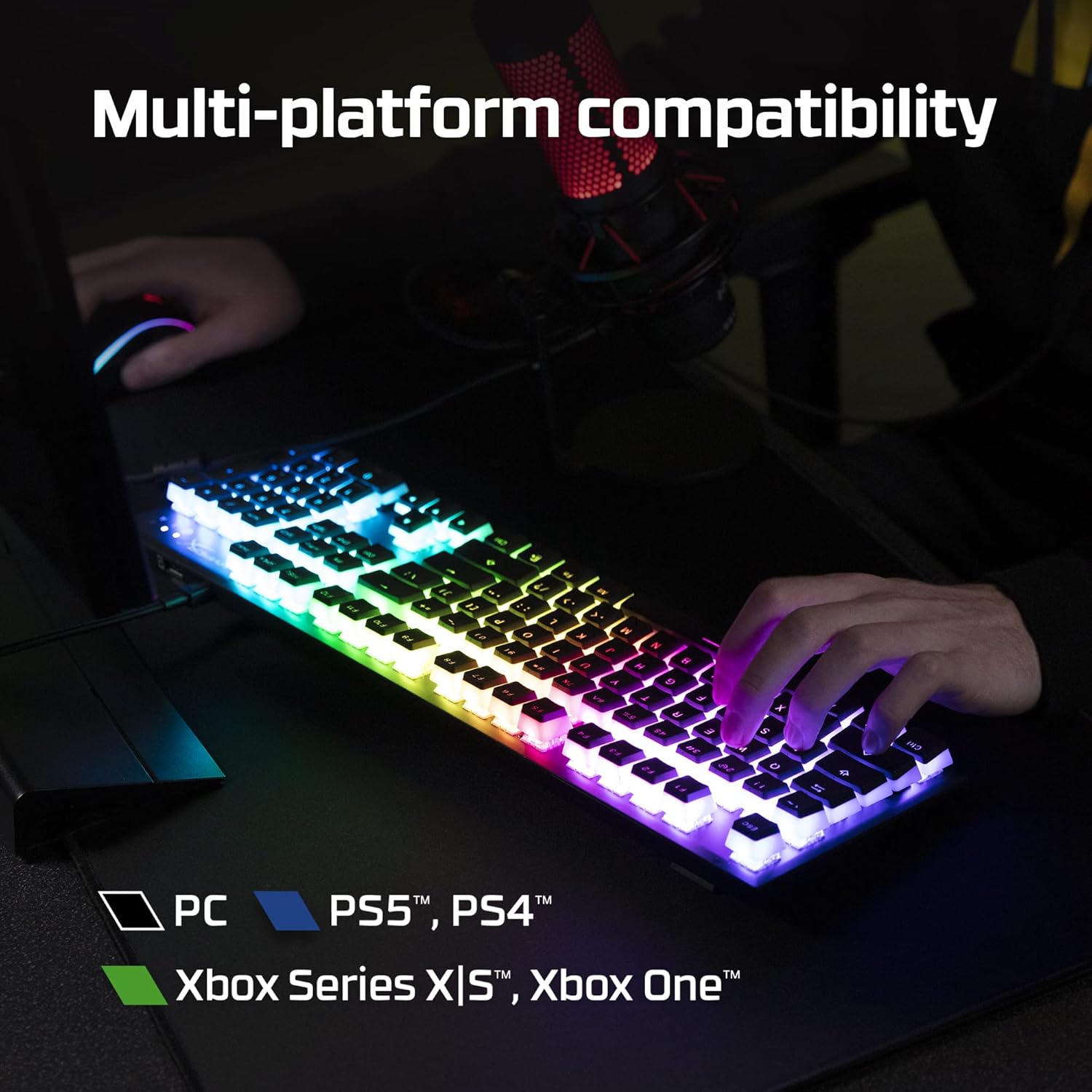
Figure 2.9: The keyboard's multi-platform compatibility.
3. Průvodce nastavením
3.1 Obsah balení
Než začnete, ujistěte se, že balení obsahuje všechny položky:
- Mechanická herní klávesnice HyperX Alloy Origins 60
- Odnímatelný kabel USB-C na USB-A
- Stahovač klíčů
- Additional Keycaps (e.g., alternate Esc key, special spacebar)
Figure 3.1: All components included in the HyperX Alloy Origins 60 package.
3.2 Připojení klávesnice
- Vyhledejte odnímatelný kabel USB-C na USB-A.
- Connect the USB-C end of the cable to the USB-C port on the back of the HyperX Alloy Origins 60 keyboard.
- Connect the USB-A end of the cable to an available USB-A port on your PC or gaming console.
- The keyboard will automatically be detected and drivers will install if necessary. The RGB lighting will illuminate upon successful connection.

Figure 3.2: Connecting the detachable USB-C cable to the keyboard.
3.3 Nastavení úhlu klávesnice
The keyboard features two-step keyboard feet, allowing you to set it at three different tilt angles (3°, 7°, 11°) for optimal ergonomic comfort.
- Flip the keyboard over to access the feet on the underside.
- Extend the smaller feet for a moderate tilt.
- Extend both the smaller and larger feet for the maximum tilt.

Figure 3.3: Adjusting the keyboard's tilt angle using the integrated feet.
4. Návod k obsluze
4.1 Základní funkce
The HyperX Alloy Origins 60 is a 60% keyboard, meaning it omits the number pad, function row, navigation cluster, and arrow keys to achieve its compact size. These functions are typically accessed via a combination of the Fn key and other keys.
- Fn + [klávesa]: Activates the secondary function printed on the side of the keycap. Refer to the side legends for specific functions.
- Herní režim: Prevents accidental presses of the Windows key during gaming. Activate/deactivate via NGENUITY software.
4.2 HyperX NGENUITY Software
For advanced customization of your keyboard, download and install the HyperX NGENUITY software from the official HyperX webwebu. Tento software vám umožňuje:
- Customize RGB lighting effects and colors on a per-key basis.
- Create and manage macros for complex commands.
- Set up and switch between multiple onboard profiles.
- Adjust Game Mode settings.

Figure 4.1: HyperX NGENUITY software for comprehensive keyboard control.
5. Údržba
Proper maintenance ensures the longevity and optimal performance of your HyperX Alloy Origins 60 keyboard.
5.1 Čištění klávesnice
- Před čištěním odpojte klávesnici od počítače.
- K odstranění prachu a nečistot z prostoru mezi klávesami použijte nádobku se stlačeným vzduchem.
- For surface cleaning, gently wipe the keycaps and frame with a soft, lint-free cloth dampOmyjte malým množstvím vody nebo jemným, neabrazivním čisticím roztokem. Zabraňte nadměrné vlhkosti.
- Nestříkejte čisticí roztoky přímo na klávesnici.
5.2 Demontáž a výměna krytky kláves
The included keycap puller can be used to safely remove and replace keycaps for cleaning or customization.
- Gently place the keycap puller over the keycap you wish to remove, ensuring the wires hook onto opposite sides of the keycap.
- Rovnoměrným tlakem táhněte přímo nahoru, dokud se krytka klávesy neuvolní od dříku spínače.
- To replace a keycap, align it with the switch stem and press down firmly until it clicks into place.

Figure 5.1: Using the keycap puller to remove keycaps.
6. Řešení problémů
If you encounter issues with your HyperX Alloy Origins 60 keyboard, try the following troubleshooting steps:
| Problém | Možná příčina / řešení |
|---|---|
| Klávesnice nereaguje / Žádné podsvícení |
|
| RGB lighting not working correctly |
|
| Klávesy se neregistrují nebo se píší dvakrát |
|
If these steps do not resolve the issue, please contact HyperX customer support for further assistance.
7. Specifikace
| Funkce | Detail |
|---|---|
| Rozměry produktu | 11.7 x 1.5 x 4.2 palce |
| Hmotnost položky | 2.14 libry |
| Výrobce | Společnost HP Inc. |
| Jazyk | angličtina |
| ASIN | B08XBQ79MN |
| Číslo modelu položky | HKBO1S-RB-US/G |
| Značka | HyperX |
| Kompatibilní zařízení | Herní konzole, PC |
| Technologie připojení | USB-C na USB-A |
| Popis klávesnice | Mechanické, herní |
| Doporučená použití pro produkt | Hraní |
| Speciální funkce | Backlit, Lighting, Portable |
| Barva | Černý |
| Počet klíčů | 61 |
| Podpora barev podsvícení klávesnice | RGB |
| Styl | HyperX Red |
8. Záruka a podpora
For detailed warranty information and technical support, please refer to the official HyperX resources:
- Oficiální uživatelská příručka (PDF): Stáhněte si uživatelskou příručku
- HyperX Brand Store: Visit HyperX Store on Amazon
- For further assistance, contact HyperX customer support through their official webmísto.


