Zavedení
This manual provides detailed instructions for the installation, operation, and maintenance of your SP Connect Handlebar Mount Pro MTB (Model 53246). Please read this manual thoroughly before use to ensure proper function and safety.

Image: The SP Connect Handlebar Mount Pro MTB, a robust black aluminum mount designed for secure smartphone attachment to bicycle handlebars.
Obsah balení
- SP Connect Handlebar Mount Pro MTB
- Mounting hardware (spacers for various handlebar diameters)
Note: A compatible SP Connect Phone Case or Universal Interface (sold separately) is required to use this mount with your smartphone.
Nastavení a instalace
Follow these steps to securely install the Handlebar Mount Pro MTB on your bicycle handlebars.
- Identify Handlebar Diameter: The mount is compatible with handlebars of φ1.0 inches (25.4 mm), φ1.2 inches (31.8 mm), and φ1.4 inches (35 mm). Select the appropriate spacers for your handlebar diameter.
- Umístění držáku: Place the Handlebar Mount Pro MTB on your desired handlebar location. Ensure it does not obstruct your view or interfere with brake/gear cables.
- Zajistěte Clamp: Otevřete třamp and position it around the handlebar. Insert the correct spacers if needed to ensure a snug fit. Tighten the screw using an appropriate tool until the mount is firmly secured and does not rotate. Do not overtighten.
- Upravit úhel: The mount allows for angle adjustment. Loosen the adjustment screw, set the desired viewing angle for your smartphone, and then retighten the screw.
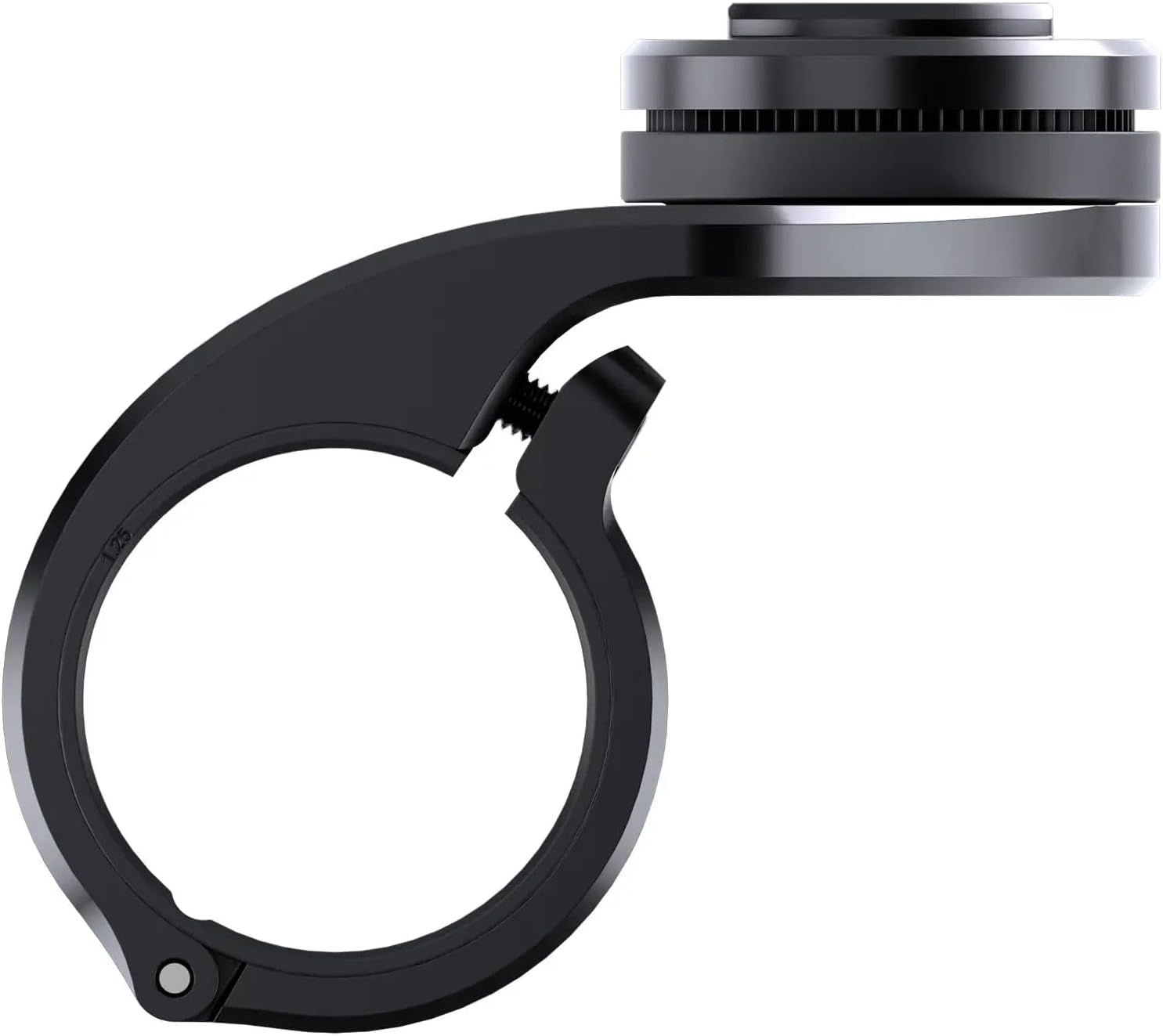
Obrázek: Boční view of the Handlebar Mount Pro MTB, illustrating the clamp mechanism and the screw for securing it to the handlebar.

Obrázek: Spodní část view of the Handlebar Mount Pro MTB, showing the mounting plate and screw holes for attachment.
Important: Ensure the mount is stable and does not move before attaching your smartphone. If your handlebar has an unusual or oblong shape, the mount may not be compatible or may require specialized adapters (sold separately). Additional spacers may be required for optimal fit, which are sold separately.
Návod k obsluze
Once the mount is installed, you can easily attach and detach your smartphone.
- Připojení chytrého telefonu: Align your SP Connect Phone Case (or Universal Interface) with the mounting head on the Handlebar Mount Pro MTB. Place the phone case onto the mount.
- Lock Smartphone: Rotate your smartphone 90 degrees clockwise until it locks securely into place. You should feel and hear a click, indicating a firm connection.
- Detach Smartphone: To remove your smartphone, rotate it 90 degrees counter-clockwise. Once unlocked, lift the smartphone from the mount.

Image: A hand holding a smartphone equipped with an SP Connect case, positioned above the handlebar mount, ready for attachment.

Image: A smartphone securely attached to the Handlebar Mount Pro MTB on a mountain bike, displaying a navigation app.
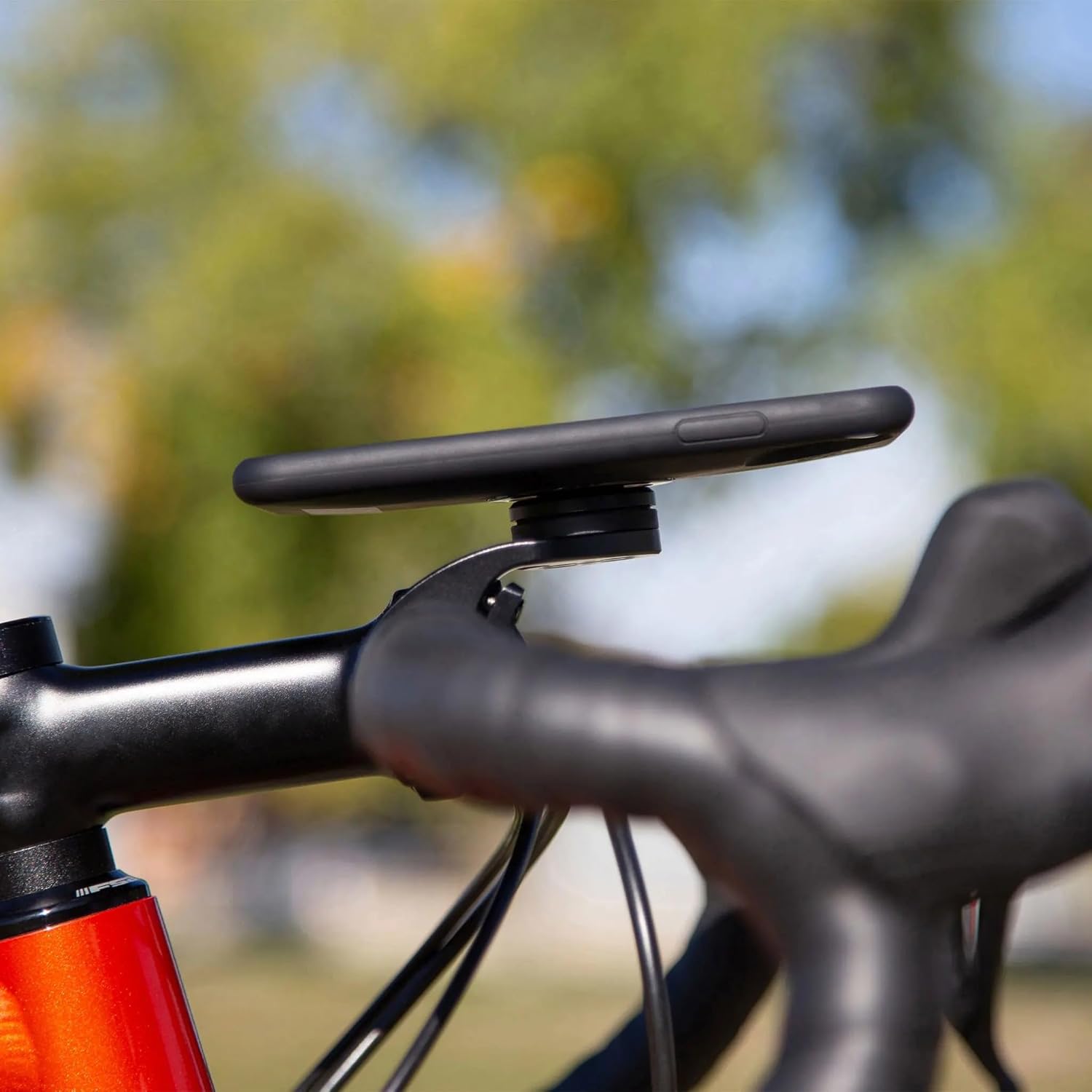
Image: A smartphone mounted on a road bicycle handlebar, demonstrating the mount's compatibility with various bike types.
The mount features a shock absorber to reduce vibrations, protecting your smartphone during rides.
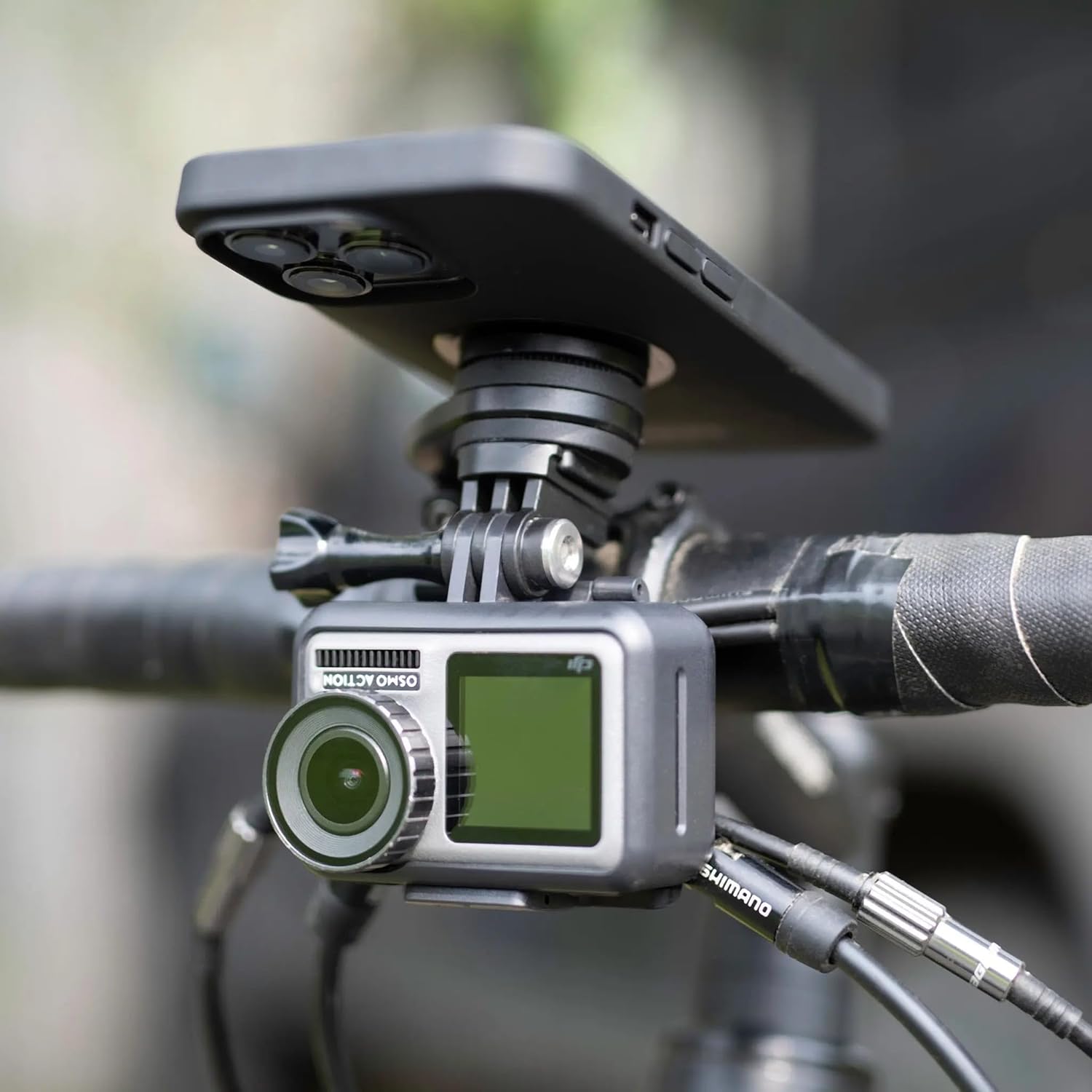
Image: An action camera attached to the underside of the SP Connect mount, demonstrating the optional GoPro adapter compatibility (adapter sold separately).
Údržba
- Čištění: Otřete držák reklamouamp cloth to remove dirt and dust. Avoid harsh chemicals.
- Inspekce: Pravidelně kontrolujte všechny šrouby a spoje, zda jsou pevně utažené. V případě potřeby je dotáhněte.
- Skladování: Store the mount in a dry place when not in use for extended periods.
Odstraňování problémů
- Mount is loose on handlebar:
- Ensure the correct spacers are used for your handlebar diameter.
- Utáhněte třamp screw firmly, but do not overtighten.
- If your handlebar has an unusual or oblong shape, the mount may not be compatible or may require specialized adapters (sold separately).
- Smartphone does not lock securely:
- Ensure the SP Connect Phone Case or Universal Interface is correctly aligned with the mount.
- Rotate the smartphone a full 90 degrees clockwise until a click is felt.
- Check for any debris or obstruction in the locking mechanism of both the mount and the phone case.
- Vibrations are still noticeable:
- While the mount includes a shock absorber, extreme terrain or specific phone models may still experience some vibration. Ensure all components are tightly secured.
Specifikace
| Číslo modelu | 53246 |
| Značka | SP PŘIPOJIT |
| Materiál | CNC obráběný hliník |
| Rozměry produktu | 3.54 x 2.76 x 1.38 palce |
| Hmotnost položky | 0.011 unce |
| Compatible Handlebar Diameters | φ1.0 inches (25.4 mm), φ1.2 inches (31.8 mm), φ1.4 inches (35 mm) |
| Speciální funkce | Lightweight, Shock Absorber (vibration proof) |
| Kompatibilita | SP Connect Phone Cases and Universal Interfaces (sold separately) |
Záruka a podpora
For warranty information or technical support, please refer to the official SP Connect webnebo se obraťte přímo na jejich zákaznický servis. Uschovejte si doklad o koupi pro případ reklamace.
Pro další pomoc navštivte stránku SP CONNECT Store.


