1. Úvod
Thank you for choosing the Lenco SCD-720 Boombox. This versatile audio system offers a wide range of playback options, including DAB+ and FM radio, Bluetooth 5.0 connectivity, a CD/MP3 player, a cassette player, and a USB port for digital audio files. It features 2 x 6W RMS audio output with Bass Reflex for enhanced sound and comes with a remote control for convenient operation. This manual provides essential information for setting up, operating, and maintaining your device.
2. Důležité bezpečnostní informace
- Před použitím zařízení si pečlivě přečtěte všechny pokyny.
- Uschovejte tento návod pro budoucí použití.
- Nevystavujte jednotku dešti ani vlhkosti, abyste předešli požáru nebo úrazu elektrickým proudem.
- Zajistěte dostatečné větrání. Neblokujte žádné větrací otvory.
- Neumisťujte přístroj do blízkosti zdrojů tepla, jako jsou radiátory, topná tělesa, kamna nebo jiná zařízení (včetně amplifikátory), které produkují teplo.
- Chraňte napájecí kabel před šlapáním nebo přiskřípnutím, zejména u zástrček, zásuvek a v místě, kde vychází z přístroje.
- Používejte pouze nástavce/příslušenství určené výrobcem.
- Odpojte tento přístroj během bouřky s blesky nebo pokud jej nebudete delší dobu používat.
- Veškeré opravy svěřte kvalifikovanému servisnímu personálu. Servis je nutný, pokud bylo zařízení jakýmkoli způsobem poškozeno, například je poškozen napájecí kabel nebo zástrčka, pokud do zařízení vnikla tekutina nebo do něj spadly předměty, zařízení bylo vystaveno dešti nebo vlhkosti, nefunguje normálně. , nebo byla vypuštěna.
3. Konec produktuview
Familiarize yourself with the main components and controls of your Lenco SCD-720 Boombox.
Přední View s USB portem

This image shows the front of the Lenco SCD-720 Boombox, highlighting the main control panel, speakers, and a USB stick inserted into the USB port on the top left.
Přední View with CD Compartment Open

This image displays the Lenco SCD-720 Boombox from the front, with the top-loading CD compartment lid open, ready for CD insertion.
Zadní View
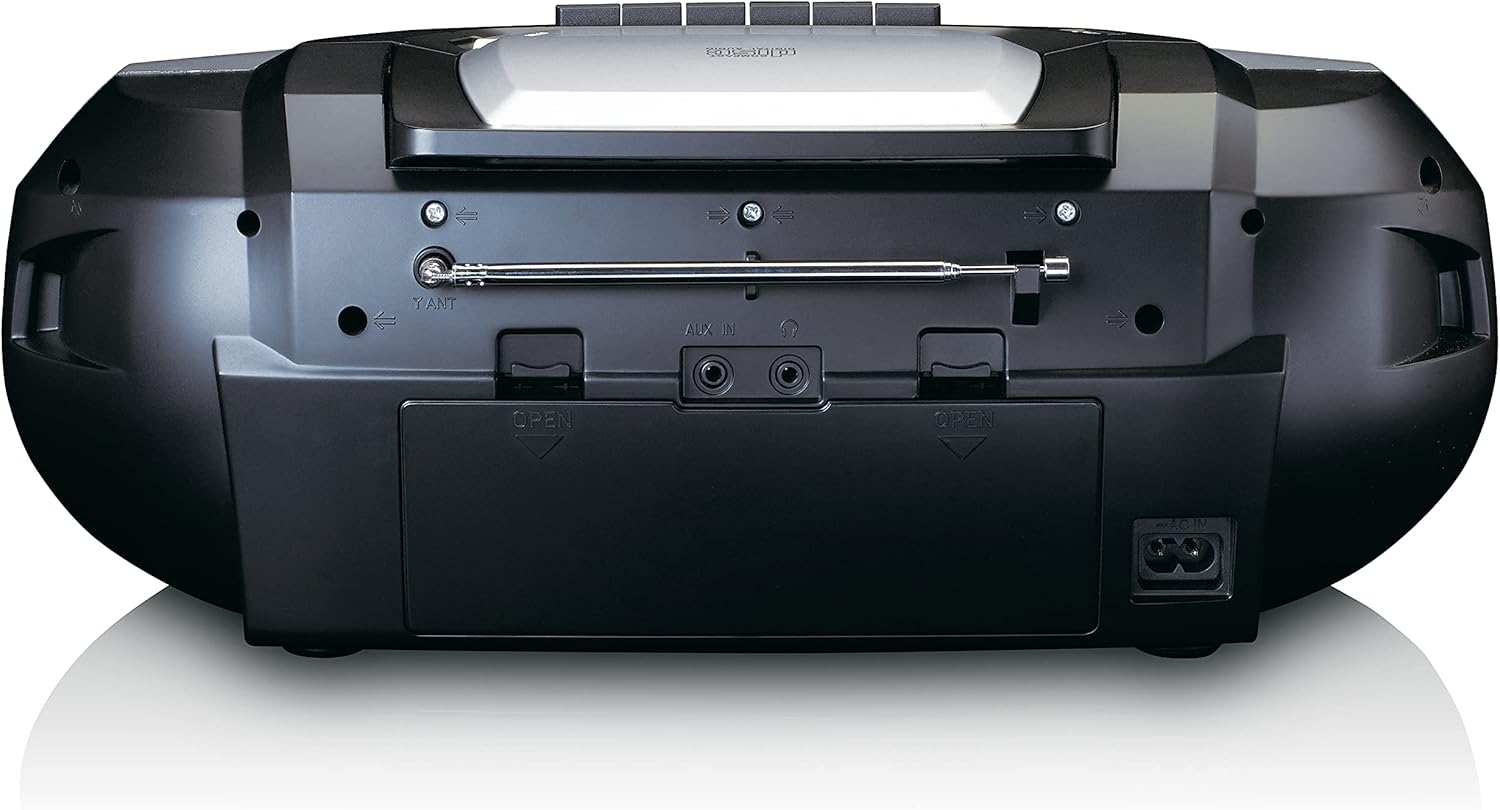
This image shows the back of the Lenco SCD-720 Boombox, featuring the telescopic antenna, AUX input, headphone jack, and the AC power input socket.
Control Panel Close-up

Detailní view of the Lenco SCD-720 Boombox's central control panel, including the digital display, source selection buttons, tuning/navigation buttons, and the illuminated volume knob.
Boombox with Remote Control
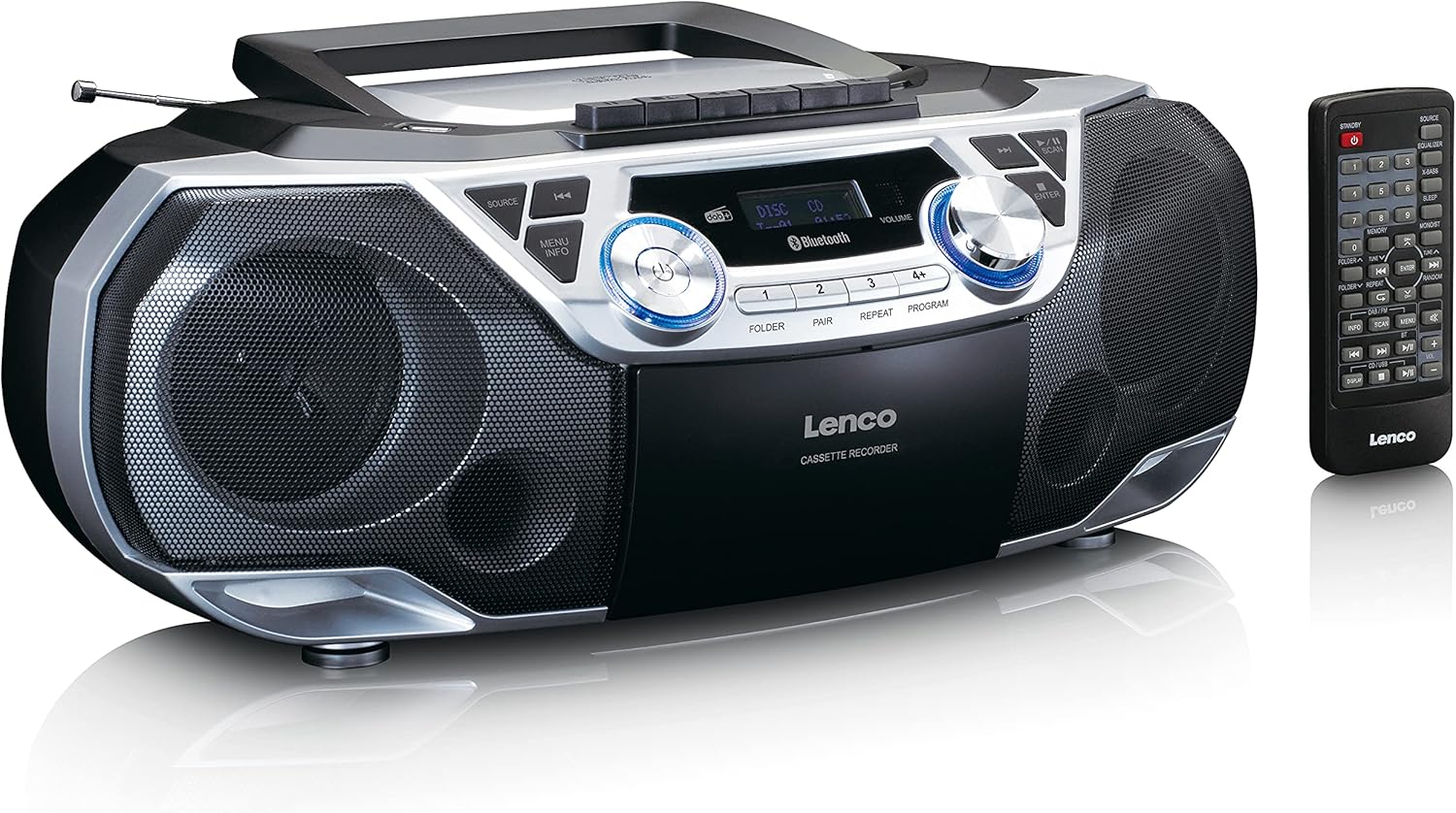
The Lenco SCD-720 Boombox is displayed next to its included remote control, illustrating the complete package.
Rozložení dálkového ovládání

A close-up image of the remote control for the Lenco SCD-720 Boombox, showing all buttons for power, source selection, playback, tuning, and other functions.
4. Nastavení
4.1 Připojení napájení
The Lenco SCD-720 Boombox can be powered by AC mains or batteries.
- Napájení střídavým proudem: Connect the supplied AC power cord to the AC IN socket on the rear of the unit and then to a standard wall outlet.
- Provoz na baterie: For portable use, open the battery compartment on the rear of the unit and insert 8 x 'C' type batteries (not included), ensuring correct polarity. Close the compartment securely.
4.2 Nastavení antény
For optimal radio reception, extend the telescopic antenna fully. Adjust its position and angle to achieve the best signal quality for both DAB+ and FM broadcasts.
4.3 Počáteční zapnutí
Stiskněte tlačítko MOC button on the unit or remote control to turn on the boombox. The display will light up, and the unit will typically start in the last used mode.
5. Návod k obsluze
5.1 Obecné ovládací prvky
- Zapnutí/vypnutí: Stiskněte tlačítko MOC tlačítko.
- Ovládání hlasitosti: Otočte OBJEM knoflík na jednotce nebo použijte HLASITOST + / - tlačítka na dálkovém ovladači.
- Výběr zdroje: Stiskněte tlačítko ZDROJ button on the unit or the dedicated source buttons (DAB/FM, CD/USB, BT) on the remote to switch between modes (DAB+, FM, CD, USB, Bluetooth, AUX).
5.2 Ovládání rádia (DAB+/FM)
- Vyberte režim: Stiskněte tlačítko ZDROJ button until DAB+ or FM mode is selected.
- Automatické skenování: In DAB+ or FM mode, press the SKENOVAT button to automatically search for and store available stations.
- Ruční ladění: Použijte TUNE < / > tlačítky pro ruční nastavení frekvence.
- Přednastavené stanice: The unit allows you to save your favorite stations. Press and hold one of the numbered preset buttons (1-4) to store the current station. Briefly press a preset button to recall a stored station.
- DAB+ Information: V režimu DAB+ stiskněte INFO button to cycle through various information such as program type, signal strength, time, and date.
5.3 Přehrávání CD/MP3
- Load CD: Open the CD compartment lid by pressing the OTEVŘENO button. Place a CD or MP3 CD with the label side facing up. Close the lid securely.
- Přehrávání: The CD will start playing automatically. If not, press the PLAY/PAUSE tlačítko.
- Ovládání: Použití SKIP << / >> tlačítka pro přeskakování skladeb. Stiskněte a podržte pro rychlé přehrávání vpřed/vzad.
- Opakovat: Stiskněte OPAKOVAT to repeat the current track or all tracks.
- Naprogramovat: Stiskněte NAPROGRAMOVAT to create a custom playback order for tracks.
5.4 Cassette Playback and Recording
- Load Cassette: Open the cassette compartment. Insert a cassette tape.
- Přehrávání: Stiskněte tlačítko HRÁT tlačítko.
- Záznam: To record from Radio, CD, USB, or AUX, select the desired source. Insert a blank cassette. Press the ZÁZNAM button (usually red) along with the HRÁT tlačítko současně.
- Ovládání: Použití RYCHLE VPŘED a ZPĚT tlačítka. lis STOP/EJECT pro zastavení přehrávání a otevření přihrádky.
5.5 Bluetooth 5.0 Připojení
- Vstup do režimu Bluetooth: Stiskněte tlačítko ZDROJ button until 'BT' or 'Bluetooth' appears on the display. The unit will enter pairing mode, indicated by a flashing Bluetooth icon.
- Párování: On your smartphone or tablet, enable Bluetooth and search for available devices. Select 'Lenco SCD-720' from the list. Once paired, the Bluetooth icon will stop flashing.
- Přehrávání: Start playing audio on your connected device. The sound will be streamed to the boombox.
5.6 Přehrávání z USB
- Vložte USB: Vložte USB flash disk obsahující MP3 filedo portu USB.
- Vyberte režim USB: Stiskněte tlačítko ZDROJ button until 'USB' appears. The unit will automatically scan and begin playing MP3 files.
- Ovládání: Použijte tlačítka pro ovládání přehrávání (PLAY/PAUSE, SKIP << / >>) to manage your music.
5.7 Vstup AUX
Connect external audio devices (e.g., MP3 players, smartphones without Bluetooth) to the AUX IN jack on the rear of the unit using a 3.5mm audio cable (not included). Select AUX mode via the ZDROJ tlačítko.
5.8 Sluchátkový výstup
For private listening, connect headphones to the SLUCHÁTKA jack on the rear of the unit. The main speakers will be muted automatically.
5.9 Dálkové ovládání
The included remote control provides full functionality for the boombox, allowing you to control power, source, volume, playback, tuning, and other settings from a distance. Ensure the remote has working batteries and is pointed towards the front of the boombox.
6. Údržba
6.1 Čištění jednotky
Wipe the exterior of the boombox with a soft, dry cloth. Do not use abrasive cleaners, waxes, or solvents as they may damage the finish. For stubborn stains, a slightly damp Lze použít hadřík a poté suchý hadřík.
6.2 Péče o čočky CD
If CD playback becomes erratic, the CD lens may need cleaning. Use a commercially available CD lens cleaner disc. Do not touch the lens directly.
6.3 Cassette Head Cleaning
Regularly clean the cassette heads, pinch rollers, and capstans with a cotton swab lightly moistened with isopropyl alcohol to ensure optimal sound quality and prevent tape damage.
6.4 Výměna baterie
If the unit is powered by batteries and performance degrades, replace all 8 'C' type batteries with new ones, ensuring correct polarity. Do not mix old and new batteries or different types of batteries.
7. Řešení problémů
| Problém | Možná příčina | Řešení |
|---|---|---|
| Žádná síla | Napájecí kabel není připojen; Baterie jsou vybité nebo nesprávně vložené. | Check AC cord connection; Replace batteries, ensuring correct polarity. |
| Žádný zvuk | Příliš nízká hlasitost; Vybrán nesprávný zdroj; Připojena sluchátka. | Increase volume; Select correct source; Disconnect headphones. |
| Špatný příjem rádia | Anténa není vysunutá nebo správně umístěná; Slabý signál. | Extend and adjust the telescopic antenna; Try moving the unit to a different location. |
| CD/USB se nepřehrává | Disc dirty/scratched; USB format not supported; Incorrect mode. | Clean or replace disc; Ensure USB contains MP3 files; Select CD or USB mode. |
| Párování Bluetooth se nezdařilo | Boombox not in pairing mode; Device too far; Bluetooth off on device. | Ensure boombox is in BT pairing mode; Move device closer; Enable Bluetooth on your device. |
| Cassette recording issues | Incorrect source selected; Cassette write-protect tab engaged. | Select the desired recording source; Ensure the write-protect tab on the cassette is not broken off. |
8. Specifikace
- Model: SCD-720SI
- Značka: Lenco
- Konektivita: DAB+, FM Radio, Bluetooth 5.0, CD/MP3 Player, Cassette Player, USB Playback, AUX Input, Headphone Output
- Zvukový výstup: 2 x 6W RMS
- Zdroj napájení: AC 230V ~ 50Hz or 8 x 'C' type batteries (DC 12V)
- Podporované zvukové formáty: CD, CD-R/RW, MP3 (from CD/USB)
- Speciální vlastnosti: Bass Reflex, Remote Control
- Rozměry (D x Š x V): Přibližně 38.5 cm x 23.5 cm x 14.5 cm
- Barva: Stříbro
- Výrobce: Lenco GmbH
- Země původu: Čína
9. Záruka a podpora
Lenco products are covered by a warranty in accordance with European law. For specific warranty terms and conditions, please refer to the warranty card included with your product or visit the official Lenco website. For technical support, service, or spare parts information, please contact Lenco customer service or your local dealer. Please have your model number (SCD-720SI) and purchase details ready when contacting support.
Information regarding software updates and spare parts availability is not provided at this time.


