Zavedení
Welcome to the AEEZO Kids Tablet TK701 user manual. This guide provides essential information for setting up, operating, maintaining, and troubleshooting your new tablet. Designed for children, this 7-inch tablet features a Full HD IPS touch screen, Android 10 operating system, and pre-installed Kidoz for a safe and engaging experience.
Konec produktuview
Součásti tabletu

Popis obrázku: A detailed diagram of the AEEZO Kids Tablet TK701, highlighting its various ports and buttons. The tablet is shown from the front, side, and top views, with numbers indicating specific components.
- Resetovat: Malý otvor pro reset zařízení.
- Zapnutí/vypnutí: Button to turn the tablet on or off.
- Hlasitost+: Button to increase volume.
- Hlasitost-: Tlačítko pro snížení hlasitosti.
- Přední kamera: Camera located on the front of the tablet.
- Sluchátkový jack: 3.5mm port pro sluchátka.
- Slot pro SD kartu: Slot for inserting a microSD card for expanded storage.
- Port typu C: Port USB typu C pro nabíjení a přenos dat.
- Zadní kamera: Camera located on the back of the tablet.
- Reproduktor: Audio output speaker.
- Mikrofon: Zabudovaný mikrofon.
Klíčové vlastnosti

Popis obrázku: An image comparing 1080p FHD image quality (right, showing Red from Angry Birds clearly) with a lower resolution (left, showing a blurry green pig), illustrating the superior display of the AEEZO tablet.
- Zobrazit: 7-inch FHD IPS Touch Screen with 1920x1200 resolution, 323 PPI, offering a 178° wide viewúhel.
- Operační systém: GMS-certified Android 10.0.
- Procesor: 1.6 GHz Quad-Core processor.
- Paměť a úložiště: 2GB RAM, 32GB ROM (expandable up to 128GB via microSD card, not included).
- Kamery: Duální fotoaparáty (2MP přední, 5MP zadní).
- Baterie: 2,600mAh battery, providing approximately 4 hours of average use.
- Konektivita: WiFi.
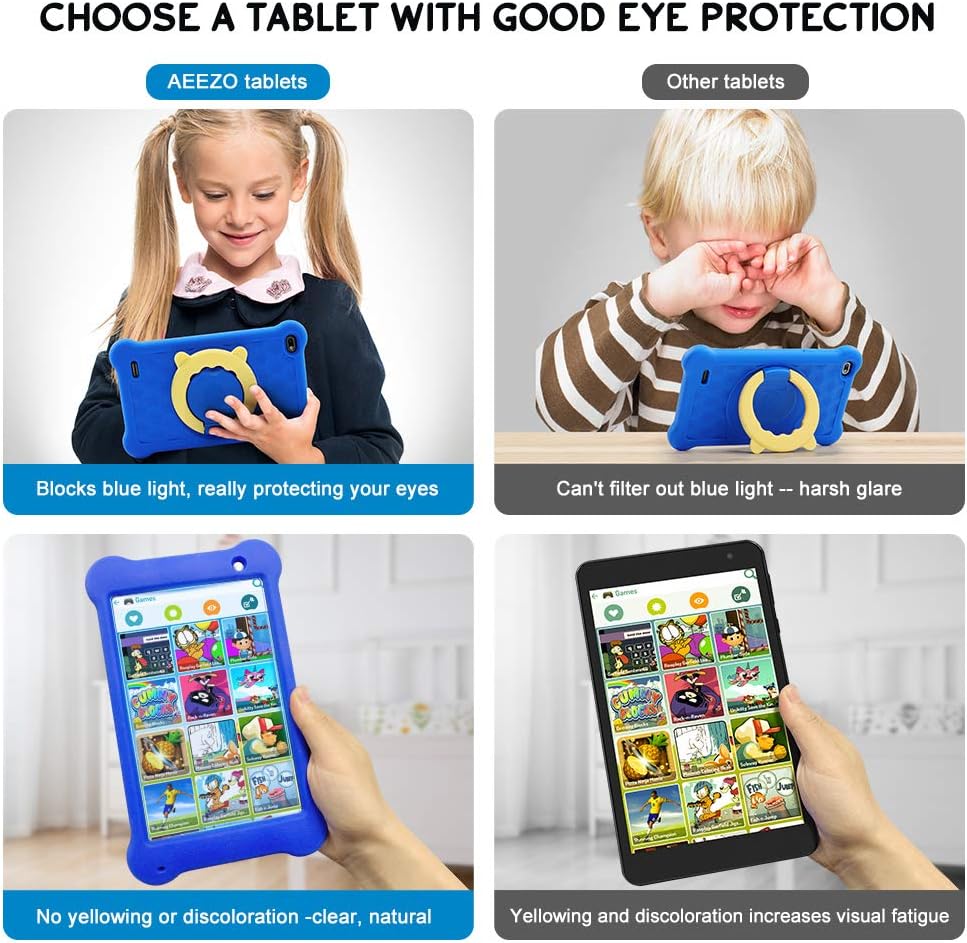
Popis obrázku: A four-panel image demonstrating the AEEZO tablet's eye protection features. Two top panels show a child comfortably using an AEEZO tablet (blocking blue light) versus a child squinting at another tablet (harsh glare). Two bottom panels show the AEEZO tablet's clear display versus another tablet's yellowed display, highlighting the absence of discoloration.
- Ochranné vlastnosti: Food-grade silicone cover designed to prevent damage from falls and collisions, and a pre-applied screen protection film that blocks harmful blue light for eye protection. The cover includes a 360-degree adjustable ring stand.
- Child-Friendly Software: Pre-installed Kidoz app, a COPPA-certified platform for kids, with parental controls.
Nastavení
1. Počáteční nabíjení
Before first use, fully charge the tablet. Connect the provided USB Type-C cable to the tablet's Type C Port (8) and to a compatible 5V 2A charger (not included). The charging indicator will show the charging status.
2. Zapnutí/vypnutí
- Zapnutí: Press and hold the Power on/off button (2) until the screen lights up.
- Vypnutí: Press and hold the Power on/off button (2) until a power-off menu appears. Select "Power off" to shut down the device.
3. Průvodce počátečním nastavením
Upon first power-on, follow the on-screen instructions to complete the initial setup. This includes selecting your language, connecting to a Wi-Fi network, and setting up your Google account.
4. Vložení karty MicroSD (volitelné)
To expand storage, insert a microSD card (up to 128GB, not included) into the SD Card Slot (7). Ensure the tablet is powered off before inserting or removing the card.
Návod k obsluze
Základní navigace
- Dotyková obrazovka: Navigate the tablet by tapping, swiping, and pinching on the screen.
- Domovská obrazovka: Access apps and widgets from the main home screen.
- Oznámení: Přejeďte prstem dolů z horní části obrazovky na view oznámení a rychlé nastavení.
Using Google Play

Popis obrázku: A young child smiling next to the AEEZO tablet, surrounded by icons for Google Play, Kidoz, Family Link, and FamilyGroup, indicating the tablet's software capabilities.
The tablet provides full access to Google services, including the Google Play Store. Parents can download a wide range of educational apps, games, and other content suitable for children. Ensure your Google account is set up and parental controls are configured within Google Play for content filtering.
Kidoz App

Popis obrázku: The AEEZO Kids Tablet, encased in its blue protective cover, displays the colorful Kidoz app interface. Various icons representing kid-friendly games, videos, and creative tools are shown floating above the tablet.
Kidoz is a pre-installed, COPPA-certified application designed for children. It offers a curated selection of age-appropriate content. Navigate through Kidoz to find games, videos, and educational activities.
Rodičovská kontrola

Popis obrázku: A mother and child are comfortably seated on a sofa, with the child holding the AEEZO Kids Tablet. On the right side of the image, three circular icons represent key parental control features: Child Lock, Content Filter, and Time Limits.
The AEEZO Kids Tablet is equipped with robust parental control features to ensure a safe digital environment for children.
- Kidoz Parental Control: The pre-installed Kidoz app includes an advanced parental control system. Parents can set up a password to manage access to content, filter age-inappropriate material, and monitor usage.
- Filtrování obsahu: Utilize the age filter within Kidoz to ensure children only access content suitable for their age group.
- Časové limity: Set daily time limits for tablet usage to promote healthy screen habits.
- Správa aplikací: Control which applications your child can access.
- Google Family Link: For more comprehensive device management, consider using Google Family Link, which allows parents to manage app downloads, screen time, and device location from their own device.
Údržba
- Čištění: K čištění obrazovky a těla tabletu používejte měkký hadřík, který nepouští vlákna. Nepoužívejte abrazivní čisticí prostředky ani rozpouštědla.
- Péče o baterie: To prolong battery life, avoid extreme temperatures. Do not allow the battery to fully discharge frequently. Charge the tablet regularly.
- Aktualizace softwaru: Pravidelně kontrolujte v nastavení tabletu aktualizace systému, abyste zajistili optimální výkon a zabezpečení.
- Ochranný kryt: The food-grade silicone cover provides protection against drops and impacts. Keep it clean and ensure it is properly fitted.
- Ochrana obrazovky: The pre-applied screen protection film helps block harmful blue light and protects the screen. If it becomes damaged, consider replacing it with a similar eye-protective film.
Odstraňování problémů
Tablet se nezapne
- Ujistěte se, že je tablet dostatečně nabitý. Připojte jej ke zdroji napájení alespoň na 30 minut.
- Press and hold the Power on/off button (2) for 10-15 seconds.
- If unresponsive, use a thin object (like a paperclip) to press the Reset button (1) and then attempt to power on.
Pomalý výkon
- Zavřete nepoužívané aplikace běžící na pozadí.
- Vymažte data mezipaměti často používaných aplikací.
- Ensure there is sufficient storage space. Uninstall unnecessary apps or move files na SD kartu.
- Restartujte tablet.
Problémy s připojením k Wi-Fi
- Ujistěte se, že je v nastavení tabletu povolena Wi-Fi.
- Restartujte Wi-Fi router.
- Zapomeňte na síť a znovu se připojte, přičemž znovu zadejte heslo.
- Ujistěte se, že je tablet v dosahu signálu Wi-Fi.
Baterie se rychle vybíjí
- Snižte jas obrazovky.
- Zavřete aplikace na pozadí a vypněte nepotřebná oznámení.
- Vypněte Wi-Fi nebo Bluetooth, když je nepoužíváte.
- Check for apps consuming excessive battery in settings.
Specifikace
| Funkce | Detail |
|---|---|
| Název modelu | TK701 |
| Velikost obrazovky | 7 palce |
| Rozlišení obrazovky | 1920 x 1200 (FHD IPS) |
| Procesor | 1.6 GHz Quad-Core (ARM) |
| BERAN | 2 GB |
| Interní úložiště | 32 GB |
| Rozšiřitelné úložiště | Up to 128 GB (MicroSD, not included) |
| Operační systém | Android 10.0 (GMS Certified) |
| Zadní WebRozlišení vačky | 5 MP |
| Přední kamera | 2 MP |
| Baterie | 2,600mAh lithium-iontová |
| Průměrná životnost baterie | Přibližně 4 hodin |
| Konektivita | WiFi |
| Hmotnost položky | 1.43 libry (cca 648 g) |
| Rozměry produktu | 9.06 x 6.69 x 1.97 palce |
| Barva | Modrý |
Záruka a podpora
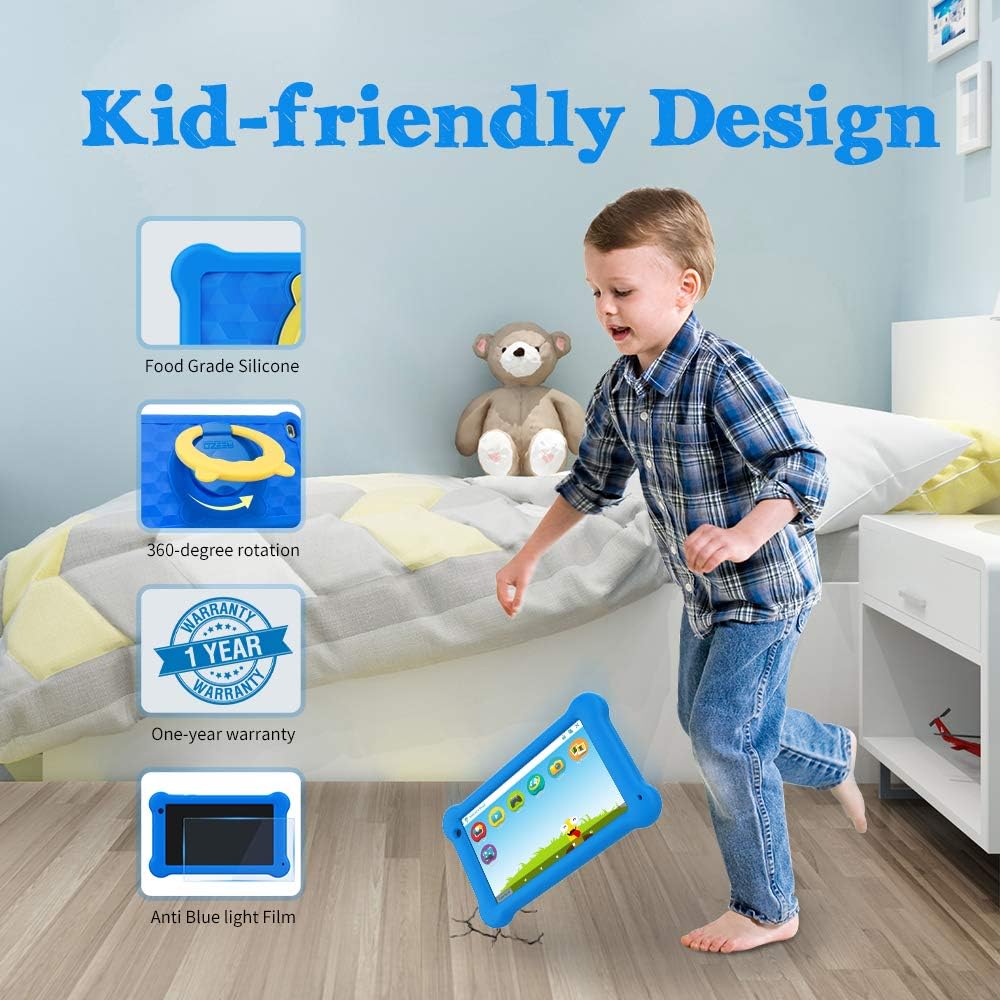
Popis obrázku: A young boy is shown playing with the AEEZO Kids Tablet, which is protected by a blue silicone case and features a yellow rotating stand. Insets highlight key features: Food Grade Silicone, 360-degree rotation, a "1 Year Warranty" badge, and "Anti Blue Light Film."
The AEEZO Kids Tablet TK701 comes with a 1-letá záruka od data nákupu. Tato záruka se vztahuje na výrobní vady vzniklé běžným používáním. Pro případné reklamace si prosím uschovejte doklad o koupi.
For technical support, warranty service, or any questions regarding your tablet, please contact AEEZO customer service through the retailer where you purchased the product or visit the official AEEZO webstránky pro kontaktní informace.


