Zavedení
Děkuji za nákupasing the IPEGA Wireless Switch Controller. This manual provides detailed instructions on how to set up, operate, and maintain your new gamepad. Please read this manual thoroughly before use to ensure optimal performance and longevity of your device.

Figure 1: IPEGA Wireless Switch Controller in use with a tablet device, showcasing its telescopic design.
Vlastnosti produktu
- Kompatibilita s více platformami: Designed for N-Switch, P3, Android devices, and PC (Win 7/8/10). Note: Does not support MediaTek chips.
- Vylepšený herní zážitek: Features six-axis gyroscope function for precise motion control and dual motor vibration for immersive feedback.
- Ergonomický design: Full ergonomic structure provides a comfortable hand feeling during extended gaming sessions.
- Teleskopický držák: Integrated lever telescopic bracket with a super long telescopic function, adjustable from 130mm to 280mm (approximately 5.1 to 11 inches), suitable for various devices including N-Switch host and tablets.
- Dlouhá výdrž baterie: Built-in 300mAh high-performance lithium battery offers over 10 hours of continuous use and up to 30 days of standby time on a full charge.
- Pohodlné ovládání: Equipped with a screen capture button and multimedia buttons (volume+, -, last, next, Play/Pause) for Android devices.

Figure 2: The controller's telescopic design, suitable for various devices.
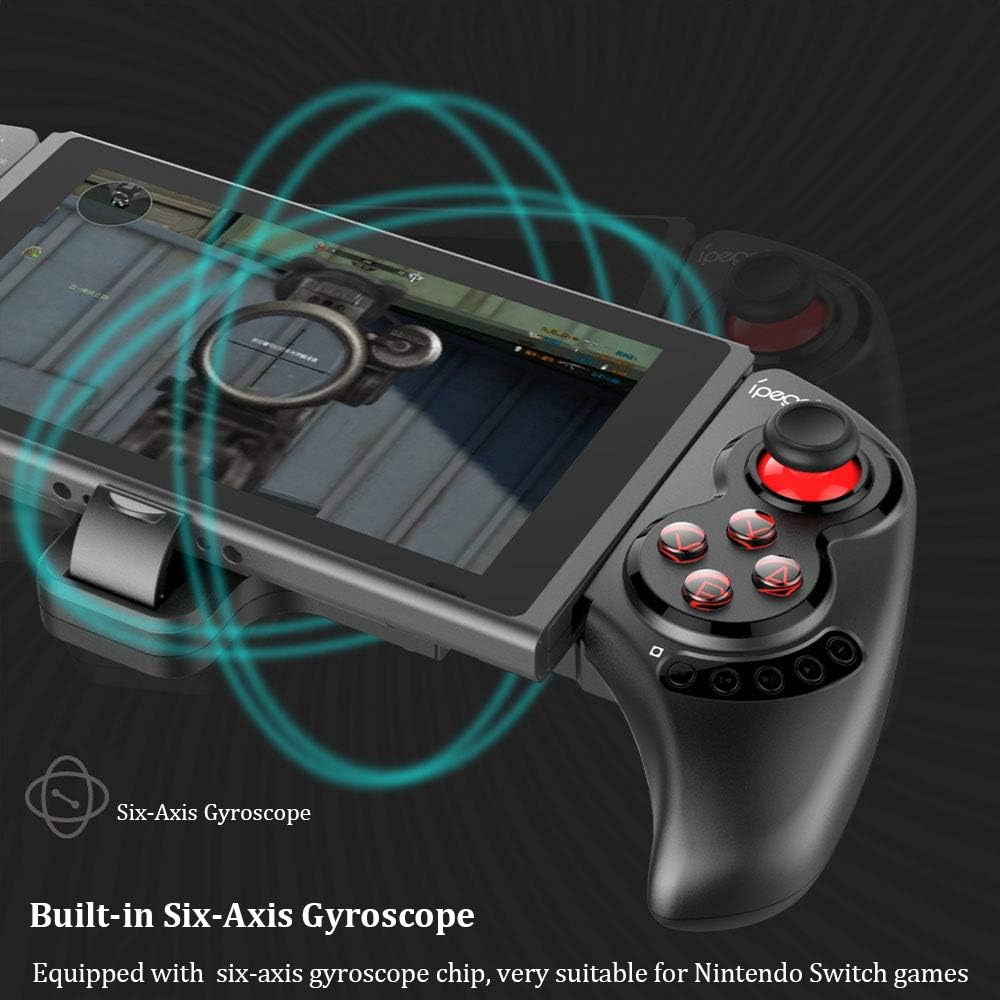
Figure 3: Illustration highlighting the built-in six-axis gyroscope for motion control.

Figure 4: Illustration demonstrating the dual motor vibration feature for haptic feedback.

Figure 5: The telescopic rod's adjustable range (130-280mm) and compatibility with Switch Mobile Device, Android Phone, and PC Tablet.

Figure 6: Detail of the controller's ergonomic structure designed for comfortable hand feeling.
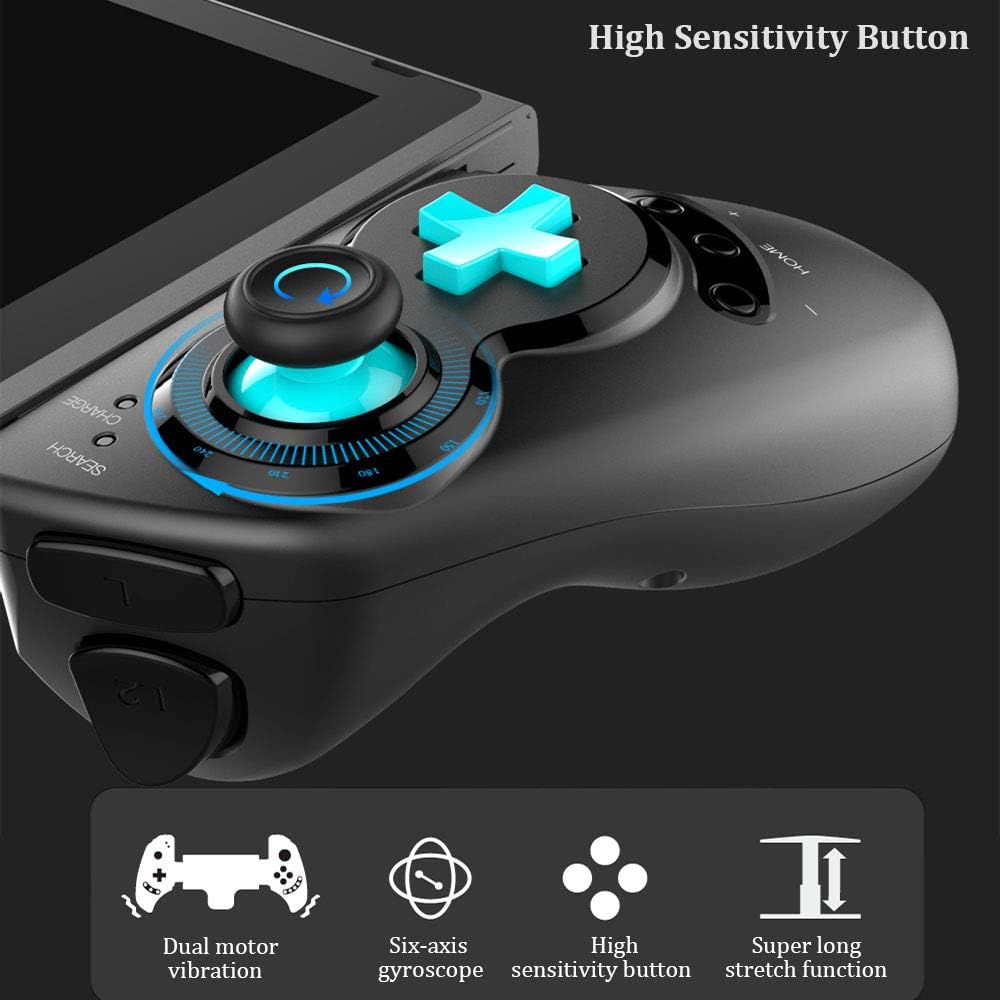
Figure 7: Highlighting the high sensitivity buttons and other key features like dual motor vibration, six-axis gyroscope, and super long stretch function.
Nastavení
Before using your IPEGA Wireless Switch Controller, ensure it is adequately charged. Connect the included USB cable to the controller's charging port and to a USB power source (e.g., computer, USB wall adapter). The charge indicator will show charging status.
Provozní režimy
N-Switch Connection Mode
- První párování:
- Turn on your Nintendo Switch Console.
- From the HOME Menu, navigate to Ovladačea poté vyberte Změňte přilnavost a pořadí.
- On the IPEGA controller, press and hold down the "B" + "HOME" buttons simultaneously for 2 seconds. The SEARCH indicators on the controller will flash quickly.
- Once successfully paired, the indicators will turn on solid. Press "A" on the controller when prompted to confirm.
- Opětovné spárování:
- Stiskněte a podržte "HOME" button for 2 seconds to turn on the controller.
- The SEARCH indicator will flash slowly, indicating it's in re-pair mode. The controller will automatically attempt to connect to the previously paired console.
- Po připojení stiskněte "A" when you're ready to play.
- Ovladač probuzení:
- If the controller is in sleep mode, press the "HOME" tlačítko pro probuzení.
- It will automatically connect to the console.
- Stiskněte "A" when you're ready.
Režim Android
- Stiskněte a podržte "Y" + "HOME" buttons simultaneously for 2 seconds to turn on the controller. The SEARCH indicators will flash quickly.
- On your Android device, enable Bluetooth and search for available devices. Select "PG-SW029" spárovat.
- Once successfully paired, the SEARCH indicator on the controller will turn on solid, indicating it has entered Android Mode.
- The controller supports standard Android HID games.
P3 Mode (PlayStation 3)
- Stiskněte a podržte "A" + "HOME" buttons simultaneously for 2 seconds to turn on the controller. The SEARCH indicators will flash quickly.
- Connect the controller to your P3 console using the provided USB cable. Press the "HOME" button to initiate pairing.
- Once paired successfully, the corresponding SEARCH indicator will turn on solid, indicating the gamepad has entered P3 mode.
- You can then unplug the USB cable, and the controller will operate in wireless connection mode.
Údržba
- Keep the controller away from extreme temperatures, direct sunlight, and humid environments.
- Zabraňte pádu ovladače na zem nebo jeho vystavení silným nárazům.
- Clean the controller with a soft, dry cloth. Do not use chemical solvents or abrasive cleaners.
- Pokud ovladač delší dobu nepoužíváte, skladujte jej na chladném a suchém místě.
- Nepokoušejte se rozebírat ani upravovat ovladač, mohlo by dojít ke ztrátě záruky a poškození.
Odstraňování problémů
| Problém | Možné řešení |
|---|---|
| Ovladač se nezapne. | Ensure the controller is fully charged. Connect it to a power source using the USB cable. |
| Controller fails to pair with device. |
|
| Input lag or disconnection during gameplay. |
|
| Tlačítka nebo joysticky nereagují. |
|
Specifikace
| Funkce | Detail |
|---|---|
| Číslo modelu | PG-SW029 |
| Značka | ipega |
| Konektivita | Bezdrátové (Bluetooth) |
| Přenosová vzdálenost | ≤ 26ft (8 meters) |
| Kapacita baterie | Lithiová baterie 300mAh |
| Doba nepřetržitého používání | > 10 hodin |
| Pohotovostní doba | Až 30 dní |
| Teleskopický dosah | 130mm - 280mm (approx. 5.1 - 11 inches) |
| Rozměry produktu | 23.7 x 12.5 x 5.99 cm (9.33 x 4.92 x 2.36 palce) |
| Kompatibilita | Nintendo Switch, PlayStation 3, Android Phones/Tablets, PC (Win 7/8/10) |

Figure 8: Detailed dimensions of the controller and its retail packaging.
Seznam balíků
Balení vašeho produktu obsahuje následující položky:
- Wireless Gamepad x1
- Uživatelská příručka x1 (Tento dokument)
- USB kabel x1
Záruka a podpora
For warranty information and technical support, please refer to the contact details provided by your retailer or visit the official IPEGA webUschovejte si účtenku jako doklad o koupi pro případ reklamace.
Pokud narazíte na jakékoli problémy, které nejsou v této příručce uvedeny, obraťte se na zákaznickou podporu.


