1. Úvod
This manual provides detailed instructions for the operation and maintenance of your Beeasy Kids Digital Watch, Model AW01. Please read this manual thoroughly to ensure proper use and to maximize the watch's features.
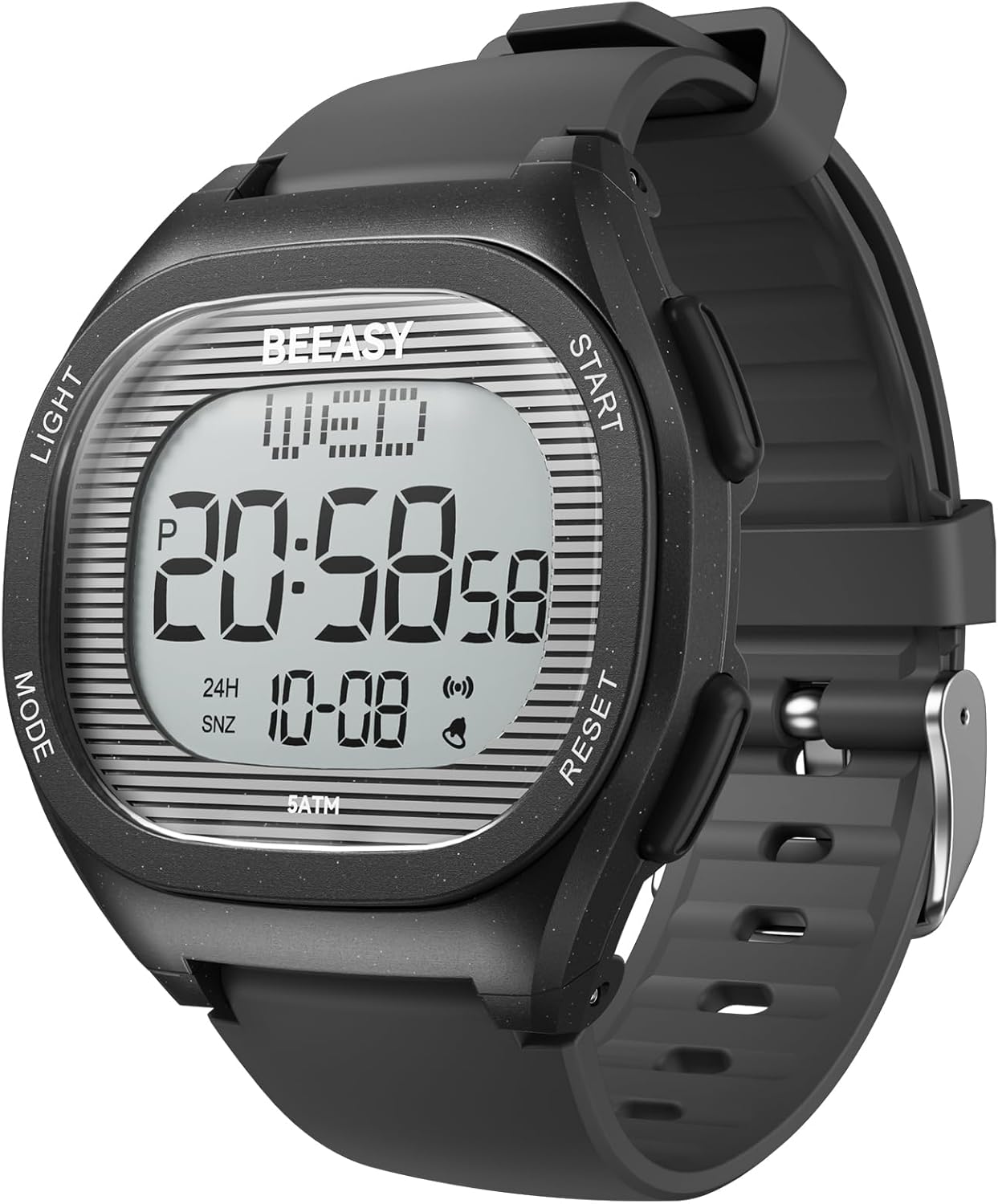
Obrázek 1.1: Přední strana view of the Beeasy Kids Digital Watch AW01. The watch features a clear digital display showing time, day, and date, with four control buttons on the sides.
2. Konec produktuview
2.1 Součásti hodinek
The Beeasy Kids Digital Watch AW01 features a durable design with an easy-to-read digital display and four control buttons:
- Tlačítko OSVĚTLENÍ (vlevo nahoře): Aktivuje EL podsvícení pro lepší viditelnost za zhoršených světelných podmínek.
- Tlačítko MODE (vlevo dole): Cycles through different watch modes (Time, Alarm, Stopwatch, Time Setting).
- Tlačítko START (vpravo nahoře): Used to start/stop functions in Stopwatch mode and adjust settings.
- Tlačítko RESET (vpravo dole): Used to reset functions in Stopwatch mode and confirm settings.

Obrázek 2.1: Detail view of the watch face, highlighting the digital display and the four control buttons: LIGHT, MODE, START, and RESET.
2.2 Zobrazení informací
Digitální displej zobrazuje následující informace:
- Current Time (12-hour or 24-hour format)
- den v týdnu
- Date (Month-Day)
- AM/PM indicator (in 12-hour format)
- Alarm and Snooze indicators
3. Setup: Setting Time and Date
Follow these steps to set the correct time and date on your watch:
- From the normal time display, press and hold the RESETOVAT button for 3 seconds until the seconds start flashing.
- Stiskněte tlačítko MODE button 3 times to enter the year setting mode. The year will begin flashing.
- Stiskněte tlačítko START button to adjust the year. You can cycle through years up to 99 and then it will continue to the current year.
- Stiskněte tlačítko MODE button to move to the month setting. The month will flash. Press START upravit měsíc.
- Stiskněte tlačítko MODE button to move to the day setting. The day will flash. Press START upravit den.
- Pokračujte stisknutím tlačítka MODE button to cycle through hour, minute, and 12/24-hour format settings, using the START button to adjust each value.
- Jakmile jsou všechna nastavení správná, stiskněte tlačítko RESETOVAT tlačítko pro potvrzení a ukončení režimu nastavení.

Image 3.1: Visual guide for setting the time and date on the watch, illustrating the sequence of button presses and display changes.
4. Provozní režimy
Your Beeasy Kids Digital Watch AW01 has several operating modes. Press the MODE tlačítko pro jejich procházení:
- Časový režim: Default display showing current time, day, and date.
- Režim alarmu: Nastavte a aktivujte denní budíky.
- Režim stopek: Změřte uplynulý čas.
4.1 Funkce alarmu
- V režimu Čas stiskněte tlačítko MODE jednou stiskněte tlačítko pro vstup do režimu alarmu.
- Stiskněte a podržte RESETOVAT tlačítko, dokud nezačnou blikat číslice hodin.
- Stiskněte tlačítko START nastavte hodinu.
- Stiskněte tlačítko MODE button to move to the minute setting. Press START upravit minuty.
- Stiskněte tlačítko RESETOVAT tlačítko pro potvrzení času budíku.
- Chcete-li aktivovat/deaktivovat budík, stiskněte tlačítko START tlačítko v režimu alarmu. Na displeji se zobrazí/zmizí ikona alarmu.
4.2 Funkce stopek
- V režimu Čas stiskněte tlačítko MODE Dvojitým stisknutím tlačítka přejděte do režimu stopek. Na displeji se zobrazí „00:00:00“.
- Stiskněte tlačítko START tlačítko pro spuštění měření času.
- Stiskněte tlačítko START znovu stiskněte pro pozastavení měření času.
- Stiskněte tlačítko RESETOVAT tlačítko pro resetování stopek na „00:00:00“.
- Chcete-li ukončit režim stopek, stiskněte tlačítko MODE tlačítko.
4.3 EL podsvícení
Stiskněte tlačítko SVĚTLO button (top left) at any time to illuminate the display for a few seconds. This feature is useful in dark environments.

Image 4.1: The watch display illuminated by the EL backlight, showing clear visibility in low light conditions.
5. Pokyny pro odolnost vůči vodě
The Beeasy Kids Digital Watch AW01 is rated 5ATM (50 meters / 164 feet) water resistant. This means it is suitable for:
- Každodenní použití
- Mytí rukou
- Pocení
- Vystavení dešti
- Sprchování (studená/vlažná voda)
- Plavání
- Bathing (cold/lukewarm water)
Důležitá opatření:
- NE Netlačte na žádná tlačítka, když jsou hodinky ponořené ve vodě.
- NE expose the watch to hot water, steam, or extreme temperature changes (e.g., hot baths, saunas). This can compromise the water resistance seals.
- NE suitable for diving or high-pressure water activities.

Image 5.1: Visual guide to the 5ATM water resistance, indicating suitable activities like swimming and hand washing, and activities to avoid such as hot water exposure or pressing buttons underwater.
6. Údržba
6.1 Čištění
Hodinky otřete měkkým hadříkemamp cloth. Avoid using harsh chemicals or abrasive materials, as these can damage the watch's finish or seals.
6.2 Výměna baterie
The watch uses a standard watch battery. When the display becomes dim or the watch stops functioning, the battery may need replacement. It is recommended to have the battery replaced by a qualified watch technician to ensure the water resistance seal is maintained.

Obrázek 6.1: Zadní strana view of the watch, showing the stainless steel back and water resistance markings. Battery replacement should be done carefully to preserve water resistance.
7. Řešení problémů
- Hodinky nezobrazují čas: Check if the battery needs replacement. If recently exposed to water, ensure it was within water resistance guidelines.
- Čas je nepřesný: Re-set the time following the instructions in Section 3. If the issue persists, the battery may be low.
- Tlačítka nereagují: Ensure the watch is not in a locked mode (if applicable, though not specified for this model). If submerged in water, allow it to dry completely.
- Water inside the display: If water condensation appears inside the watch, stop using it immediately and contact customer support. This indicates a compromised water seal.
8. Specifikace
| Funkce | Detail |
|---|---|
| Číslo modelu | AW01 |
| Rozměry pouzdra | 44 mm (šířka) x 40 mm (výška) |
| Wrist Girth | 5.4–7.8 inches (138–200mm) |
| Voděodolnost | 5ATM (50 metrů / 164 stop) |
| Funkce | Time, Date, Day, Alarm, Stopwatch, EL Backlight, 12/24H Format |
| Materiál popruhu | Food Grade Environmental Friendly watchband |
| Typ spony | Přezka |
| Hmotnost | 2.89 unce |
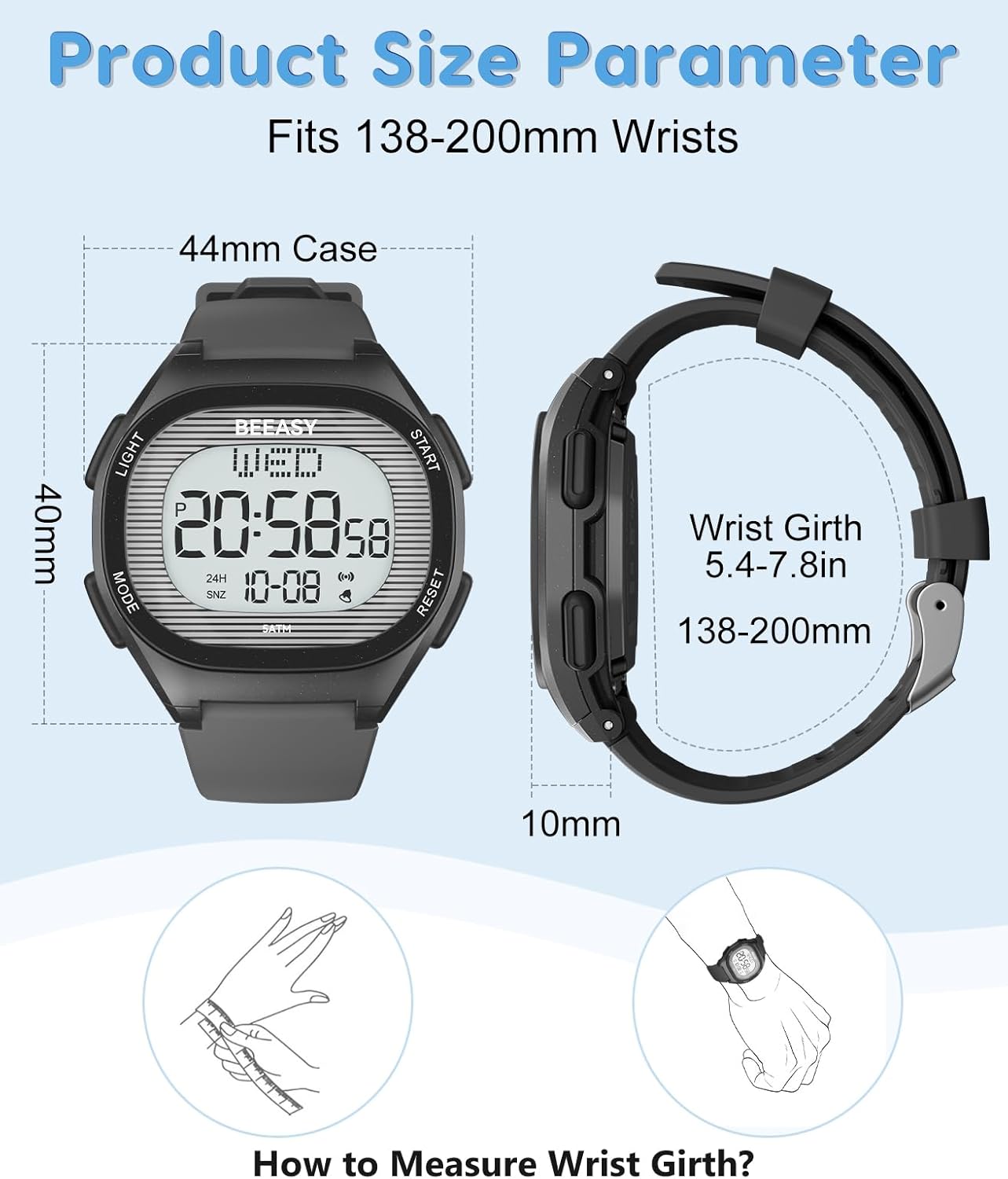
Image 8.1: Detailed product size parameters, including case dimensions and wrist girth range.
9. Záruka a podpora
Beeasy provides customer support for its products. If you have any questions regarding your Beeasy Kids Digital Watch AW01, including setup, operation, or any issues you encounter, please contact Beeasy customer service. They aim to provide a satisfactory answer within 24 hours.
For contact information, please refer to the Beeasy official webwebu nebo v dokumentaci k nákupu.


