1. Úvod
The PNI Safe House HS530 Smart Flood Detector is designed to provide early warning of water leaks or floods in your home or office. This device can operate as a standalone unit or integrate as an accessory with the PNI PG600 Alarm System. It connects via the internet and is compatible with the Tuya App for remote monitoring and notifications.
2. Obsah balení
Carefully unpack the box and ensure all items are present and in good condition. The package should contain the following:
- PNI HS530 Flood Detector Unit with integrated sensor cable
- 2x 1.5V AAA baterie
- Mounting accessories (screws, wall anchors, 3M adhesive pads)
- Uživatelská příručka (tento dokument)
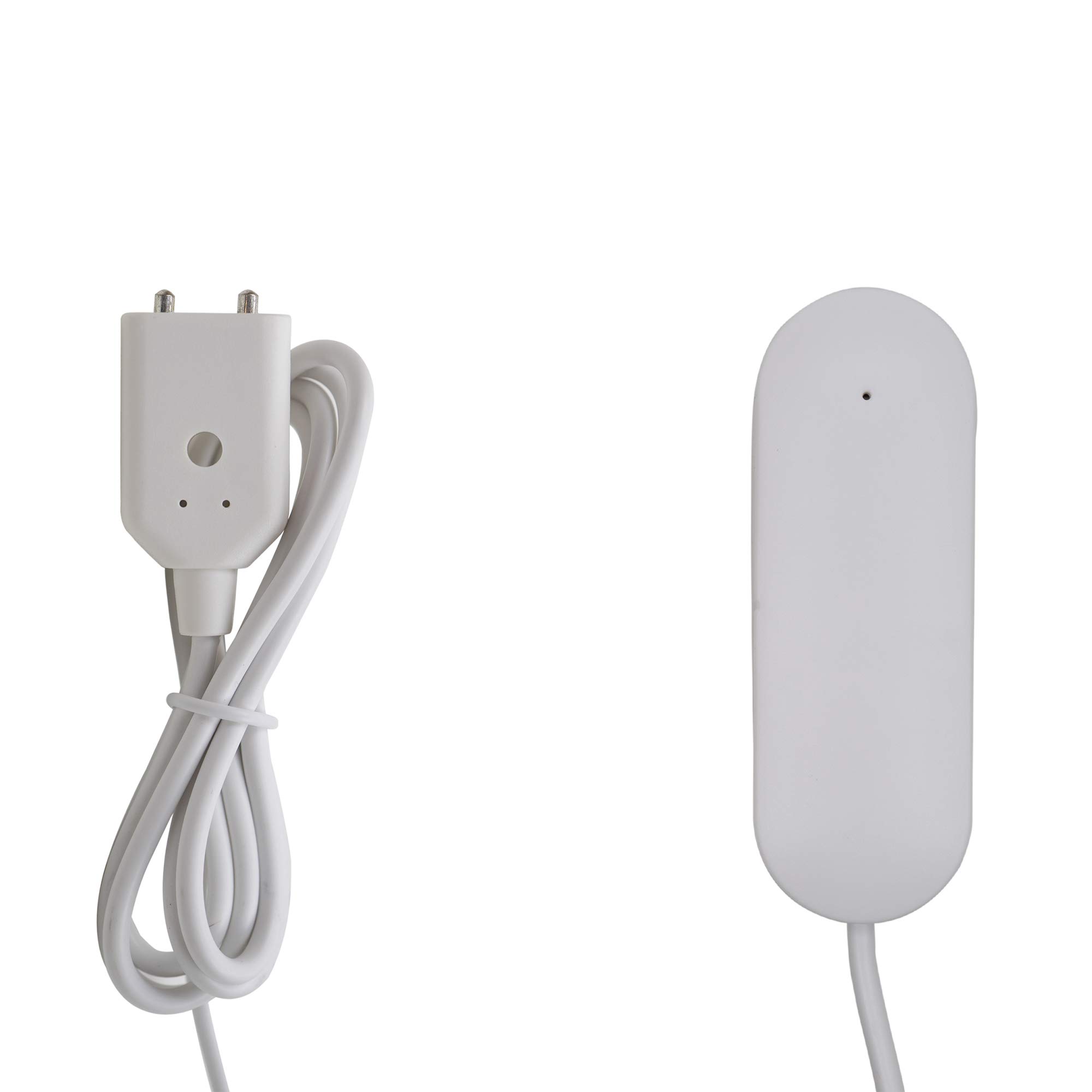
Image 2.1: Contents of the PNI HS530 package, showing the main detector unit with its attached sensor cable, two AAA batteries, and 3M adhesive pads for mounting.
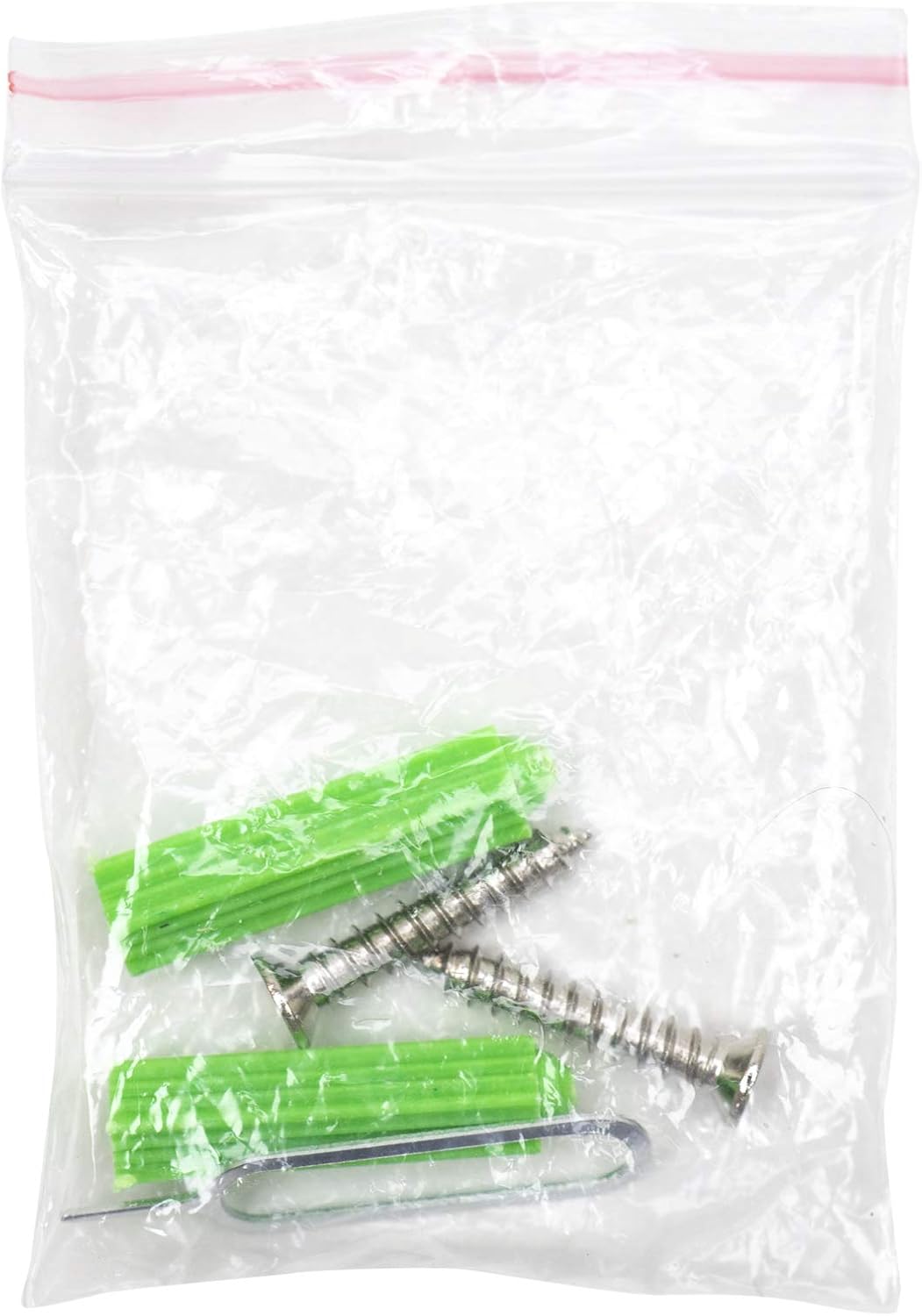
Image 2.2: Mounting accessories, including screws and wall anchors, provided for securing the detector.
3. Konec produktuview
The PNI HS530 Flood Detector consists of a main unit and a wired water sensor probe. The main unit houses the battery compartment, communication module, and an indicator light. The sensor probe is designed to be placed at the lowest point where water might accumulate.

Obrázek 3.1: Přední strana view of the PNI HS530 main detector unit, showing its compact design.
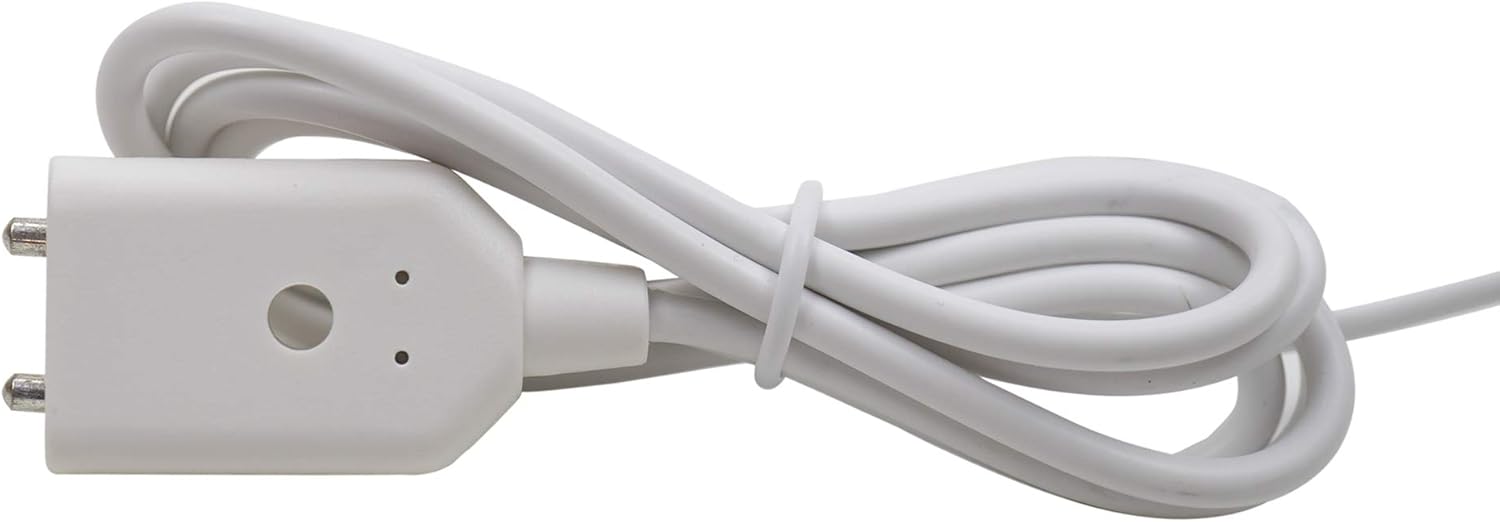
Image 3.2: Detail of the water sensor probe connector, which is designed to detect the presence of water.
4. Nastavení
4.1. Instalace baterie
- Locate the battery compartment on the back of the main detector unit.
- Otevřete kryt bateriového prostoru.
- Vložte dvě 1.5V baterie AAA a dbejte na správnou polaritu (+/-).
- Bezpečně zavřete kryt bateriového prostoru.
4.2. Instalace a párování aplikace
- Stáhněte si aplikaci „Tuya Smart“ nebo „Smart Life“ z obchodu s aplikacemi pro váš chytrý telefon (iOS nebo Android).
- Zaregistrujte se nebo se přihlaste ke svému účtu v aplikaci.
- Add a new device by selecting "Add Device" or the "+" icon.
- Follow the in-app instructions to put the flood detector into pairing mode. This usually involves pressing and holding a button on the device until an indicator light flashes.
- Select the flood detector from the list of discovered devices in the app and complete the pairing process.
4.3. Umístění a montáž
Choose a location where water leaks are likely to occur, such as near water heaters, washing machines, sinks, or in basements. The main unit should be mounted in a dry area, while the sensor probe should be placed directly on the floor or surface where water detection is needed.
- Umístění senzoru: Position the sensor probe with its metal contacts facing downwards, directly on the surface where water accumulation is a concern.
- Main Unit Mounting: Use the provided 3M adhesive pads or screws and wall anchors to secure the main detector unit to a wall or other stable surface. Ensure the unit is within range of your Wi-Fi network.
5. Provoz
Once set up and paired with the Tuya App, the PNI HS530 operates automatically.
- Detekce vody: When the sensor probe detects water, the device will trigger an alarm.
- Oznámení: Upon detection, the device will send instant notifications to your smartphone via the Tuya App, provided it is connected to your Wi-Fi network and the internet.
- Integrace alarmového systému: If integrated with a PNI PG600 Alarm System, the flood detection will also trigger the alarm system's functions.
- Sledování stavu: You can check the device's status, battery level, and event history through the Tuya App at any time.
6. Údržba
6.1. Výměna baterie
The PNI HS530 is powered by two 1.5V AAA batteries. When the battery level is low, the device will typically send a low battery notification via the Tuya App. It is crucial to replace the batteries promptly to ensure continuous protection.
- Otevřete přihrádku na baterie.
- Vyjměte staré baterie.
- Insert new 1.5V AAA alkaline batteries, observing correct polarity.
- Zavřete kryt prostoru pro baterie.
Poznámka: Some users have reported shorter than expected battery life. Regular checks of the battery status via the app are recommended, and consider using high-quality alkaline batteries for optimal performance.
6.2. Čištění
Wipe the device and sensor probe with a soft, dry cloth as needed. Do not use abrasive cleaners or immerse the main unit in water.
6.3. Testování
Periodically test the flood detector by placing the sensor probe in a small amount of water to ensure it triggers an alarm and sends notifications. This confirms the device is functioning correctly.
7. Řešení problémů
| Problém | Možná příčina | Řešení |
|---|---|---|
| Device not pairing with Tuya App. | Incorrect pairing mode, weak Wi-Fi signal, incorrect Wi-Fi password, device too far from router. | Ensure device is in pairing mode (indicator flashing). Check Wi-Fi signal strength. Verify Wi-Fi password. Move device closer to the router. Ensure your Wi-Fi is 2.4GHz. |
| Nebyla přijata žádná oznámení. | App notifications disabled, device offline, poor internet connection, low battery. | Check app notification settings on your phone. Verify device status in the Tuya App. Ensure stable internet connection. Replace batteries if low. |
| Falešné poplachy. | Sensor contacts are wet or dirty, condensation. | Clean and dry the sensor probe contacts. Ensure the sensor is not placed in an area prone to condensation or accidental splashes. |
| Krátká výdrž baterie. | Frequent alarms, poor quality batteries, high usage. | Use high-quality alkaline batteries. Ensure the device is not in an area that triggers frequent, unnecessary alarms. Monitor battery status regularly via the app. |
8. Specifikace
| Funkce | Detail |
|---|---|
| Model | HS530 |
| Zdroj napájení | 2x 1.5V AAA baterie |
| Provozní teplota | -26 °C ~ +60 °C |
| Skladovací teplota | -10 °C ~ +50 °C |
| Vlhkost | 95% RH (max) |
| Způsob instalace | Fixed (adhesive or screws) |
| Kompatibilita | Tuya App (iOS & Android), PNI PG600 Alarm System |
| Rozměry | 0.94 x 0.75 x 2.76 cm (hlavní jednotka) |
| Hmotnost | 1.38 unce |
| Barva | Bílý |
9. Záruka a podpora
For technical assistance, warranty information, or product support, please contact PNI customer service. Refer to the product packaging or the PNI official webstránky pro kontaktní údaje.
PNI is committed to providing reliable products and support.


