1. Úvod
This manual provides comprehensive instructions for the setup, operation, and maintenance of your LG 27UK670-B 27-inch UHD (3840 x 2160) IPS Display. This monitor is designed to deliver a high-quality visual experience with its sRGB 99% Color Gamut, HDR10 support, and a 3-Side Virtually Borderless Design. It also offers flexible connectivity including USB Type-C with 40W Power Delivery and an adjustable stand for ergonomic comfort.

Obrázek 1: Přední strana view of the LG 27UK670-B monitor.
2. Obsah balení
Před zahájením instalace ověřte, zda jsou v balení přítomny všechny položky.
- Monitor Display Panel
- Stojan na monitor (základna a krk)
- Napájecí kabel
- Kabel USB typu C
- HDMI kabel
- Kabel DisplayPort
- Uživatelská příručka (tento dokument)
3. Nastavení
3.1 Sestavení stojanu
- Opatrně položte panel monitoru čelní stranou dolů na měkký, čistý povrch, abyste zabránili poškrábání.
- Připevněte krk stojanu k zadní straně panelu monitoru. Ujistěte se, že bezpečně zacvakne na místo.
- Připojte základnu stojanu k krku stojanu. Utažením šroubu ve spodní části základny ji zajistěte.
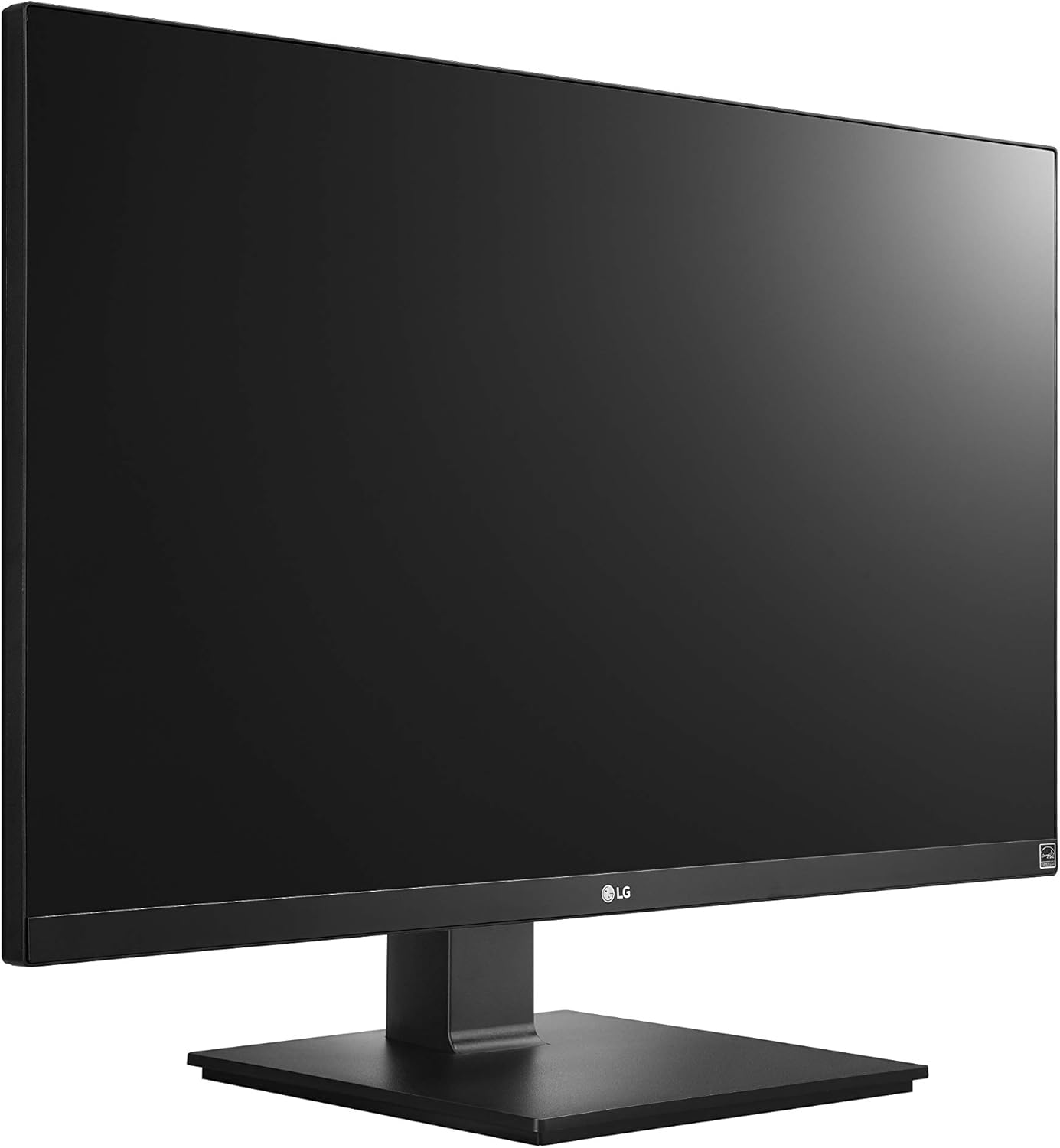
Figure 2: Assembled LG 27UK670-B monitor.
3.2 Připojení k počítači
The LG 27UK670-B monitor offers multiple connectivity options.
- Připojení USB Type-C: Connect one end of the USB Type-C cable to the USB-C port on the monitor and the other end to your computer's USB-C port. This connection supports video, data transfer, and power delivery (up to 40W) to your connected device.
- Připojení HDMI: Use an HDMI cable to connect the monitor to your computer's HDMI output.
- Připojení DisplayPort: Use a DisplayPort cable to connect the monitor to your computer's DisplayPort output.
- Připojení napájení: Připojte napájecí kabel k napájecímu vstupu monitoru a poté do zásuvky ve zdi.

Obrázek 3: Zadní view monitoru s porty pro připojení.
3.3 Nastavení stojanu
Stojan monitoru umožňuje různá ergonomická nastavení:
- Nastavení výšky: Gently push or pull the monitor up or down to achieve your desired viewing výška.
- Nastavení sklonu: Tilt the monitor screen forward or backward to optimize your viewúhel.
- Nastavení čepu: Rotate the monitor 90 degrees to switch between landscape and portrait orientations.
- Nastavení otáčení: Rotate the monitor left or right on its base to share your screen or adjust your viewing pozice.
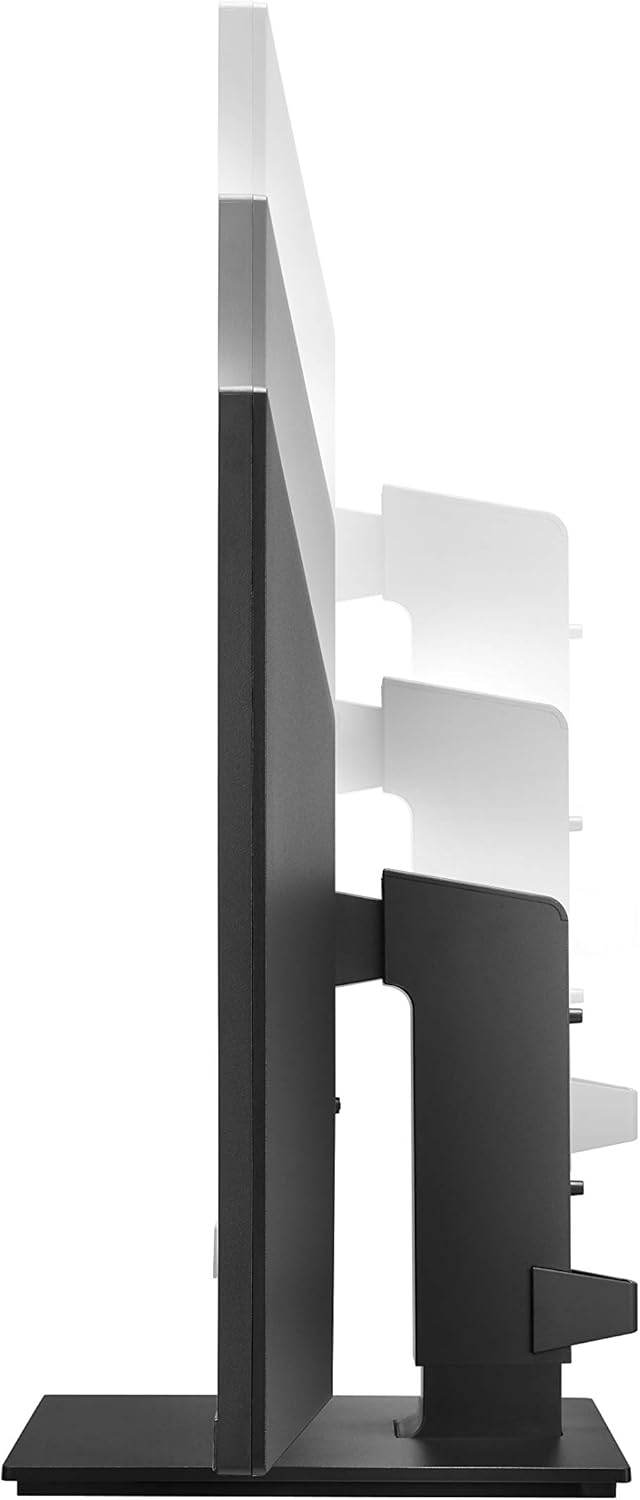
Figure 4: Monitor height adjustment.

Figure 5: Monitor in portrait orientation (pivot feature).
4. Obsluha monitoru
4.1 Zapnutí/vypnutí
Press the power button, usually located on the bottom center or rear of the monitor, to turn the display on or off.
4.2 Nabídka na obrazovce (OSD)
The OSD menu allows you to adjust various display settings. Access it by pressing the joystick button (often located on the bottom center of the monitor). Navigate through the menu using the joystick to control brightness, contrast, color modes, input selection, and other advanced features.
4.3 Klíčové vlastnosti
- UHD (3840 x 2160) Resolution: Provides sharp, detailed images.
- IPS displej: Nabídky široké viewúhly a konzistentní reprodukci barev.
- sRGB 99% barevný gamut: Ensures accurate and vibrant colors, suitable for creative professionals.
- HDR10: Enhances dynamic range for brighter whites and deeper blacks.
- Technologie AMD FreeSync: Snižuje trhání a zasekávání obrazovky pro plynulejší hraní her a přehrávání videa.
5. Údržba
5.1 Čištění monitoru
- Před čištěním vždy vypněte monitor a odpojte napájecí kabel.
- Použijte měkký hadřík, který nepouští vlákna dampvodou nebo specializovaným čističem obrazovek.
- Nestříkejte čistič přímo na obrazovku. Nejprve jej naneste na hadřík.
- Avoid using abrasive cleaners, waxes, or solvents as they can damage the screen surface.
5.2 Obecná péče
- Chraňte monitor před přímým slunečním zářením, zdroji tepla a nadměrným prachem.
- Zajistěte řádné větrání kolem monitoru, aby nedošlo k přehřátí.
- Nepokládejte na monitor ani na jeho kabely těžké předměty.
6. Řešení problémů
Pokud se s monitorem setkáte s problémy, podívejte se na následující běžné problémy a jejich řešení:
- Bez napájení:
- Ujistěte se, že je napájecí kabel bezpečně připojen k monitoru i k funkční elektrické zásuvce.
- Check if the power button on the monitor is pressed.
- Žádný signál/Prázdná obrazovka:
- Verify that the video cable (USB-C, HDMI, or DisplayPort) is securely connected to both the monitor and your computer.
- Ujistěte se, že je v nabídce OSD monitoru vybrán správný vstupní zdroj.
- Zkontrolujte, zda je počítač zapnutý a není v režimu spánku.
- Image Quality Issues (e.g., blurry, distorted):
- Upravte rozlišení počítače tak, aby odpovídalo nativnímu rozlišení monitoru (3840 x 2160).
- Reset the monitor's display settings to factory defaults via the OSD menu.
- Ujistěte se, že video kabel není poškozen.
For further assistance, please consult the official LG support webnebo kontaktujte zákaznický servis.
7. Specifikace
| Funkce | Detail |
|---|---|
| Značka | LG |
| Číslo modelu | 27UK670-B |
| Velikost obrazovky | 27 palce |
| Rezoluce | UHD (3840 2160 x XNUMX XNUMX) |
| Typ panelu | IPS |
| Barevný gamut | 99% sRGB |
| Podpora HDR | HDR10 |
| Konektivita | USB Type-C (with 40W PD), 2x HDMI, DisplayPort, 2x USB 3.0, 3x USB 2.0 |
| Úpravy stojanu | Tilt, Height, Pivot, Swivel |
| Hmotnost položky | 15.4 libry |
| Rozměry produktu (DxŠxV) | 24.1 x 9.9 x 20.4 palce |
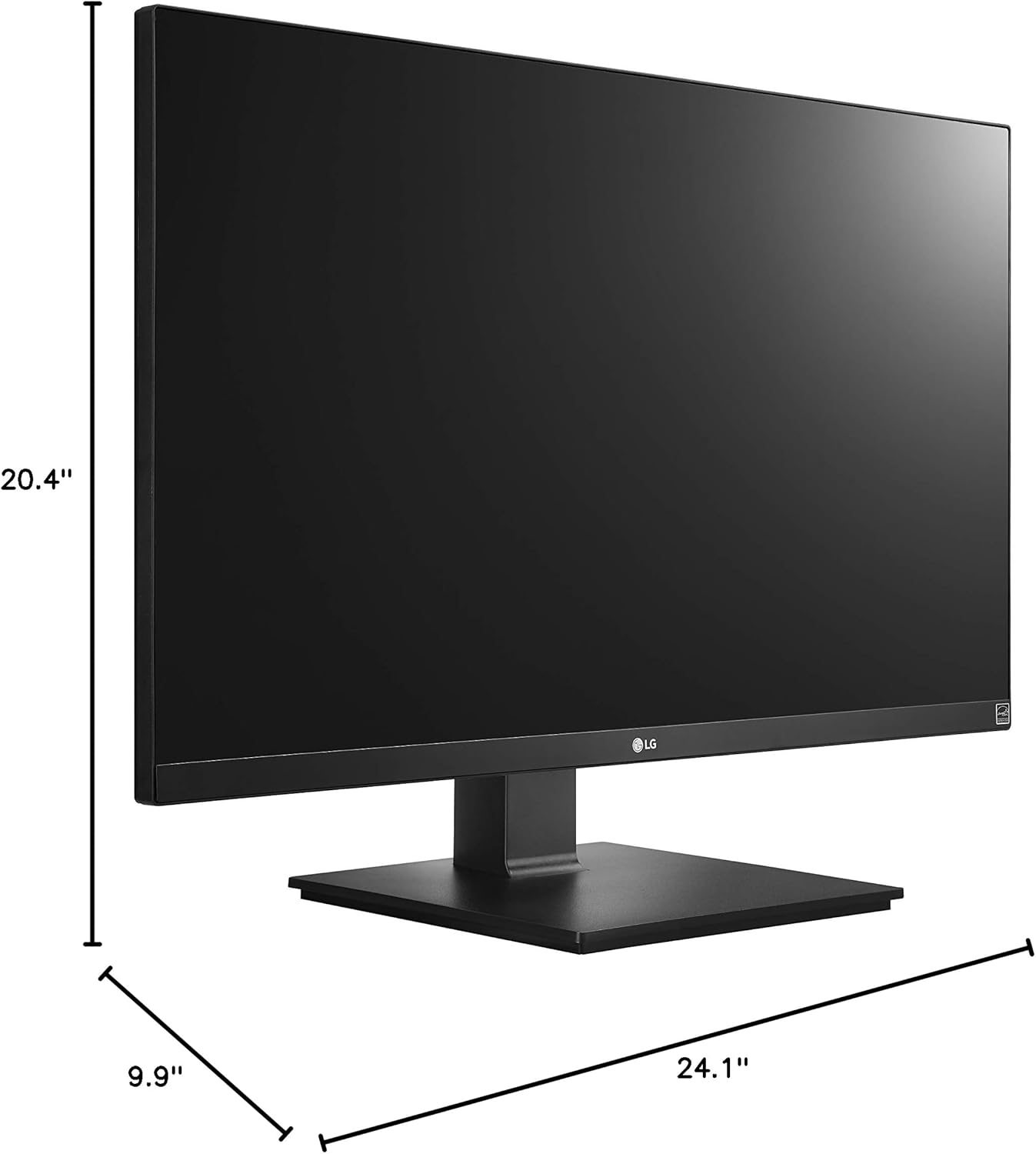
Obrázek 6: Rozměry monitoru.
8. Záruka a podpora
Your LG 27UK670-B monitor is covered by a manufacturer's warranty. For detailed information regarding warranty terms, conditions, and registration, please refer to the warranty card included in your product packaging or visit the official LG Electronics webmísto.
For technical support, service inquiries, or to download the latest drivers and software, please visit the LG support portal or contact LG customer service directly.
Online podpora: www.lg.com/us/support