1. Úvod
This user manual provides comprehensive instructions for the safe and efficient use of your PRIXTON Expert Tablet. Please read this manual thoroughly before operating the device and retain it for future reference. This document covers product overview, nastavení, provoz, údržba, řešení problémů a technické specifikace.
2. Konec produktuview
2.1 Klíčové vlastnosti
- 10palcový IPS displej s rozlišením 800 x 1280.
- Operační systém Android 10.0.
- Octa Core Unisoc T618 processor.
- 3 GB RAM a 64 GB interní úložiště.
- Supports Micro USB, microSD, and SIM card inputs.
- Integrated Wi-Fi, Bluetooth, and 3G connectivity.
- 6000 mAh battery for extended use.
- Front 5 Mpx camera and rear 8 Mpx camera.
2.2 Součásti zařízení
Seznamte se s fyzickými součástmi tabletu:

Obrázek 2.2.1: Přední a zadní strana view of the PRIXTON Expert Tablet, showcasing its metallic finish and camera placement.
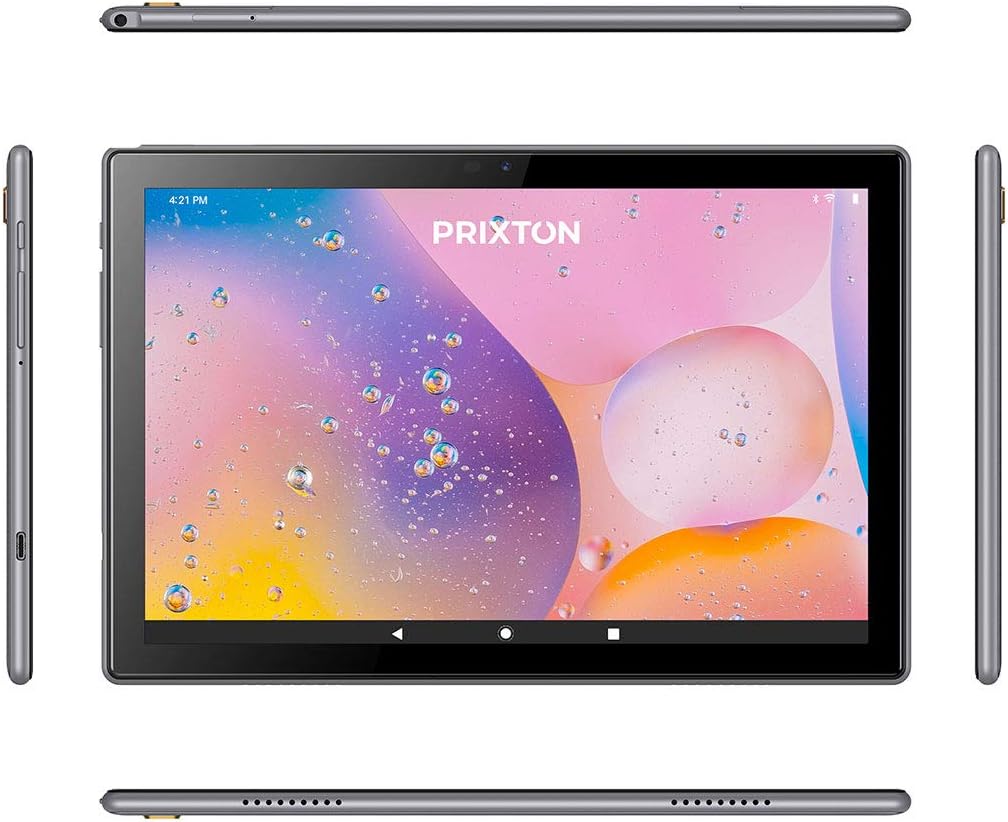
Figure 2.2.2: Various angles of the tablet, illustrating the placement of buttons, ports, and speakers on its sides, top, and bottom.

Figure 2.2.3: Close-up of the tablet's side, detailing the micro USB port, microSD card slot, SIM card slot, and earphone jack.
3. Nastavení
3.1 Počáteční nabíjení
Before first use, fully charge the tablet using the provided USB cable and power adapter. Connect the micro USB end to the tablet's charging port and the other end to a power outlet. The battery indicator on the screen will show charging status.
3.2 Zapnutí/vypnutí
- Zapnutí: Press and hold the Power button (usually located on the side) until the PRIXTON logo appears on the screen.
- Vypnutí: Press and hold the Power button until a power options menu appears. Select 'Power off' and confirm.
- Restartovat: V nabídce možností napájení vyberte možnost „Restartovat“.
3.3 Instalace SIM karty a karty MicroSD
The tablet supports a SIM card for 3G connectivity and a microSD card for expandable storage.
- Vyhledejte slot pro kartu SIM/microSD na boku tabletu.
- K otevření zásuvky použijte dodaný nástroj pro vysunutí SIM karty.
- Carefully place the SIM card and/or microSD card into their respective slots on the tray, ensuring correct orientation.
- Jemně zatlačte zásobník zpět do tabletu, dokud nezacvakne na místo.
3.4 Průvodce počátečním nastavením
Po prvním zapnutí vás tablet provede procesem počátečního nastavení. Postupujte podle pokynů na obrazovce:
- Vyberte preferovaný jazyk.
- Připojte se k síti Wi-Fi.
- Nastavte si účet Google (volitelné, ale doporučené pro stahování aplikací).
- Nakonfigurujte datum, čas a další základní nastavení.
4. Návod k obsluze
4.1 Základní navigace
The tablet features a 10-inch IPS touchscreen for intuitive interaction.

Figure 4.1.1: The tablet's 10-inch IPS screen with 800 x 1280 resolution, displaying a vibrant background.
- Klepněte na: Touch the screen once to select an item or open an application.
- Dotkněte se a podržte: Stiskněte a podržte položku pro zobrazení dalších možností nebo pro její přesunutí.
- Výpad: Tažením prstu po obrazovce můžete posouvat nebo procházet stránky.
- Štípání: Pro přiblížení nebo oddálení obrázků použijte dva prsty a web stránky.
4.2 Connectivity (Wi-Fi, Bluetooth, 3G)
Tablet podporuje různé možnosti připojení:
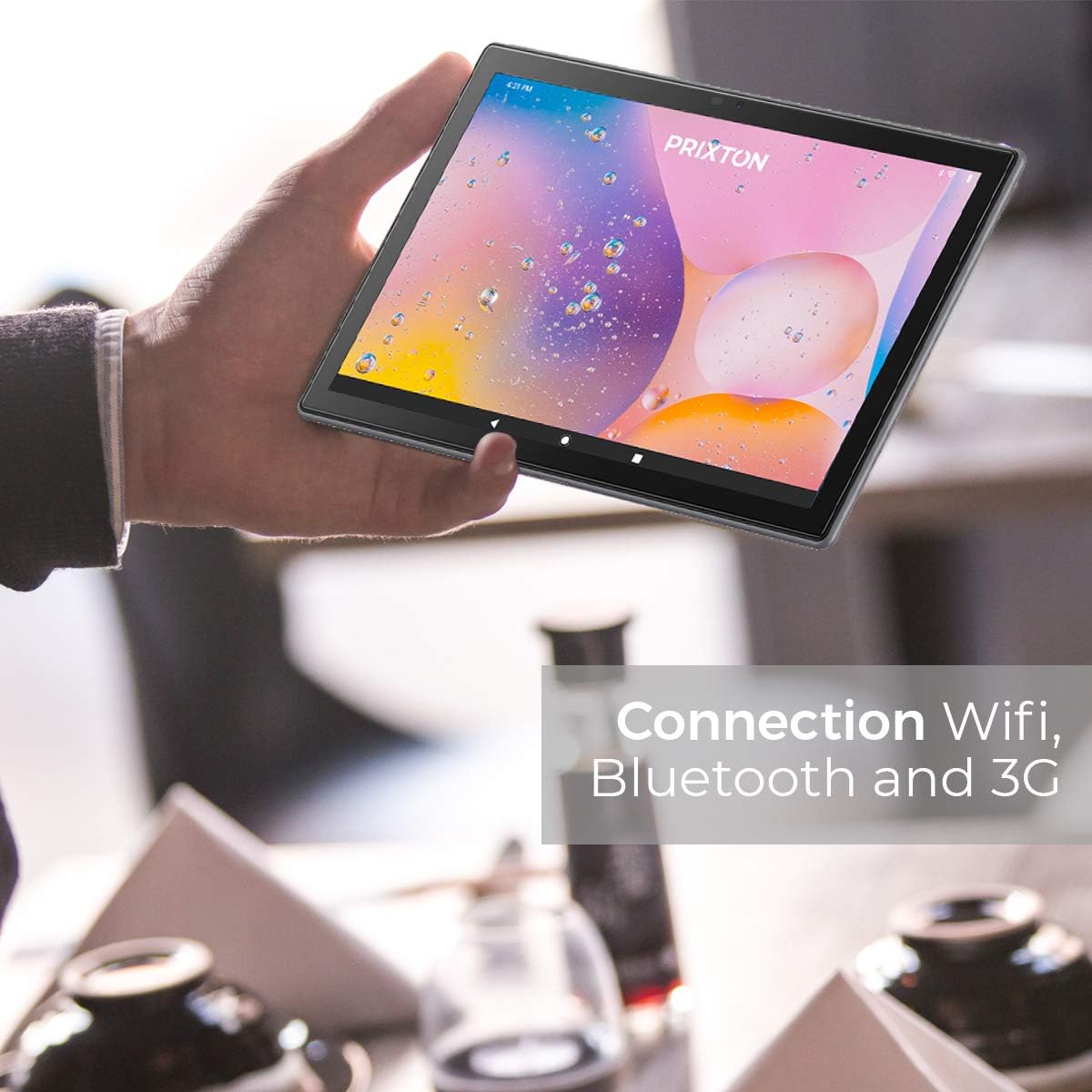
Figure 4.2.1: A person holding the tablet, illustrating its portability and highlighting its Wi-Fi, Bluetooth, and 3G connection capabilities.
- Wi-Fi: Přejít na Nastavení > Síť a internet > Wi-FiZapněte Wi-Fi a vyberte požadovanou síť. V případě potřeby zadejte heslo.
- Bluetooth: Přejít na Nastavení > Připojená zařízení > BluetoothZapněte Bluetooth a spárujte zařízení s kompatibilními zařízeními.
- 3G: Ensure a valid SIM card is inserted. Go to Nastavení > Síť a internet > Mobilní síť to configure mobile data settings.
4.3 Používání kamer
The tablet is equipped with a 5 Mpx front camera and an 8 Mpx rear camera.

Obrázek 4.3.1: Detailní view of the tablet's rear 8 Mpx camera module, including its flash.
Open the Camera application from the home screen or app drawer. You can switch between front and rear cameras, select photo or video mode, and adjust settings like flash and timer.
4.4 Správa úložiště
The tablet comes with 64GB of internal storage, expandable via microSD card.

Figure 4.4.1: The tablet's back panel, indicating its Android 10.0 operating system, Octa Core Spreadtrum processor, 3GB RAM, and 64GB internal storage.
To check storage usage or manage files, přejděte na Nastavení > Úložiště. Můžete view available space, format the microSD card, and manage applications or media files.
5. Údržba
5.1 Čištění zařízení
K čištění tabletu použijte měkký hadřík, který nepouští vlákna. V případě odolných šmouh lehceampOtřete hadřík vodou nebo čističem obrazovek speciálně určeným pro elektroniku. Nepoužívejte agresivní chemikálie, abrazivní materiály ani nadměrnou vlhkost.
5.2 Péče o baterii
- Avoid exposing the tablet to extreme temperatures (hot or cold), as this can degrade battery life.
- Nenechávejte tablet delší dobu zcela vybitý.
- Používejte pouze originální nebo certifikované kompatibilní nabíječky.
5.3 Aktualizace softwaru
Pravidelně kontrolujte aktualizace softwaru, abyste zajistili optimální výkon a zabezpečení. Přejděte na Nastavení > Systém > Aktualizace systému zkontrolovat a nainstalovat dostupné aktualizace.
6. Řešení problémů
| Problém | Možná příčina | Řešení |
|---|---|---|
| Tablet se nezapne | Vybitá baterie; Havárie systému | Nabíjejte tablet alespoň 30 minut. Stiskněte a podržte tlačítko napájení po dobu 10–15 sekund pro vynucení restartu. |
| Problémy s připojením Wi-Fi | Nesprávné heslo; Problém s routerem; Wi-Fi tabletu deaktivováno | Verify Wi-Fi password. Restart your router. Ensure Wi-Fi is enabled in Settings. |
| Pomalý výkon | Příliš mnoho spuštěných aplikací; Nedostatek úložiště; Zastaralý software | Close unnecessary apps. Free up storage space. Check for system updates. |
| Aplikace padají | App bug; Insufficient RAM | Update the app. Clear app cache/data (Settings > Apps). Restart the tablet. |
| Obrazovka nereaguje | Dočasná softwarová závada | Vynuťte restart tabletu podržením tlačítka napájení. |
7. Specifikace
| Funkce | Detail |
|---|---|
| Značka | Prixton |
| Číslo modelu | Tablet 10 3 G |
| Série | Expert |
| Barva | Kovový |
| Operační systém | Android 10 |
| Procesor | Octa Core Unisoc T618 |
| BERAN | 3 GB |
| Interní úložiště | 64 GB |
| Rozšiřitelné úložiště | microSD |
| Velikost obrazovky | 10.1 palce |
| Rezoluce | 800 x 1280 IPS |
| Grafická karta | Integrovaný |
| Konektivita | Wi-Fi, Bluetooth, 3G |
| Hardwarové rozhraní | Micro USB, Micro SD, SIM slot, 3.5mm Audio Jack |
| Baterie | 6000 mAh Lithium metal |
| Přední kamera | 5 Mpx |
| Zadní kamera | 8 Mpx |
| Rozměry produktu (D x Š x V) | 50 x 50 x 28 cm |
| Hmotnost produktu | 980 gramů |
| Výrobce | PRIXTON |
| Date of Availability | 9. července 2022 |
8. Záruka a podpora
For warranty information and technical support, please refer to the documentation included with your purchase or visit the official PRIXTON website. When contacting support, please have your product model (Tablet 10 3 G) and purchase details ready.


