1. Konec produktuview
The EZVIZ C6W Mini PT IP 4MP Wi-Fi Camera (Model 303101768) is designed for indoor security monitoring, offering advanced features such as pan and tilt functionality, 4-megapixel resolution, human detection, two-way audio, and local storage options. This manual provides instructions for setting up, operating, and maintaining your camera.

Obrázek 1.1: EZVIZ C6W Pan & Tilt Wi-Fi Camera. This image displays the camera's sleek dome design and highlights its primary features, including 4-megapixel resolution for clear imaging, person detection capabilities, a 360-degree panoramic view, automatic zoom tracking, and efficient H.265 video compression technology.
2. Obsah balení
Ověřte, zda jsou v balení přítomny všechny komponenty:
- EZVIZ C6W Camera
- Napájecí adaptér
- Sada montážních šroubů
- Stručný průvodce (podrobné pokyny naleznete v tomto návodu)
3. Pokyny k nastavení
3.1. Zapnutí fotoaparátu
- Připojte napájecí adaptér k napájecímu portu fotoaparátu.
- Zapojte napájecí adaptér do elektrické zásuvky.
- Wait for the camera's indicator light to flash blue, indicating it is ready for setup.
3.2. Installing the EZVIZ App
The EZVIZ app is required for camera setup and operation.
- Stáhněte si aplikaci EZVIZ z App Storu (iOS) nebo Obchodu Google Play (Android).
- Register for an EZVIZ account if you do not have one, or log in with your existing account.
3.3. Přidání fotoaparátu do aplikace
- Open the EZVIZ app.
- Klepnutím na ikonu „+“ na domovské obrazovce přidáte zařízení.
- Naskenujte QR kód, který se nachází na spodní straně fotoaparátu nebo v průvodci rychlým spuštěním.
- Follow the in-app prompts to connect the camera to your Wi-Fi network. Ensure your Wi-Fi network is 2.4 GHz.
- Po připojení se kontrolka rozsvítí modře.
3.4. Montáž kamery (volitelné)
The camera can be placed on a flat surface or mounted to a ceiling or wall using the provided screw kit.
- Choose a suitable location for optimal coverage.
- Use the mounting template (if provided) to mark screw positions.
- Drill pilot holes and insert the wall anchors.
- Secure the mounting plate (if applicable) with screws.
- Připevněte kameru k montážní desce.
4. Ovládání fotoaparátu
4.1. Živě View a ovládání otáčení/náklonu
Access the live feed and control the camera's movement through the EZVIZ app.
- Open the EZVIZ app and select your camera.
- Use the on-screen joystick or swipe gestures to pan (horizontal) and tilt (vertical) the camera lens.
- Fotoaparát nabízí 360° Field-of-View pro komplexní pokrytí.
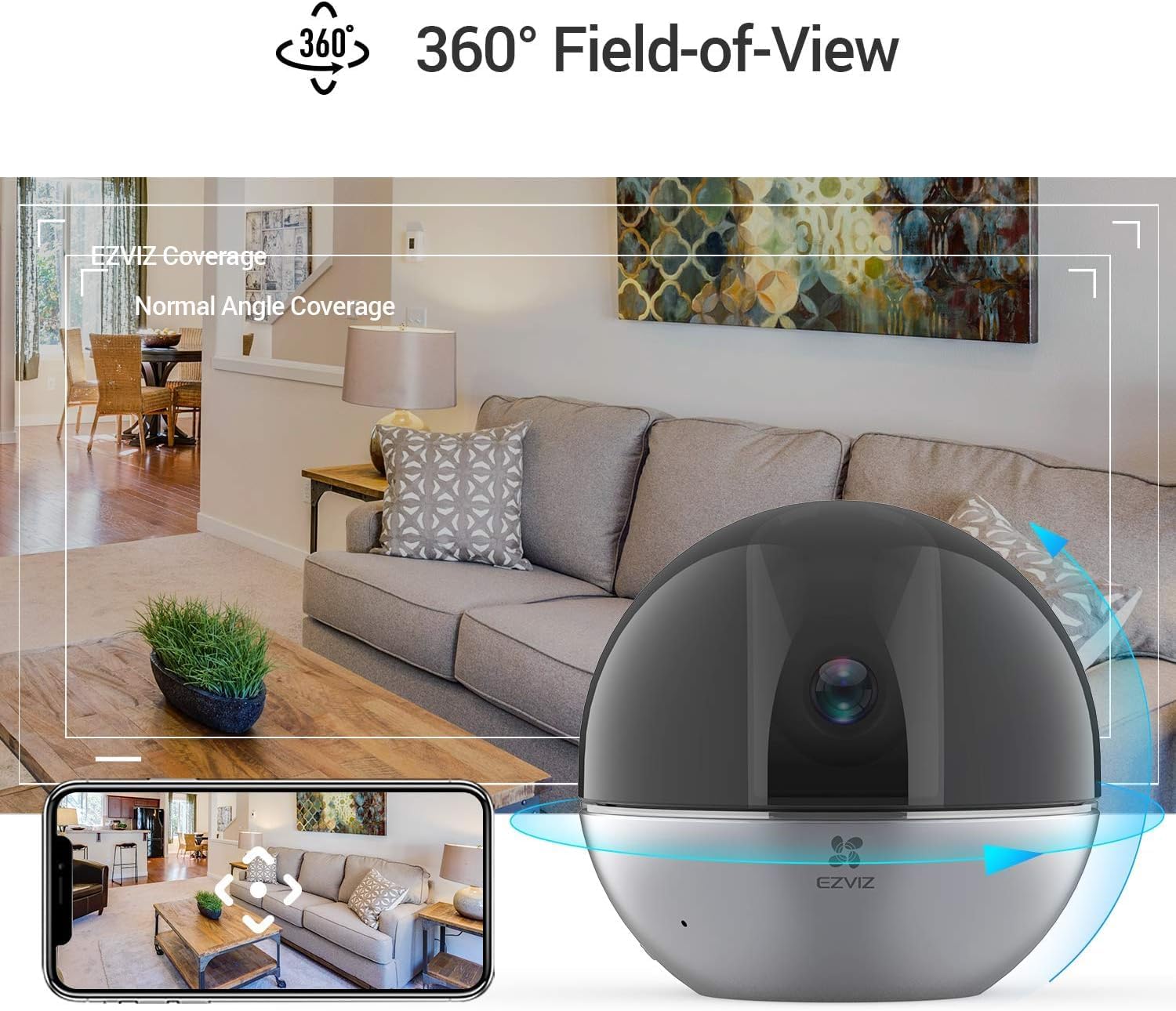
Obrázek 4.1: 360° Field-of-View. This image illustrates the camera's ability to provide a full panoramic view of a room, with an accompanying smartphone screen showing how users can navigate this wide field of view within the EZVIZ app.
4.2. Obousměrný zvuk
Komunikujte s osobami v blízkosti kamery pomocí funkce obousměrného zvuku.
- V přímém přenosu view, klepněte na ikonu mikrofonu a začněte mluvit.
- Tap it again to end speaking.
- The camera's speaker will transmit your voice, and its microphone will capture audio from the camera's location.

Obrázek 4.2: Two-Way Audio Functionality. This image shows the EZVIZ app on a smartphone, highlighting the 'Speak' button, and illustrating how users can engage in two-way communication with the camera's location, with example speech bubbles.
4.3. Detekce a sledování pohybu
The camera can detect human motion and automatically track subjects.
- Umožnit Detekce osob in the app settings to receive alerts when human figures are detected.
- Aktivovat Sledování automatického přiblížení for the camera to automatically zoom in and follow detected motion.
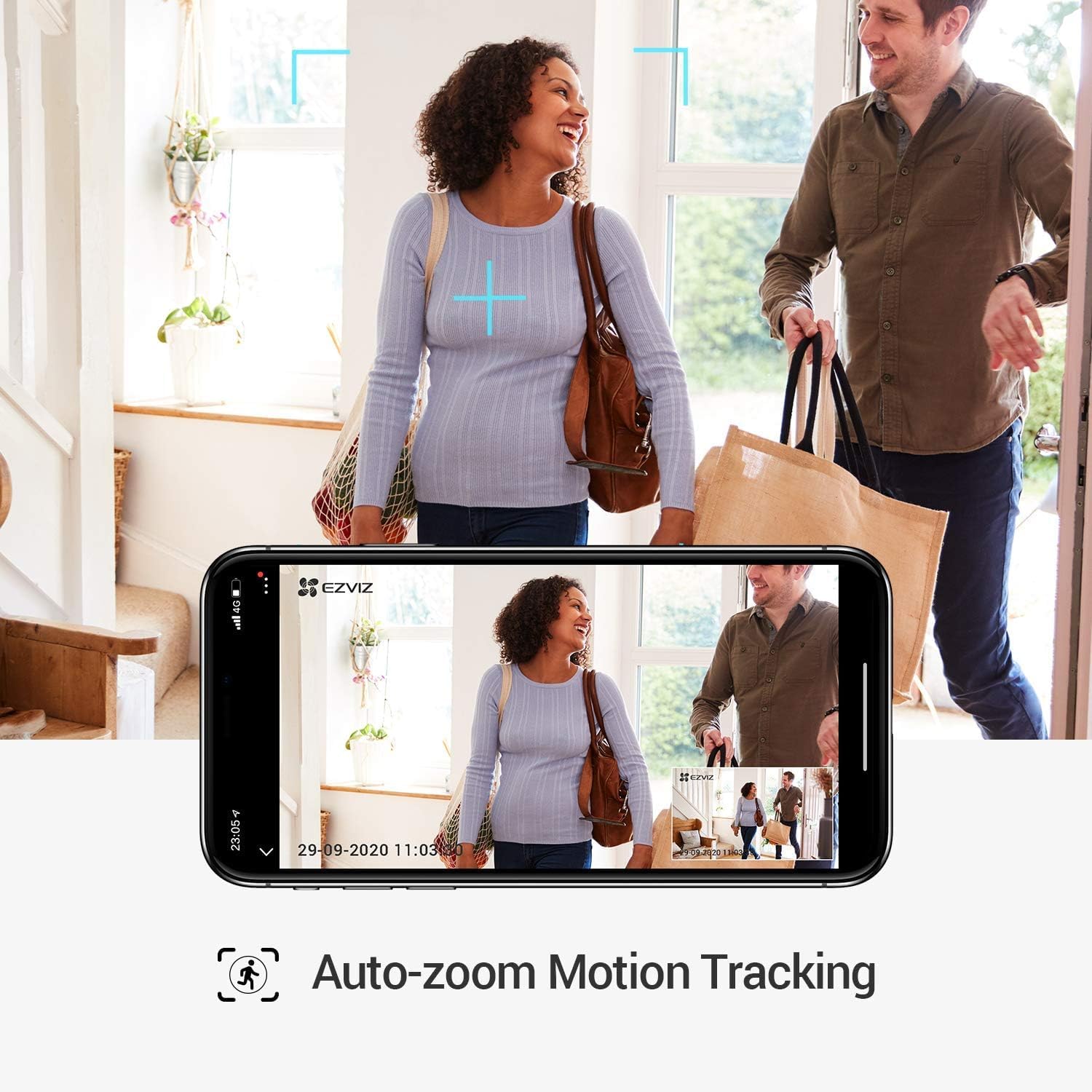
Obrázek 4.3: Auto-Zoom Motion Tracking. This image illustrates the camera's capability to automatically zoom and track moving subjects, showing a couple entering a home and the camera's view on a smartphone screen following their movement.

Obrázek 4.4: Person Detection. This image shows the camera's person detection feature in action, with blue focus squares highlighting a child playing, indicating that a human figure has been identified.

Obrázek 4.5: Automatic Tracking Mechanism. This image provides a close-up of the camera lens, with blue light rays emanating from it, visually representing the camera's internal mechanism for automatic tracking and movement.
4.4. Režim soukromí
Activate Privacy Mode to physically retract the camera lens, ensuring privacy when needed.
- In the EZVIZ app, locate and tap the Režim soukromí tlačítko.
- The camera lens will retract into its housing, stopping all recording and live viewIng.
- Tap the button again to resume normal operation.

Obrázek 4.6: One-Touch Privacy Shutter. This image shows the camera's privacy feature, where the lens retracts into the dome, visually indicating that the camera is no longer recording or viewing, ensuring user privacy.
4.5. Místní úložiště
The camera supports local storage via a microSD card (sold separately) for continuous recording or event-triggered recordings.
- Insert a microSD card (up to 256GB recommended) into the designated slot on the camera.
- Format the microSD card through the EZVIZ app settings.
- Configure recording schedules and event recording preferences in the app.
5. Údržba
5.1. Čištění fotoaparátu
- Před čištěním se ujistěte, že je fotoaparát vypnutý.
- K otření těla fotoaparátu použijte měkký, suchý hadřík.
- For the lens, use a lens cleaning cloth specifically designed for optics to avoid scratches.
- Nepoužívejte drsné chemikálie ani abrazivní čisticí prostředky.
5.2. Aktualizace firmwaru
Regularly check for and install firmware updates through the EZVIZ app to ensure optimal performance and security.
- Open the EZVIZ app.
- Navigate to your camera's settings.
- Look for a "Firmware Version" or "Update" option and follow the prompts.
6. Řešení problémů
6.1. Fotoaparát offline
- Zkontrolujte napájení: Ensure the camera is properly connected to a power source and the adapter is functioning.
- Zkontrolujte Wi-Fi: Verify your Wi-Fi router is on and broadcasting a 2.4 GHz network. Ensure the camera is within range.
- Restartovat: Unplug the camera, wait 30 seconds, and plug it back in. Restart your Wi-Fi router.
- Re-add Camera: If issues persist, try removing the camera from the app and adding it again.
6.2. Špatná kvalita videa
- Rychlost sítě: Ensure your internet connection meets the requirements for streaming high-resolution video.
- Wi-Fi signál: Přesuňte kameru blíže k Wi-Fi routeru nebo zvažte použití Wi-Fi extenderu.
- Čistota čočky: Vyčistěte objektiv fotoaparátu podle pokynů v části Údržba.
- WDR Feature: The camera features Wide Dynamic Range (WDR) to improve image clarity in scenes with both very bright and very dark areas. Ensure this feature is enabled in the app settings if needed.

Obrázek 6.1: WDR Comparison. This image demonstrates the difference between EZVIZ C6W's True-WDR and standard Digital WDR, showing how True-WDR enhances image quality by balancing exposure in challenging lighting conditions, revealing more detail in both bright and dark regions of a scene.
6.3. Detekce pohybu nefunguje
- Povolit detekci: Verify that "Person Detection" and "Motion Detection" are enabled in the app settings.
- Citlivost: Adjust the motion detection sensitivity level in the app.
- Detekční zóna: Ujistěte se, že oblast, kterou chcete monitorovat, se nachází v detekční zóně kamery.
- Naplánovat: Check if motion detection is scheduled to be active during the desired times.
7. Specifikace
| Funkce | Specifikace |
|---|---|
| Název modelu | C6W |
| Číslo modelu produktu | 303101768 |
| Efektivní rozlišení videa | 4 Megapixels (2K Resolution) |
| Rozlišení záznamu videa | 3K |
| Snímková frekvence | 25 snímků za sekundu |
| Technologie připojení | Bezdrátové (Wi-Fi) |
| Technologie bezdrátové komunikace | Wi-Fi |
| Speciální funkce | Two-way audio, Motion detector, Local recording, Person Detection, Auto-Zoom Tracking, Privacy Mode |
| Vnitřní/venkovní použití | Krytý |
| Rozsah nočního vidění | 10 metrů |
| Zdroj napájení | Corded Electric (5 Volts, 8 Watt-hours) |
| Materiál | Plast |
| Barva | Černý |
| Rozměry položky (D x Š x V) | 9.6 x 9.6 x 9.1 cm |
| Rozměry produktu | 9.58 x 9.58 x 9.06 cm; 252 g |
| Úroveň odolnosti proti vodě | Není odolný proti vodě |
| Kompatibilní zařízení | Smartphone (via EZVIZ App), Amazon Alexa |
| Zahrnuté komponenty | Camera, mounting screws, power adapter |
8. Informace o záruce
EZVIZ products typically come with a limited warranty. For detailed warranty terms and conditions, including coverage period and service procedures, please refer to the warranty card included with your product or visit the official EZVIZ webmísto.
Důležité: Uschovejte si účtenku jako doklad o koupi pro případ reklamace.
9. Podpora
For technical assistance, frequently asked questions, or further support, please visit the official EZVIZ support page or contact their customer service.
- Online podpora: Návštěva www.ezviz.com/support (or your regional EZVIZ webstránky).
- Aplikace EZVIZ: The app often contains a "Help" or "FAQ" section.