1. Úvod
This manual provides detailed instructions for the installation, operation, and maintenance of your PINEWORLD Q106 Bluetooth Smart Door Lock. The Q106 is a keyless deadbolt lock designed for enhanced security and convenience, offering multiple unlocking methods including fingerprint, password, Tuya App, and mechanical key.
Před instalací a použitím si prosím pečlivě přečtěte tento návod k obsluze, abyste zajistili správnou funkci a dlouhou životnost produktu.

Obrázek 1.1: Přední a zadní strana view of the PINEWORLD Q106 Smart Door Lock.
2. Vlastnosti produktu
- Více způsobů odblokování: Access your door using smart fingerprint recognition, the Tuya App via Bluetooth, a user-defined password, or a traditional mechanical key. The system supports up to 100 users.
- Pokročilé zabezpečení: Constructed from high-strength aluminum alloy, featuring semiconductor fingerprint recognition to prevent unauthorized access from fake fingerprints. Includes a virtual password function for enhanced privacy during entry.
- Automatické zamykání: A built-in sensor detects when the door is closed and automatically engages the lock, providing immediate security.
- Odolný design: IP65 waterproof certification ensures the lock can withstand temperatures from -25°C to 50°C (-77°F to 122°F) and exposure to rainfall.
- Všestranná instalace: Suitable for door thicknesses between 35mm and 55mm. Compatible with wooden doors and UPVC composite doors. Supports reversible handle orientation for left-outside, left-inside, right-outside, and right-inside door opening configurations.

Image 2.1: Illustration of the four unlocking methods: Tuya App, Smart Fingerprint, User Password, and Mechanical Key.

Image 2.2: Key features including Tuya App Control, Bluetooth 4.0, Fingerprint Unlock, and 100 user management capacity.
3. Nastavení a instalace
3.1 Kontrola před instalací
Before beginning installation, verify your door's specifications:
- Tloušťka dveří: The PINEWORLD Q106 is designed for doors with a thickness between 35mm and 55mm.
- Materiál dveří: Suitable for wooden doors and UPVC composite doors.
- Ovládání dveří: The lock supports reversible handle orientation, accommodating left-outside, left-inside, right-outside, and right-inside door opening directions.
3.2 Montážní rozměry
Refer to the diagram below for precise measurements required for drilling and mounting the lock components.

Image 3.1: Diagram illustrating the required door preparation dimensions for installation, including backset (60mm or 70mm) and bore hole diameters.
3.3 Tuya App Setup
- Download the Tuya Smart App from your device's app store (available for Android and iOS).
- Zaregistrujte se nebo se přihlaste ke svému účtu Tuya.
- Ujistěte se, že je na vašem smartphonu povoleno Bluetooth.
- Follow the in-app instructions to add your PINEWORLD Q106 lock. This typically involves activating the lock's pairing mode and confirming the connection within the app.
4. Návod k obsluze
4.1 Odemknutí dveří
- Odemknutí otisků prstů: Place your registered finger on the fingerprint sensor. The lock will recognize your fingerprint in approximately 0.3 seconds and unlock within 1 second.
- Odemknutí heslem: Enter your registered password on the keypad.
- Tuya App Unlock: Open the Tuya Smart App on your smartphone, ensure you are within Bluetooth range, and use the unlock function within the app interface.
- Mechanické odemknutí klíčem: Insert the provided mechanical key into the keyhole and turn to unlock the door. This method serves as a backup.
4.2 Virtual Password Function
To enhance security and prevent others from observing your password, the lock supports a virtual password function. You can enter random digits before or after your actual password. For example, pokud je vaše heslo 123456, můžete zadat 012345678, and the lock will still recognize the correct sequence within the longer string.

Image 4.1: Demonstration of the secure anti-peep code feature, allowing random digits to be entered around the correct password.
4.3 Automatické zamykání
The PINEWORLD Q106 features an automatic locking mechanism. Once the door is closed, the built-in sensor detects its position and automatically engages the deadbolt, securing your premises without manual intervention.

Image 4.2: Illustration of the auto-lock function, showing the lock automatically engaging when the door closes.
4.4 Správa uživatelů
The lock system supports the registration of up to 100 users. Administrator settings and user settings can be managed through the Tuya App, allowing for easy addition, modification, or deletion of fingerprints and passwords.
5. Údržba
5.1 Čištění
Pro zachování vzhledu a funkčnosti zámku pravidelně otírejte vnější povrchy měkkým hadříkem.amp hadříkem. Nepoužívejte abrazivní čisticí prostředky, rozpouštědla ani chemické spreje, protože by mohly poškodit povrchovou úpravu a elektronické součástky.
5.2 Výměna baterie
The PINEWORLD Q106 operates on batteries (not included). When the battery level is low, the lock will provide an alert. Replace batteries promptly to ensure continuous operation. Refer to the installation guide for instructions on accessing the battery compartment.
5.3 Odolnost vůči povětrnostním vlivům
The lock is IP65 waterproof certified, designed to withstand various weather conditions including rain and extreme temperatures. However, prolonged exposure to direct, heavy water spray or submersion should be avoided.
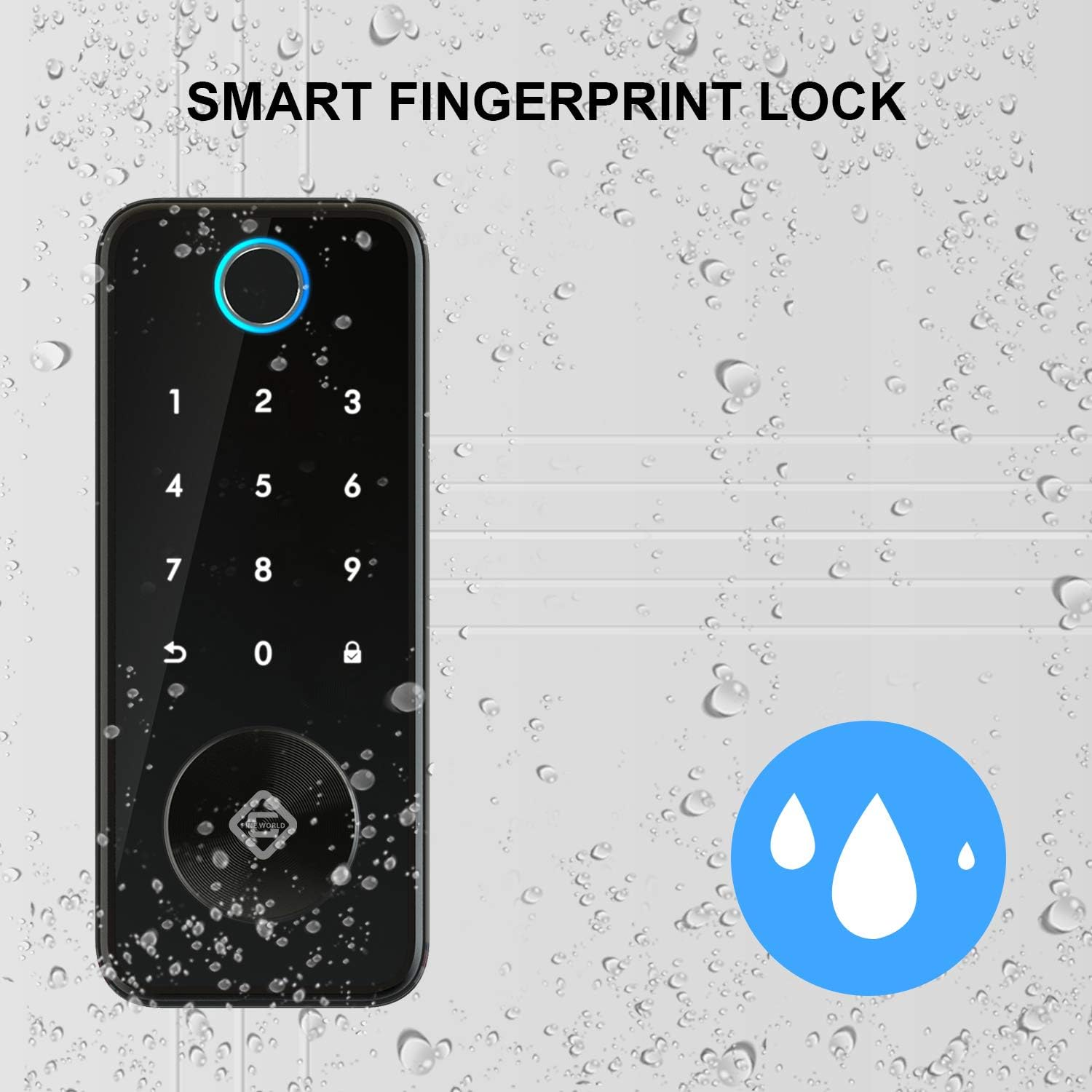
Image 5.1: The PINEWORLD Q106 lock demonstrating its IP65 waterproof capability, suitable for outdoor use.
6. Řešení problémů
If you encounter issues with your PINEWORLD Q106 smart door lock, consider the following general troubleshooting steps:
- Zámek nereaguje: Zkontrolujte stav baterie a v případě potřeby ji vyměňte. Ujistěte se, že je zámek správně nainstalován a všechna připojení jsou bezpečná.
- Otisk prstu nebyl rozpoznán: Ensure your finger is clean and dry. Re-register your fingerprint if recognition issues persist.
- Password Entry Issues: Verify the correct password is being entered. Try the virtual password function to rule out observation errors.
- Problémy s připojením aplikace: Ensure Bluetooth is enabled on your phone and you are within range of the lock. Restart the Tuya App or your phone.
- Mechanický klíč nefunguje: Ujistěte se, že je klíč zcela zasunutý a správně otočený. Netlačte na klíč násilím.
For persistent issues, consult the Tuya App's help section or contact customer support.
7. Specifikace
| Funkce | Specifikace |
|---|---|
| Model | Q106 |
| Značka | PINEWORLD |
| Typ zámku | Biometric Smart Deadbolt |
| Metody odemykání | Fingerprint, Password, Tuya App (Bluetooth), Mechanical Key |
| Uživatelská kapacita | Až 100 XNUMX uživatelů |
| Konektivita | Bluetooth |
| Typ ovladače | Android (via Tuya App) |
| Materiál | Hliník |
| Barva | Stříbro |
| Kompatibilita tloušťky dveří | 35 mm - 55 mm |
| Provozní teplota | -25 °C až 50 °C (-77 °F až 122 °F) |
| Hodnocení voděodolnosti | IP65 |
| Baterie | Není součástí dodávky |
| Rozměry balení | 24.79 x 21.01 x 10.9 cm |
| Hmotnost balení | 1.84 kg |
8. Záruka a podpora
PINEWORLD provides a 1-letý záruční servis for the Q106 Smart Door Lock, covering manufacturing defects and malfunctions under normal use. Additionally, customers are eligible for a 30-day free return and exchange policy od data nákupu.
For warranty claims, technical support, or any inquiries regarding your product, please contact PINEWORLD customer service through the contact information provided with your purchase or on the official PINEWORLD webmísto.


