1. Úvod
This manual provides instructions for the Xgody Mate10+ smartphone. It covers device setup, operation, features, and maintenance to ensure optimal performance and user experience. The Mate10+ operates on Android 8.1, features a 5.5-inch HD display, dual 5MP cameras, and supports dual SIM functionality.
2. Obsah balení
Ověřte, zda jsou v balení produktu přítomny všechny položky:
- 1 x Xgody Mate10+ Smartphone
- 1 x Nabíjecí adaptér
- 1 x USB kabel
- 1 x telefonní pouzdro
- 1 x anglická uživatelská příručka
- 1 x HD Film (Screen Protector)
- 1 x tvrzená fólie (ochranná fólie na displej)

Image: Contents of the Xgody Mate10+ smartphone package.
3. Začínáme
3.1. Instalace SIM karty a paměťové karty
The Xgody Mate10+ supports dual SIM dual standby, allowing the use of two SIM cards simultaneously. It has two independent card slots: one for a Nano SIM and one for a Micro SIM or a TF (microSD) card for expandable storage.
- Vyhledejte slot pro SIM/TF kartu na boku zařízení.
- K otevření zásuvky použijte dodaný nástroj pro vysunutí SIM karty.
- Carefully place your Nano SIM card, Micro SIM card, and/or TF card into the designated slots. Ensure correct orientation.
- Jemně zatlačte zásobník zpět do zařízení, dokud nebude v jedné rovině.
3.2. Nabíjení zařízení
Before first use, fully charge the smartphone using the provided charger and USB cable.
- Connect the USB cable to the charger adapter.
- Zapojte nabíjecí adaptér do elektrické zásuvky.
- Připojte kabel USB k nabíjecímu portu na telefonu.
- Ikona baterie na obrazovce ukazuje stav nabíjení.
3.3. Zapnutí/vypnutí
- To power on: Press and hold the Power button until the screen lights up.
- Vypnutí: Stiskněte a podržte tlačítko Napájení a poté z možností na obrazovce vyberte možnost „Vypnout“.
3.4. Počáteční nastavení
Po prvním zapnutí postupujte podle pokynů na obrazovce a dokončete počáteční nastavení, včetně výběru jazyka, připojení k Wi-Fi, nastavení účtu Google a nastavení zabezpečení.
4. Klíčové vlastnosti a ovládání
4.1. Displej
The Xgody Mate10+ features a 5.5-inch HD full-view display, providing a wide visual experience for viewobsahu.

Image: The 5.5-inch full-view display of the Xgody Mate10+.

Image: The compact design of the Xgody Mate10+ for easy portability.
4.2. Operační systém (Android 8.1)
The device runs on Android 8.1, offering a user-friendly interface and enhanced performance for daily tasks.
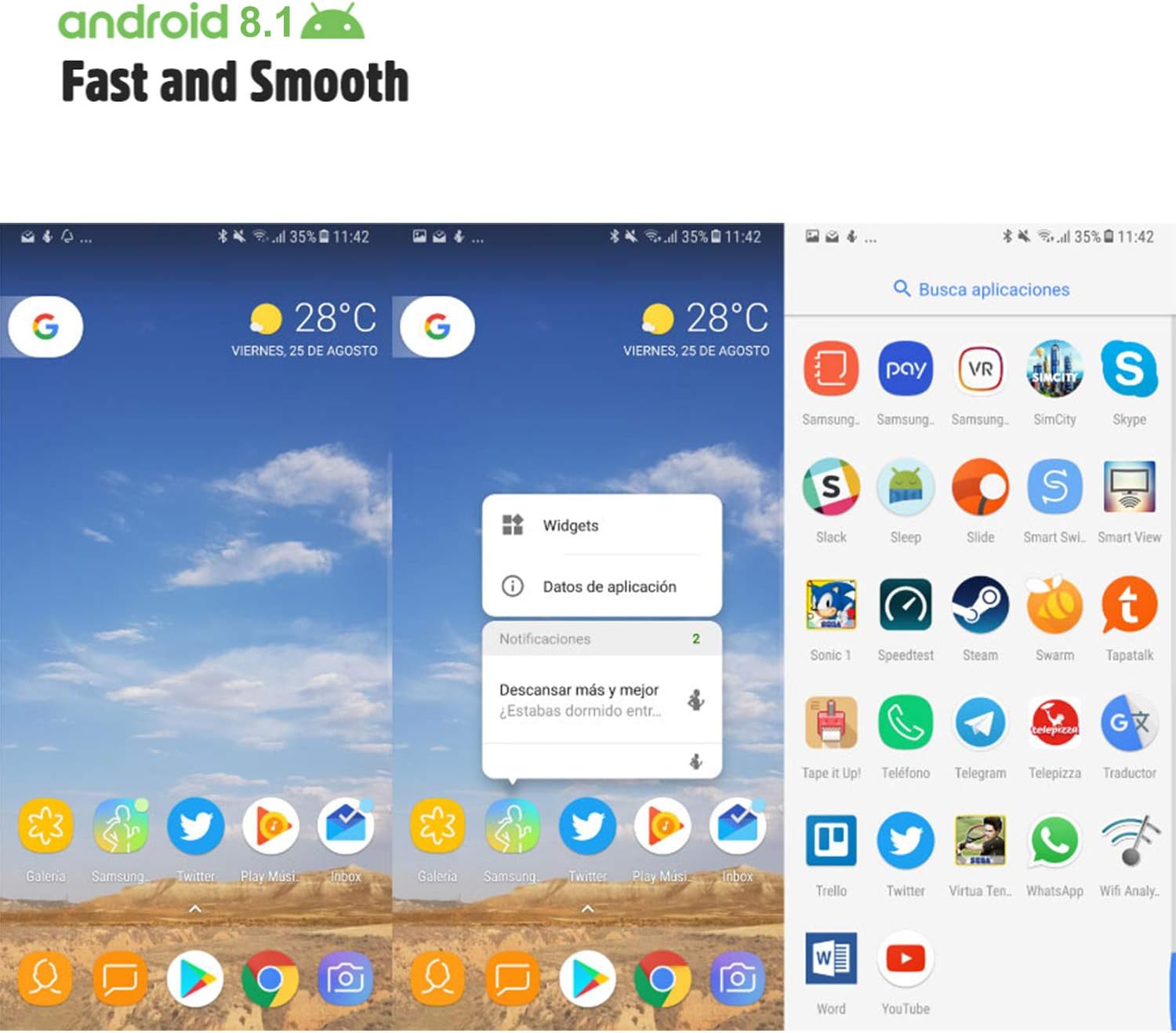
Image: Android 8.1 interface on the Xgody Mate10+.
4.3. Fotoaparát
The Xgody Mate10+ is equipped with dual 5MP cameras, including a rear camera and a front beauty camera, for capturing photos and videos.

Image: Using the front camera for selfies.
4.4. Výkon a úložiště
The device includes 1GB RAM and 8GB internal storage (ROM), expandable up to 32GB with an external SD card, providing sufficient space for applications and media.

Image: Internal components and storage capabilities.
4.5. Konektivita
The Xgody Mate10+ is a 3G unlocked smartphone, supporting WCDMA 850/1900/2100MHz and GSM 850/900/1800/1900 MHz network bands. It is compatible with most WCDMA SIM carriers but not with CDMA carriers (e.g., Sprint, Verizon, Boost Mobile).
4.6. Bezpečnost
The device supports Face ID for unlocking, providing a convenient and secure method to access your phone.
Video: Konecview of Xgody Mate10+ features, including camera, processor, memory, Face ID, 5.5-inch screen, dual SIM, and Android 8.1 operating system.
5. Specifikace
| Model | Mate10+ |
| Operační systém | Android 8.1 |
| Zobrazit | 5.5 inch HD Full View Obrazovka |
| BERAN | 1 GB |
| ROM (interní úložiště) | 8 GB |
| Rozšiřitelné úložiště | Až 32 GB (TF karta) |
| Zadní kamera | 5 MP |
| Přední kamera | 5MP (Beauty Camera) |
| Podpora SIM karet | Dual SIM Dual Standby (1 Nano SIM, 1 Micro SIM or TF card) |
| Síťová pásma | 3G WCDMA 850/1900/2100MHz, 2G GSM 850/900/1800/1900 MHz |
| Kapacita baterie | 2000 XNUMX mAh |
| Bezdrátové technologie | Bluetooth, Wi-Fi, mobilní připojení |
| Konektivita | USB |
| GPS | GLONASS |
| Hmotnost položky | 14 unce |
| Rozměry produktu | 0.39 x 0.39 x 0.39 palce |
6. Řešení problémů
If you encounter issues with your Xgody Mate10+, refer to the following common solutions:
- Zařízení se nezapíná: Ujistěte se, že je baterie nabitá. Připojte nabíječku a před opětovným zapnutím počkejte několik minut.
- Slabá výdrž baterie: Reduce screen brightness, close unused apps running in the background, disable Wi-Fi/Bluetooth when not in use, and limit background data usage.
- Problémy s připojením k síti: Check if your SIM card is properly inserted. Verify that your SIM card supports the device's network bands (3G WCDMA 850/1900/2100MHz & 2G GSM 850/900/1800/1900 MHz). Restart the device.
- Zamrzávání nebo pády aplikací: Close and restart the application. If the issue persists, clear the app's cache and data in Settings > Apps. Consider uninstalling and reinstalling the app.
- Pomalý výkon: Close unnecessary background applications. Clear cache data regularly. Ensure sufficient free storage space.
- Obrazovka nereaguje: Restartujte zařízení podržením tlačítka napájení. Pokud nereaguje, vynuťte restart podržením tlačítka napájení po delší dobu (obvykle 10–15 sekund).
7. Záruka a podpora
For warranty information and technical support, please refer to the warranty card included in your product package or contact Xgody customer service through their official website or designated support channels. Keep your purchase receipt as proof of purchase for warranty claims.